Fabric API Needed by WI Zoom WI-Zoom 1.7-MC26.4-snapshot-3
requiredNo matching file
CurseForge · Minecraft mod
The zoom from the Wurst Client as a standalone mod.
Quick answer
WI Zoom WI-Zoom 1.7-MC26.4-snapshot-3 targets 26.3-snapshot with Fabric. The project page does not say whether this file belongs on the client, dedicated server, or both. 1 required mod needs a matching file.
Where it goes
The project page does not say whether this file belongs on the client, dedicated server, or both.
The source does not explicitly classify this release as client-only or server-only.
WI-Zoom 1.7-MC26.4-snapshot-3. Change the file and its required mods may change too.
Install Fabric API first, but 1 required mod has no matching file for this setup. Do not mix loader builds to force a match.
We only count dependency files that match this setup. A file for another loader does not fill the gap.
Before you install it
Built for WI Zoom WI-Zoom 1.7-MC26.4-snapshot-3. Pick another file and the loader, install side or required mods may change.
Use WI-Zoom 1.7-MC26.4-snapshot-3. It targets 26.3-snapshot with Fabric; another release may have different loader, side or dependency requirements.
Install Fabric API first, but 1 required mod has no matching file for this setup. Do not mix loader builds to force a match.
The project page does not say whether this file belongs on the client, dedicated server, or both.
Use the “Get this file” button beside WI-Zoom 1.7-MC26.4-snapshot-3. It opens that exact file at the source.
About this project
WI Zoom is the zoom from the Wurst Client as a standalone Minecraft mod, letting you zoom in and out with the mouse wheel and providing up to 50x magnification without the need for a spyglass. This mod is fully compatible with OptiFine and Sodium, but unlike OptiFine's zoom, WI Zoom lets the camera move in a logical way, without making it wobble around. WI Zoom supports all of the latest Minecraft versions, including snapshots.

 (unless you're using NeoForge)
NOTE: Do not install this if you have the Wurst Client. This is already included in Wurst and having it twice will crash the game.
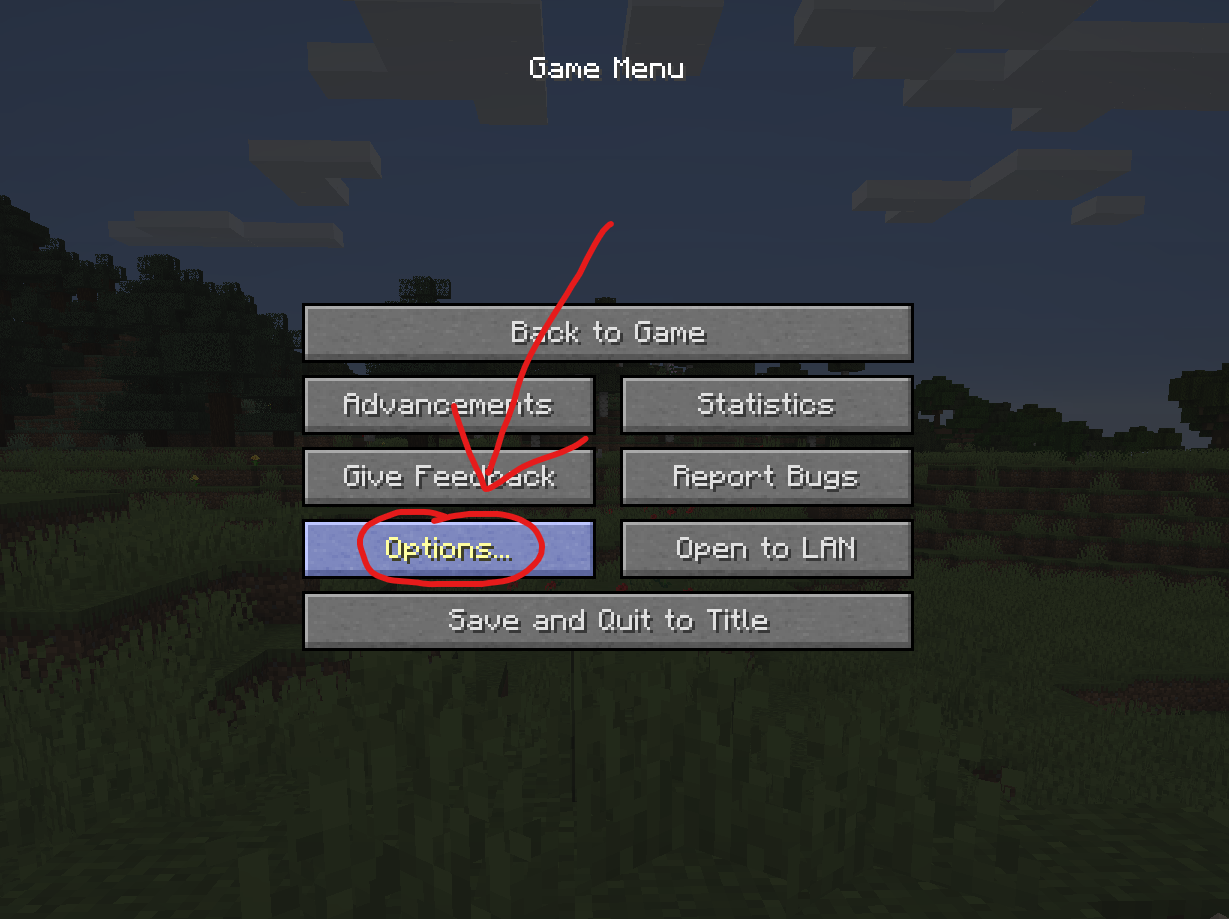
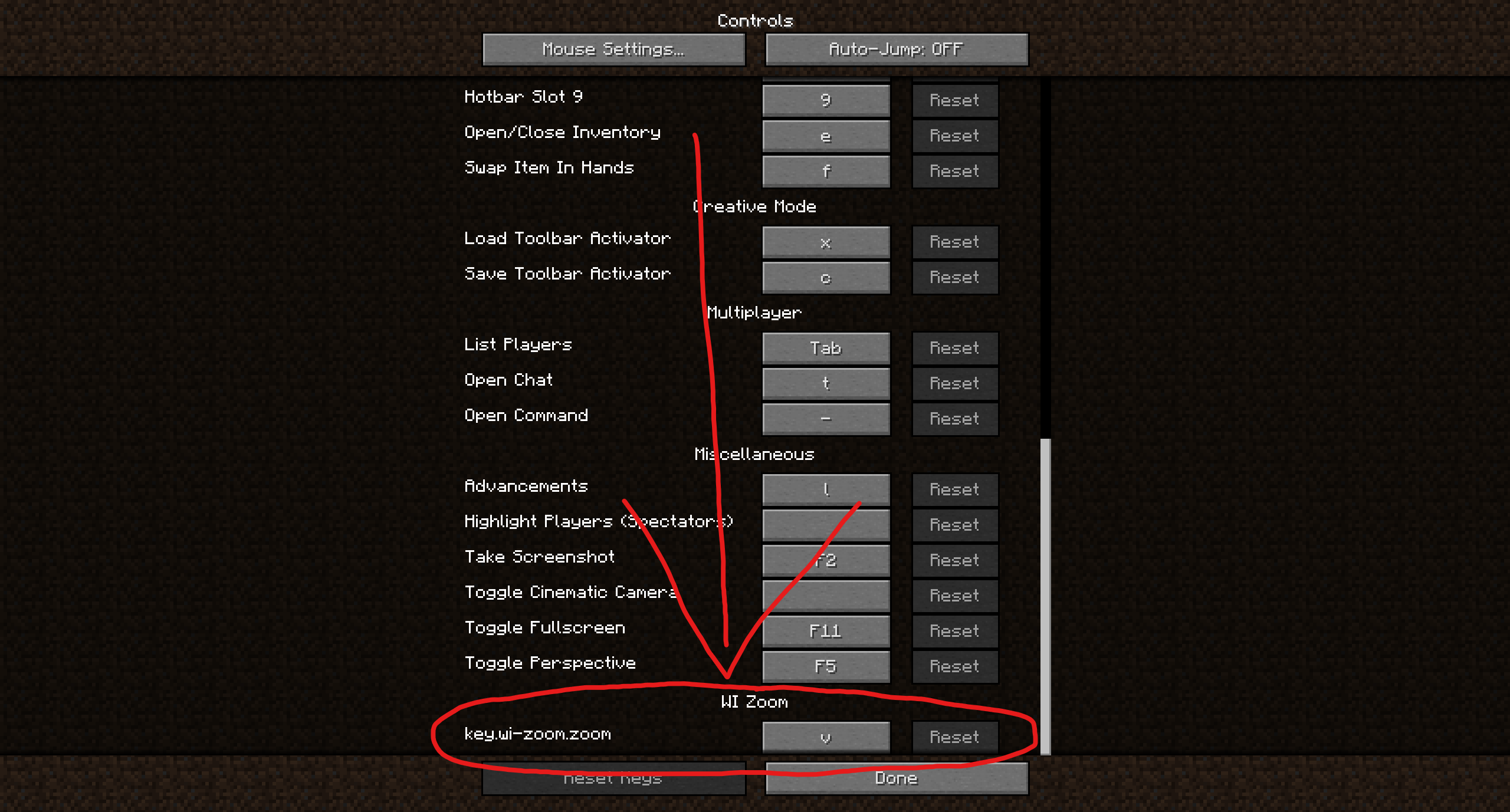
Hold down the V key to activate the zoom (this keybind can be changed).
While zooming, you can use the mouse wheel to zoom in further.

Project description from CurseForge.
Pick your setup
Choose the version and loader you play, then open the matching release.
Check the dependencies, then try the file in a copied instance before changing a world you care about.
Recent files
WI-Zoom-1.7-MC26.4-snapshot-3.jar
6 Oct 2026
WI-Zoom-1.7-MC26.4-snapshot-2.jar
29 Sept 2026
WI-Zoom-1.7-MC26.4-snapshot-1.jar
23 Sept 2026
WI-Zoom-1.7-MC26.3.jar
15 Sept 2026
WI-Zoom-1.7-MC26.3-rc-3.jar
14 Sept 2026
WI-Zoom-1.7-MC26.3-rc-2.jar
11 Sept 2026
WI-Zoom-1.7-MC26.3-rc-1.jar
10 Sept 2026
WI-Zoom-1.7-MC26.3-pre-3.jar
8 Sept 2026
WI-Zoom-1.7-MC26.3-pre-2.jar
4 Sept 2026
WI-Zoom-1.7-MC26.3-pre-1.jar
1 Sept 2026
WI-Zoom-1.7-MC26.3-snapshot-10.jar
25 Aug 2026
WI-Zoom-1.7-MC26.3-snapshot-9.jar
17 Aug 2026
Looking for an older file? The official CurseForge project page is in Resources.
 mod
modTurn portals into CONTINUOUS pathways.
 mod
modFind your friends with a 3D pixel arrow, a glowing outline and an on-demand route trail.
 mod
modCreate custom world portal to travel between dimensions.