Puzzles Lib Needed by Pick Up Notifier [NEOFORGE] [1.21.9] PickUpNotifier v21.9.0
requiredMatching file found Matched file: 21.9.5

CurseForge · Minecraft mod
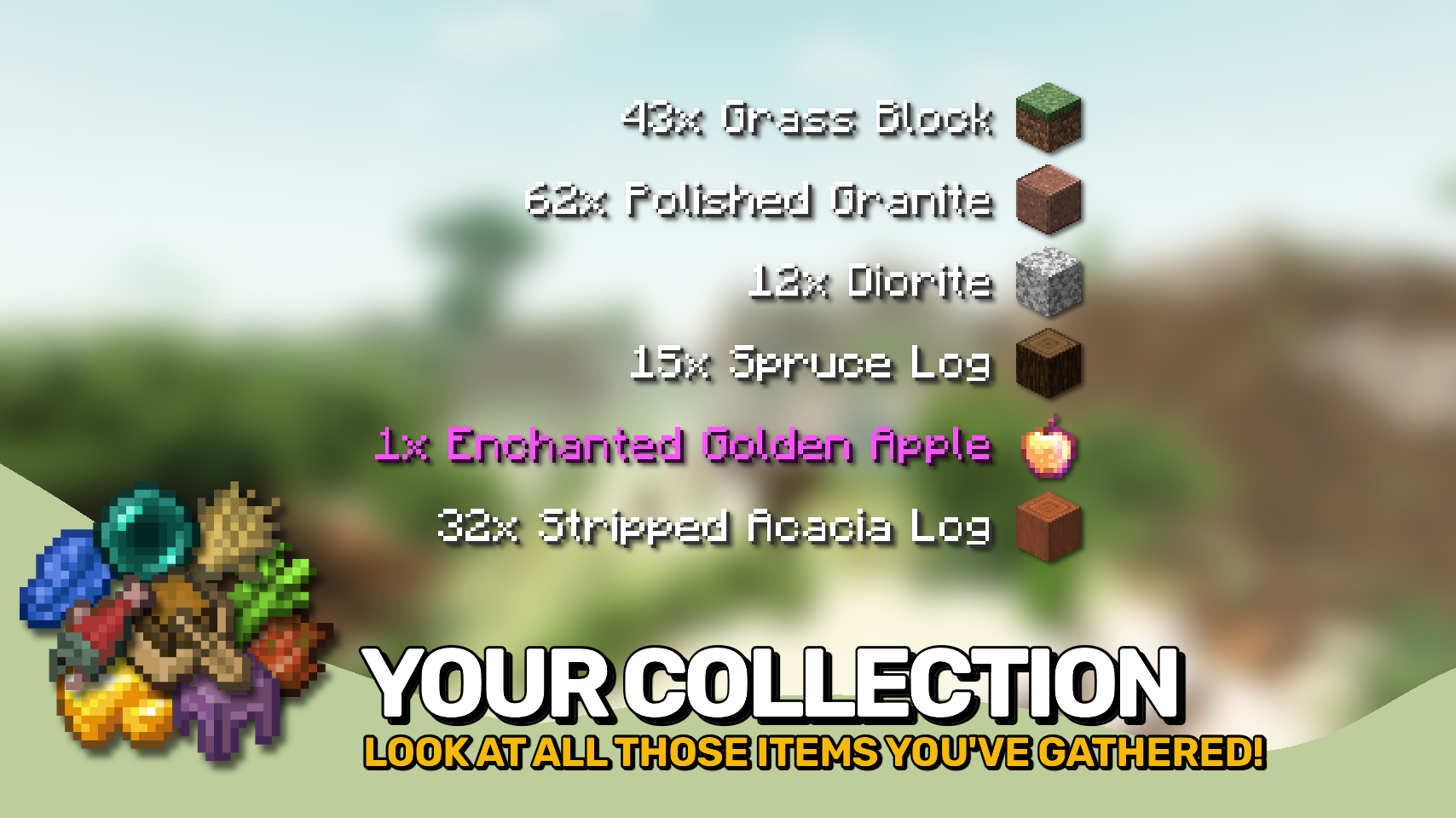
Be notified about all the things you've just collected.
Quick answer
Pick Up Notifier [NEOFORGE] [1.21.9] PickUpNotifier v21.9.0 targets 1.21.9 with NeoForge. The project page does not say whether this file belongs on the client, dedicated server, or both. All 1 required mods have matching files.
Where it goes
The project page does not say whether this file belongs on the client, dedicated server, or both.
The source does not explicitly classify this release as client-only or server-only.
[NEOFORGE] [1.21.9] PickUpNotifier v21.9.0 on 1.21.9 NeoForge. Every mod below is checked against that same setup.
Install Puzzles Lib first. We found matching files for this game-version and loader setup.
We only count dependency files that match this setup. A file for another loader does not fill the gap.
Before you install it
Built for Pick Up Notifier [NEOFORGE] [1.21.9] PickUpNotifier v21.9.0 on 1.21.9 NeoForge. Pick another file and the loader, install side or required mods may change.
Use [NEOFORGE] [1.21.9] PickUpNotifier v21.9.0. It targets 1.21.9 with NeoForge; another release may have different loader, side or dependency requirements.
Install Puzzles Lib first. We found matching files for this game-version and loader setup.
The project page does not say whether this file belongs on the client, dedicated server, or both.
Use the “Get this file” button beside [NEOFORGE] [1.21.9] PickUpNotifier v21.9.0. It opens that exact file at the source.
About this project








Pick Up Notifier keeps track of everything you collect and displays it in a clean on-screen list, making it easy to see exactly what you've picked up while mining, exploring, farming, or fighting mobs. ✨
Items, experience, and recovered arrows appear as compact notifications that update in real time as more resources are gathered. Entries smoothly fade away after a short time and can automatically combine with similar pickups to keep the display tidy. 📦
The appearance and behavior of the notification list are highly configurable, allowing you to customize its position, scale, styling, animations, display duration, and much more. 🎛️



⏩ INSTALLATION REQUIRED ON CLIENT & OPTIONAL ON SERVER
⏩ REQUIRES PUZZLES LIB TO BE INSTALLED (FABRIC & NEOFORGE)
⏩ REQUIRES FABRIC API TO BE INSTALLED (FABRIC)
⏩ REQUIRES FORGE CONFIG API PORT TO BE INSTALLED (FABRIC)

If available for a mod, configuration is possible directly from in-game using the mod menu (requires Mod Menu by Prospector to be installed on Fabric).
For manual configuration using an external text editor all files are found at .minecraft/config, named as MOD_ID-client.toml, MOD_ID-common.toml, or MOD_ID-server.toml, depending on the type of config. Not all types might exist for a mod, if any at all.

🌟 Thanks to TeamCoFH for the original idea of this mod in a very old version of their CoFH Core mod from the 1.6 era of modded Minecraft!
 |
 |
|
|---|---|---|
 |
 |
|
 |
 |
|
 |
 |
|
 |
 |
|

Project description from CurseForge.
Pick your setup
Choose the version and loader you play, then open the matching release.
Showing the newest 12 of 22 game versions. Older files are in the list below.
Check the dependencies, then try the file in a copied instance before changing a world you care about.
Recent files
PickUpNotifier-v21.9.0+mc1.21.9-NeoForge.jar
3 Oct 2025
Looking for an older file? The official CurseForge project page is in Resources.
