Fabric API Needed by Let Me Sleep [FABRIC] [1.21.1] v21.1.0
requiredMatching file found Matched file: [1.21.1] Fabric API 0.116.15+1.21.1

CurseForge · Minecraft mod
Monsters are keeping you awake? Customize sleeping, waking, and bed mechanics freely.
Quick answer
Let Me Sleep [FABRIC] [1.21.1] v21.1.0 targets 1.21.1 with Fabric. The project page does not say whether it belongs on the client. The project page does not say whether it belongs on the dedicated server. All 3 required mods have matching files.
Where it goes
The project page does not say whether it belongs on the client. The project page does not say whether it belongs on the dedicated server.
The source does not explicitly classify this release as client-only or server-only.
[FABRIC] [1.21.1] v21.1.0. Change the file and its required mods may change too.
Install Fabric API, Forge Config API Port, Puzzles Lib first. We found matching files for this game-version and loader setup. 1 comes through another mod in the chain.
1 extra mod was pulled in by another dependency. Indented rows show who needs each one. We only count dependency files that match this setup. A file for another loader does not fill the gap.
Before you install it
Built for Let Me Sleep [FABRIC] [1.21.1] v21.1.0. Pick another file and the loader, install side or required mods may change.
Use [FABRIC] [1.21.1] v21.1.0. It targets 1.21.1 with Fabric; another release may have different loader, side or dependency requirements.
Install Fabric API, Forge Config API Port, Puzzles Lib first. We found matching files for this game-version and loader setup. 1 comes through another mod in the chain.
The project page does not say whether it belongs on the client. The project page does not say whether it belongs on the dedicated server.
Use the “Get this file” button beside [FABRIC] [1.21.1] v21.1.0. It opens that exact file at the source.
About this project








Let Me Sleep gives you full control over Minecraft's sleeping experience. 🌙 From bedtime restrictions to waking up refreshed, nearly every part of sleeping can be customized to better fit your world and playstyle.
Trouble finding the monster keeping you awake? Beds refusing to work when they should? Want sleeping to heal, clear effects, or simply feel smoother? This mod makes nights more flexible, less frustrating, and far more configurable. ✨

letmesleep:wake_up_effects mob effect data map and the letmesleep:cleared_when_waking_up mob effect tag.letmesleep:never_prevents_player_rest and letmesleep:no_sleeping_interruption for seamless mod support.

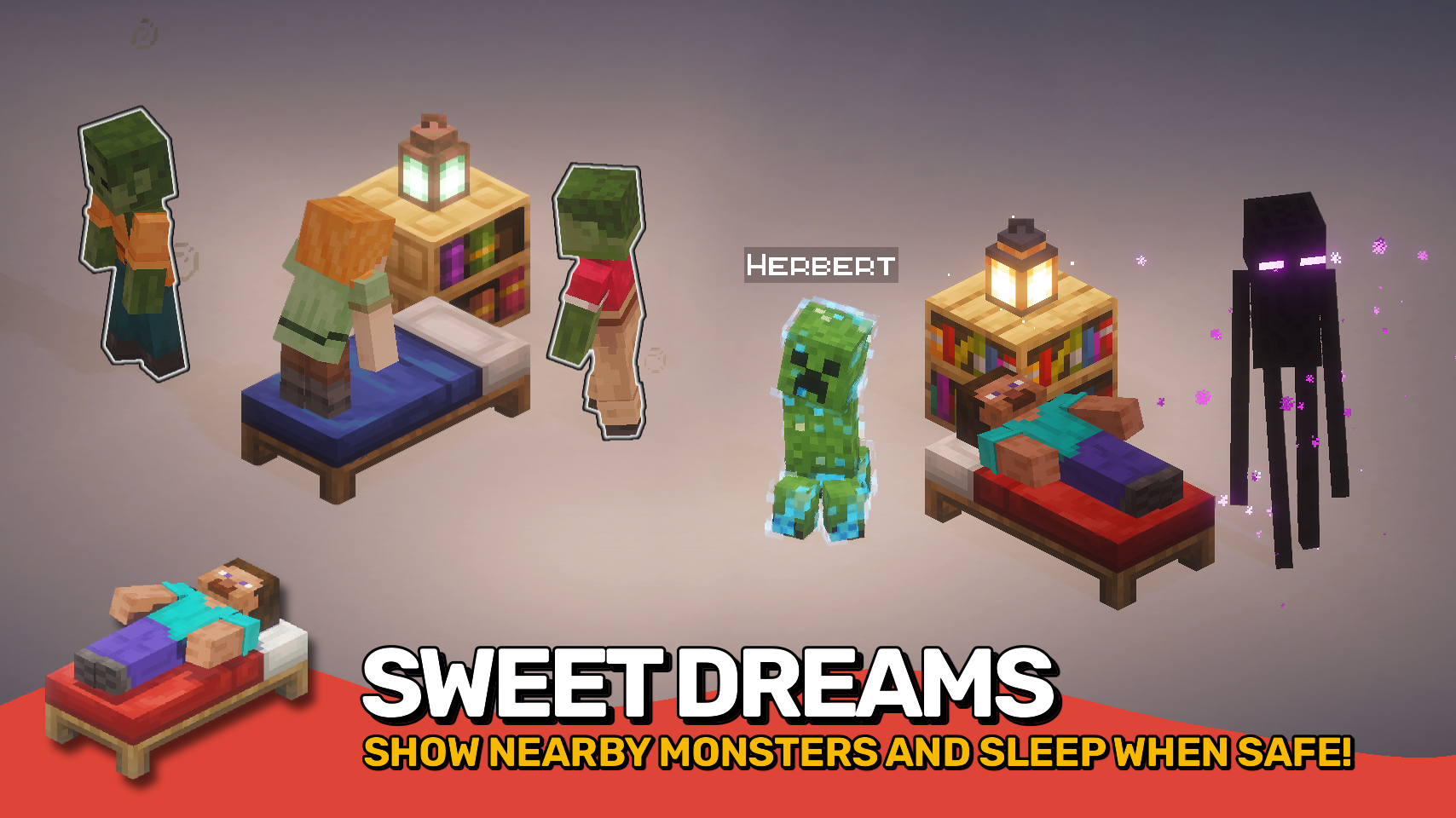

⏩ INSTALLATION OPTIONAL ON CLIENT & REQUIRED ON SERVER
⏩ REQUIRES PUZZLES LIB TO BE INSTALLED (FABRIC & NEOFORGE)
⏩ REQUIRES FABRIC API TO BE INSTALLED (FABRIC)
⏩ REQUIRES FORGE CONFIG API PORT TO BE INSTALLED (FABRIC)

If available for a mod, configuration is possible directly from in-game using the mod menu (requires Mod Menu by Prospector to be installed on Fabric).
For manual configuration using an external text editor all files are found at .minecraft/config, named as MOD_ID-client.toml, MOD_ID-common.toml, or MOD_ID-server.toml, depending on the type of config. Not all types might exist for a mod, if any at all.

🌟 Thanks to VikeStep and their now outdated Nearby Mob Finder mod for inspiring the glowing feature.
 |
 |
|
|---|---|---|
 |
 |
|
 |
 |
|
 |
 |
|
 |
 |
|

Project description from CurseForge.
Pick your setup
Choose the version and loader you play, then open the matching release.
Showing the newest 12 of 13 game versions. Older files are in the list below.
Check the dependencies, then try the file in a copied instance before changing a world you care about.
Recent files
LetMeSleep-v21.1.0-mc1.21.1-Fabric.jar
1 Jul 2026
LetMeSleep-v21.1.0-mc1.21.1-NeoForge.jar
1 Jul 2026
LetMeSleep-v26.2.0-mc26.2.x-Fabric.jar
18 Jun 2026
LetMeSleep-v26.2.0-mc26.2.x-NeoForge.jar
18 Jun 2026
LetMeSleep-v26.1.0-mc26.1.x-NeoForge.jar
31 May 2026
LetMeSleep-v26.1.0-mc26.1.x-Fabric.jar
31 May 2026
LetMeSleep-v21.11.0-mc1.21.11-Fabric.jar
31 May 2026
LetMeSleep-v21.11.0-mc1.21.11-NeoForge.jar
31 May 2026
15 Oct 2021
11 Jan 2021
10 Jan 2021
9 Jan 2021
Looking for an older file? The official CurseForge project page is in Resources.
 mod
modAdds Flat Layer, Wide Tunnel and Selection mining patterns to Liteminer with in-game GUI configuration
 mod
modStore, summon, and manage your tamed pets and mounts from one place.
 mod
modFully configurable Ore Detectors that do not break the balance of the game, and still make prospecting a challenge, without forcing you to hollow out the entire world.
