Fabric API Needed by Held Item Tooltips [FABRIC] [26.2.x] v26.2.0
requiredMatching file found Matched file: [26.2] Fabric API 0.161.0+26.2

CurseForge · Minecraft mod
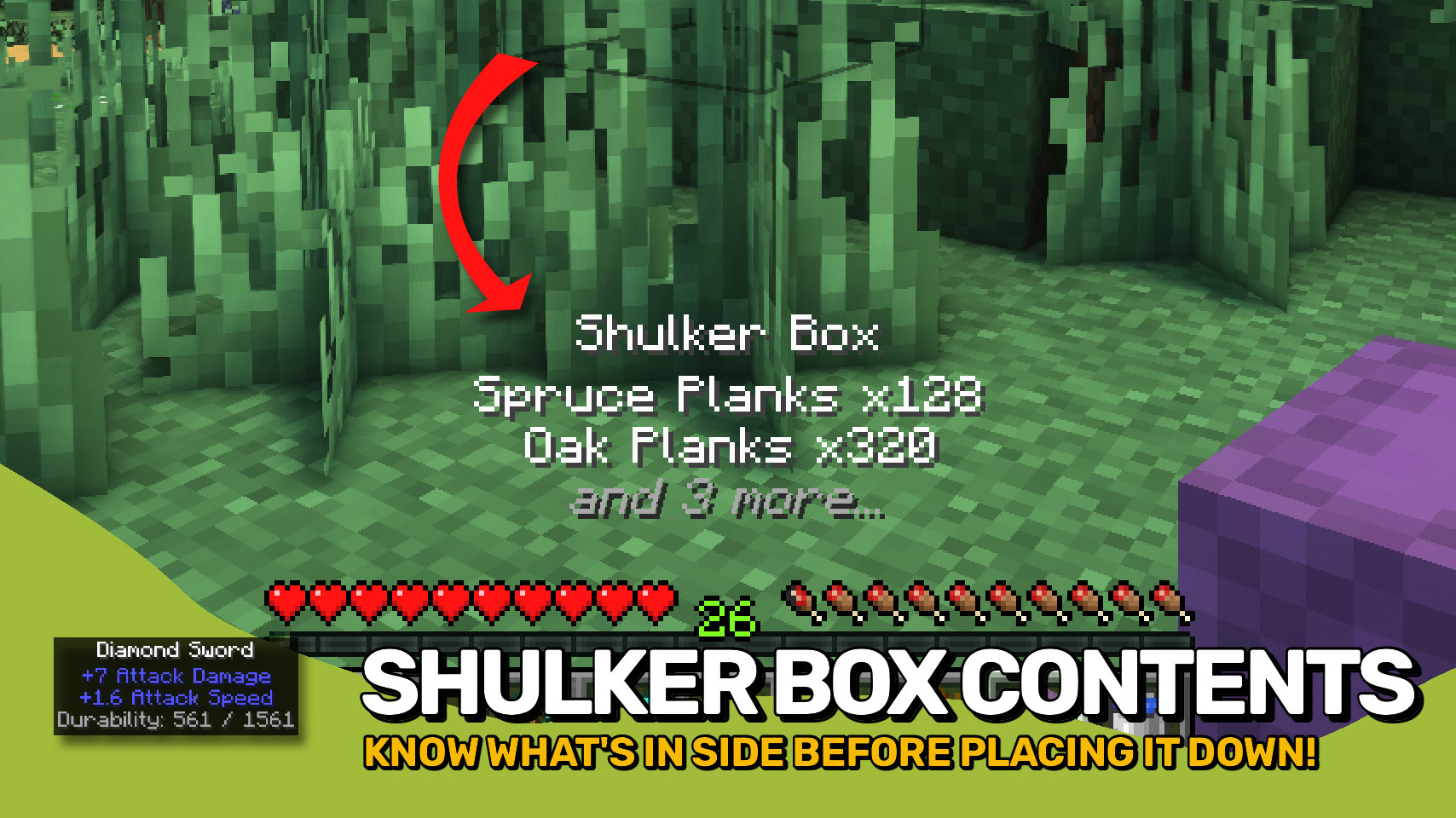
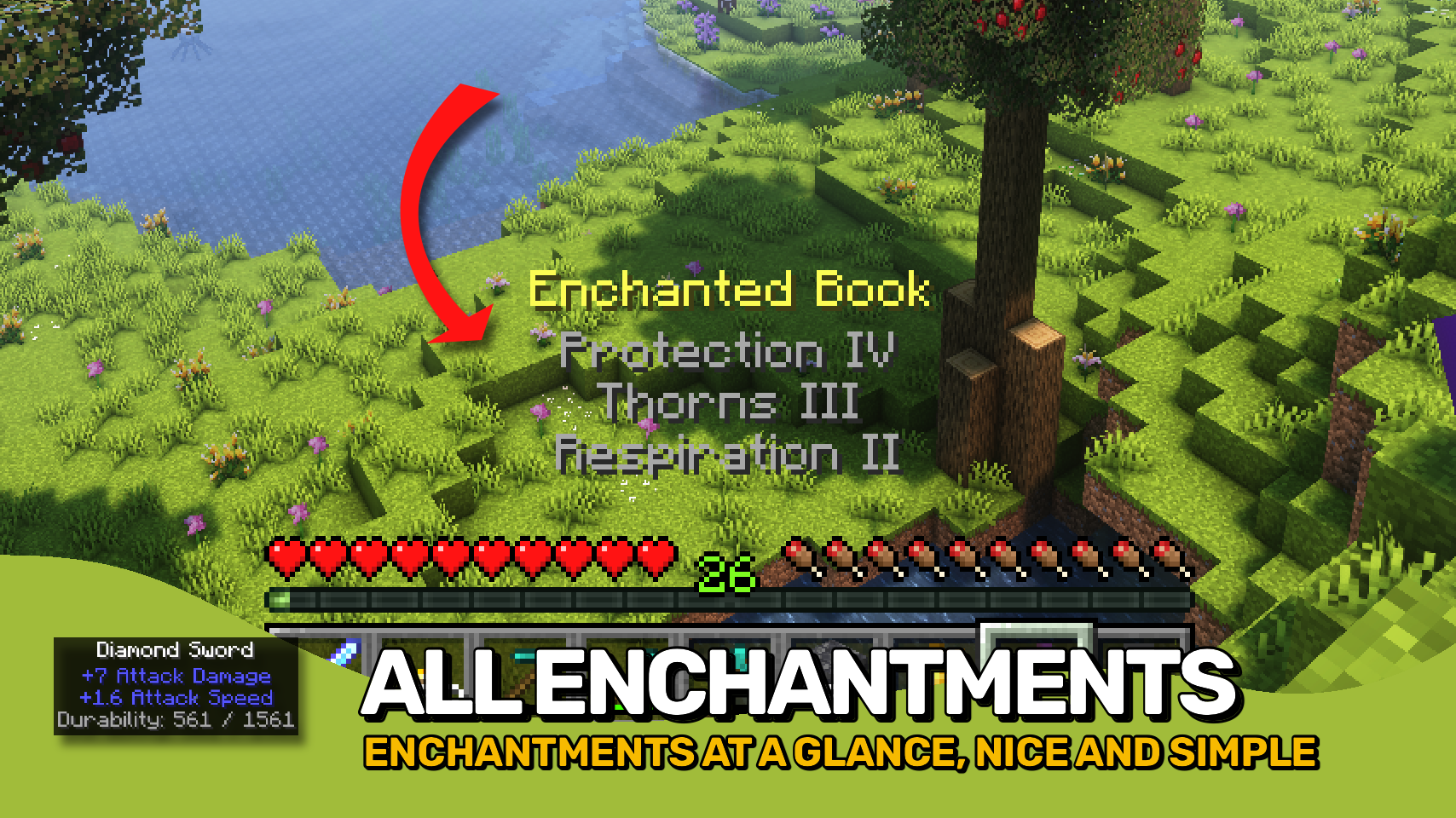
See item enchantments, potion effects, shulker box contents and much more directly above your hotbar.
Quick answer
Held Item Tooltips [FABRIC] [26.2.x] v26.2.0 targets 26.2 with Fabric. The project page does not say whether this file belongs on the client, dedicated server, or both. All 3 required mods have matching files.
Where it goes
The project page does not say whether this file belongs on the client, dedicated server, or both.
The source does not explicitly classify this release as client-only or server-only.
[FABRIC] [26.2.x] v26.2.0. Change the file and its required mods may change too.
Install Fabric API, Puzzles Lib, Forge Config API Port first. We found matching files for this game-version and loader setup. 4 come through another mod in the chain.
4 extra mods were pulled in by other dependencies. Indented rows show who needs each one. We only count dependency files that match this setup. A file for another loader does not fill the gap.
Before you install it
Built for Held Item Tooltips [FABRIC] [26.2.x] v26.2.0. Pick another file and the loader, install side or required mods may change.
Use [FABRIC] [26.2.x] v26.2.0. It targets 26.2 with Fabric; another release may have different loader, side or dependency requirements.
Install Fabric API, Puzzles Lib, Forge Config API Port first. We found matching files for this game-version and loader setup. 4 come through another mod in the chain.
The project page does not say whether this file belongs on the client, dedicated server, or both.
Use the “Get this file” button beside [FABRIC] [26.2.x] v26.2.0. It opens that exact file at the source.
About this project








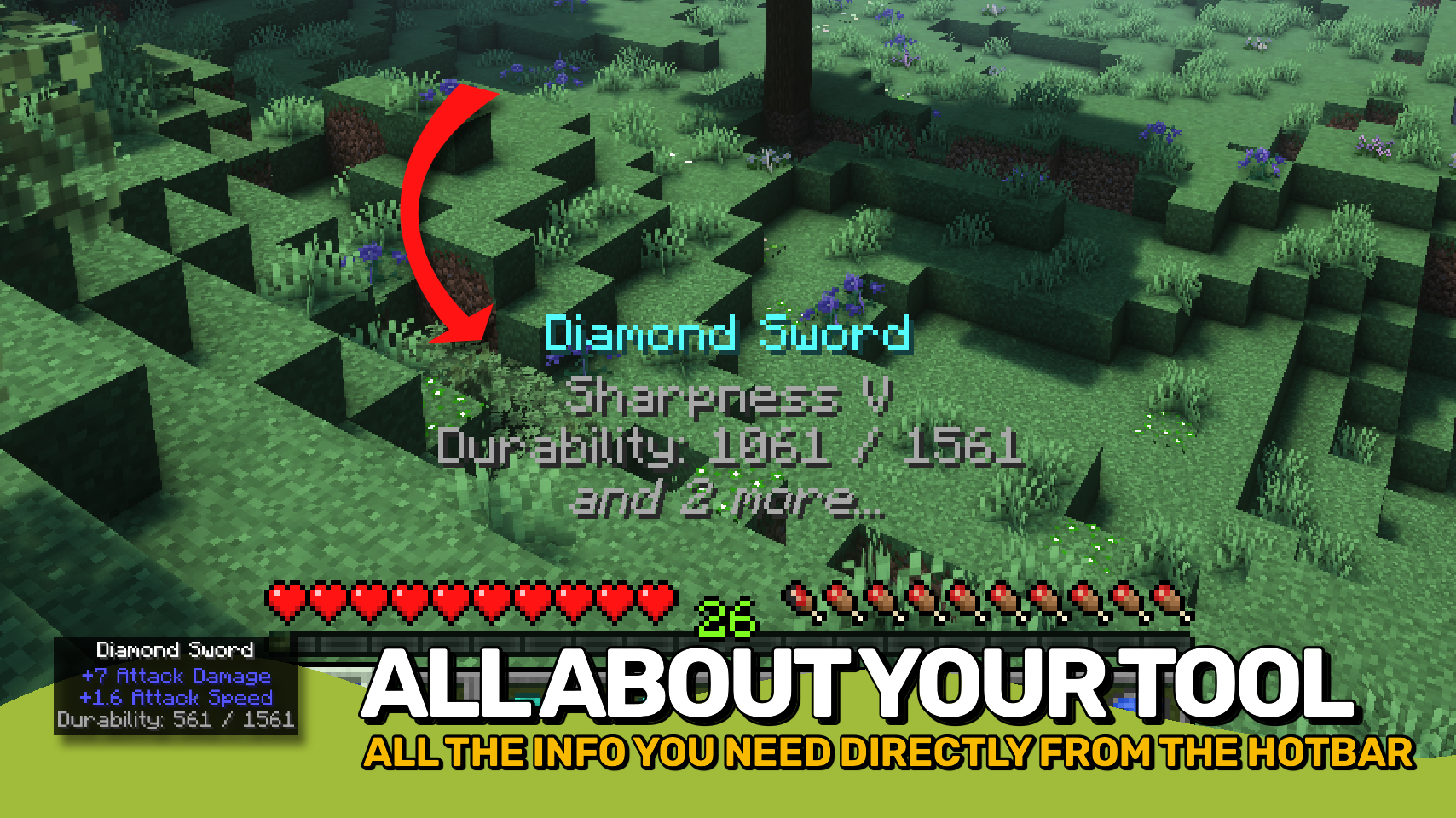
Held Item Tooltips enhances the tooltip shown above your hotbar when switching items, giving you far more information at a glance. ✨
See enchantments, durability, potion effects, shulker box contents, firework details, map IDs, item attributes, and much more without opening additional screens. Whether you're organizing storage, checking equipment, or browsing your inventory, the information you need is always right in front of you. 🔍
Everything is fully customizable. Adjust the appearance, choose which information should be displayed, control the order of tooltip sections, and tailor the experience to fit your needs. ⚙️



⏩ INSTALLATION REQUIRED ON CLIENT
⏩ REQUIRES PUZZLES LIB TO BE INSTALLED (FABRIC & NEOFORGE)
⏩ REQUIRES FABRIC API TO BE INSTALLED (FABRIC)
⏩ REQUIRES FORGE CONFIG API PORT TO BE INSTALLED (FABRIC)

If available for a mod, configuration is possible directly from in-game using the mod menu (requires Mod Menu by Prospector to be installed on Fabric).
For manual configuration using an external text editor all files are found at .minecraft/config, named as MOD_ID-client.toml, MOD_ID-common.toml, or MOD_ID-server.toml, depending on the type of config. Not all types might exist for a mod, if any at all.
 |
 |
|
|---|---|---|
 |
 |
|
 |
 |
|
 |
 |
|
 |
 |
|

© 2026 @heyitsfuzs. All rights reserved. This page was last edited on 11 September 2026, at 06:44 (UTC).
Project description from CurseForge.
Pick your setup
Choose the version and loader you play, then open the matching release.
Showing the newest 12 of 19 game versions. Older files are in the list below.
Check the dependencies, then try the file in a copied instance before changing a world you care about.
Recent files
HeldItemTooltips-v26.2.0-mc26.2.x-Fabric.jar
18 Jun 2026
HeldItemTooltips-v26.2.0-mc26.2.x-NeoForge.jar
18 Jun 2026
HeldItemTooltips-v26.1.2-mc26.1.x-Fabric.jar
9 Jun 2026
HeldItemTooltips-v26.1.2-mc26.1.x-NeoForge.jar
9 Jun 2026
HeldItemTooltips-v26.1.1-mc26.1.x-NeoForge.jar
9 Jun 2026
HeldItemTooltips-v26.1.1-mc26.1.x-Fabric.jar
9 Jun 2026
HeldItemTooltips-v26.1.0-mc26.1.x-Fabric.jar
27 Apr 2026
HeldItemTooltips-v26.1.0-mc26.1.x-NeoForge.jar
27 Apr 2026
HeldItemTooltips-v21.11.0-mc1.21.11-Fabric.jar
16 Dec 2025
HeldItemTooltips-v21.11.0-mc1.21.11-NeoForge.jar
16 Dec 2025
HeldItemTooltips-v21.10.0+mc1.21.10-Fabric.jar
8 Oct 2025
HeldItemTooltips-v21.10.0+mc1.21.10-NeoForge.jar
8 Oct 2025
Looking for an older file? The official CurseForge project page is in Resources.
 mod
modA modern entity health/status/damage indicators mod for Minecraft
 mod
modCustomizable personal and team waypoints for players who want navigation without a minimap or world map.
 mod
modEnable passive mending of your armor and equipment with configurable values!
