Puzzles Lib Needed by Bundle Upgrade v26.1.4-mc26.1.x+neoforge
requiredMatching file found Matched file: v26.1.16-mc26.1.x+neoforge

CurseForge · Minecraft mod
Unlock the full potential of bundles with powerful inventory interactions and navigation.
Quick answer
Bundle Upgrade v26.1.4-mc26.1.x+neoforge targets 26.1, 26.1.1, 26.1.2 with NeoForge. The project page does not say whether this file belongs on the client, dedicated server, or both. All 1 required mods have matching files.
Where it goes
The project page does not say whether this file belongs on the client, dedicated server, or both.
The source does not explicitly classify this release as client-only or server-only.
v26.1.4-mc26.1.x+neoforge. Change the file and its required mods may change too.
Install Puzzles Lib first. We found matching files for this game-version and loader setup.
We only count dependency files that match this setup. A file for another loader does not fill the gap.
Before you install it
Built for Bundle Upgrade v26.1.4-mc26.1.x+neoforge. Pick another file and the loader, install side or required mods may change.
Use v26.1.4-mc26.1.x+neoforge. It targets 26.1, 26.1.1, 26.1.2 with NeoForge; another release may have different loader, side or dependency requirements.
Install Puzzles Lib first. We found matching files for this game-version and loader setup.
The project page does not say whether this file belongs on the client, dedicated server, or both.
Use the “Get this file” button beside v26.1.4-mc26.1.x+neoforge. It opens that exact file at the source.
About this project








Bundle Upgrade enhances Minecraft's vanilla bundles with a variety of quality of life improvements that make managing stored items faster, easier, and more intuitive. 🎒
Vanilla bundles already support inventory interactions, but accessing large bundles quickly can become cumbersome. This mod removes the limit on visible contents, allowing every stored item to be viewed directly in the bundle tooltip. Browse through items using the mouse wheel or keyboard arrow keys, then extract exactly what you need without rearranging the rest. 🎯
The mod builds upon Minecraft's existing bundle interface rather than replacing it, preserving the familiar vanilla experience while adding more powerful navigation, improved visibility, and additional inventory management features. ✨
Unlike simple tooltip enhancements, this is not a client only mod. It adds real inventory interactions and must be installed on both the client and server. If you only want improved bundle previews, check out Bundles Beyond by 7410. 💡
Using shulker boxes too? Check out Easy Shulker Boxes, which adds the same intuitive inventory interactions to portable storage containers! 📦

Control (Command on Mac) to move individual items instead of full stacks and precisely control transfer amounts.
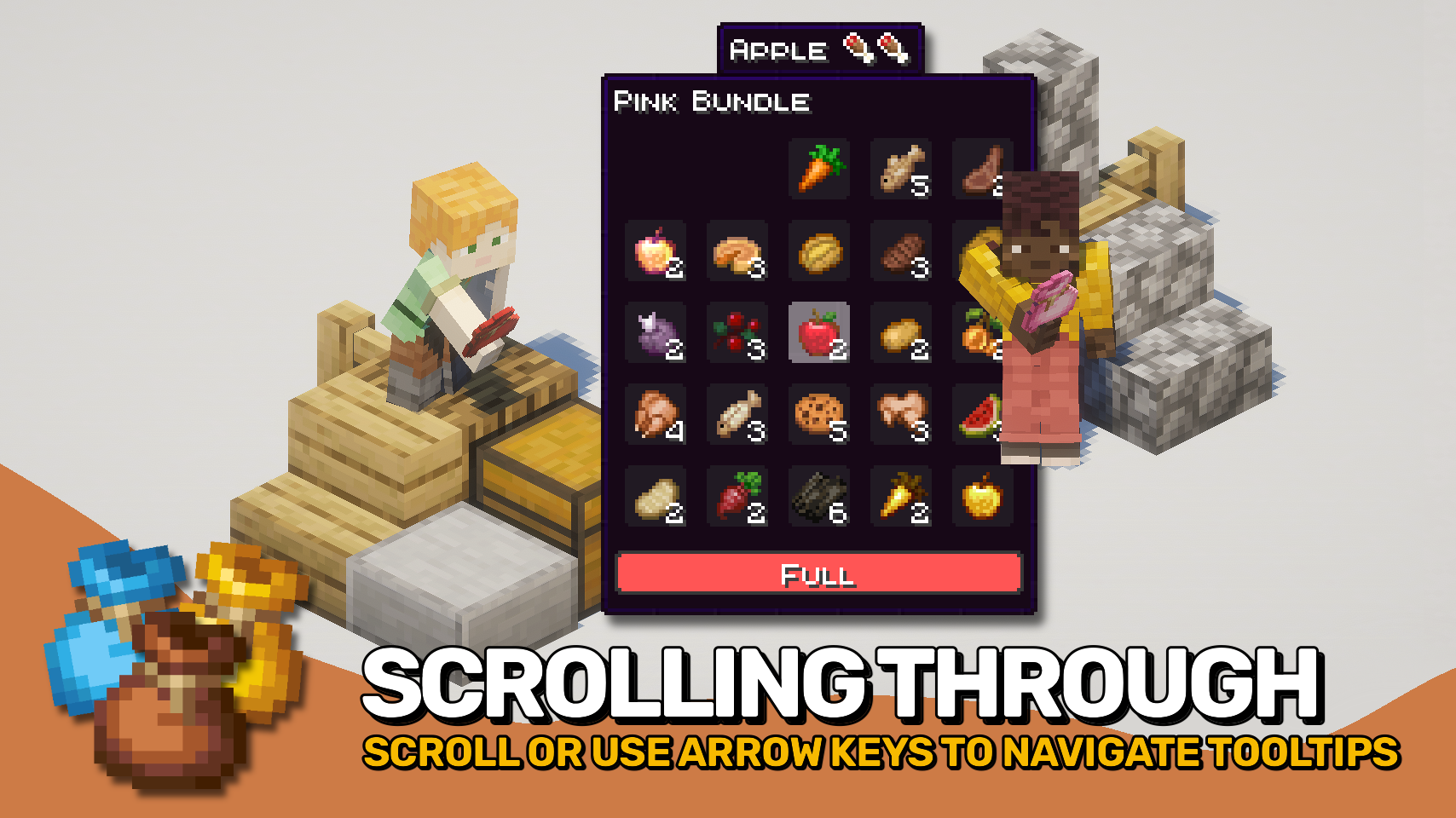
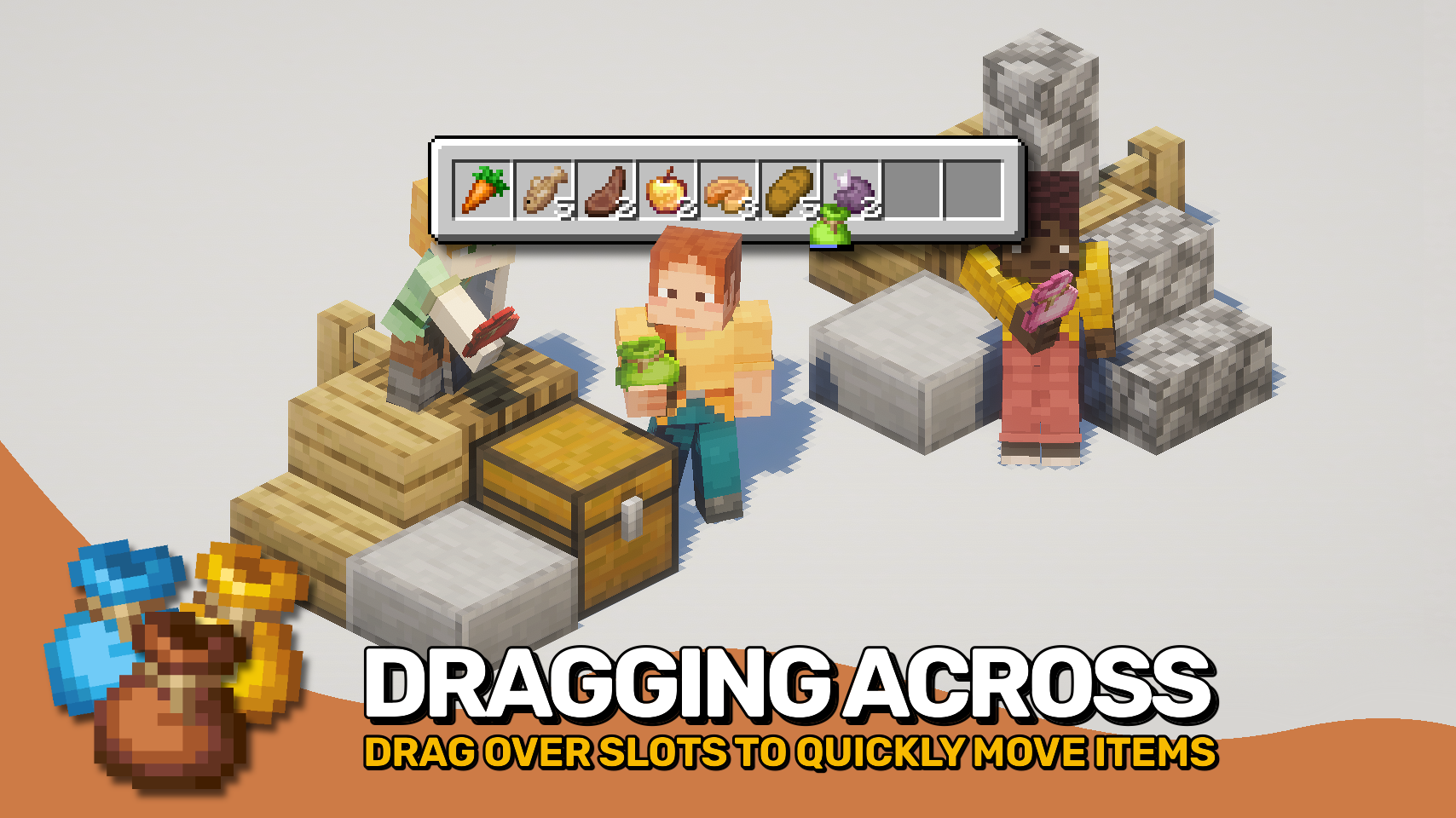
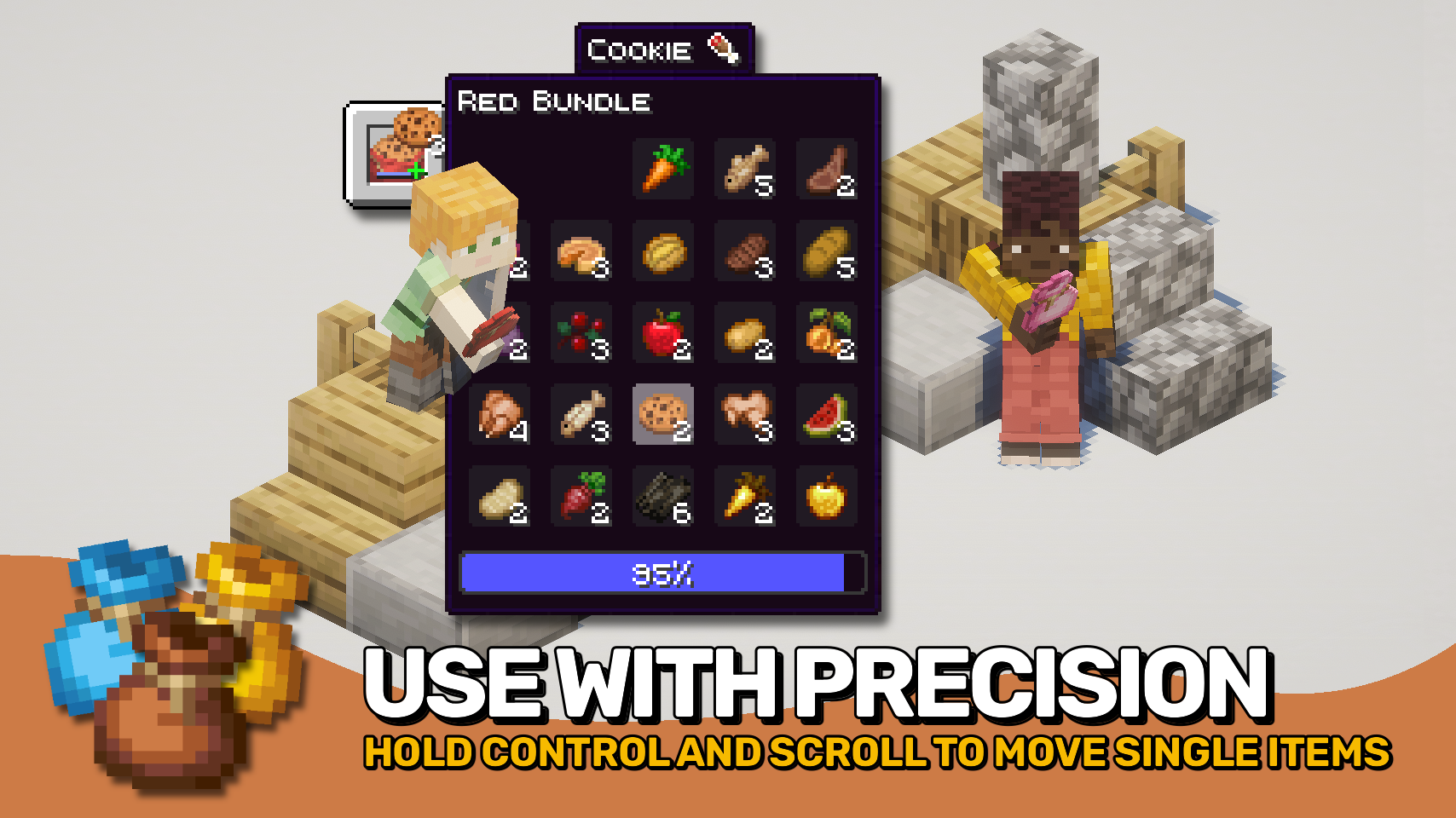

⏩ INSTALLATION REQUIRED ON CLIENT & REQUIRED ON SERVER
⏩ REQUIRES PUZZLES LIB TO BE INSTALLED (FABRIC & NEOFORGE)
⏩ REQUIRES FABRIC API TO BE INSTALLED (FABRIC)
⏩ REQUIRES FORGE CONFIG API PORT TO BE INSTALLED (FABRIC)

If available for a mod, configuration is possible directly from in-game using the mod menu (requires Mod Menu by Prospector to be installed on Fabric).
For manual configuration using an external text editor all files are found at .minecraft/config, named as MOD_ID-client.toml, MOD_ID-common.toml, or MOD_ID-server.toml, depending on the type of config. Not all types might exist for a mod, if any at all.
 |
 |
|
|---|---|---|
 |
 |
|
 |
 |
|
 |
 |
|
 |
 |
|

© 2026 @heyitsfuzs. All rights reserved. This page was last edited on 11 September 2026, at 06:44 (UTC).
Project description from CurseForge.
Pick your setup
Choose the version and loader you play, then open the matching release.
Check the dependencies, then try the file in a copied instance before changing a world you care about.
Recent files
bundleupgrade-v26.1.4-mc26.1.x+neoforge.jar
23 Sept 2026
bundleupgrade-v26.1.4-mc26.1.x+fabric.jar
23 Sept 2026
bundleupgrade-v26.3.1-mc26.3.x+fabric.jar
23 Sept 2026
bundleupgrade-v26.3.1-mc26.3.x+neoforge.jar
23 Sept 2026
bundleupgrade-v26.3.0-mc26.3.x+fabric.jar
23 Sept 2026
bundleupgrade-v26.3.0-mc26.3.x+neoforge.jar
23 Sept 2026
BundleUpgrade-v26.2.2-mc26.2.x-NeoForge.jar
12 Aug 2026
BundleUpgrade-v26.2.2-mc26.2.x-Fabric.jar
12 Aug 2026
BundleUpgrade-v26.1.3-mc26.1.x-NeoForge.jar
12 Aug 2026
BundleUpgrade-v26.1.3-mc26.1.x-Fabric.jar
12 Aug 2026
BundleUpgrade-v26.2.1-mc26.2.x-Fabric.jar
10 Aug 2026
BundleUpgrade-v26.2.1-mc26.2.x-NeoForge.jar
10 Aug 2026
Looking for an older file? The official CurseForge project page is in Resources.
 mod
modJava Minecraft mod using Bedrock models to create custom models and animations for items, blocks, entities
 mod
modA Minecraft mod that lets you cycle through paintings using the brush!
 mod
modA client-side Fabric mod that adds footstep and idle sounds to creepers!
