Minecraft version
Back to mods 
CurseForge · Minecraft mod
Magic Circle
With what we have learned in our array, we can set the overall situation in the world.
Choose a version Pick your version below, then grab the matching file.
Quick answer
Which Magic Circle release matches 1.12.2?
Best match for your filters Magic_Circle-1.0.1.jar
Game version 1.12.2
Loader Not required
Magic Circle Magic_Circle-1.0.1.jar targets 1.12.2. The project page does not say whether this file belongs on the client, dedicated server, or both. No extra mods listed for this file.
Where it goes
Is Magic Circle required on the client, server, or both?
The project page does not say whether this file belongs on the client, dedicated server, or both.
Client Source doesn’t say
Dedicated server Source doesn’t say
Loader for this release No loader listed
Required install it here Optional supported, not mandatory Not supported do not install here Source doesn’t say do not assume
The source does not explicitly classify this release as client-only or server-only.
What else does Magic Circle Magic_Circle-1.0.1.jar need?
Magic_Circle-1.0.1.jar on 1.12.2. Every mod below is checked against that same setup.
This file does not list any required mods. Do not add a library just because a different file uses it.
This file does not list any required or optional mods.
Before you install it
Add Magic Circle without breaking your instance.
Built for Magic Circle Magic_Circle-1.0.1.jar on 1.12.2. Pick another file and the loader, install side or required mods may change.
- 01
Stick to this file
Use Magic_Circle-1.0.1.jar. It targets 1.12.2; another release may have different loader, side or dependency requirements.
- 02
Bring the mods it needs
This file does not list any required mods. Do not add a library just because a different file uses it.
- 03
Put it on the correct side
The project page does not say whether this file belongs on the client, dedicated server, or both.
- 04
Pick the file you checked
Use the “Get this file” button beside Magic_Circle-1.0.1.jar. It opens that exact file at the source.
About this project
What does Magic Circle add?
First of all, this is a array module born from the random small object module. For some reasons, I moved the array in the random small object module to the current small module. I hope you like it.
All arrays, as long as you press and hold shift, will not be triggered when you go up
中文介绍:https://www.mcbbs.net/thread-929326-1-1.html
Taiji map (5 arrays in total)
Shift + right click to open the GUI, put in different items to form z-array with different effects, and press shift on the array to pass the square without triggering the array effect

Five elements array (recovers HP quickly)

Thunder guiding array (enhance the gold element in the air and lead the thunder to the earth)
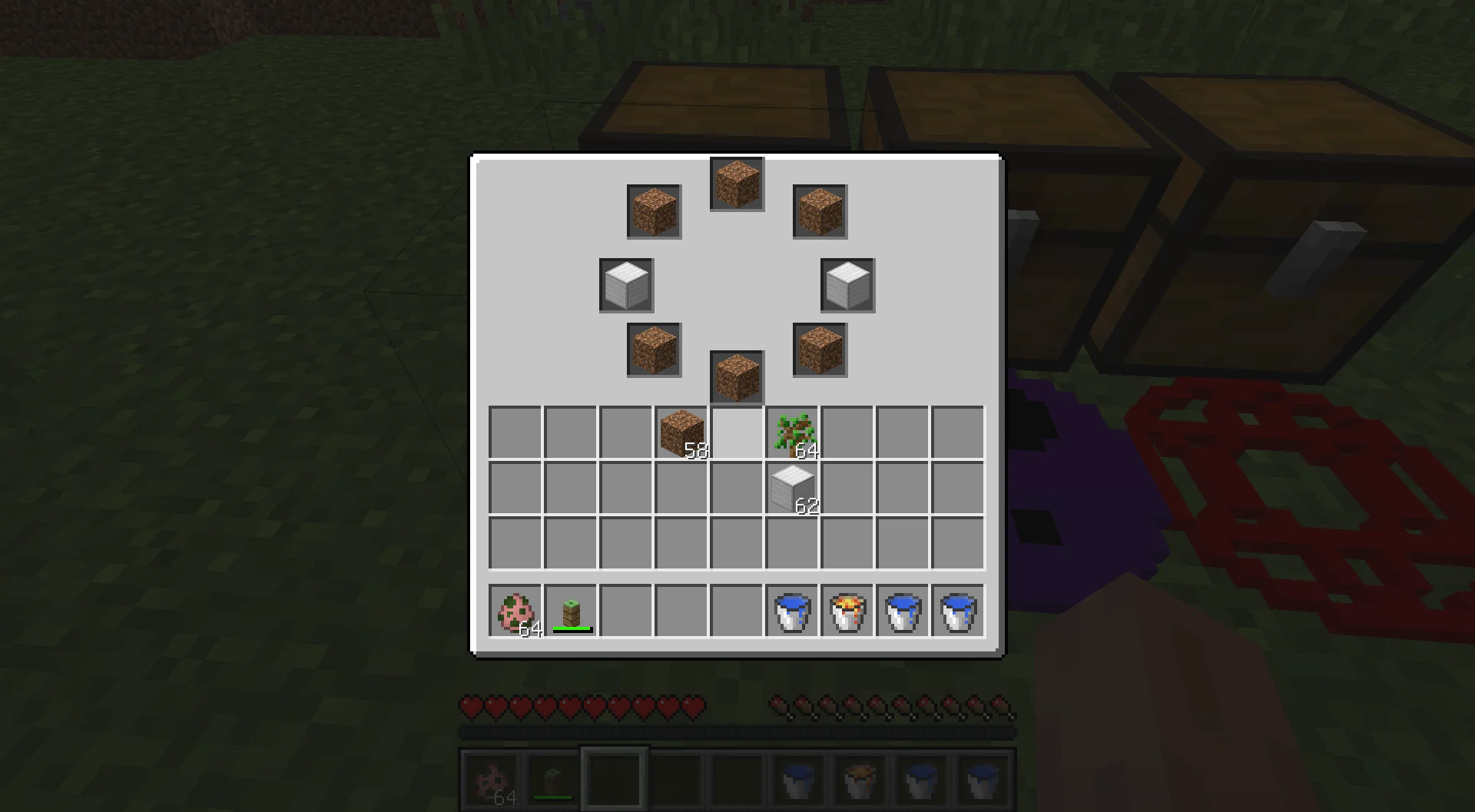
Spirit gathering array (recover hunger value quickly, and will be full for a period of time after leaving the array)

Fire array (increases the fire element in the air, burns the creatures trapped in the array)

Return array (clear all potions on you)

Purple Taiji map (4 arrays in total)
Shift + right click to open the GUI, put in different items to form a array with different effects, and press shift on the array to pass through the square without triggering the array effect

Imprison array (imprison all creatures trapped in this array)

Golden mans array (damage all creatures trapped in the array)

Gluttony array (quickly wipe out the hunger value of creatures trapped in this array, and maintain an empty stomach for a period of time)

Return to zero array (turn the biological experience trapped in this array into a bottle of enchantment)

Six stars (there are 4 magic arrays in total, and the biological blood volume trapped in this array must be no less than 10, that is, 5 hearts, to trigger the effect))
Shift + right click to open the GUI, put in different items to form a magic array with different effects, and press shift on the array to pass through the square without triggering the array effect
Iron smelting array (absorb the blood of creatures trapped in the magic array to smelt iron ingots)
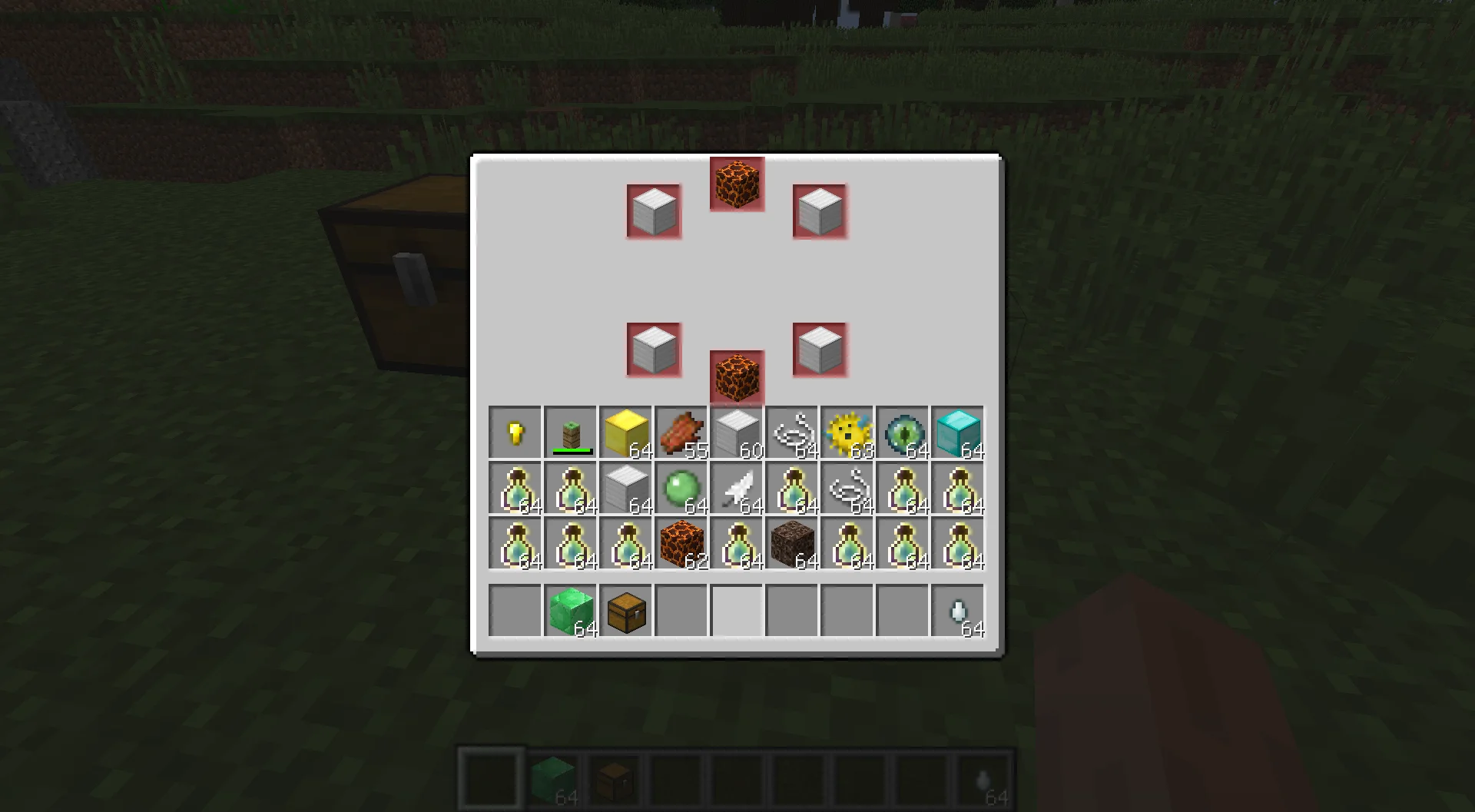
Metallurgical array (absorb the blood of creatures trapped in the magic array to forge gold ingots)

Gathering array (draw the blood of creatures trapped in the magic array to collect money)

Forbidden array (absorb the blood of creatures trapped in the magic array to collect the enchanted bottle)

Project description from CurseForge.
Pick your setup
Magic Circle by Minecraft version and loader
Choose the version and loader you play, then open the matching release.
Minecraft version
1.14.4
1 loader buildMinecraft version
1.12.2
1 loader buildCheck the dependencies, then try the file in a copied instance before changing a world you care about.
Recent files
Magic Circle versions and loaders
Magic_Circle-1.0.1.jar
18 Jun 2020
Client Source doesn’t say Server Source doesn’t say Dependencies No extras listed Listed on Release listing
Check the 1.12.2 setup 1.12.2 release
Magic_Circle-1.0.0.jar
29 Nov 2019
Client Source doesn’t say Server Source doesn’t say Dependencies No extras listed Listed on Release listing
Check the 1.12.2 setup 1.12.2 release
Looking for an older file? The official CurseForge project page is in Resources.
 mod
CurseForge · Minecraft
Seasonality
Adds 4 seasons (spring, summer, fall, and winter) to Minecraft, similar to Serene Seasons but rewritten, optimized, and compatible with some mods
 mod
CurseForge · Minecraft
OreSpawn Cleanroom Port
OreSpawn (1.7.10) by TheyCallMeDanger on 1.12.2 Cleanroom: hundreds of mobs, bosses, ores and dimensions. Assets load from your copy of the original via ArchaicLib.