Minecraft version
Back to mods 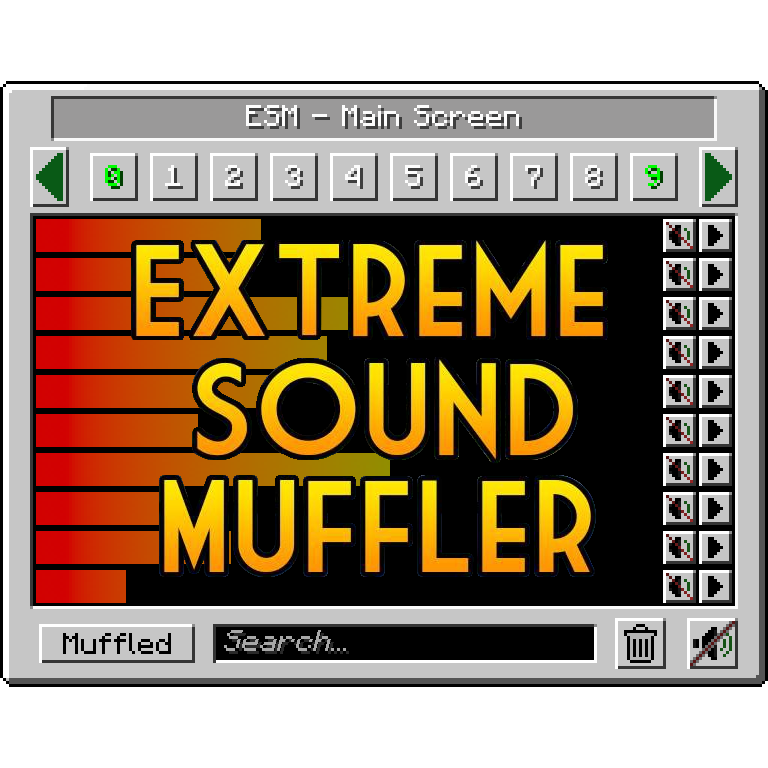
CurseForge · Minecraft mod
Extreme sound muffler - (Neo)Forge
Forget about those nasty sounds! - Clientside sound muffler.
Choose a version Pick your version below, then grab the matching file.
Quick answer
Which Extreme sound muffler - (Neo)Forge release should I use?
Latest stable file Extreme sound muffler 3.57 - NeoForge 1.21.1
Game version 1.21.1
Loader NeoForge
Extreme sound muffler - (Neo)Forge Extreme sound muffler 3.57 - NeoForge 1.21.1 targets 1.21.1 with NeoForge. The project page does not say whether this file belongs on the client, dedicated server, or both. No extra mods listed for this file.
Where it goes
Is Extreme sound muffler - (Neo)Forge required on the client, server, or both?
The project page does not say whether this file belongs on the client, dedicated server, or both.
Client Source doesn’t say
Dedicated server Source doesn’t say
Loader for this release NeoForge
Required install it here Optional supported, not mandatory Not supported do not install here Source doesn’t say do not assume
The source does not explicitly classify this release as client-only or server-only.
What else does Extreme sound muffler - (Neo)Forge Extreme sound muffler 3.57 - NeoForge 1.21.1 need?
Extreme sound muffler 3.57 - NeoForge 1.21.1. Change the file and its required mods may change too.
This file does not list any required mods. Do not add a library just because a different file uses it.
This file does not list any required or optional mods.
Before you install it
Add Extreme sound muffler - (Neo)Forge without breaking your instance.
Built for Extreme sound muffler - (Neo)Forge Extreme sound muffler 3.57 - NeoForge 1.21.1. Pick another file and the loader, install side or required mods may change.
- 01
Stick to this file
Use Extreme sound muffler 3.57 - NeoForge 1.21.1. It targets 1.21.1 with NeoForge; another release may have different loader, side or dependency requirements.
- 02
Bring the mods it needs
This file does not list any required mods. Do not add a library just because a different file uses it.
- 03
Put it on the correct side
The project page does not say whether this file belongs on the client, dedicated server, or both.
- 04
Pick the file you checked
Use the “Get this file” button beside Extreme sound muffler 3.57 - NeoForge 1.21.1. It opens that exact file at the source.
About this project
What does Extreme sound muffler - (Neo)Forge add?
Extreme sound muffler
Extreme sound muffler is a client side mod that allows you to muffle sounds selectively.
This mod needs FORGE/NEOFORGE to work.
Now with Dark mode!! check the configs to enable it!
You can get the FABRIC version here!
HOW IT WORKS:
1. Click on the button in your inventory or assign a key to open the gui. 2. Click on the button next to the sound you want to muffle. 3. Optional: set the volume of the sound dragging the slider around. 4. Optional: press the play button to be sure that's the sound you want to muffle. 5. Enjoy peace.
What about Anchors?
Anchors are ranged mufflers, for when you want to muffle a sound on a small area
1. Open your ESM Screen 2. Select one of the 10 numbered buttons 3. Press the marker like button on the right panel to set the Anchor position 4. Optional: press the edit Anchor button (next to marker) and set the name and range of the Anchor 5. Muffle the sounds and enjoy ranged peace
You can change the Anchor position whenever you want by pressing the marker button.
Inventory button:
if you don't like the ESM muffler in the inventory, you can disable it in the config.
if you don't like the position of the button, you can hold right mouse button over the muffler button and drag it wherever you want.
Most things are configurable!
- You can put the muffle and play buttons on the left right of the screen for easier visuals.
- You can disable the anchors.
- You can blacklist sounds to prevent them from appearing in the ESM screen.
- You can choose the default muffle volume.
- You can disable the Inventory button
THANKS:
McJty for the tutorials
EdgarAllen for the original idea.
Vazkii for the memes.
Project description from CurseForge.
Pick your setup
Extreme sound muffler - (Neo)Forge by Minecraft version and loader
Choose the version and loader you play, then open the matching release.
Minecraft version
26.2
1 loader buildMinecraft version
26.1.2
1 loader buildMinecraft version
26.1.1
1 loader buildMinecraft version
26.1
1 loader buildMinecraft version
1.21.11
1 loader buildMinecraft version
1.21.10
1 loader buildMinecraft version
1.21.9
1 loader buildMinecraft version
1.21.8
1 loader buildMinecraft version
1.21.7
1 loader buildMinecraft version
1.21.6
1 loader buildMinecraft version
1.21.5
1 loader buildShowing the newest 12 of 14 game versions. Older files are in the list below.
Check the dependencies, then try the file in a copied instance before changing a world you care about.
Recent files
Extreme sound muffler - (Neo)Forge versions and loaders
Extreme sound muffler 3.57 - NeoForge 1.21.1
ExtremeSoundMuffler-3.57_NeoForge-1.21.jar
2 Oct 2026
Client Source doesn’t say Server Source doesn’t say Dependencies No extras listed Listed on Release listing
Check the 1.21.1 · NeoForge setup 1.21.1NeoForge release
Extreme sound muffler 4.05 - NeoForge 26.3
ExtremeSoundMuffler-4.05_NeoForge-26.3.jar
2 Oct 2026
Client Source doesn’t say Server Source doesn’t say Dependencies No extras listed Listed on Release listing
Check the 26.3 · NeoForge setup NeoForge26.3 release
Extreme sound muffler 4.04 - NeoForge 1.21.11
ExtremeSoundMuffler-4.04_NeoForge-1.21.11.jar
22 Sept 2026
Client Source doesn’t say Server Source doesn’t say Dependencies No extras listed Listed on Release listing
Check the 1.21.11 · NeoForge setup NeoForge1.21.11 release
Extreme sound muffler 4.04 - NeoForge 26.3
ExtremeSoundMuffler-4.04_NeoForge-26.3.jar
22 Sept 2026
Client Source doesn’t say Server Source doesn’t say Dependencies No extras listed Listed on Release listing
Check the 26.3 · NeoForge setup NeoForge26.3 release
Extreme sound muffler 4.04 - NeoForge 26.1.2
ExtremeSoundMuffler-4.04_NeoForge-26.1.jar
22 Sept 2026
Client Source doesn’t say Server Source doesn’t say Dependencies No extras listed Listed on Release listing
Check the 26.1.2 · NeoForge setup NeoForge26.1.2 release
Extreme sound muffler 4.04 - NeoForge 26.2
ExtremeSoundMuffler-4.04_NeoForge-26.2.jar
22 Sept 2026
Client Source doesn’t say Server Source doesn’t say Dependencies No extras listed Listed on Release listing
Check the 26.2 · NeoForge setup NeoForge26.2 release
Extreme sound muffler 4.03 - NeoForge 26.3
ExtremeSoundMuffler-4.03_NeoForge-26.3.jar
16 Sept 2026
Client Source doesn’t say Server Source doesn’t say Dependencies No extras listed Listed on Release listing
Check the 26.3 · NeoForge setup NeoForge26.3 release
Extreme sound muffler 4.03 - NeoForge 26.2
ExtremeSoundMuffler-4.03_NeoForge-26.2.jar
16 Sept 2026
Client Source doesn’t say Server Source doesn’t say Dependencies No extras listed Listed on Release listing
Check the 26.2 · NeoForge setup NeoForge26.2 release
Extreme sound muffler 4.03 - NeoForge 26.1.2
ExtremeSoundMuffler-4.03_NeoForge-26.1.jar
16 Sept 2026
Client Source doesn’t say Server Source doesn’t say Dependencies No extras listed Listed on Release listing
Check the 26.1.2 · NeoForge setup NeoForge26.1.2 release
Extreme sound muffler 4.03 - NeoForge 1.21.11
ExtremeSoundMuffler-4.03_NeoForge-1.21.11.jar
16 Sept 2026
Client Source doesn’t say Server Source doesn’t say Dependencies No extras listed Listed on Release listing
Check the 1.21.11 · NeoForge setup NeoForge1.21.11 release
Extreme sound muffler 4.02-ALPHA - NeoForge 26.2
ExtremeSoundMuffler-4.02-ALPHA_NeoForge-26.2.jar
16 Aug 2026
Client Source doesn’t say Server Source doesn’t say Dependencies No extras listed Listed on Release listing
Check the 26.2 · NeoForge setup NeoForge26.2 alpha
Extreme sound muffler 4.02-ALPHA - NeoForge 26.1.2
ExtremeSoundMuffler-4.02-ALPHA_NeoForge-26.1.jar
16 Aug 2026
Client Source doesn’t say Server Source doesn’t say Dependencies No extras listed Listed on Release listing
Check the 26.1.2 · NeoForge setup NeoForge26.126.1.126.1.2 alpha
Looking for an older file? The official CurseForge project page is in Resources.
 mod
mod CurseForge · Minecraft
Pages of Atlas
Minecraft Fabric mod that enables ultra-high-resolution resource packs by transparently distributing oversized texture atlases across multiple physical atlas pages.
 mod
mod CurseForge · Minecraft
Kestramon Onboarding
A guided first-launch setup screen that picks your keybinds, video quality, audio and shader settings for you, with a custom loading screen and title screen.
 mod
mod CurseForge + Modrinth · Minecraft
TaczCurios
TaczCurios adds custom curios (accessories) to the game Tacz.