Minecraft version
Back to mods 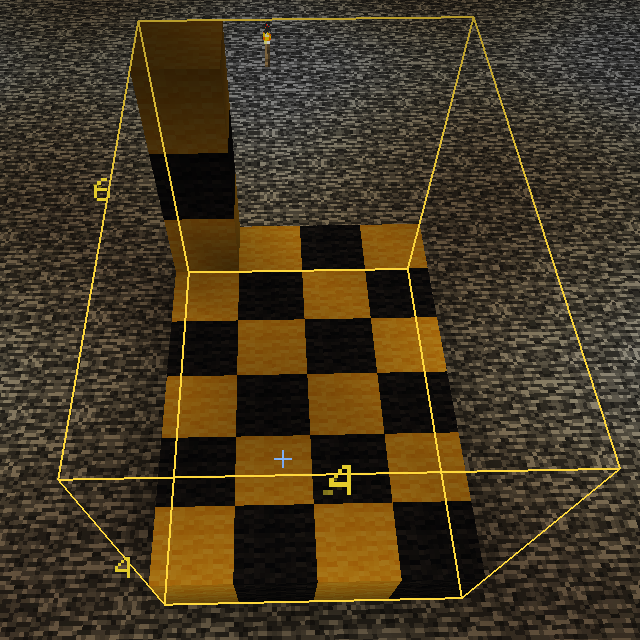
CurseForge · Minecraft mod
BlockMeterFabric
A mod to measure block distances
Choose a version Pick your version below, then grab the matching file.
Quick answer
Which BlockMeterFabric release matches 1.16.2?
Best match for your filters blockmeter-1.16.2-fabric0.17.2-1.5.1.jar
Game version 1.16.2
Loader fabric
BlockMeterFabric blockmeter-1.16.2-fabric0.17.2-1.5.1.jar targets 1.16.2. The project page does not say whether this file belongs on the client, dedicated server, or both. No extra mods listed for this file.
Where it goes
Is BlockMeterFabric required on the client, server, or both?
The project page does not say whether this file belongs on the client, dedicated server, or both.
Client Source doesn’t say
Dedicated server Source doesn’t say
Loader for this release No loader listed
Required install it here Optional supported, not mandatory Not supported do not install here Source doesn’t say do not assume
The source does not explicitly classify this release as client-only or server-only.
What else does BlockMeterFabric blockmeter-1.16.2-fabric0.17.2-1.5.1.jar need?
blockmeter-1.16.2-fabric0.17.2-1.5.1.jar on 1.16.2. Every mod below is checked against that same setup.
This file does not list any required mods. Do not add a library just because a different file uses it.
This file does not list any required or optional mods.
Before you install it
Add BlockMeterFabric without breaking your instance.
Built for BlockMeterFabric blockmeter-1.16.2-fabric0.17.2-1.5.1.jar on 1.16.2. Pick another file and the loader, install side or required mods may change.
- 01
Stick to this file
Use blockmeter-1.16.2-fabric0.17.2-1.5.1.jar. It targets 1.16.2; another release may have different loader, side or dependency requirements.
- 02
Bring the mods it needs
This file does not list any required mods. Do not add a library just because a different file uses it.
- 03
Put it on the correct side
The project page does not say whether this file belongs on the client, dedicated server, or both.
- 04
Pick the file you checked
Use the “Get this file” button beside blockmeter-1.16.2-fabric0.17.2-1.5.1.jar. It opens that exact file at the source.
About this project
What does BlockMeterFabric add?
Block Meter Fabric
To use this mod, you'll need to:
Required
- install the Fabric modloader from https://fabricmc.net/use/
- install the Fabric API from https://www.curseforge.com/minecraft/mc-mods/fabric-api/files
- install this mod
Optional
- install ModMenu from https://www.curseforge.com/minecraft/mc-mods/modmenu/files (this is not absolutely necessary, but strongly recommended)
Installing a mod is as easy as dropping it into your mod folder. If you don't know how to do that, open Minecraft, go to Options/Resource packs, click the "Open Pack Folder" button, then navigate one level up and down to mods.
Download the jar file, make sure to select the one that matches your Minecraft version.
(To find all files, go to https://www.curseforge.com/minecraft/mc-mods/blockmeterfabric/files/all.)
Drop the downloaded jar file there.
Mod description
This is a continuation mod for https://www.curseforge.com/minecraft/mc-mods/block-meter which seems not to get updated by its owner anymore, forked under MIT license.
It allows you to measure sizes of builds or areas, so you can verify things line up the way you want, or having the distances they're expected to.
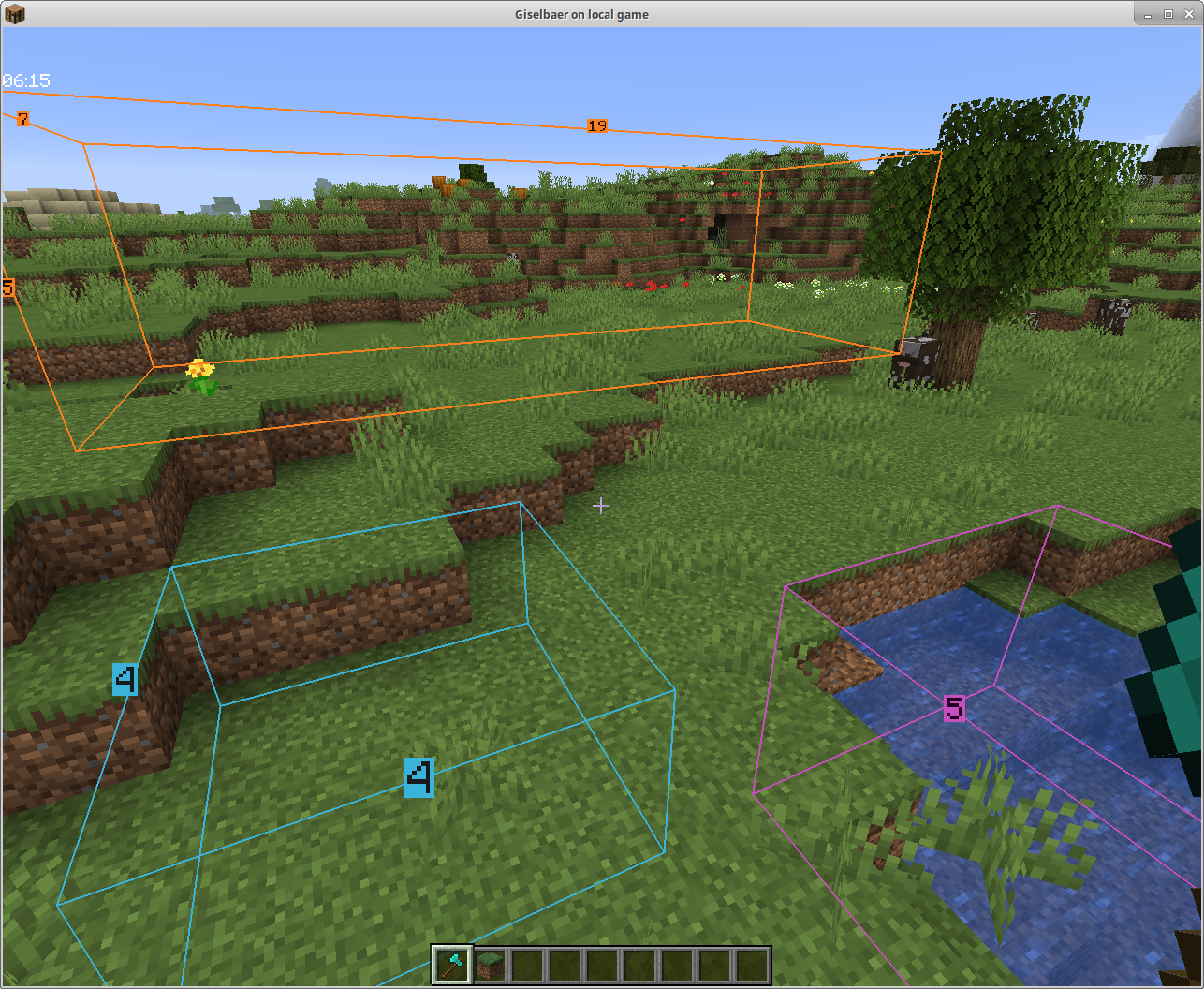
To use, hold any item and tap the BlockMeter key. Right click that item anywhere to set a starting point. Right-click the item somewhere else to get a second point. BlockMeter will draw a cuboid and show the lengths of each of the sides.
Tap the key again to deactivate the BlockMeter cubes. Tap Shift and the key to remove the last cube. Tap Ctrl and the key to remove all cubes.
To edit an existing box, right click while crouching to "loosen" one corner and right click again to place it somewhere else.
Collaborative Building
From version 1.4 on, you can collaborate and see each other's boxes if the mod is installed on the server as well.
The mod will still work client-side only, so you can play on any (vanilla, spigot, paper, ...) servers without the server owner having to do anything.
Fabric Server
In a LAN world with the host having the mod, or with a dedicated Fabric server that has the mod, you can see other people's boxes - enable BlockMeter, press the ALT button while holding the BlockMeter block, and toggle the new button. Now you'll see other players' boxes, and each block count will have the name of the player who created the box in front.
Bukkit Server
Version 1.4.1 works as server part with Bukkit/Spigot/Paper as well. If you want to share block outlines on your favorite server (non-modded, but has plugins), ask your server owner to download the jar file from here and put it in the plugins directory (make sure it's the correct Minecraft version, i.e. 1.15, and at least version 1.4.1 of the mod). The client part is the same as 1.4, so there's no reason to update your client.
Project description from CurseForge.
Pick your setup
BlockMeterFabric by Minecraft version and loader
Choose the version and loader you play, then open the matching release.
Minecraft version
26.1.2
1 loader buildMinecraft version
26.1.1
1 loader buildMinecraft version
26.1
1 loader buildMinecraft version
1.21.11
1 loader buildMinecraft version
1.21.10
1 loader buildMinecraft version
1.21.8
1 loader buildMinecraft version
1.21.7
1 loader buildMinecraft version
1.21.6
1 loader buildMinecraft version
1.21.5
1 loader buildMinecraft version
1.21.4-Snapshot
1 loader buildMinecraft version
1.21.4
1 loader buildShowing the newest 12 of 43 game versions. Older files are in the list below.
Check the dependencies, then try the file in a copied instance before changing a world you care about.
Recent files
BlockMeterFabric versions and loaders
[1.6.2] BlockMeter v1.5.4-beta
blockmeter-1.16.2-1.5.4-beta.jar
1 Nov 2020
Client Source doesn’t say Server Source doesn’t say Dependencies No extras listed Listed on Release listing
Check the 1.16.2 · Fabric setup Fabric1.16.2 beta
blockmeter-1.16.2-fabric0.17.2-1.5.2-beta.jar
7 Sept 2020
Client Source doesn’t say Server Source doesn’t say Dependencies No extras listed Listed on Release listing
Check the 1.16.2 · Fabric setup Fabric1.16.2 beta
blockmeter-1.16.2-fabric0.17.2-1.5.1.jar
11 Aug 2020
Client Source doesn’t say Server Source doesn’t say Dependencies No extras listed Listed on Release listing
Check the 1.16.2 setup 1.16.2 release
Looking for an older file? The official CurseForge project page is in Resources.
 mod
CurseForge · Minecraft
Fantasy Mounts
Fantasy mod bringing you Unicorns, Two Seater Riding, Horse Whistle and more!
 mod
CurseForge · Minecraft
BackSlot
Keep your weapon always ready
 mod
CurseForge · Minecraft
Pro Fullbright
A lightweight Fabric mod that makes dark areas fully visible, perfect for caves, mining, and nighttime exploration.