ThreeCore Optional for Smaller Units 1.16-Release 1.0
optionalMatching file found Matched file: ThreeCore-1.16.4-3.2.3.jar
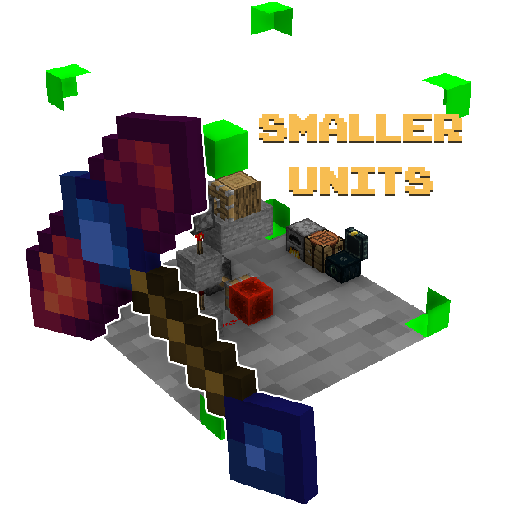
CurseForge · Minecraft mod
Functional Little Blocks for more modern versions
Quick answer
Smaller Units 1.16-Release 1.0 targets 1.16.3, 1.16.5, 1.16.4 with Forge. The project page does not say whether this file belongs on the client, dedicated server, or both. No extra mods listed for this file.
Where it goes
The project page does not say whether this file belongs on the client, dedicated server, or both.
The source does not explicitly classify this release as client-only or server-only.
1.16-Release 1.0 on 1.16.4. Every mod below is checked against that same setup.
This file does not list any required mods. Do not add a library just because a different file uses it.
2 extra mods were pulled in by other dependencies. Indented rows show who needs each one. We only count dependency files that match this setup. A file for another loader does not fill the gap.
Before you install it
Built for Smaller Units 1.16-Release 1.0 on 1.16.4. Pick another file and the loader, install side or required mods may change.
Use 1.16-Release 1.0. It targets 1.16.3, 1.16.5, 1.16.4 with Forge; another release may have different loader, side or dependency requirements.
This file does not list any required mods. Do not add a library just because a different file uses it.
The project page does not say whether this file belongs on the client, dedicated server, or both.
Use the “Get this file” button beside 1.16-Release 1.0. It opens that exact file at the source.
About this project
This mod is currently maintained on 1.18 forge&fabric, as well as 1.19
CF Page icon thanks to DrinkSomeMilk
For 1.18+:
Compatibility:
SU is currently semi-incompatible with Lithium/Canary/Radium, and incompatible with Optifine shaders
SU makes a tweak to Refined Storage for better compatibility, and currently cannot save AE2 blocks at all, so if you want a bulk storage mod, go for RS
Mekanism also does not work
SU 1.18 has had a lot of work put into optimizations
It's at a point where it can handle ~50k 1/16th unit spaces on 8GB RAM (granted with poor performance), and can handle ridiculous amounts of small blocks without meaningful amounts of performance loss
Infact, small redstone can actually perform better than vanilla redstone, despite using the same logic
SU still has integration for Pehkui
Pretty much all GUI blocks should work
The following recipes are where you start off with the mod, they are for the resizing hammers


Making a unit space:

Making a smaller unit space:

Making a larger unit space:

For 1.16:
1.16 SU is fully survival ready! (Recipes at the bottom of spoiler)
Do keep in mind, this will cause a lot of lag regardless of how you use it, so long as you are using it... my current, outdated approximation of when things will start going bad for the server is 184 unit tile entities.
Client side however, it'll start lagging a lot sooner (though maybe not anymore)
Almost perfectly compatible with Create, because reasons(?)
Most container blocks do work (all vanilla ones, excluding lectern), and this even includes chests from Iron Chests.
I am actively trying to get everything to work, so if something is broken, please do visit the issue tracker
I would recommend that you play with an entity resizing mod, such as ThreeCore, Shrink, Gullivern, or Pehkui.
If you have any of these mods installed, you can use shift+right click while holding a hammer of resizing to rescale yourself, and you can hit other entities with said hammers to rescale them.
I personally chose Pehkui.
Placement and breaking is done as you would expect.
Careful with large quantities of units, as your client will most likely not like it.
Crafting the resizing hammers:
Crafting the unit item:
Shrinking the unit item (shapeless):
Growing the unit item (shapeless):
You can also shrink blocks:

For 1.12/1.15:
This mod just adds small blocks that take up a fraction of a block. I struggled a lot with this one, and actually need help working this through. More specifically, a good way to simulate each tick in the small world.
This mod is a rewrite of the little blocks mod from back when Minecraft modding was simpler (I'm saying this without knowing, but the rendering method used in the original mod seems so much simpler to find than what I had to do.)
I did actually look at the code of little blocks, but I have no understanding of it, and a decent amount of the things it uses don't exist in 1.12+. 1.13 and later all had decent reworkings of the game, and almost the whole game's code changed afaik, thus not even the code from smaller units 1.12 would work. In other words, none of the code of this mod is from the original mod.
Differences in versions
(1.12)
(1.15)
I want to make this compatible with ALL mods. With the original little blocks, if you used pretty much literally any mod other than itself with vanilla and maybe Gulliver, it would crash.
If you're a programmer, and would like to try to help with developing this, or if you just want to talk about the mod go to this discord server: Luigi's mods
I also post early access builds publicly on the discord server, so if you’re into early access, buggy builds of mods, or just want to see what’s going on with updates to the mod, check that out
Alternatives? Chunk In A Globe and Miniscaled
Project description from CurseForge.
Pick your setup
Choose the version and loader you play, then open the matching release.
Check the dependencies, then try the file in a copied instance before changing a world you care about.
Recent files
smallerunits-1.16.jar
26 Jul 2021
smallerunits-1.16.jar
4 Mar 2021
smallerunits-1.16.jar
20 Feb 2021
Looking for an older file? The official CurseForge project page is in Resources.
 mod
Euphoria Patches is an add-on for Complementary Shaders, extending it with more optional features and settings.
 mod
Backpack mod on all versions
 mod
Compare armor, weapons and tools with your equipped gear right in the tooltip: stat changes, damage per second, durability and enchantments.