Minecraft version
Back to mods 
CurseForge · Minecraft mod
Biome Colorizer
Change every biome grass/foliage/water color easily!
Choose a version Pick your version below, then grab the matching file.
Quick answer
Which Biome Colorizer release should I use?
Latest stable file biome_colorizer-1.20.1-1.0.0.jar
Game version 1.20.1
Loader Forge
Biome Colorizer biome_colorizer-1.20.1-1.0.0.jar targets 1.20.1 with Forge. The project page does not say whether this file belongs on the client, dedicated server, or both. No extra mods listed for this file.
Where it goes
Is Biome Colorizer required on the client, server, or both?
The project page does not say whether this file belongs on the client, dedicated server, or both.
Client Source doesn’t say
Dedicated server Source doesn’t say
Loader for this release Forge
Required install it here Optional supported, not mandatory Not supported do not install here Source doesn’t say do not assume
The source does not explicitly classify this release as client-only or server-only.
What else does Biome Colorizer biome_colorizer-1.20.1-1.0.0.jar need?
biome_colorizer-1.20.1-1.0.0.jar. Change the file and its required mods may change too.
This file does not list any required mods. Do not add a library just because a different file uses it.
This file does not list any required or optional mods.
Before you install it
Add Biome Colorizer without breaking your instance.
Built for Biome Colorizer biome_colorizer-1.20.1-1.0.0.jar. Pick another file and the loader, install side or required mods may change.
- 01
Stick to this file
Use biome_colorizer-1.20.1-1.0.0.jar. It targets 1.20.1 with Forge; another release may have different loader, side or dependency requirements.
- 02
Bring the mods it needs
This file does not list any required mods. Do not add a library just because a different file uses it.
- 03
Put it on the correct side
The project page does not say whether this file belongs on the client, dedicated server, or both.
- 04
Pick the file you checked
Use the “Get this file” button beside biome_colorizer-1.20.1-1.0.0.jar. It opens that exact file at the source.
About this project
What does Biome Colorizer add?
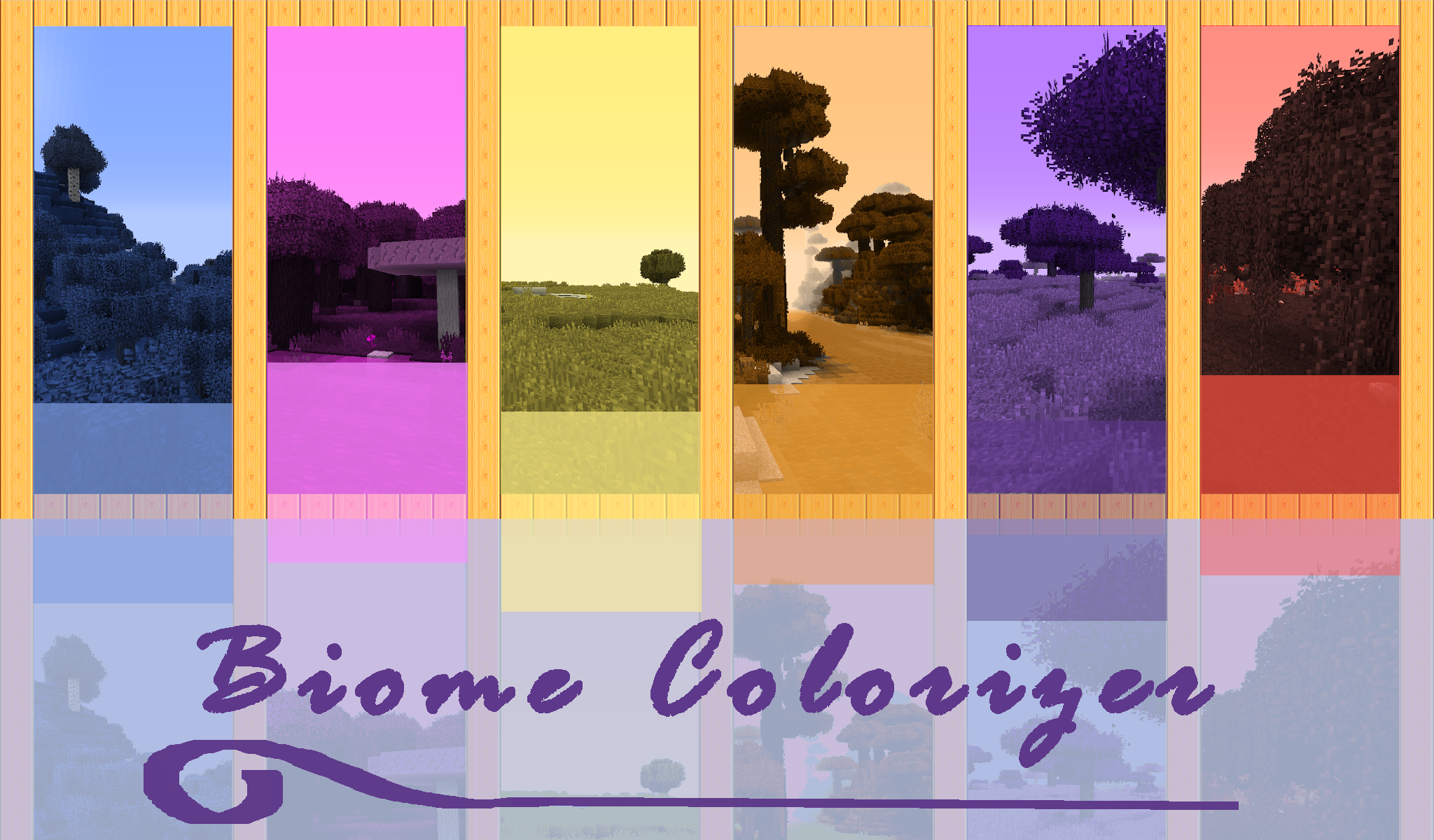
Biome Colorizer is a small, but powerful mod, that allows you to change grass/foliage/water/water fog/sky/fog color easily for every vanilla biome, as well as every modded biome possible! Modern 1.20.1+ version dynamiclly gets all the existing biomes from your modpack and creates config files for every mod, that add biomes.
Just install the mod, run the game once and load any world to create all configs for the biomes.
You will get "biomecolorizer" folder inside your "config" folder, containing minecraft.toml for vanilla biomes, and other files depending on your modpack: "regions_unexplored.toml", "biomesoplenty.toml" and so on. Follow the instructions in the config file to change biome colors; config files accepts HEX codes (with#) as well as decimal.
Reload the game and test the colors!
IMPORTANT! If you play on a server, you will have to install Biome Colorizer on a server too and copy your changed configs from the client to the server! The server requires these to load biomes' color changes properly!
NOTES:
Unfortunately, due to the modern Minecraft code compexity and wackyness, I haven't been able to make Biome Colorizer both client-side only - and as universal, as I wanted it to be, so I had to compromise. Nowdays it works through Forge modifiers, that require biomes registries, so it also requires game restart.
The good thing is- it is finally an absolute universal colorizer! No more manual per-mod config creating, just grab all biomes dynamically and go on!
And also it has 0 performance impact now- it overhauls biome colors globally, like if they were already created with those new colors, so no more in-game rendering hacks!
Let's have some fun with colors!
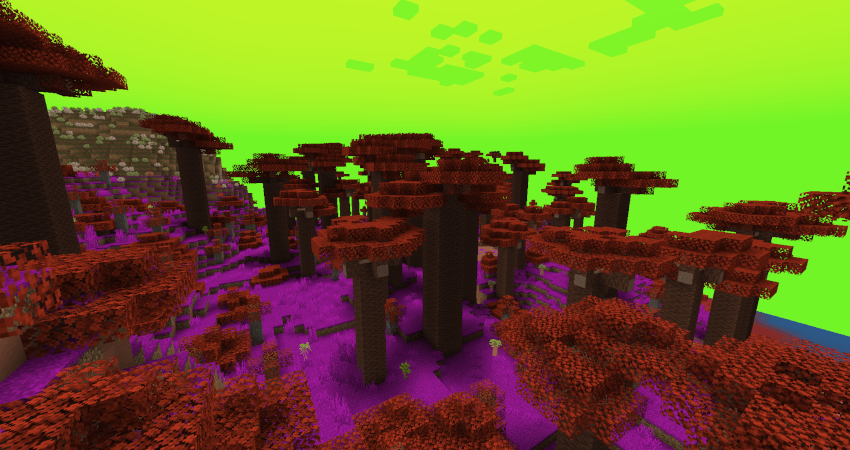
*Oh The Biome We've Gone
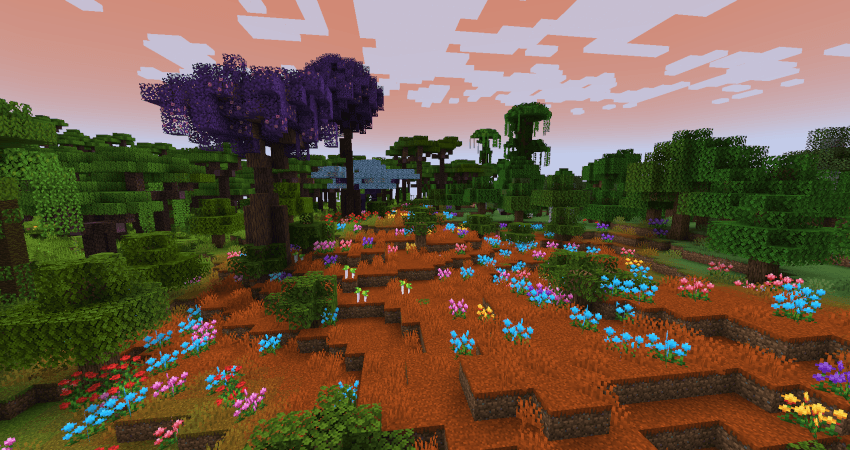
* Biomes O'Plenty
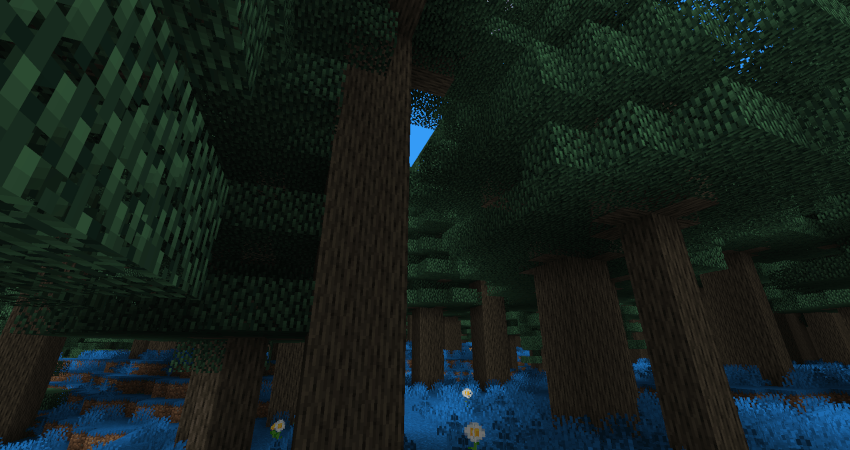
*Regions Unexplored
OLD 1.12.2 Biome Colorizer description (OUTADATED):
Biome Colorizer is a small and simple mod,that allows you to change grass/foliage/water color of every vanilla biome (including hardcoded Swampland,Mesa and Roofed forest!), as well as every modded biome from following mods:
- Biomes O'Plenty
- Traverse
- Auxilary Biomes
- Redwoods.
(please use latest releases!)
- special compatibility for my Open Terrain Generator preset "Traveler's Dream".No need to adjust numbers manually, simply delete old Vanilla.cfg in the "config/BiomeColorizer" folder and after the first launch with OTG and preset you will get TD color values as default in the "vanilla" tab and .cfg.
Other biome mods may be added later, if you wish, just write me in comments! =)
Known "problematic" mods, that aren't affected by Biome Colorizer coloring methods:
Project: Vibrant Journeys
Wild Nature
(maybe I'll make something with this someday...)
Quark's Greener Color and Serene Seasons are working without crashes/issues with Biome Colorizer (as far as I can see), however sometimes resulting colors may be strange or one mod will ignore other mod's coloring.
Note: only those blocks will be affected, that could be colored and depend on biome colors (they need at least to have gray-scale textures and models with tint-index...).Any custom leaves or plants, that are not intended by mod author to be colored by biome, will not be touched.
Installation
Just drop BiomeColorizer .jar into the "mods" folder.
If you are playing on a server, you can install BiomeColorizer only on your client.
(but if you'll forget it in the server "mods" folder, nothing bad will happen!)
How it works
Biome Colorizer can be configured easily in the ingame "Mods" configuration GUI in the main menu or by changing numbers in config files. Config files will be created in the "config/BiomeColorizer" folder.
Note: ingame GUI will show all available types of configuration, so don't be afraid of "BiomesO'Plenty" or other mod's configuration menu if you have no such mods installed. Cfg files will also be created for every compatible mod.
Let's look at the configuration process step by step:
Find BiomeColorizer in "Mods" menu and click "Config" button. You will see this:
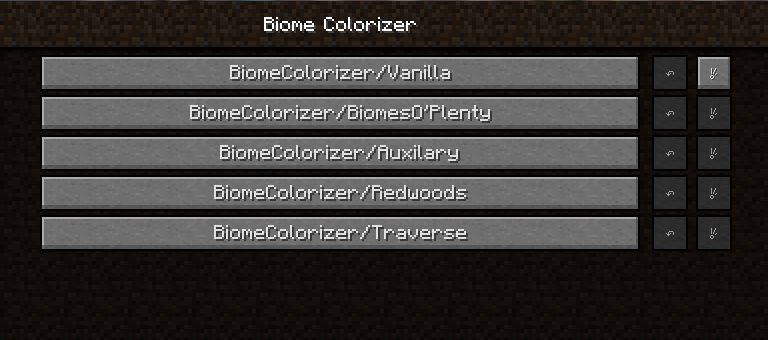
Choose what you want and click on the button (I'll show vanilla one):
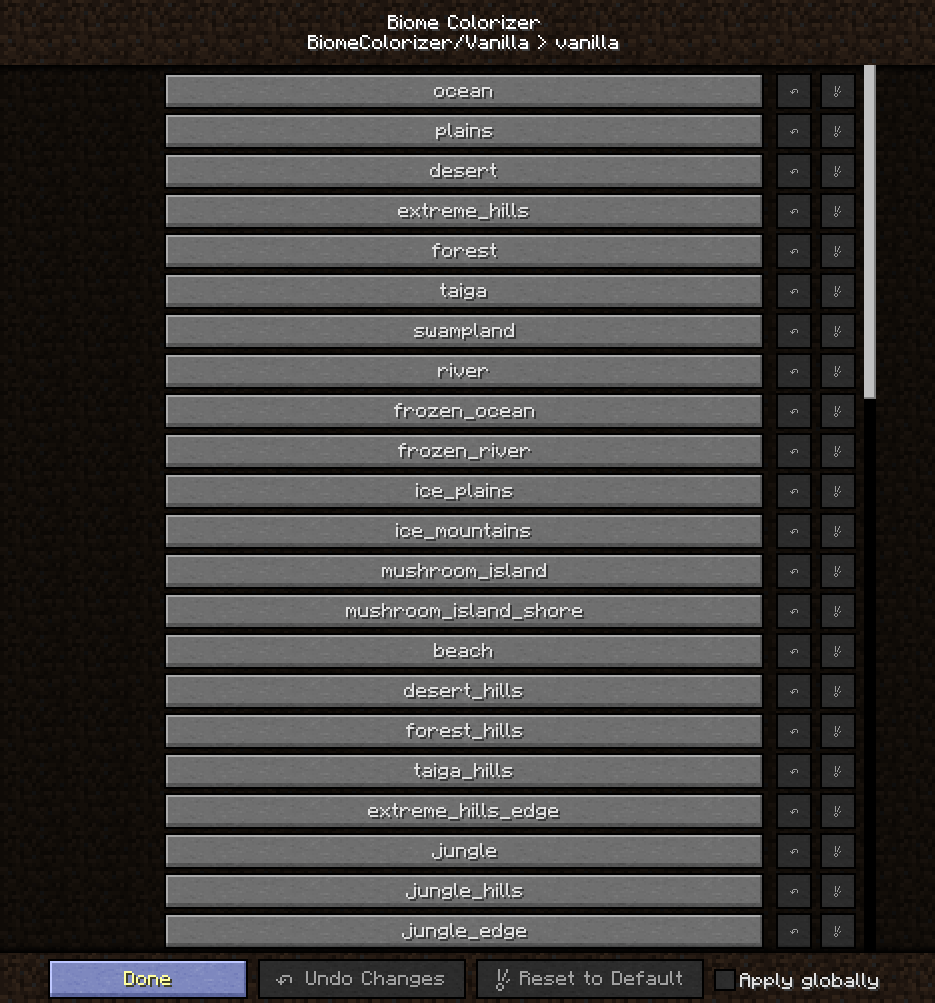
Then choose the biome you want to configure and click on the button (I'll configure Plains):
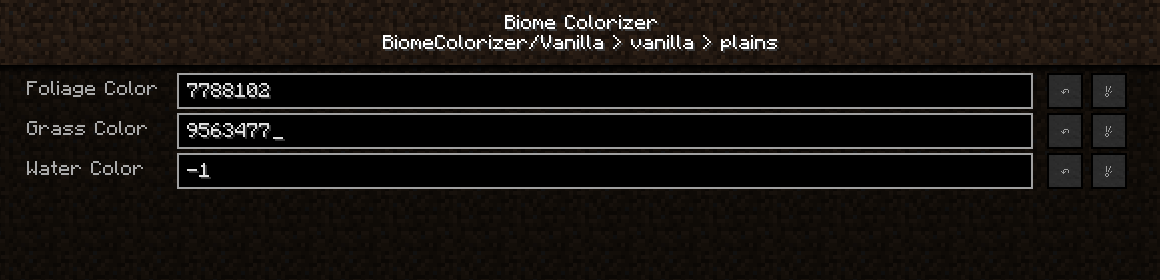
As you can see, colors are represented by those numbers.They are Decimal color codes.So you will need to print decimal color values in the corresponding fields.How can you get them?
I 'm using following online services:
HTML Color Picker - to get HEX color codes, you can use Gimp, Photoshop etc as well
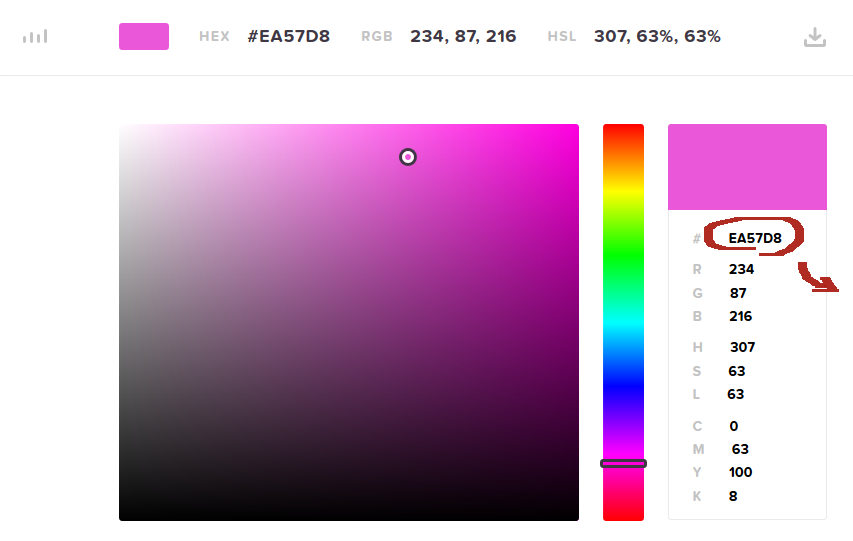 Copy that field and go to any HEX->Decimal converter (I'm using this one: Hexadecimal to Decimal Converter ):
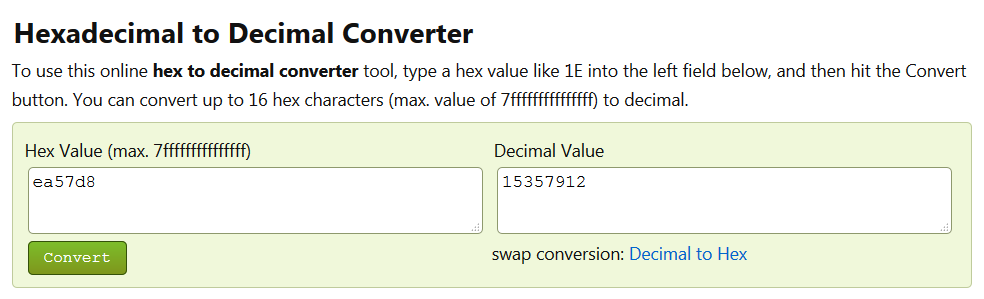 Copy Decimal Value from right field and paste it into the corresponding field in the .cfg file or print into the GUI field.
Click "Done" or save the file.
Open you world/connect to the server world and you will see the result!
By default color values are -1. If you want to reset colors back to vanilla, print -1 in the field! You can also use "reset to default" gui button or delete .cfg file.
Screenshots
(some strange colors just for fun)
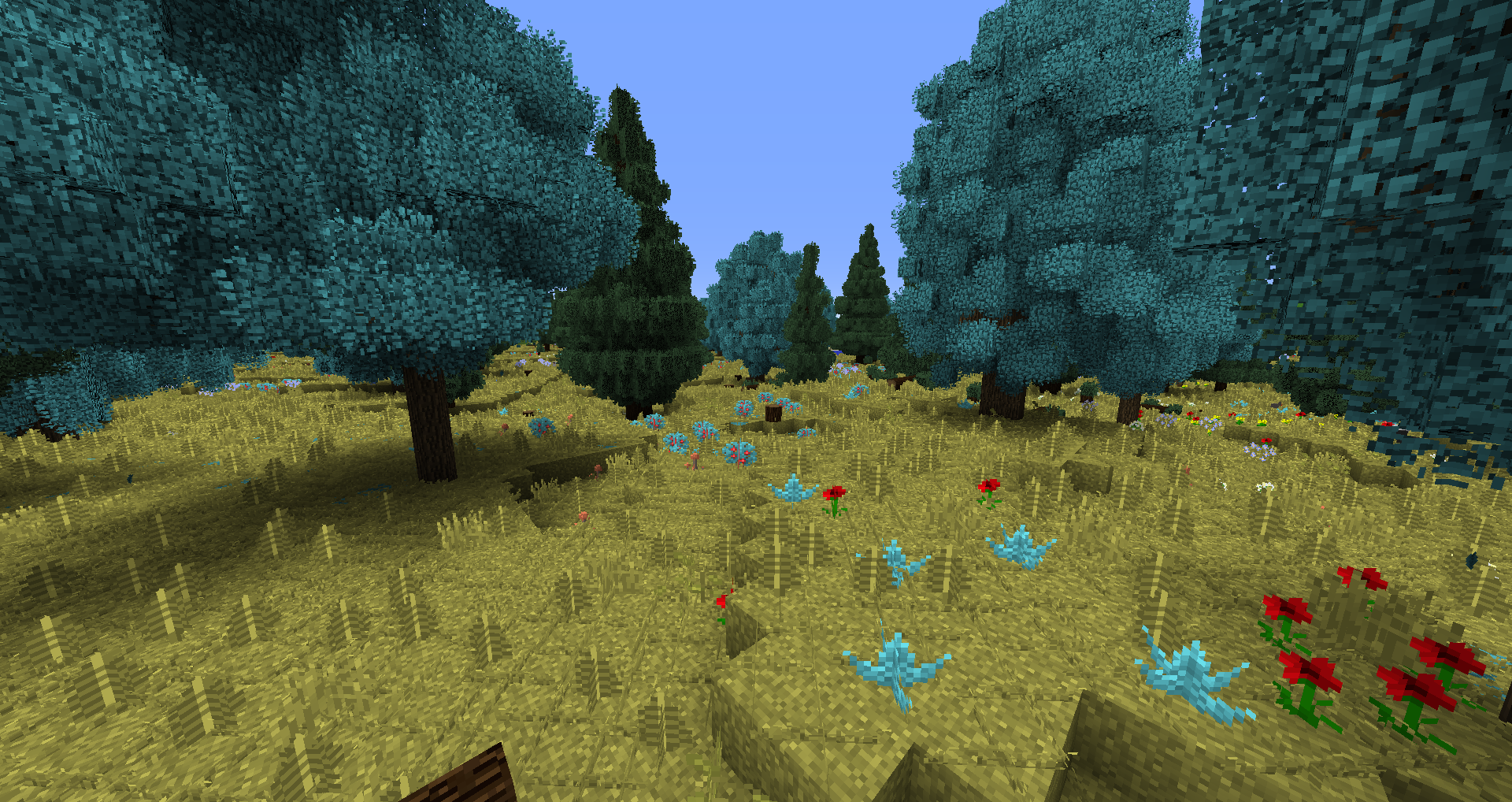
Changed Forest colors:
(screenshot made with Traveler's Dream preset, Biomes O'Plenty and Better Foliage)
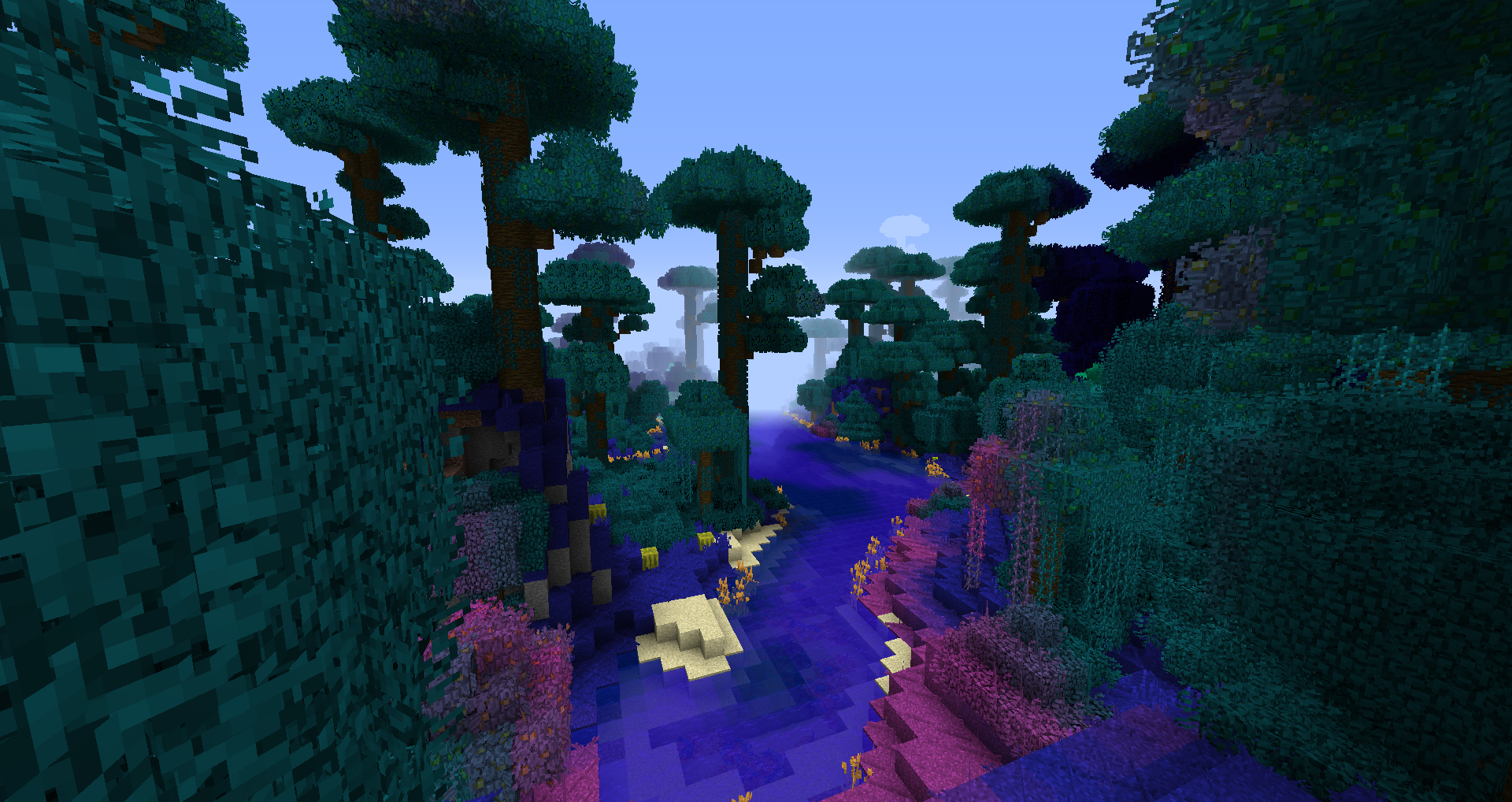
changed Jungle Colors:
(vanilla world with Better Foliage)
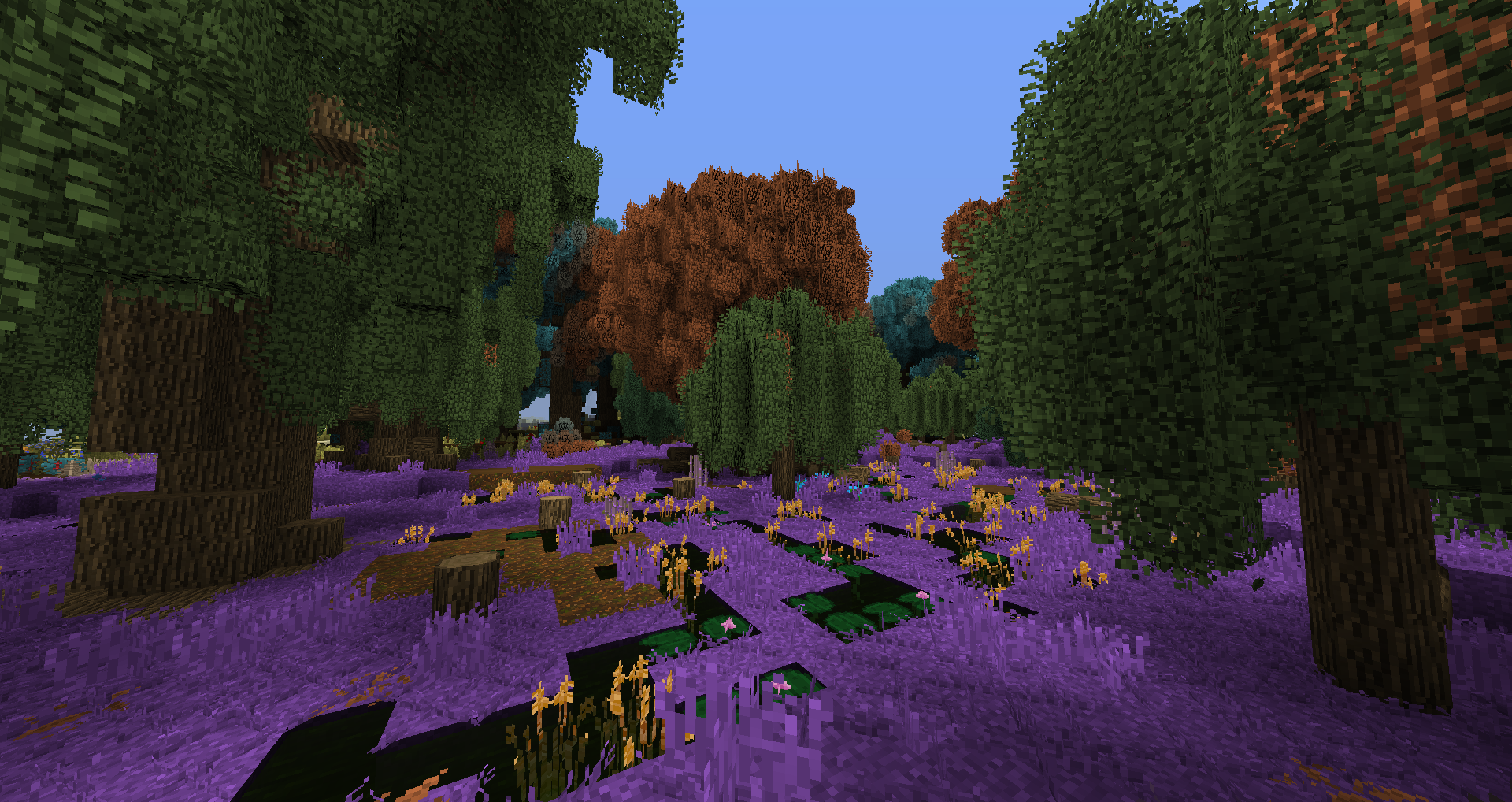
Changed Swampland Colors - birch leaves on trees are unaffected, that's normal :
(screenshot made with Traveler's Dream, Biomes O'Plenty and Better Foliage )
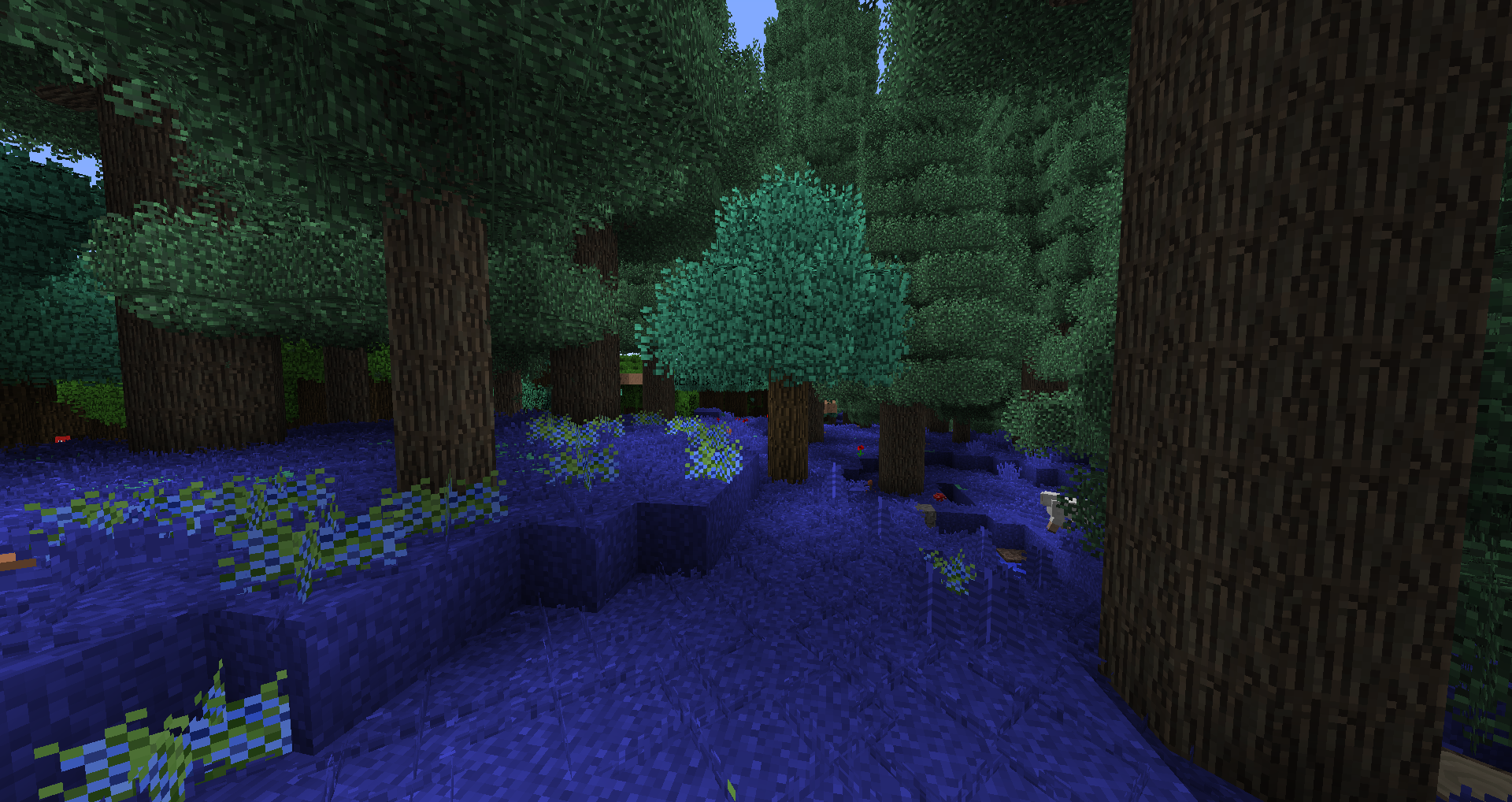
Biomes O'Plenty Coniferous Forest with Better Foliage:
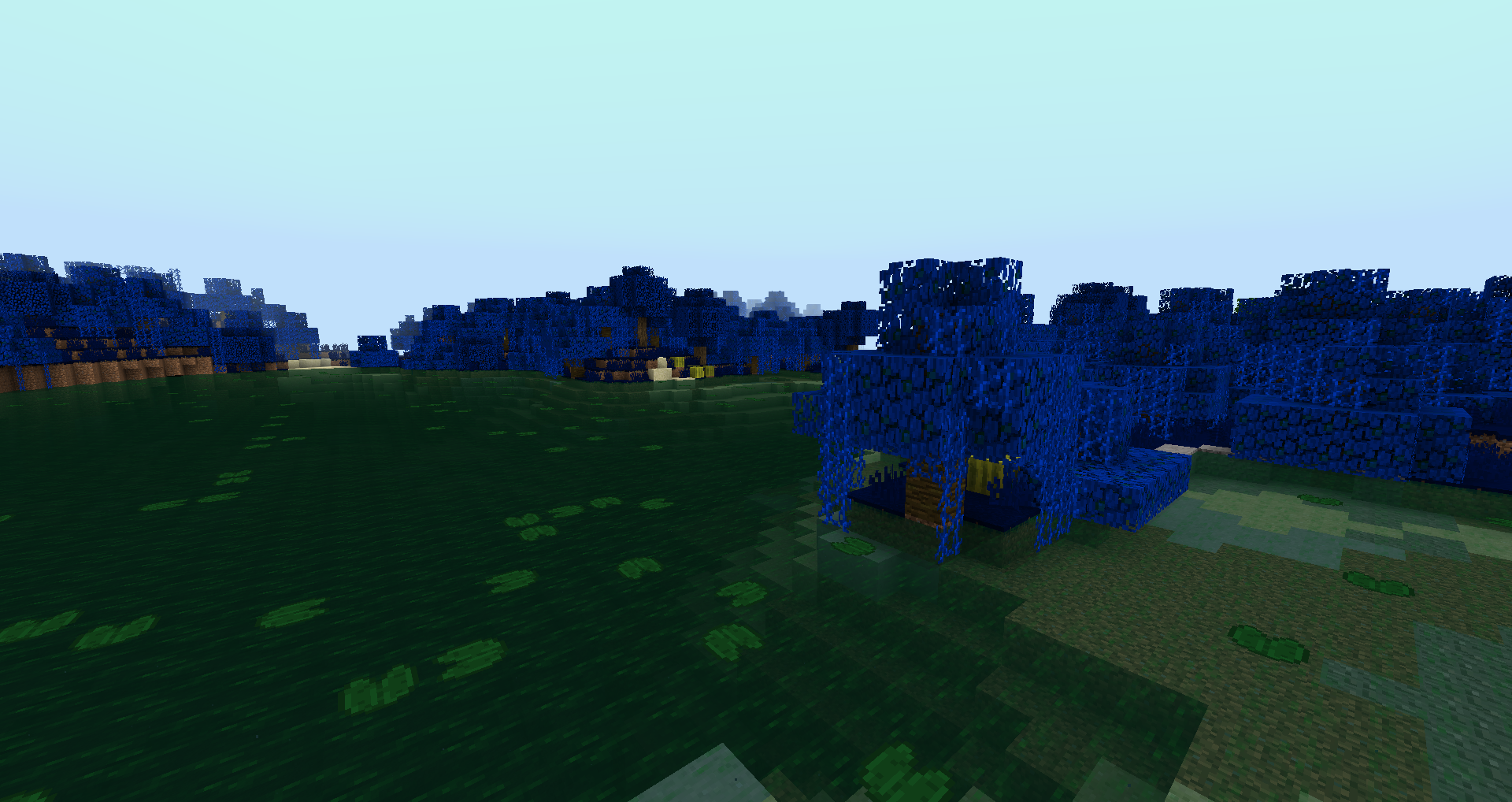
Traverse Mini-Jungle with Better Foliage:
Project description from CurseForge.
Pick your setup
Biome Colorizer by Minecraft version and loader
Choose the version and loader you play, then open the matching release.
Minecraft version
1.12.2
1 loader buildCheck the dependencies, then try the file in a copied instance before changing a world you care about.
Recent files
Biome Colorizer versions and loaders
biome_colorizer-1.20.1-1.0.0.jar
27 Jan 2026
Client Source doesn’t say Server Source doesn’t say Dependencies No extras listed Listed on Release listing
Check the 1.20.1 · Forge setup 1.20.1Forge release
BiomeColorizer-1.12.2-v1.0.2.jar
14 Sept 2020
Client Source doesn’t say Server Source doesn’t say Dependencies No extras listed Listed on Release listing
Check the 1.12.2 · Forge setup Forge1.12.2 release
BiomeColorizer-1.12.2-v1.0.1.jar
15 Apr 2020
Client Source doesn’t say Server Source doesn’t say Dependencies No extras listed Listed on Release listing
Check the 1.12.2 · Forge setup Forge1.12.2 release
BiomeColorizer_1.12.2_v1.0.0.jar
10 Apr 2020
Client Source doesn’t say Server Source doesn’t say Dependencies No extras listed Listed on Release listing
Check the 1.12.2 · Forge setup Forge1.12.2 release
Looking for an older file? The official CurseForge project page is in Resources.
 mod
CurseForge · Minecraft
Classic Achievements
Restores the classic look of Minecraft's achievement interface, with new additions and quality-of-life improvements. Brings back the nostalgic feel of the old days while making achievements more convenient to use.
 mod
CurseForge · Minecraft
OldCaves
This mod brings back old cave generation to newer versions.
 mod
CurseForge · Minecraft
Towns & Kingdoms - Wildshape
A TerraForged fork for Towns & Kingdoms with expansive landscapes, enormous connected caverns, customizable terrain presets and structure safeguards. Optional NeoForge integrations support Streams Reflowing and Alex’s Caves.