Mod Menu Optional for Boosted Brightness [1.16.4/5] Boosted Brightness v2.0.0
optionalMatching file found Matched file: Mod Menu v1.16.7 for 1.16.4/5
CurseForge · Minecraft mod
Allows you to set your brightness beyond default levels.
Quick answer
Boosted Brightness [1.16.4/5] Boosted Brightness v2.0.0 targets 1.16.5, 1.16.4. The project page does not say whether this file belongs on the client, dedicated server, or both. No extra mods listed for this file.
Where it goes
The project page does not say whether this file belongs on the client, dedicated server, or both.
The source does not explicitly classify this release as client-only or server-only.
[1.16.4/5] Boosted Brightness v2.0.0 on 1.16.4. Every mod below is checked against that same setup.
This file does not list any required mods. Do not add a library just because a different file uses it.
We only count dependency files that match this setup. A file for another loader does not fill the gap.
Before you install it
Built for Boosted Brightness [1.16.4/5] Boosted Brightness v2.0.0 on 1.16.4. Pick another file and the loader, install side or required mods may change.
Use [1.16.4/5] Boosted Brightness v2.0.0. It targets 1.16.5, 1.16.4; another release may have different loader, side or dependency requirements.
This file does not list any required mods. Do not add a library just because a different file uses it.
The project page does not say whether this file belongs on the client, dedicated server, or both.
Use the “Get this file” button beside [1.16.4/5] Boosted Brightness v2.0.0. It opens that exact file at the source.
About this project
Boosted Brightness is a simple clientside mod that allows you to set your brightness beyond default levels to your liking. It makes use of Fabric (not Forge) and is compatible with Minecraft 1.19.
New Brightness Slider

The mod modifies the brightness slider in video settings, extending brightness range from 0% through 100% to -100% through 1200%.
200% to 500% gives a great balance between seeing differences in lighting and seeing well in the dark.
-50% to -100% is great for a more challenging caving experience.
1200% is full-bright.
Up to 5 Custom Brightness Levels
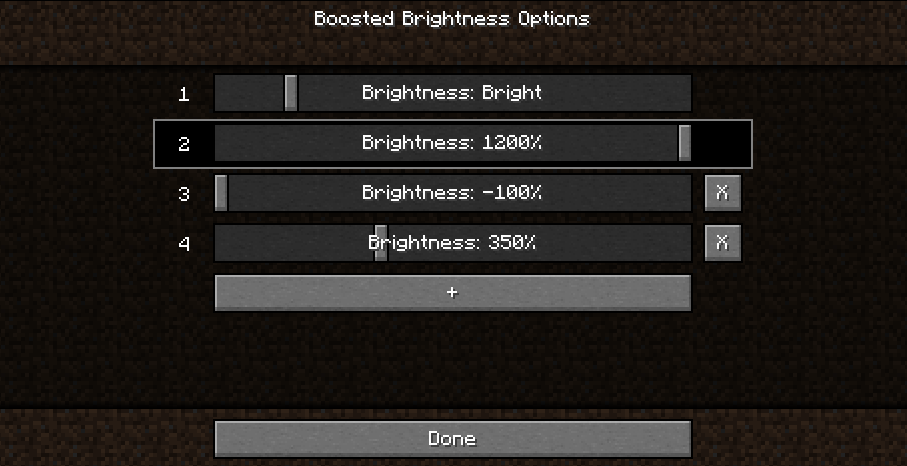
By default, there are 2 brightness levels: your existing brightness and 1200%.
Add up to 3 additional brightness levels for every situation: caving, nighttime, full-bright, or super-dark.
Access these sliders using Mod Menu.
New Keybinds

Use keybinds to select particular brightness levels. If you press the keybind of the currently selected brightness level, the brightness is switched to the last used brightness level.
Use the raise/lower keybinds enable quick brightness changes in-game.
If you have two brightness levels, the "Select Next Brightness" works just like a toggle between the two brightnesses.
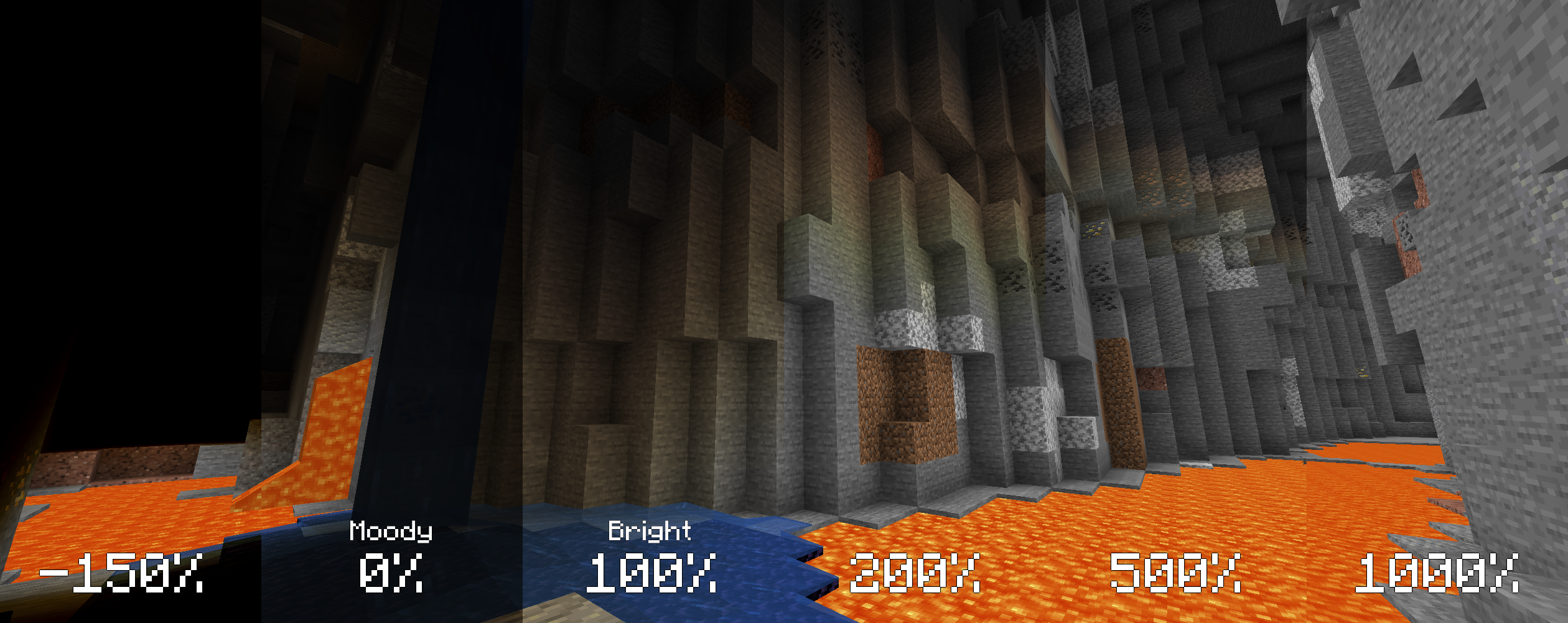
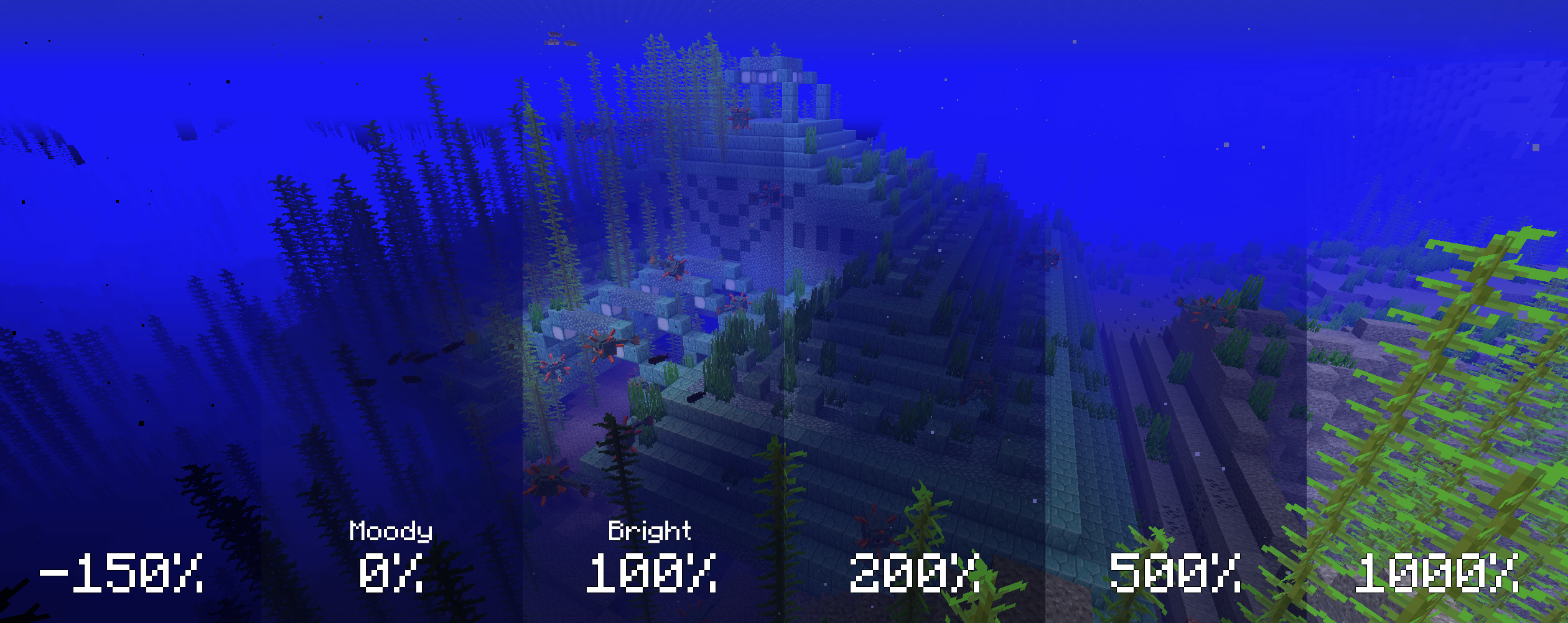
The screenshots below compare various brightness settings in different situations.
Cave brightness comparison
 Underwater brightness comparison
Missing v2 features but still useful!
Install Fabric
Drop the Fabric API jar into the mods folder
Drop the Boosted Brightness and Mod Menu jars into the mods folder
Works with Optifine and Sodium. Let me know if you find any compatibility issues.
MIT. Feel free to use this mod in any modpack.
Project description from CurseForge.
Pick your setup
Choose the version and loader you play, then open the matching release.
Showing the newest 12 of 18 game versions. Older files are in the list below.
Check the dependencies, then try the file in a copied instance before changing a world you care about.
Recent files
boosted-brightness-2.0.0+1.16.5.jar
16 Jun 2021
boosted-brightness-1.2.1.jar
1 Jan 2021
boosted-brightness-1.2.0.jar
22 Dec 2020
8 Dec 2020
Looking for an older file? The official CurseForge project page is in Resources.
 mod
modA magic mod focused on special effects and spell uniqueness
 mod
modMore skin customization options for just about every version + skin backports for pre-1.9 versions. Skinport port patch texture fix
 mod
modA Quark is a very small thing. This mod is a collection of small things that improve the vanilla minecraft experience.