Minecraft version
Back to mods 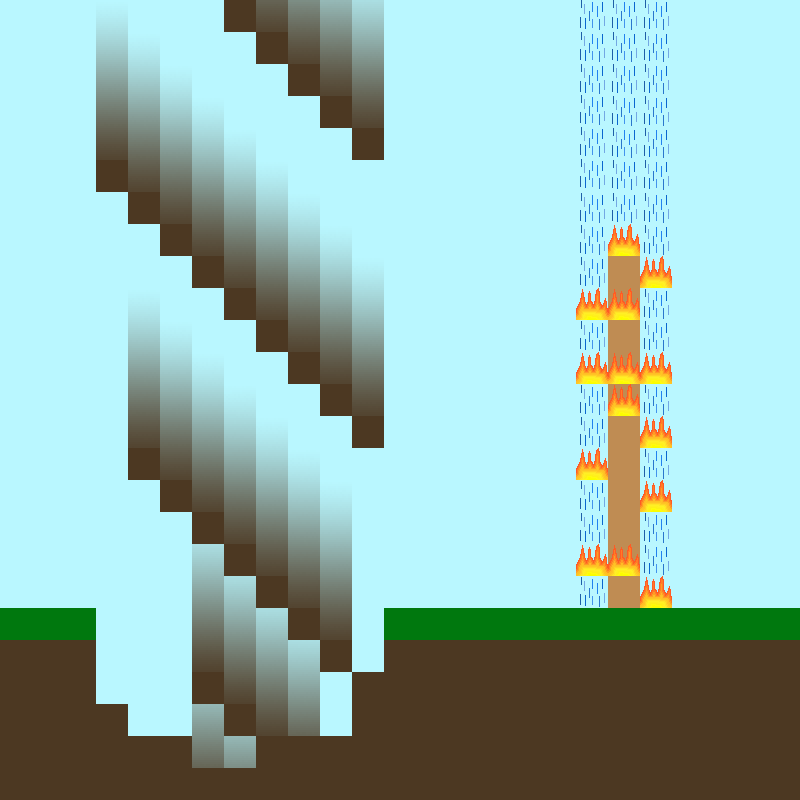
CurseForge · Minecraft mod
Explosion't
Heals back up explosions after some time
Choose a version Pick your version below, then grab the matching file.
Quick answer
Which Explosion't release matches 1.18.2?
Best match for your filters Explosiont-1.18.2-2.5.1.jar
Game version 1.18.2
Loader forge
Explosion't Explosiont-1.18.2-2.5.1.jar targets 1.18.2. The project page does not say whether this file belongs on the client, dedicated server, or both. No extra mods listed for this file.
Where it goes
Is Explosion't required on the client, server, or both?
The project page does not say whether this file belongs on the client, dedicated server, or both.
Client Source doesn’t say
Dedicated server Source doesn’t say
Loader for this release No loader listed
Required install it here Optional supported, not mandatory Not supported do not install here Source doesn’t say do not assume
The source does not explicitly classify this release as client-only or server-only.
What else does Explosion't Explosiont-1.18.2-2.5.1.jar need?
Explosiont-1.18.2-2.5.1.jar on 1.18.2. Every mod below is checked against that same setup.
This file does not list any required mods. Do not add a library just because a different file uses it.
This file does not list any required or optional mods.
Before you install it
Add Explosion't without breaking your instance.
Built for Explosion't Explosiont-1.18.2-2.5.1.jar on 1.18.2. Pick another file and the loader, install side or required mods may change.
- 01
Stick to this file
Use Explosiont-1.18.2-2.5.1.jar. It targets 1.18.2; another release may have different loader, side or dependency requirements.
- 02
Bring the mods it needs
This file does not list any required mods. Do not add a library just because a different file uses it.
- 03
Put it on the correct side
The project page does not say whether this file belongs on the client, dedicated server, or both.
- 04
Pick the file you checked
Use the “Get this file” button beside Explosiont-1.18.2-2.5.1.jar. It opens that exact file at the source.
About this project
What does Explosion't add?




Whenever any block gets removed due to fire, or explosion: blocks drop nothing, and get rebuilt after a chosen delay, at a chosen speed (Works with Inventories)
This provides you with the difficulty of explosions and terrain destruction, while also not leaving you with a post-war wasteland of a terrain
(The speed set in config goes up by itself every 1000 blocks past 1000, in order to prevent explosions that would take too long to heal)
(Scaling can be configured, as well as turned off)
Commands: /forceAllHeal - heals all loaded blocks
Full Config support, including an option to only heal in the mornings, instead of having delays
Want your own Minecraft server without the effort of setting it up and hosting it? Just rent a ready-to-go one!
Click the picture just above -> Select a Plan -> Use my code “Harmonised” to get 25% OFF your first month ->
Have a great time with your friends!
Project description from CurseForge.
Pick your setup
Explosion't by Minecraft version and loader
Choose the version and loader you play, then open the matching release.
Minecraft version
1.19.3
1 loader buildMinecraft version
1.19.2
2 loader buildsMinecraft version
1.18.2
1 loader buildMinecraft version
1.18
1 loader buildMinecraft version
1.16.5
1 loader buildMinecraft version
1.16.3
1 loader buildMinecraft version
1.16.2
1 loader buildMinecraft version
1.16.1
1 loader buildMinecraft version
1.15.2
1 loader buildCheck the dependencies, then try the file in a copied instance before changing a world you care about.
Recent files
Explosion't versions and loaders
Explosiont-1.18.2-2.5.1.jar
5 Mar 2023
Client Source doesn’t say Server Source doesn’t say Dependencies No extras listed Listed on Release listing
Check the 1.18.2 setup 1.18.2 release
Explosiont-1.18.2-2.5.jar
1 Jun 2022
Client Source doesn’t say Server Source doesn’t say Dependencies No extras listed Listed on Release listing
Check the 1.18.2 setup 1.18.2 release
Looking for an older file? The official CurseForge project page is in Resources.
 mod
CurseForge + Modrinth · Minecraft
EffectMC
Trigger special effects live in-game! Multiple mod loaders supported!
 mod
CurseForge · Minecraft
Better Survival Fly
Creative style flight for authorized players who stay in Survival.
 mod
CurseForge + Modrinth · Minecraft
Crafter Backport (Forge / Fabric)
Vanilla friendly, faithful Backport of the Crafter block, introducing autocrafting to older versions! Available on both Forge and Fabric