TheDragonLib Needed by Sword Displays 1.3.0 for Forge 26.1.2
requiredMatching file found Matched file: TheDragonLib 1.1.1 for Forge 26.1.2
CurseForge · Minecraft mod
A mod that allows you to display your weapons
Quick answer
Sword Displays 1.3.0 for Forge 26.1.2 targets 26.1.2 with Forge. The project page does not say whether this file belongs on the client, dedicated server, or both. All 1 required mods have matching files.
Where it goes
The project page does not say whether this file belongs on the client, dedicated server, or both.
The source does not explicitly classify this release as client-only or server-only.
Sword Displays 1.3.0 for Forge 26.1.2 on 26.1.2. Every mod below is checked against that same setup.
Install TheDragonLib first. We found matching files for this game-version and loader setup.
We only count dependency files that match this setup. A file for another loader does not fill the gap.
Before you install it
Built for Sword Displays 1.3.0 for Forge 26.1.2 on 26.1.2. Pick another file and the loader, install side or required mods may change.
Use Sword Displays 1.3.0 for Forge 26.1.2. It targets 26.1.2 with Forge; another release may have different loader, side or dependency requirements.
Install TheDragonLib first. We found matching files for this game-version and loader setup.
The project page does not say whether this file belongs on the client, dedicated server, or both.
Use the “Get this file” button beside Sword Displays 1.3.0 for Forge 26.1.2. It opens that exact file at the source.
About this project
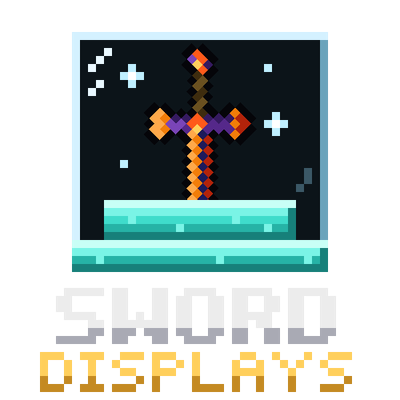
Show off your weapons. Sword Displays adds pedestals, glass cases and wall mounts for your swords, axes and other weapons, in 244 materials: every wood, stone and brick, metals and gems, Nether and End blocks, plus every color of wool, concrete, terracotta and stained glass.
| Action | How |
|---|---|
| Place a weapon | Right-click an empty display with the weapon |
| Take it back | Shift + Right-click with an empty hand |
| Tilt it | Right-click with an empty hand |
| Spin it | Ctrl + Right-click with an empty hand |
On a rack, click the left, middle or right part of the block to pick a slot.
Every display is made from its material (M). Any slab (S) and glass panes (G) complete the recipe:
Sword Display     Sword Case      Wall Display
   . M .           G G G            . G .
   M S M           G M G            G M G
                   M S M            . G .
To get the Plaque style, place a leather above any display. For the Rack style, place a stick above it instead. All recipes show up in the recipe book.
Swords, axes and anything that accepts weapon enchantments already work. To allow any other item, add it to the sworddisplay:swords item tag with a datapack:
pack.mcmeta.data/sworddisplay/tags/item/swords.json. Before 1.21, the folder is tags/items/ instead of tags/item/.{
"replace": false,
"values": [
"minecraft:trident",
{ "id": "modid:item", "required": false }
]
}
Marking an entry "required": false lets the datapack load even if that mod isn't installed. Setting "replace": true only clears the mod's built-in extras (Tinkers' Construct, Draconic Evolution and ProjectE weapons). Vanilla swords and axes always stay allowed.
Open config/sworddisplay-common.toml to turn each type and style group on or off (for example rack.wall = false). Restart the game after changing it.
Project description from CurseForge.
Pick your setup
Choose the version and loader you play, then open the matching release.
Showing the newest 12 of 19 game versions. Older files are in the list below.
Check the dependencies, then try the file in a copied instance before changing a world you care about.
Recent files
sworddisplay-26.1.2-1.3.0-forge.jar
2 Nov 2026
sworddisplay-26.1.2-1.3.0-neo.jar
30 Oct 2026
sworddisplay-26.1.2-1.2.0-forge.jar
25 Oct 2026
sworddisplay-26.1.2-1.2.1-neo.jar
25 Oct 2026
sworddisplay-26.1.2-1.2.0-neo.jar
25 Oct 2026
sworddisplay-26.1.2-1.1.0-neo.jar
12 Oct 2026
sworddisplay-26.1.2-1.1.0-forge.jar
12 Oct 2026
sworddisplay-26.1.2-1.0.0-neo.jar
30 Sept 2026
sworddisplay-26.1.2-1.0.0-forge.jar
30 Sept 2026
Sword Displays-26.1.2-1.0.0-neo.jar
30 Sept 2026
Looking for an older file? The official CurseForge project page is in Resources.
 mod
Addon adds new tasks, rewards and functions.
 mod
Based on the Dedsafio series
 mod
A custom nitrogen-engine dragon species for Dragon Survival 1.21.1.