Minecraft version
Back to mods 
CurseForge · Minecraft mod
TCrafting
Adds Terraria-style crafting to Minecraft.
Choose a version Pick your version below, then grab the matching file.
Quick answer
Which TCrafting release should I use?
beta file tcrafting-1.2.1-1.16.4.jar
Game version 1.16.4
Loader Fabric
tcrafting-1.2.1-1.16.4.jar targets 1.16.4 with Fabric. The project page does not say whether this file belongs on the client, dedicated server, or both. No extra mods listed for this file.
Where it goes
Is TCrafting required on the client, server, or both?
The project page does not say whether this file belongs on the client, dedicated server, or both.
Client Source doesn’t say
Dedicated server Source doesn’t say
Loader for this release Fabric
Required install it here Optional supported, not mandatory Not supported do not install here Source doesn’t say do not assume
The source does not explicitly classify this release as client-only or server-only.
What else does tcrafting-1.2.1-1.16.4.jar need?
tcrafting-1.2.1-1.16.4.jar. Change the file and its required mods may change too.
This file does not list any required mods. Do not add a library just because a different file uses it.
This file does not list any required or optional mods.
Before you install it
Add TCrafting without breaking your instance.
Built for tcrafting-1.2.1-1.16.4.jar. Pick another file and the loader, install side or required mods may change.
- 01
Stick to this file
Use tcrafting-1.2.1-1.16.4.jar. It targets 1.16.4 with Fabric; another release may have different loader, side or dependency requirements.
- 02
Bring the mods it needs
This file does not list any required mods. Do not add a library just because a different file uses it.
- 03
Put it on the correct side
The project page does not say whether this file belongs on the client, dedicated server, or both.
- 04
Pick the file you checked
Use the “Get this file” button beside tcrafting-1.2.1-1.16.4.jar. It opens that exact file at the source.
About this project
What does TCrafting add?
TCrafting requires Inventory Tabs, Fabric Loader, and the Fabric API
This mod needs to be installed on both the client and the server.
What Is This
TCrafting adds Terraria-style crafting to Minecraft (see below).

Usage/Features
The new crafting screen can be accessed by either opening the inventory and pressing the new tab OR by pressing the "Open Crafting Screen" key bind (defaults to R). In the crafting screen are two scrollable views: a crafting view and a usage view. The crafting view shows you what you can craft given what is in your inventory and what crafting interfaces are nearby. For example, standing near a crafting table with 2 sticks and 3 diamonds will show the diamond pickaxe. As the player crafts more items, new recipes may appear and other existing recipes may be marked out if there are not enough materials. The usage view features a big slot followed by many others. Placing an item in the big slot will show recipes that use it in the below slots. Hovering over items in both views will show the recipe for it.
All vanilla recipes are automatically converted to appear in the new crafting screen, but vanilla crafting is available in case anything goes wrong.
Players are also able to add their own recipes that require an anvil or brewing stand nearby, and developers have access to dynamic recipes. See the GitHub for more information.
More Pics


This mod is in beta, so please report any issues below or on the GItHub repo.
Project description from CurseForge.
Pick your setup
TCrafting by Minecraft version and loader
Choose the version and loader you play, then open the matching release.
Minecraft version
1.16.2
1 loader buildMinecraft version
1.16.1
1 loader buildCheck the dependencies, then try the file in a copied instance before changing a world you care about.
Recent files
TCrafting versions and loaders
tcrafting-1.2.1-1.16.4.jar
14 Dec 2020
Client Source doesn’t say Server Source doesn’t say Dependencies No extras listed Listed on Release listing
Check the 1.16.4 · Fabric setup Fabric1.16.4 beta
tcrafting-1.2.1-1.16.2.jar
12 Aug 2020
Client Source doesn’t say Server Source doesn’t say Dependencies No extras listed Listed on Release listing
Check the 1.16.2 · Fabric setup Fabric1.16.2 beta
tcrafting-1.2.0-1.16.1.jar
10 Aug 2020
Client Source doesn’t say Server Source doesn’t say Dependencies No extras listed Listed on Release listing
Check the 1.16.1 · Fabric setup 1.16.1Fabric beta
tcrafting-mc1.16.1-v1.1.1.jar
2 Aug 2020
Client Source doesn’t say Server Source doesn’t say Dependencies No extras listed Listed on Release listing
Check the 1.16.1 · Fabric setup 1.16.1Fabric beta
tcrafting-mc1.16.1-v1.1.0.jar
1 Aug 2020
Client Source doesn’t say Server Source doesn’t say Dependencies No extras listed Listed on Release listing
Check the 1.16.1 · Fabric setup 1.16.1Fabric beta
tcrafting-mc1.16.1-v1.0.0
tcrafting-1.0.0.jar
31 Jul 2020
Client Source doesn’t say Server Source doesn’t say Dependencies No extras listed Listed on Release listing
Check the 1.16.1 · Fabric setup 1.16.1Fabric beta
Looking for an older file? The official CurseForge project page is in Resources.
 mod
CurseForge · Minecraft
Classic Crew
NPCs that adapt and learn
 mod
CurseForge · Minecraft
Immersive Jobs
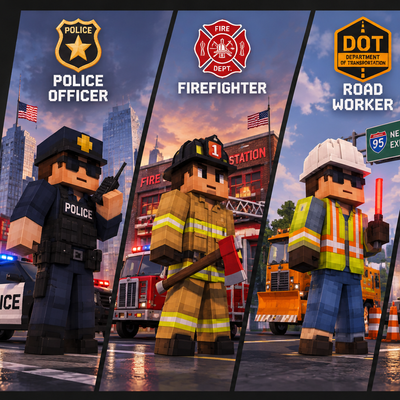
Immersive Jobs is a mod created with a focus on realism and the actual duties of uniformed services :D
 mod
CurseForge · Minecraft
Seasonality
Adds 4 seasons (spring, summer, fall, and winter) to Minecraft, similar to Serene Seasons but rewritten, optimized, and compatible with some mods