Fabric API Needed by Mob Plaques [FABRIC] [26.1.x] v26.1.1
requiredMatching file found Matched file: [26.1.2] Fabric API 0.155.2+26.1.2

CurseForge · Minecraft mod
Neat, tiny attribute displays for all mobs with great customization!
Quick answer
Mob Plaques [FABRIC] [26.1.x] v26.1.1 targets 26.1, 26.1.1, 26.1.2 with Fabric. The project page does not say whether it belongs on the client. The project page does not say whether it belongs on the dedicated server. All 3 required mods have matching files.
Where it goes
The project page does not say whether it belongs on the client. The project page does not say whether it belongs on the dedicated server.
The source does not explicitly classify this release as client-only or server-only.
[FABRIC] [26.1.x] v26.1.1. Change the file and its required mods may change too.
Install Fabric API, Forge Config API Port, Puzzles Lib first. We found matching files for this game-version and loader setup. 2 come through another mod in the chain.
2 extra mods were pulled in by other dependencies. Indented rows show who needs each one. We only count dependency files that match this setup. A file for another loader does not fill the gap.
Before you install it
Built for Mob Plaques [FABRIC] [26.1.x] v26.1.1. Pick another file and the loader, install side or required mods may change.
Use [FABRIC] [26.1.x] v26.1.1. It targets 26.1, 26.1.1, 26.1.2 with Fabric; another release may have different loader, side or dependency requirements.
Install Fabric API, Forge Config API Port, Puzzles Lib first. We found matching files for this game-version and loader setup. 2 come through another mod in the chain.
The project page does not say whether it belongs on the client. The project page does not say whether it belongs on the dedicated server.
Use the “Get this file” button beside [FABRIC] [26.1.x] v26.1.1. It opens that exact file at the source.
About this project








Mob Plaques adds compact status displays above mobs, letting you quickly see important information without cluttering your screen. Health, armor, armor toughness, and air supply are shown using familiar Minecraft-style icons that feel right at home in the game. ❤️
Whether you're fighting monsters, managing animals, exploring underwater, or taking on bosses, the mod helps you judge a mob's condition at a glance. The plaques stay small and unobtrusive while still providing the information that matters most. 🛡️
This mod is designed to fit a wide range of playstyles, with flexible visibility options, support for many different entity types, and an in-game toggle whenever you want a cleaner view. 👁️


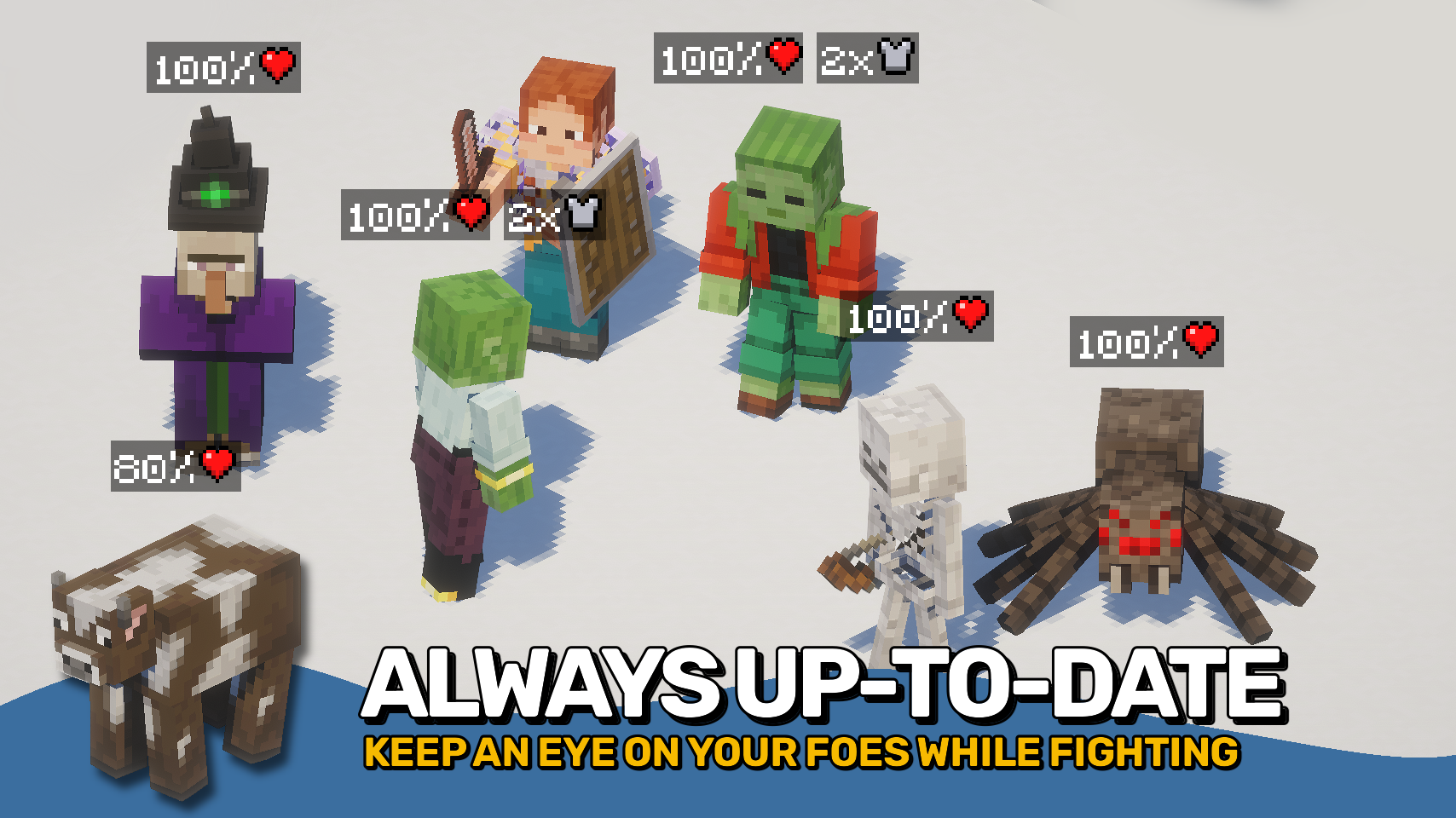
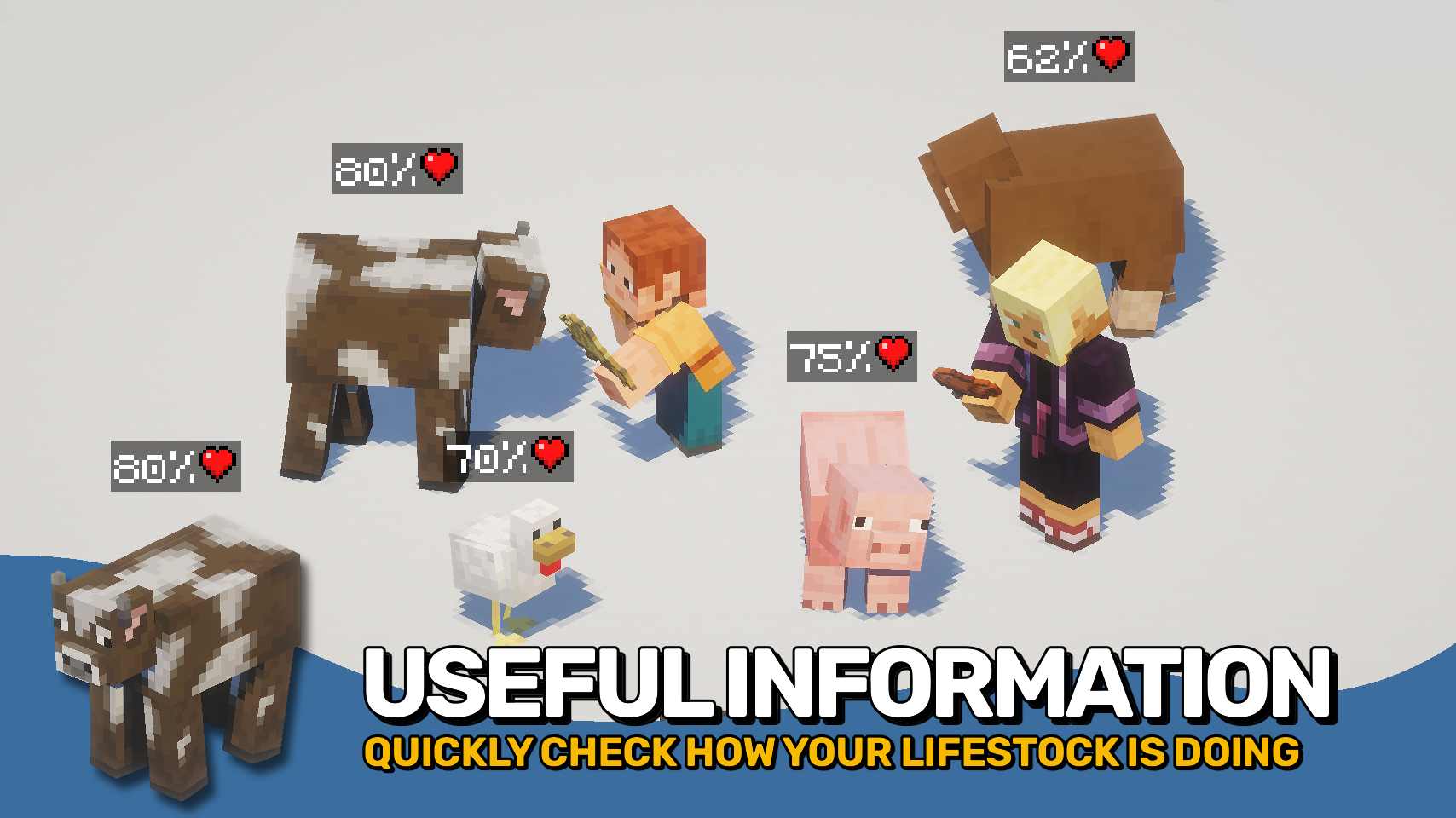

⏩ INSTALLATION REQUIRED ON CLIENT
⏩ REQUIRES PUZZLES LIB TO BE INSTALLED (FABRIC & NEOFORGE)
⏩ REQUIRES FABRIC API TO BE INSTALLED (FABRIC)
⏩ REQUIRES FORGE CONFIG API PORT TO BE INSTALLED (FABRIC)

If available for a mod, configuration is possible directly from in-game using the mod menu (requires Mod Menu by Prospector to be installed on Fabric).
For manual configuration using an external text editor all files are found at .minecraft/config, named as MOD_ID-client.toml, MOD_ID-common.toml, or MOD_ID-server.toml, depending on the type of config. Not all types might exist for a mod, if any at all.

🌟 Thanks to satyrnidae for creating Wolf Armor and Storage, whose wolf information display inspired the creation of this mod.
🌟 Several configuration options and customization ideas were inspired by Vazkii's excellent Neat mod.
 |
 |
|
|---|---|---|
 |
 |
|
 |
 |
|
 |
 |
|
 |
 |
|

Project description from CurseForge.
Pick your setup
Choose the version and loader you play, then open the matching release.
Showing the newest 12 of 20 game versions. Older files are in the list below.
Check the dependencies, then try the file in a copied instance before changing a world you care about.
Recent files
MobPlaques-v26.1.1-mc26.1.x-Fabric.jar
19 Jun 2026
MobPlaques-v26.1.1-mc26.1.x-NeoForge.jar
19 Jun 2026
MobPlaques-v26.2.0-mc26.2.x-Fabric.jar
19 Jun 2026
MobPlaques-v26.2.0-mc26.2.x-NeoForge.jar
19 Jun 2026
MobPlaques-v26.1.0-mc26.1.x-Fabric.jar
28 Apr 2026
MobPlaques-v26.1.0-mc26.1.x-NeoForge.jar
28 Apr 2026
MobPlaques-v21.11.0-mc1.21.11-Fabric.jar
15 Dec 2025
MobPlaques-v21.11.0-mc1.21.11-NeoForge.jar
15 Dec 2025
MobPlaques-v21.10.0+mc1.21.10-Fabric.jar
8 Oct 2025
MobPlaques-v21.10.0+mc1.21.10-NeoForge.jar
8 Oct 2025
MobPlaques-v21.9.0+mc1.21.9-NeoForge.jar
6 Oct 2025
MobPlaques-v21.9.0+mc1.21.9-Fabric.jar
6 Oct 2025
Looking for an older file? The official CurseForge project page is in Resources.
 mod
modA lightweight client-side HUD mod that displays damage numbers, mob information, and a customizable target overlay without requiring server-side installation.
 mod
modMultiblocked2 is the more powerful visual custom machine/multiblock mod after mbd.
 mod
modAdds Flat Layer, Wide Tunnel and Selection mining patterns to Liteminer with in-game GUI configuration
