Minecraft version
Back to mods 
Modrinth · Minecraft mod
Displayed
This is a decorative mod used for displaying items!
Choose a version Pick your version below, then grab the matching file.
Quick answer
Which Displayed release should I use?
Latest stable file 1.0.2-fabric-1.20.1
Game version 1.20.1, 1.20.2, 1.20.3
Loader Fabric
Displayed 1.0.2-fabric-1.20.1 targets 1.20.1, 1.20.2, 1.20.3 with Fabric. Installation on the client is optional. Installation on the dedicated server is optional. No extra mods listed for this file.
Where it goes
Is Displayed required on the client, server, or both?
Installation on the client is optional. Installation on the dedicated server is optional.
Client Optional
Dedicated server Optional
Loader for this release Fabric
Required install it here Optional supported, not mandatory Not supported do not install here Source doesn’t say do not assume
The source marks this as usable on both the client and server.
What else does Displayed 1.0.2-fabric-1.20.1 need?
1.0.2-fabric-1.20.1. Change the file and its required mods may change too.
This file does not list any required mods. Do not add a library just because a different file uses it.
This file does not list any required or optional mods.
Before you install it
Add Displayed without breaking your instance.
Built for Displayed 1.0.2-fabric-1.20.1. Pick another file and the loader, install side or required mods may change.
- 01
Stick to this file
Use 1.0.2-fabric-1.20.1. It targets 1.20.1, 1.20.2, 1.20.3 with Fabric; another release may have different loader, side or dependency requirements.
- 02
Bring the mods it needs
This file does not list any required mods. Do not add a library just because a different file uses it.
- 03
Put it on the correct side
Installation on the client is optional. Installation on the dedicated server is optional.
- 04
Pick the file you checked
Use the “Get this file” button beside 1.0.2-fabric-1.20.1. It opens that exact file at the source.
About this project
What does Displayed add?
Module Introduction
This is a decorative mod used for showcasing items.
Content Overview
- The "As You See" mod provides a series of functional blocks for displaying items, allowing the display of any (mod) items.
- The displayed items can be a stick, an apple, a diamond, a piece of equipment, a shulker box (supporting NBT data), and so on.
- The blocks support simple debugging (the player needs to be empty-handed), and the material of the displayed items depends on the texture pack loaded by the playe
- Players can click on the side of the block to flip it (rotate), click on the top surface to invert it (invert), and hold down the Shift key to make the block invisible (invisible)
Mod content
- The display stands (bottom and top) rotate 22.5° according to the player's facing direction to display items, which supports rotating and hiding the items.
- The block frames (normal and rotating) display items at a 90° angle according to the player's facing direction, and support flipping, rotating and hiding the items.
Minecraft content
- The display frame (Shift + right-click) can be hidden (and it supports the display frames of other mods).
- For the armor stand, left-clicking can make it levitate, and Shift + left-clicking can hide it. Players can customize the display of armor by using blocks of different heights (such as snow blocks).
- For metal ingots, Shift + right-clicking can place them (whether it can be placed or not can be customized through the config). The storage upper limit is 64, and different metal ingot models will be displayed according to the quantity.
Message board
- If you have any other needs or suggestions, please try to contact the author or leave a message within the thread.
- Of course, some content can be found in Archaeological_Research. If you are interested in archaeology, you can check out the Archaeological_Research.
Game screenshot
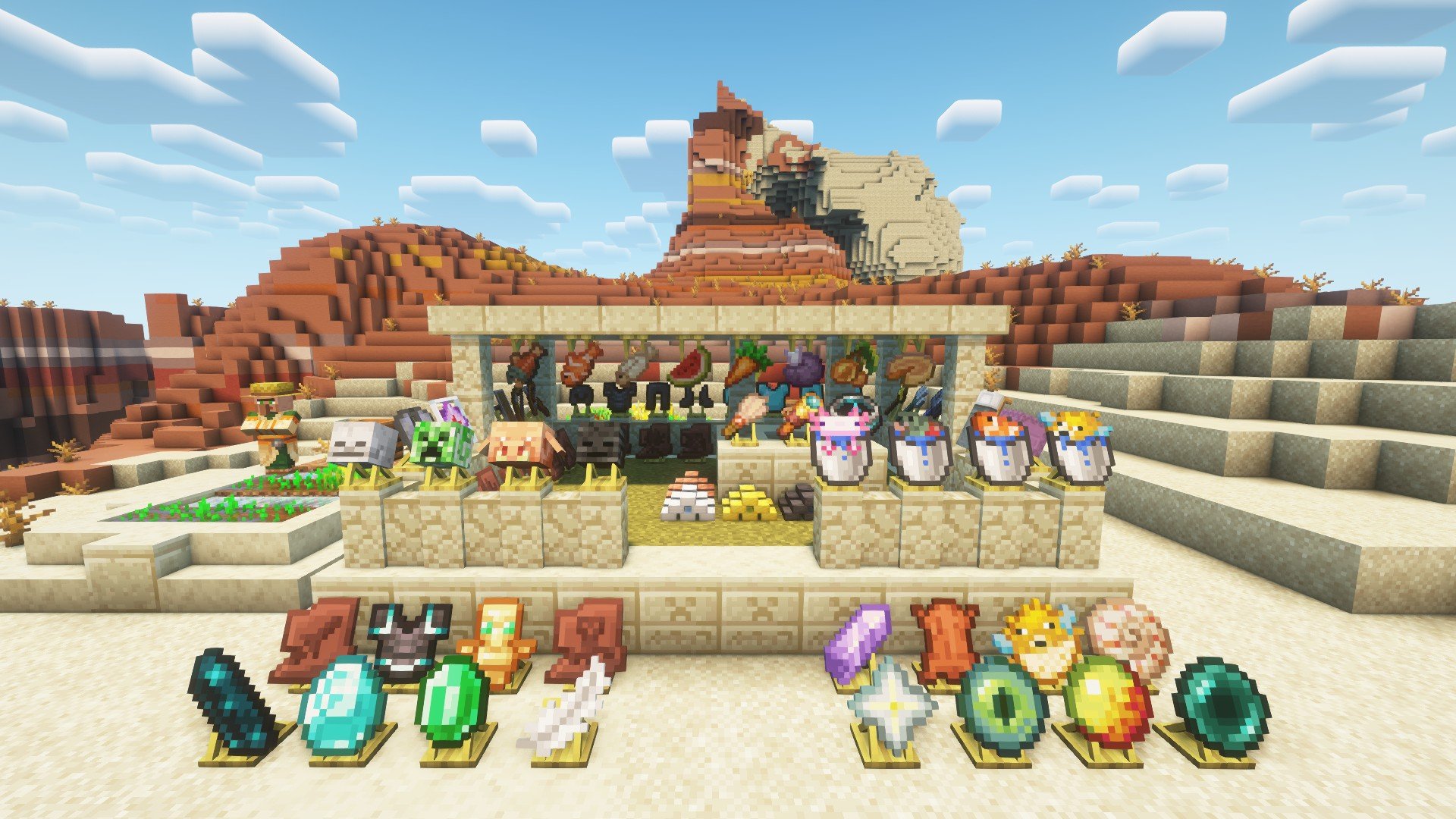
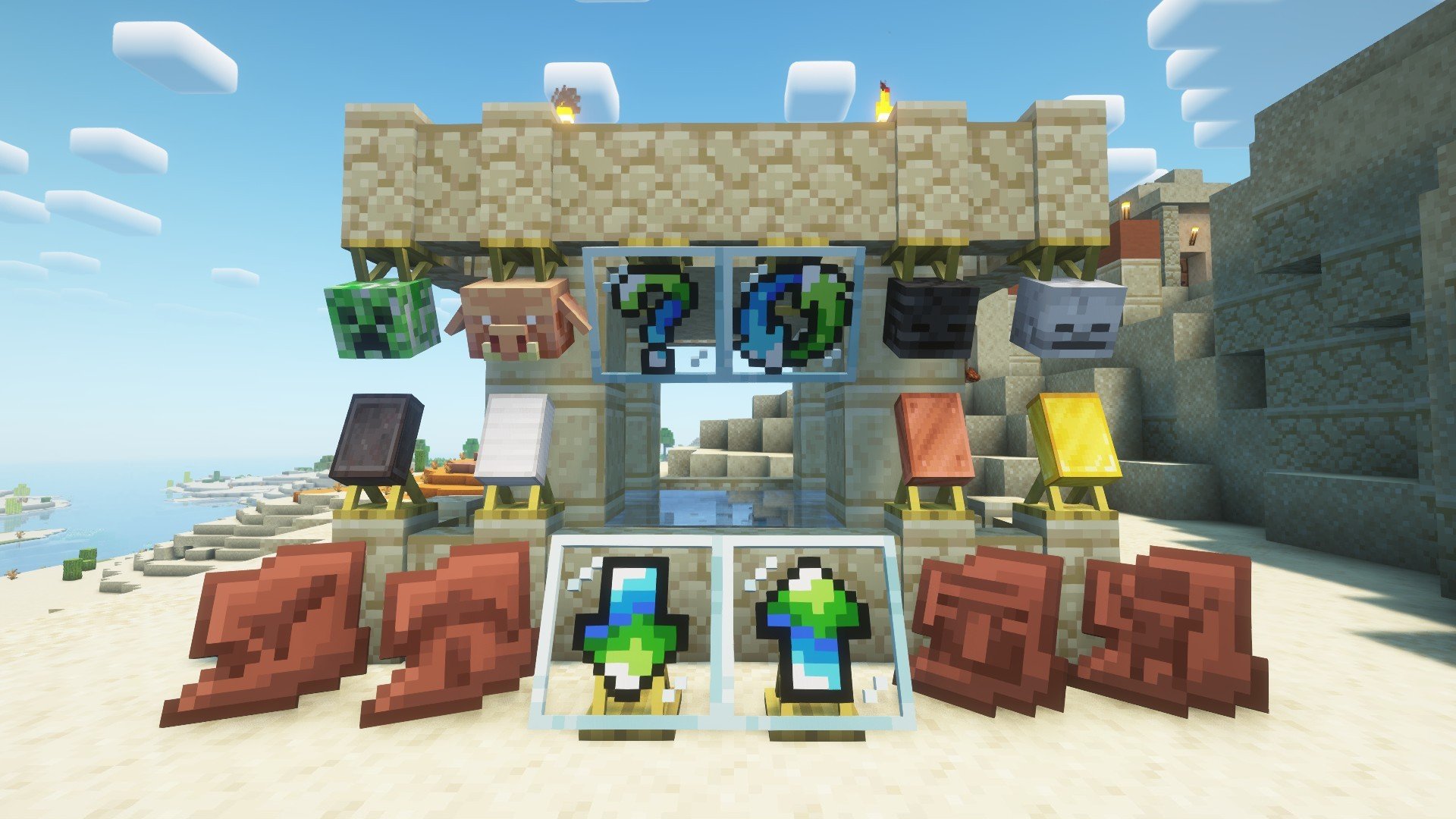
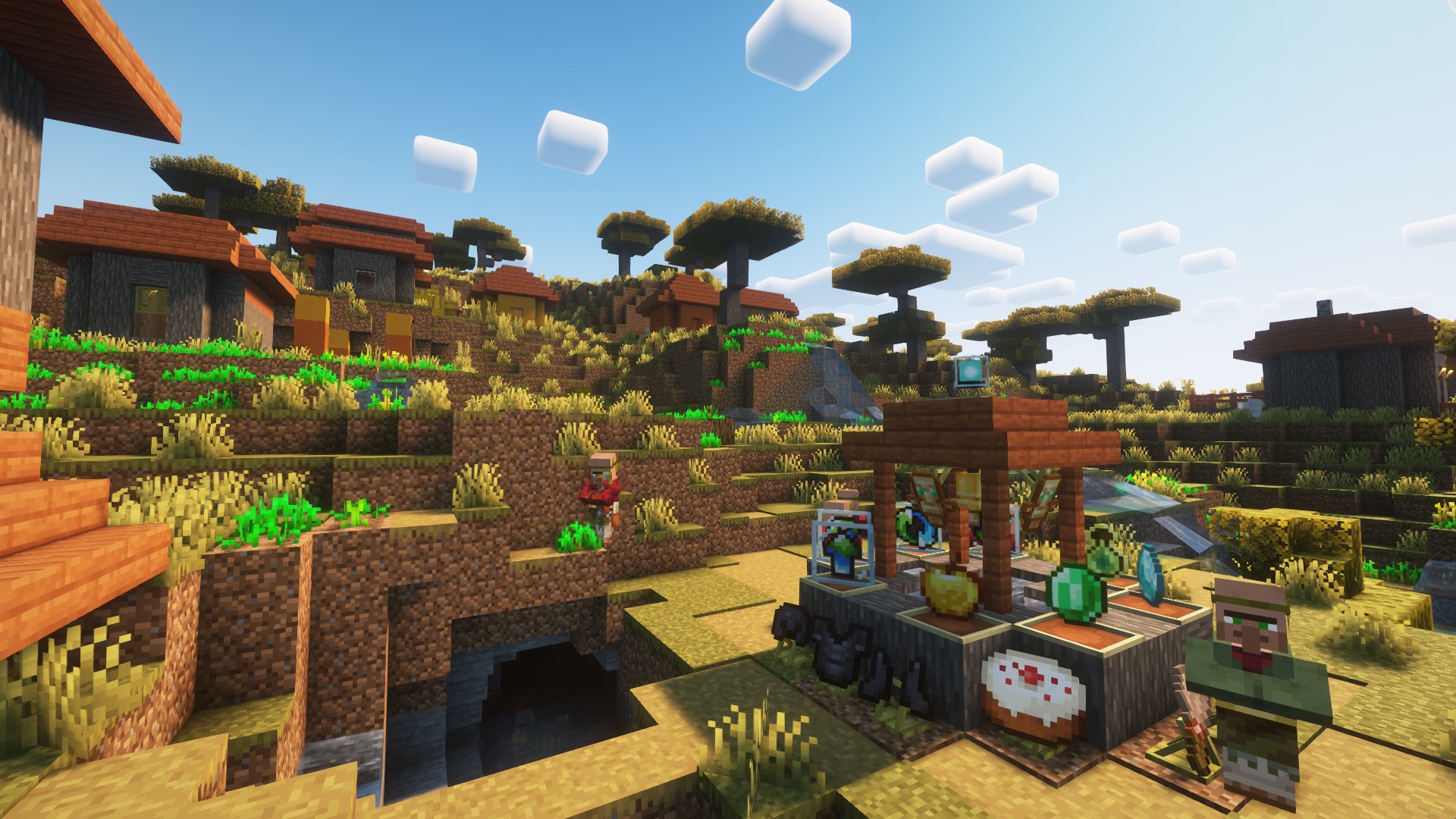

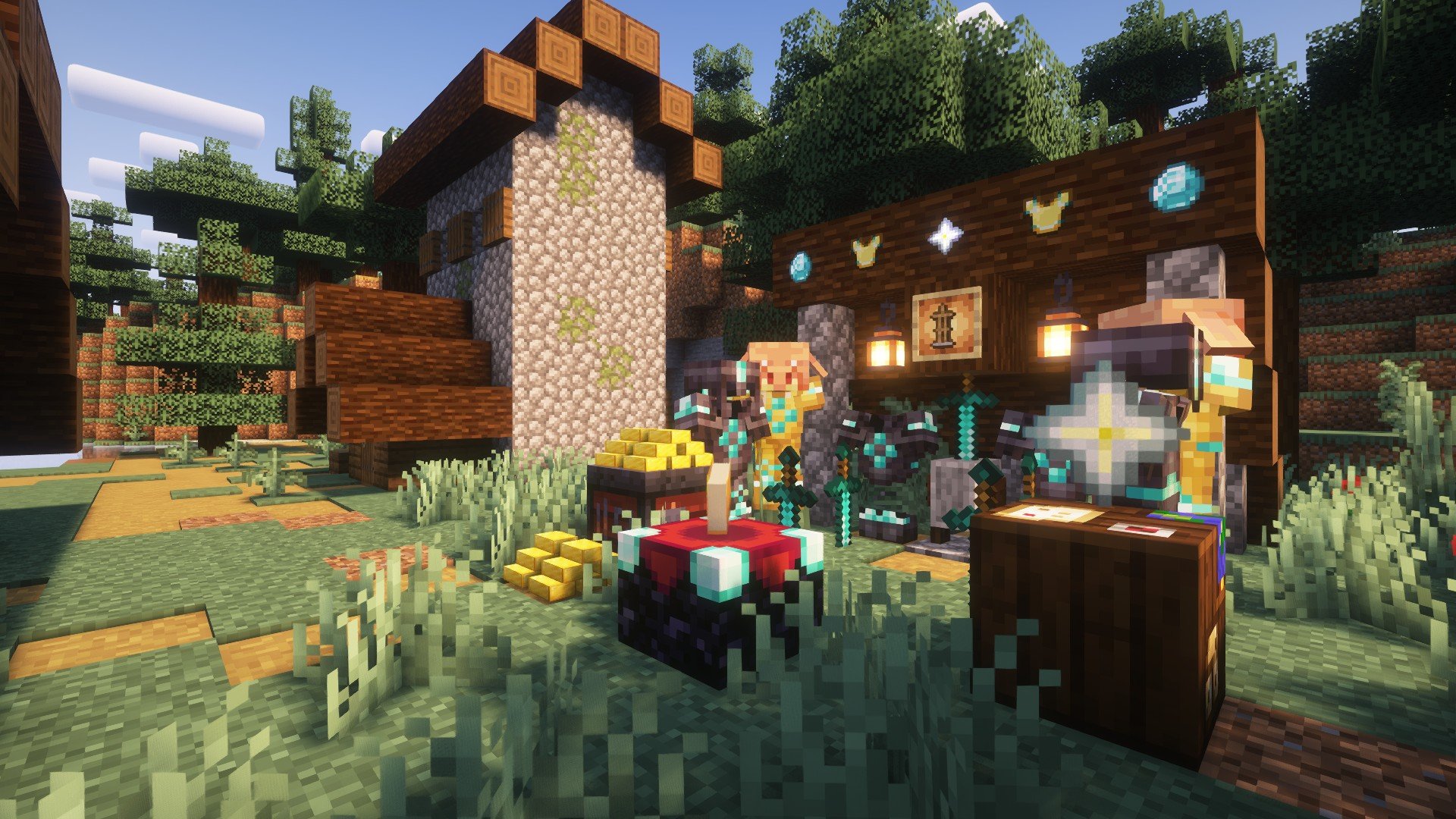
Project description from Modrinth.
Pick your setup
Displayed by Minecraft version and loader
Choose the version and loader you play, then open the matching release.
Minecraft version
1.21
2 loader buildsMinecraft version
1.20.6
1 loader buildMinecraft version
1.20.5
1 loader buildMinecraft version
1.20.4
3 loader buildsMinecraft version
1.20.3
3 loader buildsMinecraft version
1.20.2
3 loader buildsMinecraft version
1.20.1
3 loader buildsMinecraft version
1.20
1 loader buildCheck the dependencies, then try the file in a copied instance before changing a world you care about.
Recent files
Displayed versions and loaders
1.0.2-fabric-1.20.1
display-1.0.2-fabric-1.20.1.jar
18 May 2025
Client Optional Server Optional Dependencies No extras listed Listed on Release listing
Check the 1.20.4 · Fabric setup 1.20.11.20.21.20.31.20.4 release
1.0.2-fabric-1.21.1
display-1.0.2-fabric-1.21.1.jar
18 May 2025
Client Optional Server Optional Dependencies No extras listed Listed on Release listing
Check the 1.21.1 · Fabric setup 1.211.21.1Fabric release
1.0.2-forge-1.20.1
display-1.0.2-forge-1.20.1.jar
18 May 2025
Client Optional Server Optional Dependencies No extras listed Listed on Release listing
Check the 1.20.4 · Forge setup 1.20.11.20.21.20.31.20.4 release
1.0.2-neoforge-1.21.1
display-1.0.2-neoforge-1.21.1.jar
18 May 2025
Client Optional Server Optional Dependencies No extras listed Listed on Release listing
Check the 1.21.1 · NeoForge setup 1.211.21.1NeoForge release
1.0.1-fabric-1.21.1
display-1.0.1-fabric-1.21.1.jar
8 May 2025
Client Optional Server Optional Dependencies No extras listed Listed on Release listing
Check the 1.21.1 · Fabric setup 1.211.21.1Fabric release
1.0.1-fabric-1.20.5
display-1.0.1-fabric-1.20.5.jar
8 May 2025
Client Optional Server Optional Dependencies No extras listed Listed on Release listing
Check the 1.20.6 · Fabric setup 1.20.51.20.6Fabric release
1.0.1-fabric-1.20.1
display-1.0.1-fabric-1.20.1.jar
8 May 2025
Client Optional Server Optional Dependencies No extras listed Listed on Release listing
Check the 1.20.4 · Fabric setup 1.201.20.11.20.21.20.3 release
1.0.1-neoforge-1.20.1
display-1.0.1-neoforge-1.20.1.jar
6 May 2025
Client Optional Server Optional Dependencies No extras listed Listed on Release listing
Check the 1.20.1 · NeoForge setup 1.20.1NeoForge release
1.0.1-forge-1.20.1
display-1.0.1-forge-1.20.1.jar
6 May 2025
Client Optional Server Optional Dependencies No extras listed Listed on Release listing
Check the 1.20.4 · Forge setup 1.20.11.20.21.20.31.20.4 release
1.0.1-neoforge-1.21.1
display-1.0.1-neoforge-1.21.1.jar
6 May 2025
Client Optional Server Optional Dependencies No extras listed Listed on Release listing
Check the 1.21.1 · NeoForge setup 1.211.21.1NeoForge release
1.0.0-neoforge-1.20.1
display-1.0.0-neoforge-1.20.1.jar
5 May 2025
Client Optional Server Optional Dependencies No extras listed Listed on Release listing
Check the 1.20.1 · NeoForge setup 1.20.1NeoForge release
1.0.0-forge-1.20.1
display-1.0.0-forge-1.20.1.jar
5 May 2025
Client Optional Server Optional Dependencies No extras listed Listed on Release listing
Check the 1.20.4 · Forge setup 1.20.11.20.21.20.31.20.4 release
Looking for an older file? The official Modrinth project page is in Resources.
 mod
mod CurseForge + Modrinth · Minecraft
Dungeon Train: A Lore-Rich Roguelite RPG Adventure
Adventure time inspired dungeon crawler on a train. Procedurally generated carriages on a infinite sable physics train. Rich narrative, with custom made mods for a completely unique experience.
 mod
mod CurseForge + Modrinth · Minecraft
Create: Dragons Plus
Provide convenient features to players and dev utilities for Create addon developers.
 mod
mod CurseForge + Modrinth · Minecraft
Modern Chickens
A port of setycz's Chickens mod, and timrwood's Roost mod to 1.21.1 combined into a single package for NeoForge.