Fabric API Needed by Fps Booster Command 1.1.2
requiredMatching file found Matched file: 0.92.12+1.20.1

Modrinth · Minecraft mod
This mod adds 1 simple command /fps max which increases your fps by a ton
Quick answer
Fps Booster Command 1.1.2 targets 1.14, 1.14.1, 1.14.2 with Fabric. It must be installed on the client. Do not install it on the dedicated server. All 1 required mods have matching files.
Where it goes
It must be installed on the client. Do not install it on the dedicated server.
This file is marked client-only.
1.1.2. Change the file and its required mods may change too.
Install Fabric API first. We found matching files for this game-version and loader setup.
We only count dependency files that match this setup. A file for another loader does not fill the gap.
Before you install it
Built for Fps Booster Command 1.1.2. Pick another file and the loader, install side or required mods may change.
Use 1.1.2. It targets 1.14, 1.14.1, 1.14.2 with Fabric; another release may have different loader, side or dependency requirements.
Install Fabric API first. We found matching files for this game-version and loader setup.
It must be installed on the client. Do not install it on the dedicated server.
Use the “Get this file” button beside 1.1.2. It opens that exact file at the source.
About this project
This mod introduces a single, simple command: /fps max. When executed, it drastically increases your frames per second (FPS) by unloading all the elements that aren't ABSOLUTELY REQUIRED FOR THE GAME TO RUN.
In my personal experience, this command boosted my FPS from 280 FPS to an astonishing 1500 FPS! Frame increases may be different in other cases. Just take a look at the screenshots below:
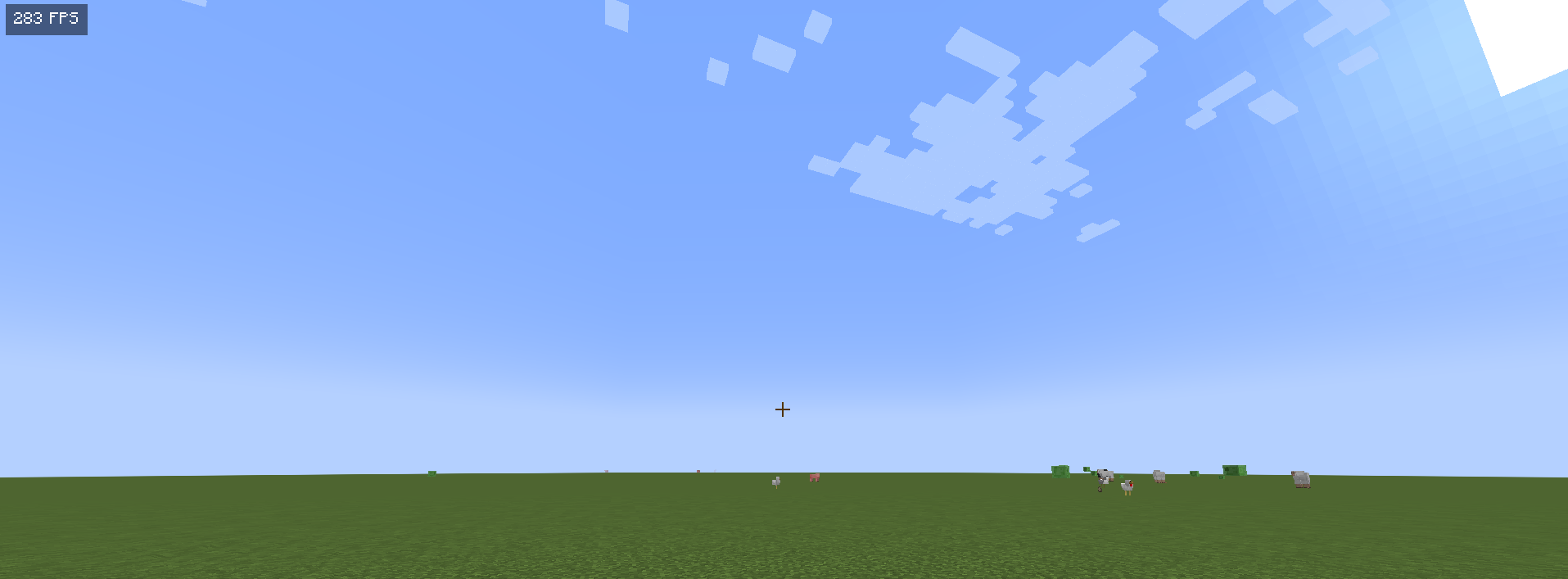
Before using /fps max

After using /fps max
It’s important to note that this mod is a joke. While it does increase your FPS it does it by unloading everything except the GUI the screenshot doesnt show it for some reason but the screen goes black normally, it’s not meant to be taken seriously. The drastic increase in FPS is just because everything isn't rendered rather than a practical solution.
If you’re looking for a fun way to experience a "performance boost" in your game, give the /fps max command a try! Just remember, it’s all in good fun!
This mod is JUST A JOKE AND FOR ENTERTAINMENT PURPOSES ONLY THIS DOES NOT INCREASES FPS MAGICALLY AND DOES JUST MAKE YOUR SCREEN BLACK.
Project description from Modrinth.
Pick your setup
Choose the version and loader you play, then open the matching release.
Showing the newest 12 of 46 game versions. Older files are in the list below.
Check the dependencies, then try the file in a copied instance before changing a world you care about.
Recent files
fps-booster-1.1.2.jar
5 Oct 2025
fps-booster-1.1.1.jar
5 Oct 2025
fps-booster-1.1.0.jar
28 Mar 2025
fps-booster-1.0.0.jar
10 Nov 2024
Looking for an older file? The official Modrinth project page is in Resources.
 mod
moda small project that adds CaptureBalls, which give you the chance to store your mobs.
 mod
modDoom Block adds a deadly block with instant damage to the game. Flexible settings and full compatibility with NeoForge 1.1x.x.
 mod
modUnofficial mod bring Iron’s Spells ’n Spellbooks into Ars Nouveau with 95 composable glyphs, native spell effects, and configurable progression.