Fabric API Needed by XP Storage xp_storage-1.6.2+26.3.jar
requiredMatching file found Matched file: [26.3] Fabric API 0.166.0+26.3
CurseForge · Minecraft mod
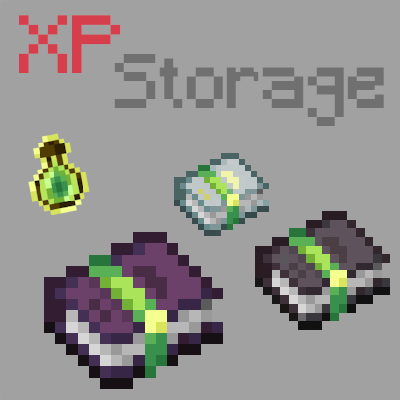
A mod that lets you store your experience in multiple ways!
Quick answer
XP Storage xp_storage-1.6.2+26.3.jar targets 26.3 with Fabric. The project page does not say whether this file belongs on the client, dedicated server, or both. All 1 required mods have matching files.
Where it goes
The project page does not say whether this file belongs on the client, dedicated server, or both.
The source does not explicitly classify this release as client-only or server-only.
xp_storage-1.6.2+26.3.jar on 26.3. Every mod below is checked against that same setup.
Install Fabric API first. We found matching files for this game-version and loader setup.
We only count dependency files that match this setup. A file for another loader does not fill the gap.
Before you install it
Built for XP Storage xp_storage-1.6.2+26.3.jar on 26.3. Pick another file and the loader, install side or required mods may change.
Use xp_storage-1.6.2+26.3.jar. It targets 26.3 with Fabric; another release may have different loader, side or dependency requirements.
Install Fabric API first. We found matching files for this game-version and loader setup.
The project page does not say whether this file belongs on the client, dedicated server, or both.
Use the “Get this file” button beside xp_storage-1.6.2+26.3.jar. It opens that exact file at the source.
About this project


NO PORT TO FORGE PLANNED! (but feel free to port it by yourself and link it)
The mod is fully configurable to enable only changes that you like
Never lose your levels again! Craft XP Books to store your experience and keep it safe from a coming death. Get it back whenever you want: read the book to retrieve it, or brew it in a brewing stand to create special Experience Bottles that can give you even more experience.
Upgrade your books with a smithing template so they store more and lose less. You can also pick one of the built-in data packs to play a completely different progression, without writing a single file. And if you like to tinker, the books, the upgrades and the brewing are all data-driven: tune them with your own data pack.
TO READ WHEN UPDATING FROM A VERSION OLDER THAN V1.6
⚠️ v1.6 UPDATE: XP Book II and III were removed, and item data changed! v1.6 converts everything: update to v1.6 first, open your world, and put your books in a crafting table to update them.
⚠️ Since v1.6.1, this conversion is gone: books and bottles that were not converted with v1.6 lose their content, so don't skip v1.6!
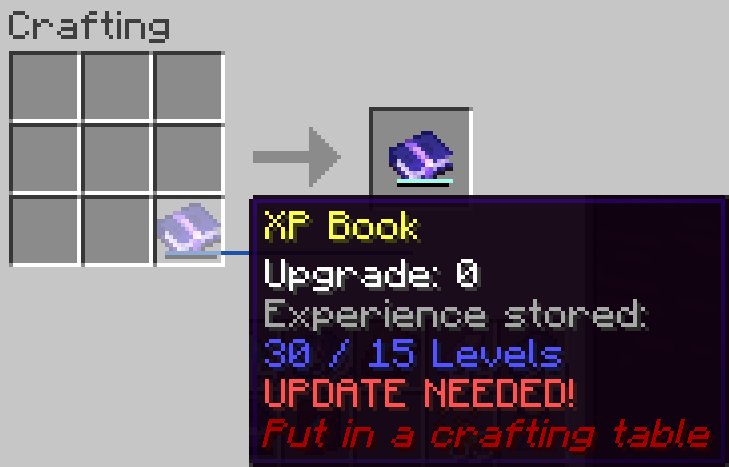
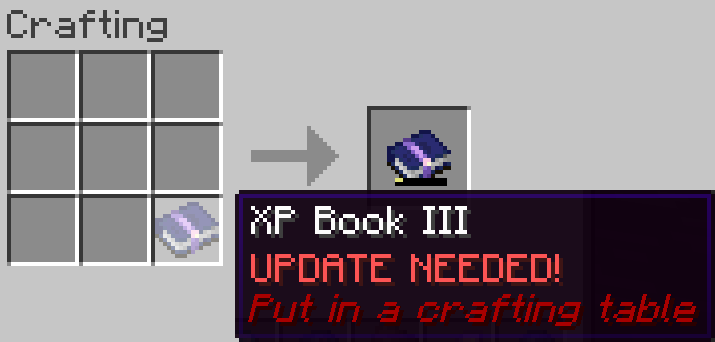
This is a short description, full description below.
Not a fan of the default progression? Since v1.6.1, the mod ships with ready-to-use data packs. They are disabled by default. Enable at most one:
| Data pack | XP Book | Upgrades |
|---|---|---|
| none (Default) | 15 levels, gives back 85%, 1 level per brewed bottle | Diamond (30 levels, 90%, 3), Netherite Ingot (50 levels, 95%, 5), Nether Star (100 levels, 100%, 10) |
Easy-Default xp_storage:easy_default |
15 levels, gives back 100% | Same as default, all at 100% |
Legacy xp_storage:legacy |
30 levels, gives back 100%, 1 level per brewed bottle | None |
Balanced-Legacy xp_storage:balanced_legacy |
30 levels, gives back 90%, 3 levels per brewed bottle | None |
OP-Legacy xp_storage:op_legacy |
100 levels, gives back 100%, 5 levels per brewed bottle | None |
/reload. The quotes are required, and tab completion adds them:/datapack enable "xp_storage:legacy"/datapack disable "xp_storage:legacy" to go back to the default progressioninitial-enabled-packs=vanilla,xp_storage:legacy in server.propertiesIf several are enabled, only the topmost one in /datapack list is used, and operators get a warning. Your books keep their data: switching only changes the books crafted or upgraded afterwards.
Does it work on a server? Yes, it works on a server. The file is needed on both client and server
Can I include it in my modpack? Yes, you are free to include this mod in your modpack
Can I change the books, upgrades or bottles? Yes! Pick a built-in data pack, or write your own (see Customize with data packs below)
For any other things: Feel free to share your experience, problems and enhancement ideas on the Discord server, or create an issue on GitHub
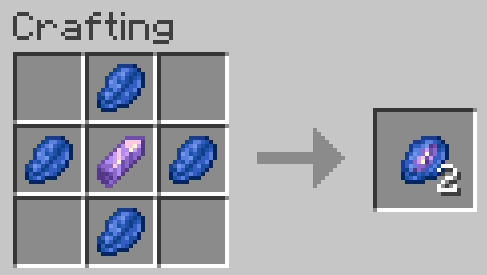
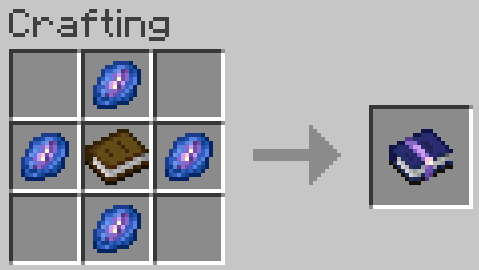
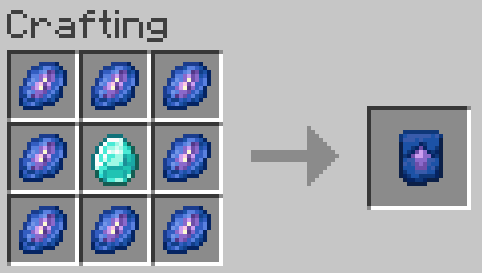
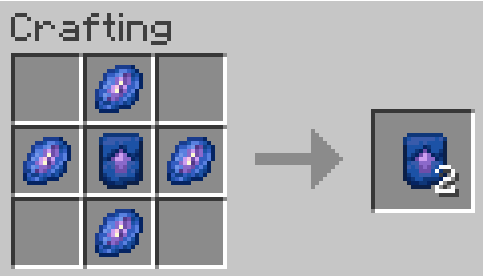
Store experience: Right click to store as much of your experience as the book can hold. If you have more experience than the book can hold, you keep the rest
Retrieve experience: Right click while sneaking to get back 85, 90, 95 or 100% (depending on the book's level) of the experience stored in the book
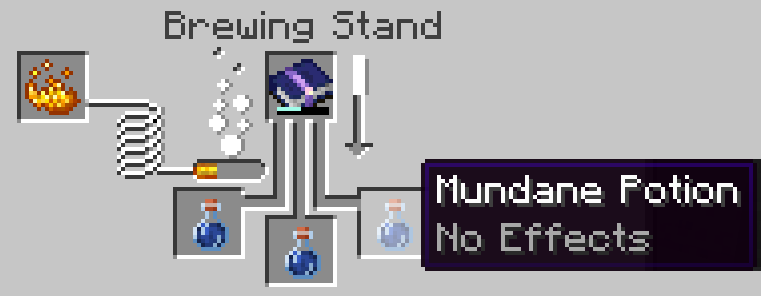
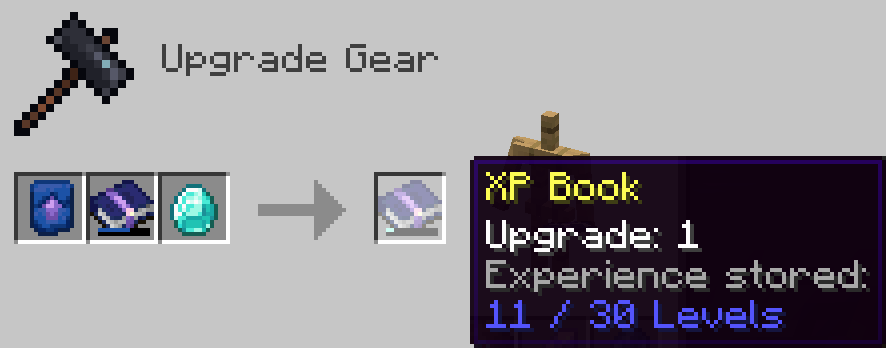
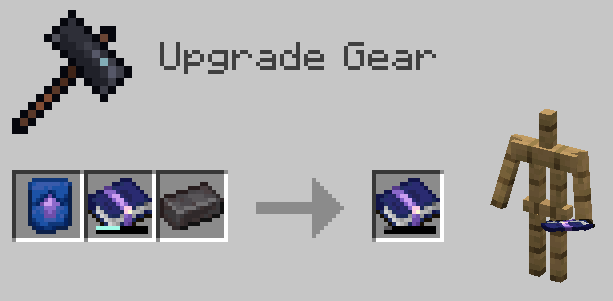
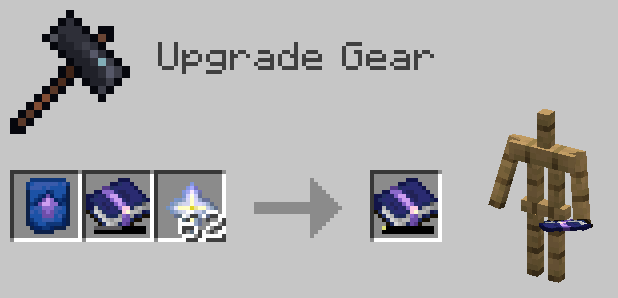
Everything about the books lives in recipes. Override a recipe by putting a file with the same id in your data pack. If you also use a built-in data pack, enable yours after it (above it in /datapack list).
xp_storage:xp_bookThe crafted book carries its data in its result:
capacity: levels it can storexpFromUsing: percentage of the experience given back when usedxpFromBrewing: levels put in each brewed bottlebarColor: color of the experience bar, as a decimal RGB number"result": {
"id": "xp_storage:xp_book",
"components": {
"xp_storage:book_component": {
"level": 0, "capacity": 15, "xpFromUsing": 85, "xpFromBrewing": 1, "barColor": 1856424
}
}
}
xp_storage:xp_book_upgrade/level_0, level_1, level_2Smithing recipes, one per book level: baseLevel is the level of the book you put in. Add a level_3 recipe to go further!
{
  "type": "xp_storage:xp_book_upgrade",
  "template": "xp_storage:xp_book_upgrade_smithing_template",
  "base": "xp_storage:xp_book",
  "addition": "minecraft:diamond",
  "baseLevel": 0,
  "resultCapacity": 30,
  "resultXpFromUsing": 90,
  "resultXpFromBrewing": 3,
  "resultBarColor": 10615784
}
Two brewing recipes: xp_storage:brewing/experience_bottle (the first brew, from a mundane potion) and xp_storage:brewing/experience_bottle_upgrade (a brewed bottle brewed again). Change the potion, restrict the book, or set the bottles' maximum level. max_level is optional: remove it and bottles have no maximum level.
{
  "type": "xp_storage:experience_brewing",
  "input": {"item": "minecraft:potion", "potion_contents": {"potions": "minecraft:mundane"}},
  "reagent": {"item": "xp_storage:xp_book"},
  "output": {"id": "minecraft:experience_bottle"},
  "max_level": 30
}
Operators get a warning if two data packs give an upgrade for the same book level.
Project description from CurseForge.
Pick your setup
Choose the version and loader you play, then open the matching release.
Showing the newest 12 of 31 game versions. Older files are in the list below.
Check the dependencies, then try the file in a copied instance before changing a world you care about.
Recent files
xp_storage-1.6.2-26.3.jar
1 Nov 2026
Looking for an older file? The official CurseForge project page is in Resources.
 mod
Expands stackable item counts beyond 64 using 64-bit storage, with support for inventories, commands, crafting, and recipe-book interactions.
 mod
A super lightweight datapack that makes shields, and other items enchantable in the enchantment table. Adds Protection and Thorns compatibility on shields and additional compatibility on other items.
 mod
Simple Tracking Compass is a Minecraft mod that adds a Compass to the top-left corner of your screen which lets you track other players.
