Patchouli Optional for Thingamajigs 1.9.1
optionalMatching file found Matched file: Patchouli-1.20.1-85-FORGE.jar

CurseForge · Minecraft mod
Adds thingamajigs, which are various decorations and blocks.
Quick answer
Thingamajigs 1.9.1 targets 1.20.1 with Forge. The project page does not say whether this file belongs on the client, dedicated server, or both. No extra mods listed for this file.
Where it goes
The project page does not say whether this file belongs on the client, dedicated server, or both.
The source does not explicitly classify this release as client-only or server-only.
Thingamajigs 1.9.1. Change the file and its required mods may change too.
This file does not list any required mods. Do not add a library just because a different file uses it.
We only count dependency files that match this setup. A file for another loader does not fill the gap.
Before you install it
Built for Thingamajigs 1.9.1. Pick another file and the loader, install side or required mods may change.
Use Thingamajigs 1.9.1. It targets 1.20.1 with Forge; another release may have different loader, side or dependency requirements.
This file does not list any required mods. Do not add a library just because a different file uses it.
The project page does not say whether this file belongs on the client, dedicated server, or both.
Use the “Get this file” button beside Thingamajigs 1.9.1. It opens that exact file at the source.
About this project
Welcome to Thingamajigs!
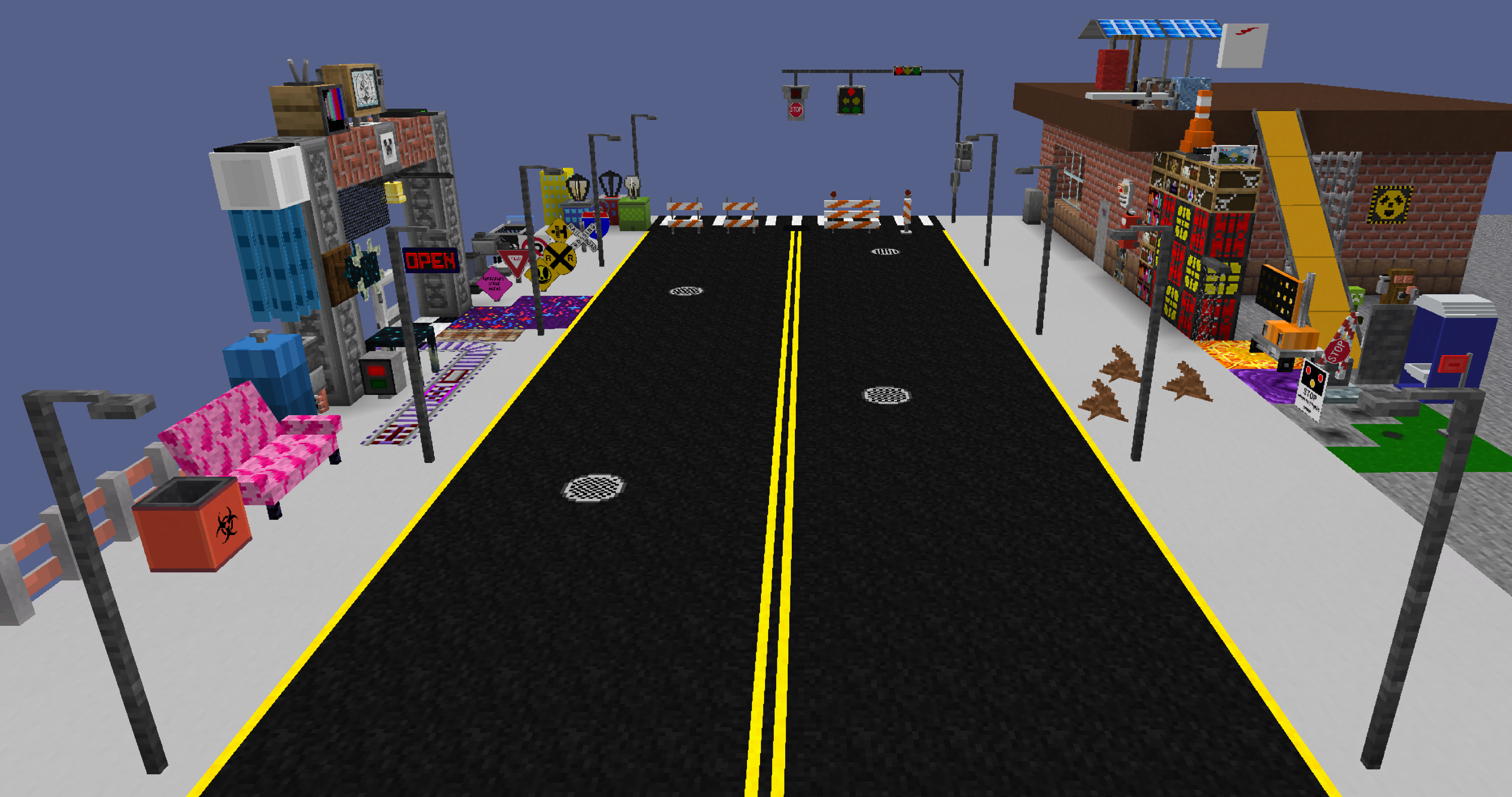
Ever needed a mod with traffic-related blocks, furniture-themed blocks, arcade-themed blocks, infrastructure/factory blocks, appliances, consumer electronics, and more?
Then you've come to the right place. Download Thingamajigs today and see for yourself!
DO NOT DOWNLOAD FROM UNAPPROVED WEBSITES.
Any website that is not CF., MR. or The Bonin Website is a fraudulent website.
Note: If you download NeoForge versions, report bugs here.
For existing supporters: NeoForge Versions are now in 1.21-1.21.3.
If you use NeoForge and are wondering where all the features are, you need some addons.
Addons And What They Add:
Thingamajigs 2 Goodies: Converter, Balloons, and Purifying Tools!
Thingamajigs 2 Railroadways: Railroad Crossings, RR Signs, and special rails!
Thingamajigs 2 Long Roads: Asphalt, Paintbrushes, and Street Marker Signs!
Official Documentation: Docs Website
Upcoming Features: Link
Compatible/Incompatible Mods List: Link
Download preview and release-candidate builds (which can contain game-breaking or just minor/major features) on GitHub.
Report bugs and crashes on the GitHub as well as suggest new features using this direct link!
You can support the mod makers directly! Use the special donate button on this page to get started.
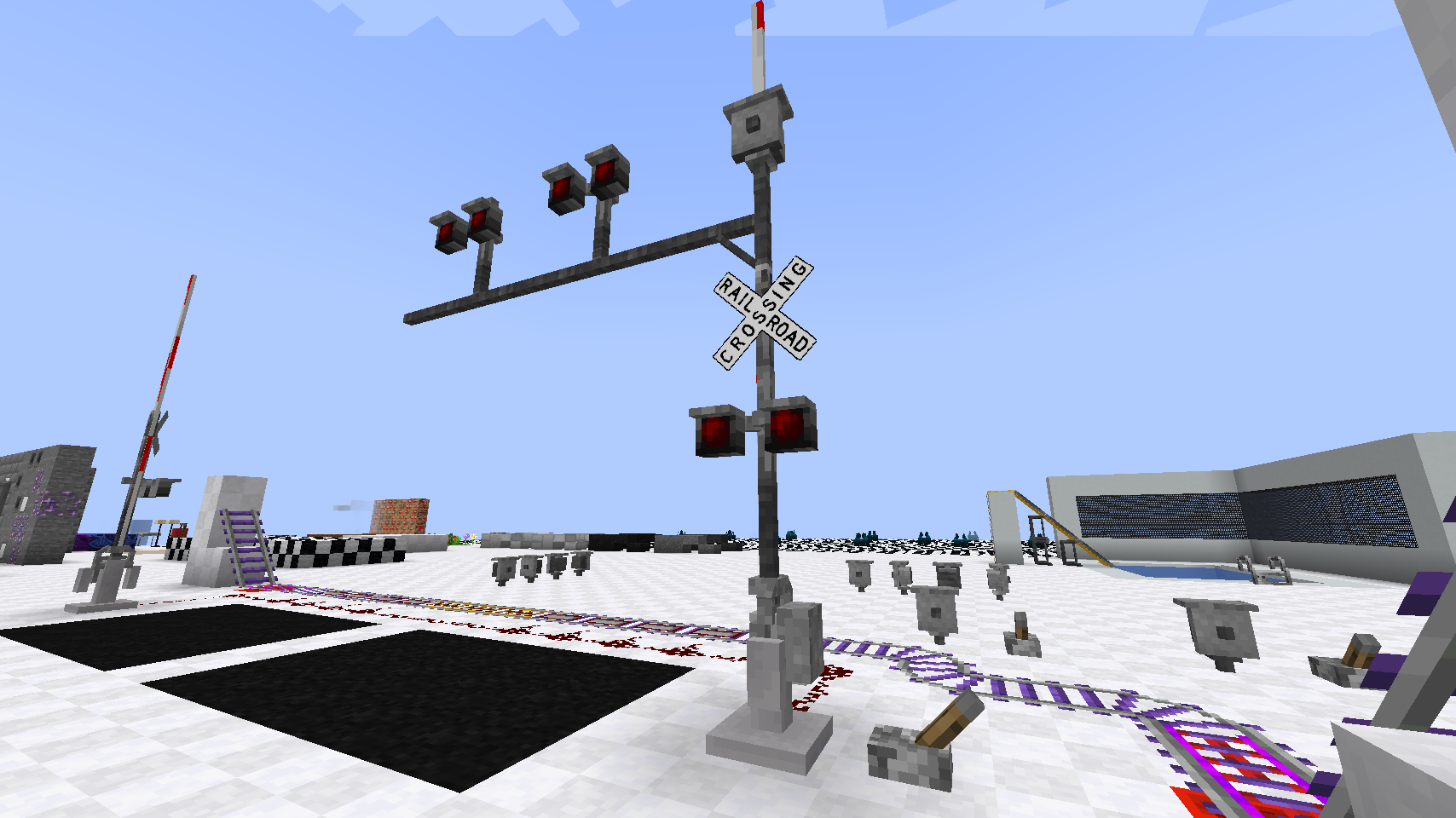
^ Railroad Crossings can be assembled with various blocks, including vertical redstone poles! Uses vanilla-ish techniques and data-driven features! Highly customizable crossings with almost no limit! ^
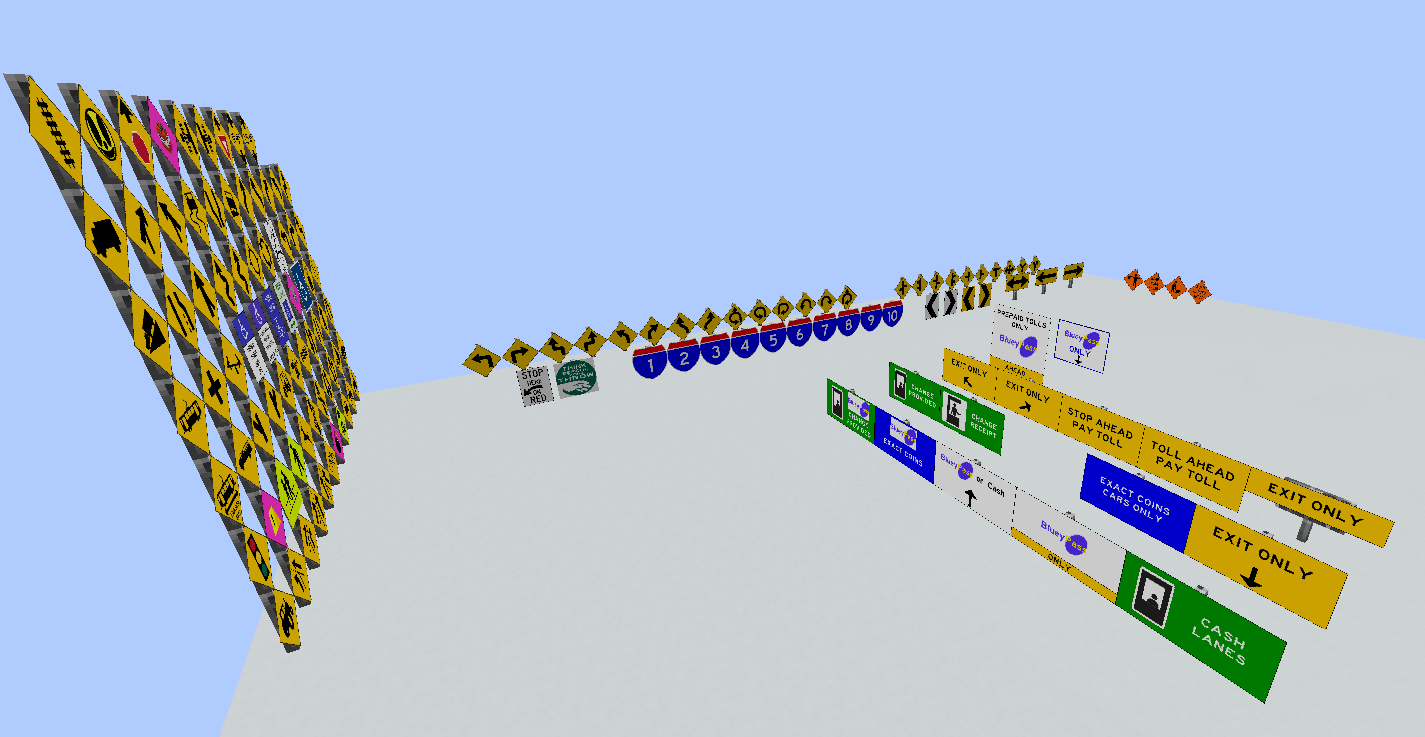
^ Plenty of road signs to choose from in this mod, even international ones! ^
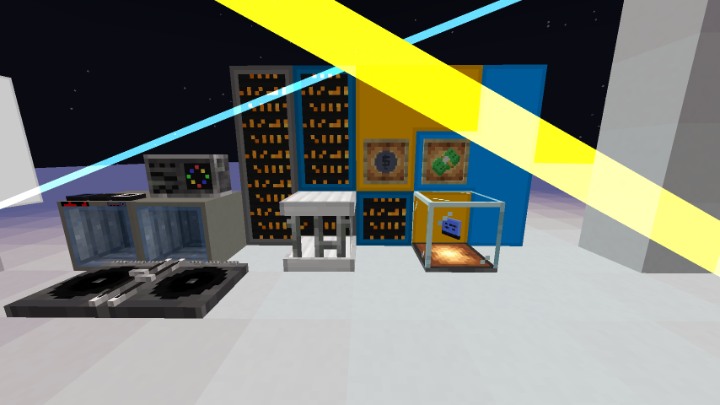
^ In Thingamajigs 1.7.1, there are laser blocks, along with other interesting features! Lasers can be edited in many ways! ^
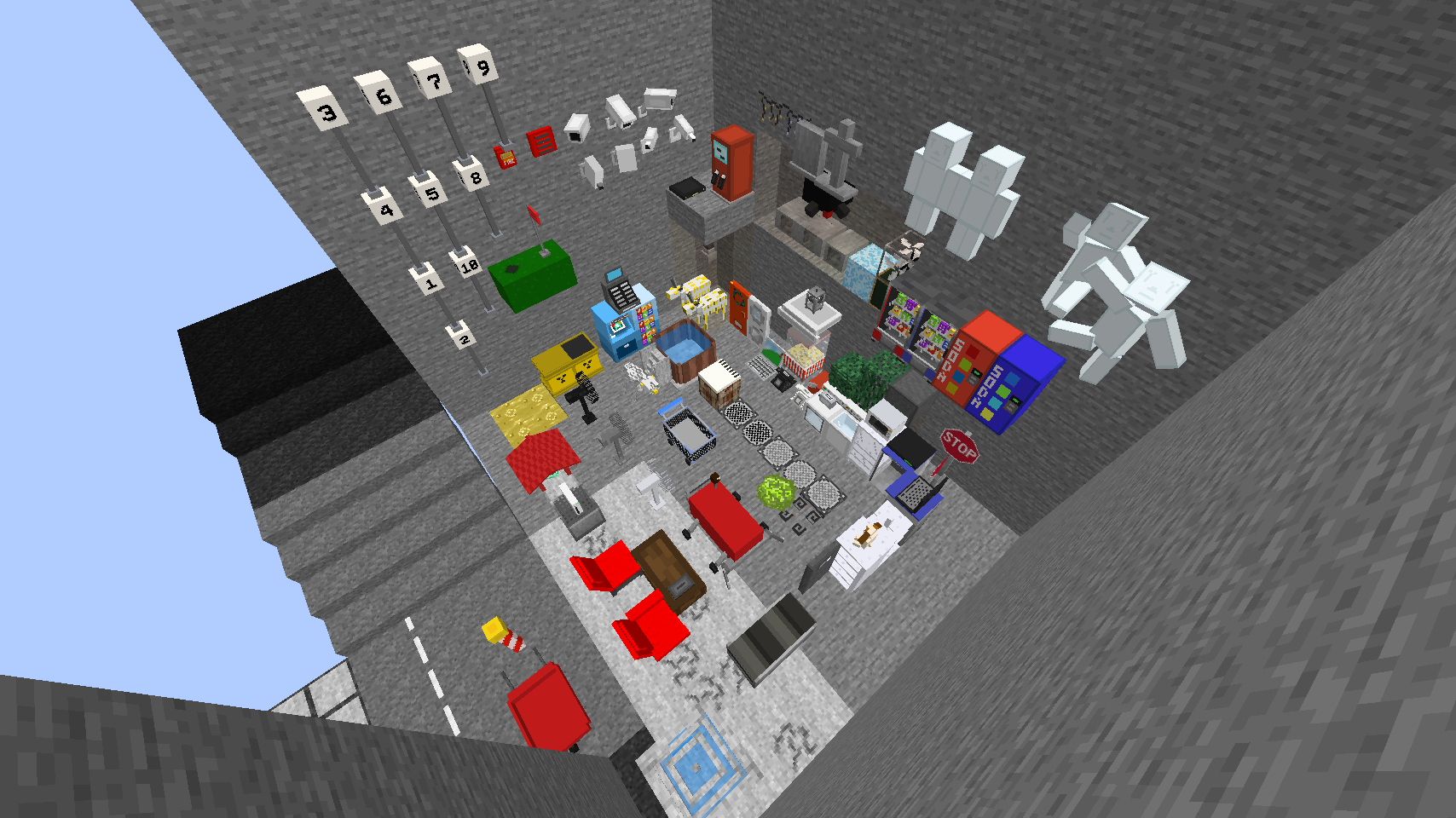
^ Our old school best update was this image, the 1.0.0 update! ^
Build a city! A mall! Or even just build your dream home...
"I personally hope you enjoy this mod."
License description here.
To the reposters: Do not repost or your website will be reported.
To the mod copiers: Do not copy any mod content exactly or your mod will be reported.
Reposter websites are malicious and have malware on them. Don't download from those websites!
(any website that is not 'minecraft.net' that includes 'minecraft' in it's title should be considered unapproved by Mojang/Microsoft).
Compatible Mods (mods that actually interact with code or assets that have been tested to work):
Not all versions of the mod contain these compats!
Every Compat (Rubber Wood Gains More Block Types if installed)
Dramatic Doors (Doors can be waterlogged if installed, 1.7.3+ only)
Athena (allows connected textures to work if installed)
Patchouli (adds ingame documentation if installed, if supported on version)
Apotheosis (most bookshelves gain usefulness if enchanting module is enabled, 1.7.4+ only)
Disclaimer about product:
The Interstate Shield is a trademark of AASHTO. Thingamajigs owners do not claim to own the symbol or derivatives.
NOT AN OFFICIAL MINECRAFT PRODUCT. NOT APPROVED BY OR ASSOCIATED WITH MOJANG OR MICROSOFT.
Project description from CurseForge.
Pick your setup
Choose the version and loader you play, then open the matching release.
Check the dependencies, then try the file in a copied instance before changing a world you care about.
Recent files
thingamajigs-1.9.1-forge-1.20.1.jar
9 Sept 2026
thingamajigs-neo-1.21.1-1.9.1.jar
8 Sept 2026
thingamajigs-neo-1.21.1-1.9.0.jar
7 Sept 2026
thingamajigs-1.9.0-forge-1.20.1.jar
4 Sept 2026
thingamajigs-neo-1.21-1.8.9-part3.jar
21 Aug 2026
thingamajigs-neo-1.21-1.8.9-part2.jar
20 Aug 2026
thingamajigs-1.8.9-forge-1.20.1.jar
20 Aug 2026
thingamajigs-neo-1.21-1.8.9.jar
20 Aug 2026
thingamajigs-1.8.8-forge-1.20.1.jar
16 Aug 2026
thingamajigs-1.20.1-1.8.7.jar
12 Jul 2026
thingamajigs-neo-1.21.1-1.8.7.jar
10 Jul 2026
thingamajigs-neo-1.21.1-1.8.6.jar
3 Jul 2026
Looking for an older file? The official CurseForge project page is in Resources.
 mod
modAn add-on for AnvilCraft that expands the mod with more items, blocks, and features.
 mod
modAE2 Virtual Garden introduces generative Virtual Garden Storage Cells to Applied Energistics 2
 mod
modThree potions can now be bound into bundles, to save inventory space.