LibX Needed by Bongo-1.20.1-4.0.5.jar
requiredMatching file found Matched file: LibX-1.20.1-5.0.12.jar
CurseForge · Minecraft mod
The bingo minigame for recent minecraft versions.
Quick answer
Bongo-1.20.1-4.0.5.jar targets 1.20.1 with Forge. The project page does not say whether this file belongs on the client, dedicated server, or both. All 1 required mods have matching files.
Where it goes
The project page does not say whether this file belongs on the client, dedicated server, or both.
The source does not explicitly classify this release as client-only or server-only.
Bongo-1.20.1-4.0.5.jar. Change the file and its required mods may change too.
Install LibX first. We found matching files for this game-version and loader setup.
We only count dependency files that match this setup. A file for another loader does not fill the gap.
Before you install it
Built for Bongo-1.20.1-4.0.5.jar. Pick another file and the loader, install side or required mods may change.
Use Bongo-1.20.1-4.0.5.jar. It targets 1.20.1 with Forge; another release may have different loader, side or dependency requirements.
Install LibX first. We found matching files for this game-version and loader setup.
The project page does not say whether this file belongs on the client, dedicated server, or both.
Use the “Get this file” button beside Bongo-1.20.1-4.0.5.jar. It opens that exact file at the source.
About this project
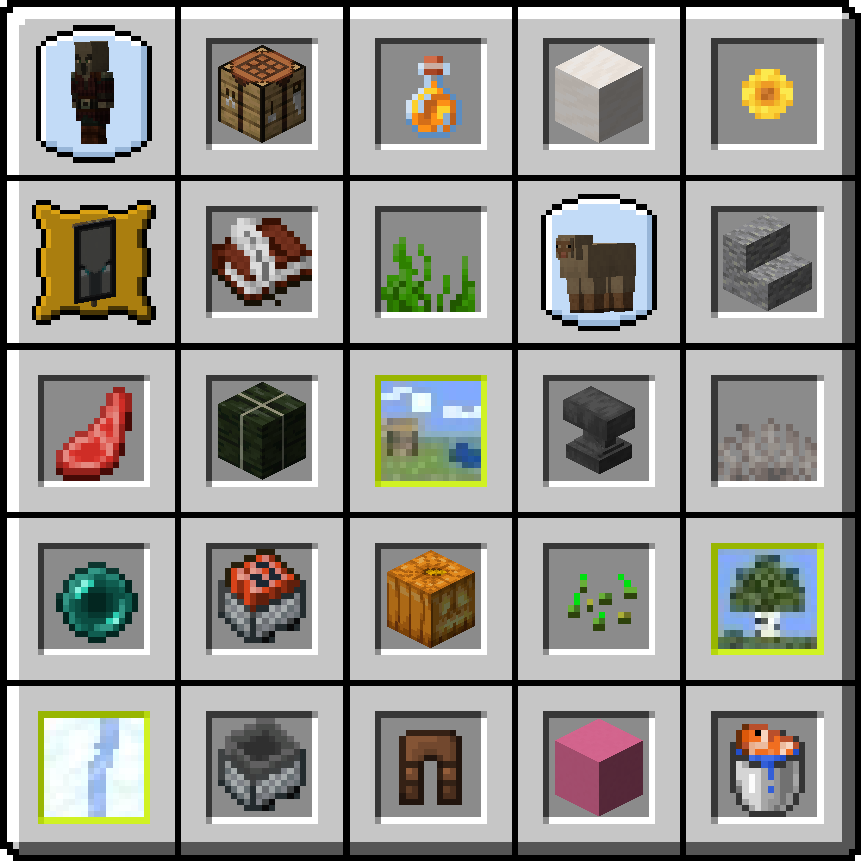
Bongo is a bingo minigame for recent minecraft versions. The goal is to collect items and advancements, kill entities and travel to biomes that show up on the bongo card. The team that completes 5 tasks in a row, a column or a diagonal wins the game.
To play bongo you need to run some commands. The commands to create, start and stop games need op-permission / cheats enabled:
/bingo create tasks_id settings_id: Creates a new bingo. The tasks_id specifies what tasks definition should be used (Which tasks show up on the bingo card). Those can be added by datapacks. Bongo has three builtin bongos: bongo:easy,bongo:normal and bongo:hard. The settings_id defines the settings for the game. Bongo has two builtin settings: default and pvp. In default you're invulnerable and in pvp you're not and a task will be locked when a player dies. Also in pvp mode you'll start with leather armor and a stone sword./bingo join <team>: Every player that wants to participate in the game has to join a team. There a 16 different teams you can join./bingo start: Starts the game. This will clear the inventory and the advancements of all players.There's a keybind (Defaults to Y) to make the bingo card extend over the whole screen and show item names. You can also customise the size of the bingo card in the client config.
Hint: To get all bingo items in JEI you can search for #bingo
/bingo backpack or /bp: Opens a backpack while the game is running. All members of a team share the same backpack so you can exchange items easily./bingo teamchat or /tc: Toggles TeamChat mode. While in TeamChat only your team members will receive your chat messages./bingo leave: Leaves a team./bingo stop: Stops the current game and hides the bingo card./bingo spread <teams>: Distributes all players into mostly equal-sized teams. You can specify the amount of teams you want to create by setting the teams value./bingo teams: Lists all teams with all their members.TeamChat is only available if MineMention is not installed. With MineMention you can use the @team mention to send messaged to your bingo team.
See here.
*Yes you may use this in a modpack.*
Is there a lobby where players can join before the game starts and easily select their team?
Yes: https://www.curseforge.com/minecraft/mc-mods/bingolobby
Is this a Port of Modded Bingo?
The project started because modded bingo was not updated yet and was missing some features we needed. But this is not an official port of Modded Bingo.
Project description from CurseForge.
Pick your setup
Choose the version and loader you play, then open the matching release.
Showing the newest 12 of 13 game versions. Older files are in the list below.
Check the dependencies, then try the file in a copied instance before changing a world you care about.
Recent files
4 Feb 2024
1 Feb 2024
28 Jan 2024
12 Oct 2023
28 Jun 2023
16 Jun 2023
23 Apr 2023
7 Mar 2023
1 Nov 2022
28 Oct 2022
23 Oct 2022
28 Jul 2022
Looking for an older file? The official CurseForge project page is in Resources.
 mod
modAn addon mod for Mana and Artifice and MagiChem with adventure-oriented content.
 mod
modComputers and robots for automating things via in-game scripting.
 mod
modadds stuff for different youtubers.