

Minecraft version
Back to mods 
CurseForge · Minecraft mod
One Block Plus
A fully configurable mod based on the oneblock map by ijaminecraft. Playable in multiplayer (each player has a oneblock). The oneblock can generate blocks, entities and tile entities (like chests, furnaces, . . .)
Choose a version Pick your version below, then grab the matching file.
Quick answer
Which One Block Plus release should I use?
Latest stable file oneblock-1.12.2-1.1.2.jar
Game version 1.12.2
Loader Forge
One Block Plus oneblock-1.12.2-1.1.2.jar targets 1.12.2 with Forge. The project page does not say whether this file belongs on the client, dedicated server, or both. No extra mods listed for this file.
Where it goes
Is One Block Plus required on the client, server, or both?
The project page does not say whether this file belongs on the client, dedicated server, or both.
Client Source doesn’t say
Dedicated server Source doesn’t say
Loader for this release Forge
Required install it here Optional supported, not mandatory Not supported do not install here Source doesn’t say do not assume
The source does not explicitly classify this release as client-only or server-only.
What else does One Block Plus oneblock-1.12.2-1.1.2.jar need?
oneblock-1.12.2-1.1.2.jar. Change the file and its required mods may change too.
This file does not list any required mods. Do not add a library just because a different file uses it.
This file does not list any required or optional mods.
Before you install it
Add One Block Plus without breaking your instance.
Built for One Block Plus oneblock-1.12.2-1.1.2.jar. Pick another file and the loader, install side or required mods may change.
- 01
Stick to this file
Use oneblock-1.12.2-1.1.2.jar. It targets 1.12.2 with Forge; another release may have different loader, side or dependency requirements.
- 02
Bring the mods it needs
This file does not list any required mods. Do not add a library just because a different file uses it.
- 03
Put it on the correct side
The project page does not say whether this file belongs on the client, dedicated server, or both.
- 04
Pick the file you checked
Use the “Get this file” button beside oneblock-1.12.2-1.1.2.jar. It opens that exact file at the source.
About this project
What does One Block Plus add?
One Block
The one block mod is a mod based on the one block map by ijaminecraft. The mod is playable in multiplayer since each player can have his own one block.
If you want to play with an already made custom config, I suggest you try the modpack I'm developing : All in One
RandomLib is now a dependency for One Block Plus 1.7.0 and higher
Api
Since 1.6.0 , devs can add their own entry type for the oneblock.
An entry type must extend the WeightedActivable class and be registered using a new instance of WeightedDeserializer in the RegistryEvent.Register<WeightedDeserializer> event.
An entry type will override the following methods:
deserializeItem(CompoundNBT content). This method reads the 'content' compoundnbt and return the corresponding object to be used by the 'generate' method.
serializeItem(). This method writes the 'content' compoundnbt for this entry.
toStack(int count). This method creates an ItemStack representing this entry and is called by the '/oneblock get' command ('count' is the item count of the returned ItemStack).
generate(ServerWorld world, BlockPos pos). This method is called to generate the content of this entry in the world.
vgenerate(TileEntityExNihilo ex_nihilo, ServerWorld world, BlockPos pos, ItemStack stack). This method is called by the Ex Nihilo Generator. ('stack' is the ItemStack placed in the second slot of the generator). The output slot of the generator is set using 'ex_nihilo.setOutputs'.
How does it work ?
Each player starts with an "OBMaker" in his inventory.
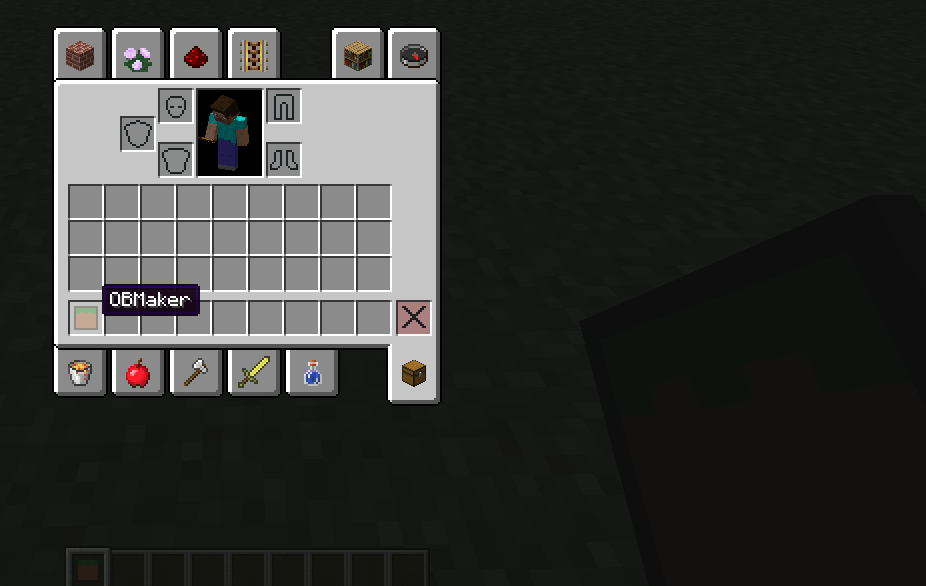
A right click on a block with this OBMaker will create a new "one block" at this place.

The one block can generate different blocks depending on its level. It can also generate a chest.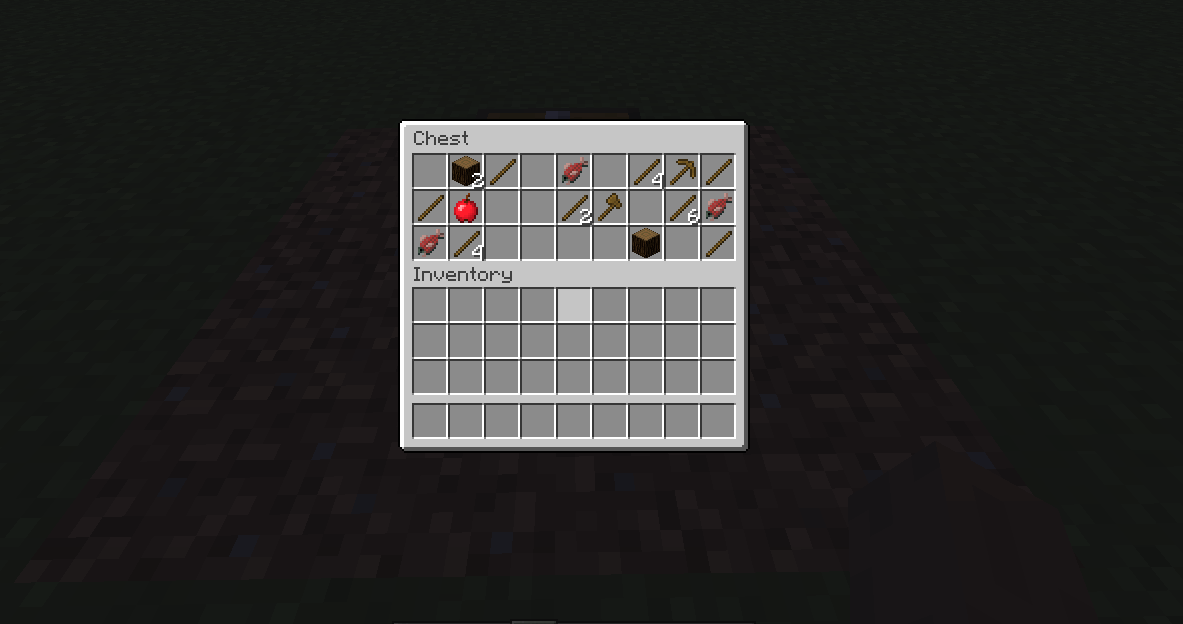 Or an entity.
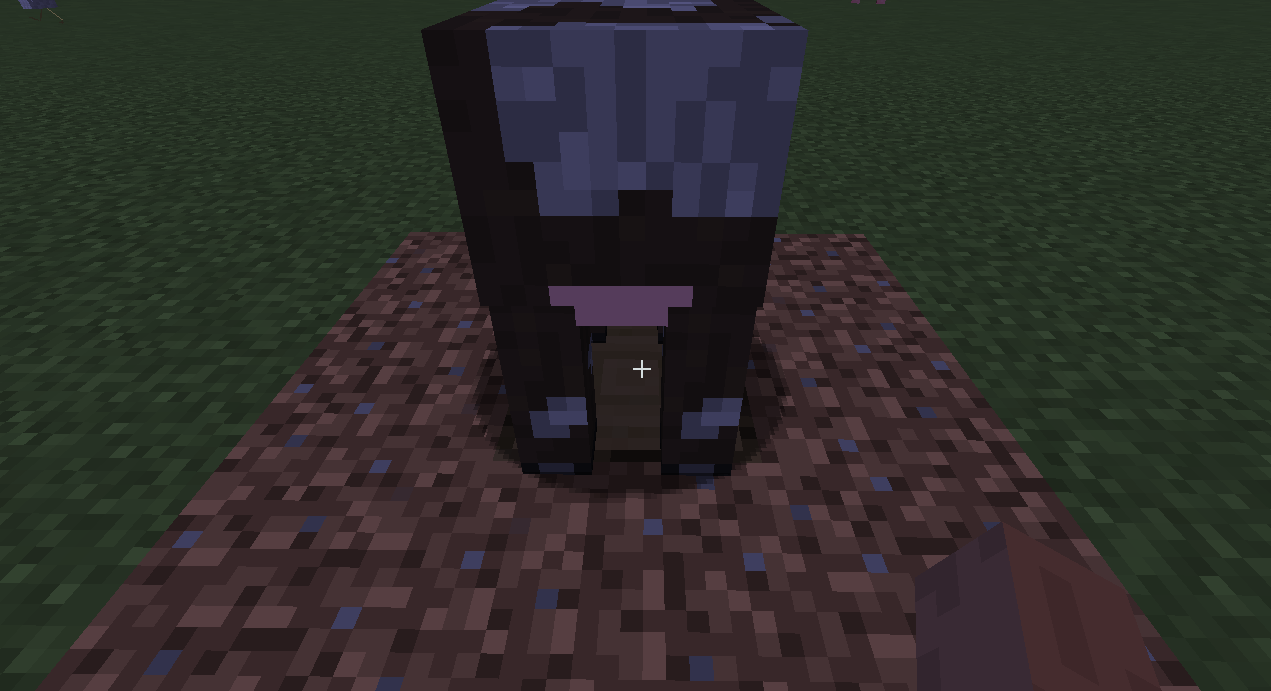 The one block level up after a certain amount of blocks mined.
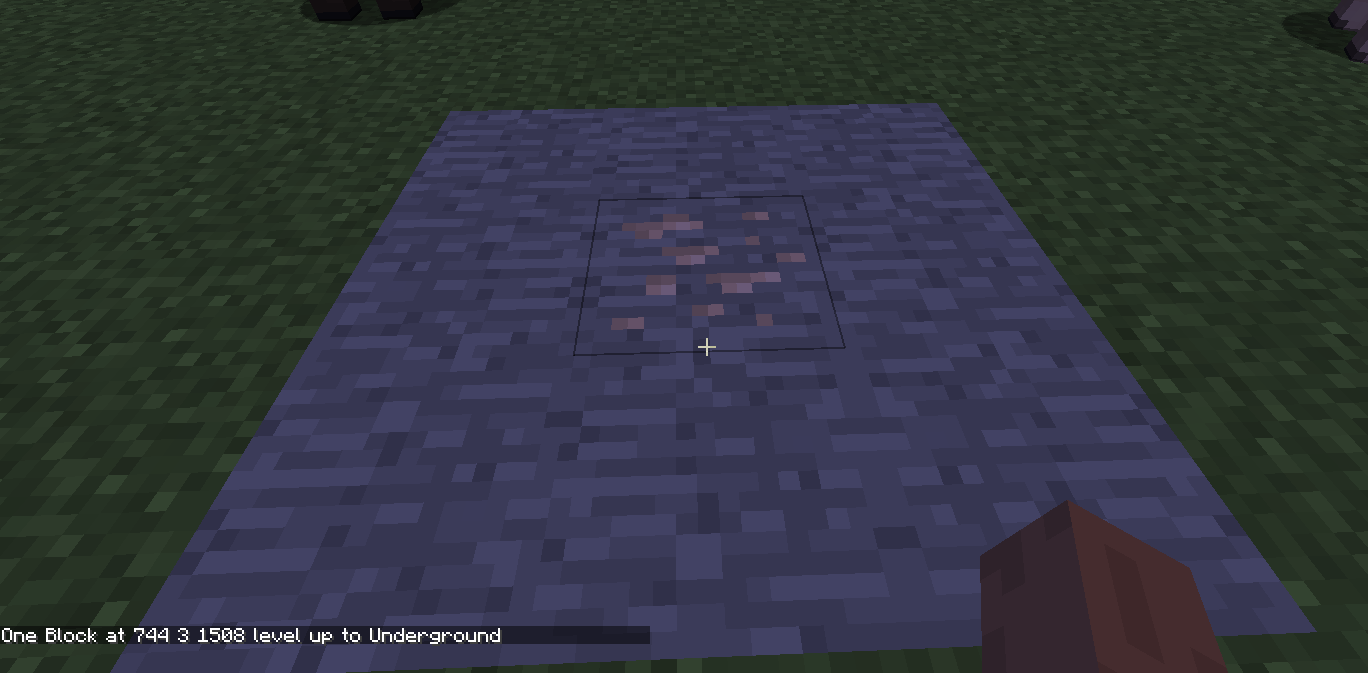
The creative inventory contains 3 tools.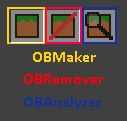
- The OBMaker creates a new one block.
The OBRemover removes a one block from the world. - The OBAnalyzer displays the level and the amount of block mined in the chat for a one block.
Configs
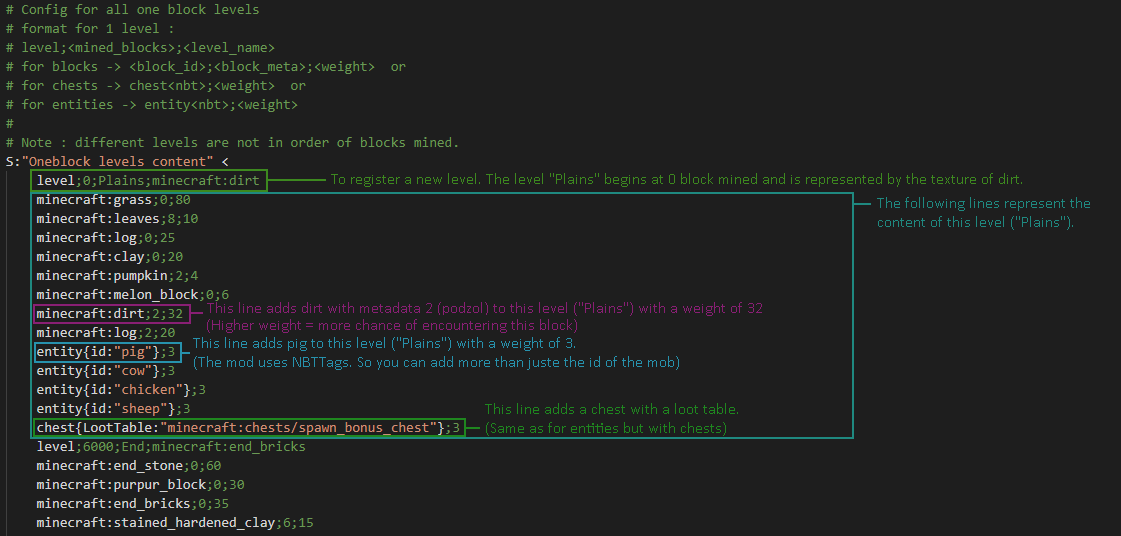
The default config is :
- "Plains" at 0 block mined. (grass, log, leaves, pig, cow, chicken, bonus chest, . . .)
- "Underground" at 350 blocks mined. (stone, gravel, coal ore, iron ore, log, dirt, zombie, creeper, dungeon chest, . . .)
- "Mountain" at 900 blocks mined. (grass, snow, packed ice, ice, gold ore, wolf, stray, polar bear, igloo chest, . . .)
- "Ocean" at 1800 blocks mined. (prismarine, lapis ore, sand, gravel, sponge, diamond ore, squid, guardian, treasure chest, . . .)
- "Jungle" at 3000 blocks mined. (cobblestone, mossy cobblestone, jungle log, diamond ore, parrot, ocelot, witch, dungeon chest, . . .)
- "Nether" at 4500 blocks mined. (netherrack, soul sand, nether brick, quartz ore, emerald ore, gold ore, magma block, zombie pigman, blaze, wither skeleton, nether dungeon chest, . . .)
- "New OneBlock" at 5999 blocks mined. (OBMaker)
- "End" at 6000 blocks mined. (end stone, end brick, purpur block, obsidian, endermite, enderman, shulker, end city chest, . . .)
Commands
[WIP]

These commands help you to customize the configs of the mod.
"chest" is used to add the chest at the selected position to the corresponding oneblock level (blocks mined).
"clear" is used to clear all levels.
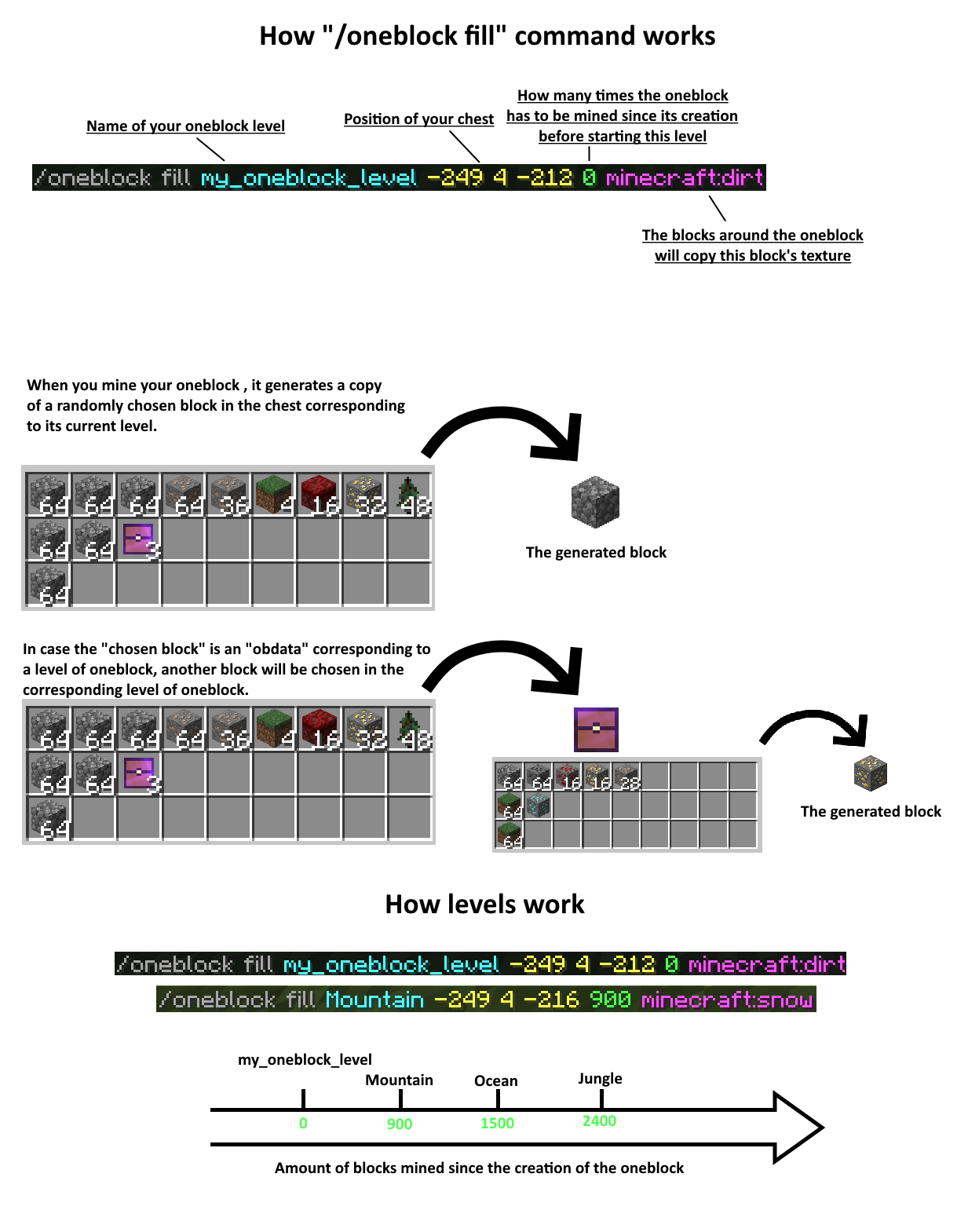
"fill" is used to add a level based on the content of a selected chest (you can use a modded chest if you need more slots)
"list" shows you all levels by blocks mined or all content of a specific level.
"remove" is used to remove a level.
/oneblock fill
Structures
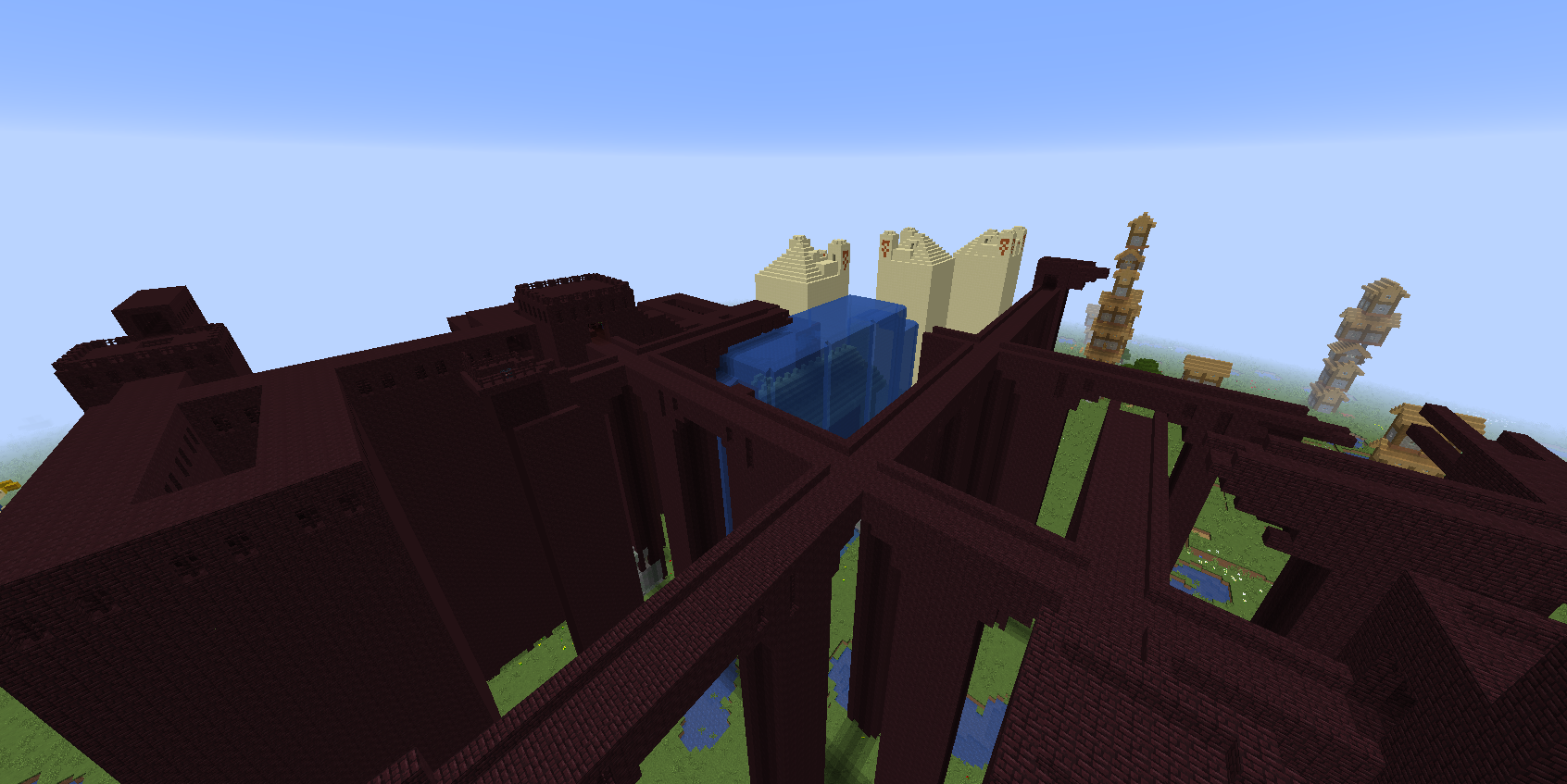
oneblock 1.2.0 allows you to add structures to possible results. Including modded ones ! (Like the "Ancient Shrine" from "Astral sorcery" for example).
Blacksmith house generated by the oneblock. (the grass block in the middle of the picture).
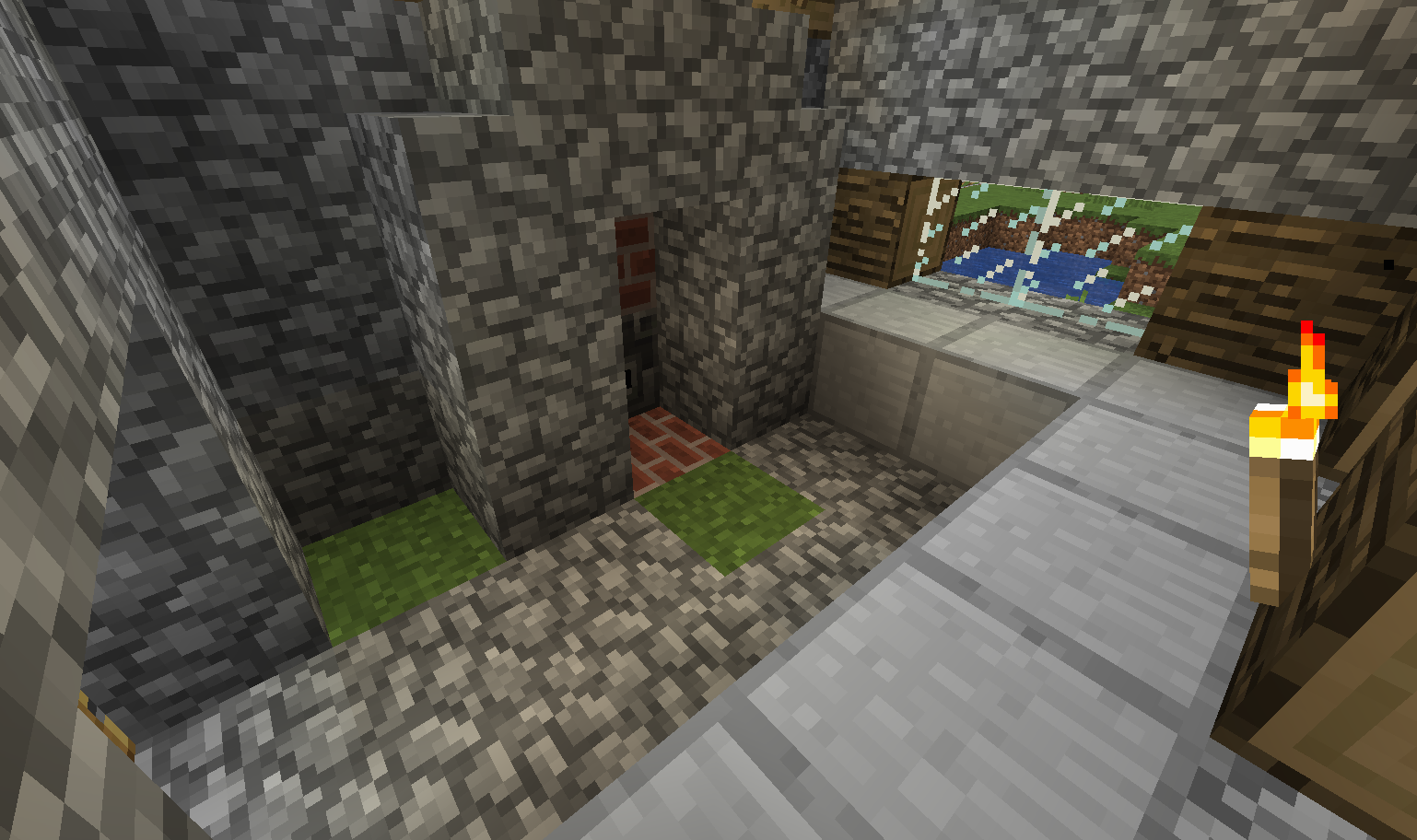
Test world. Generation of "big structures". [WIP] This may cause lags, high cpu usage, crashes, . . . Use at your own risks.
Ex Nihilo
The Ex Nihilo Generator generates items and mobs (automatically kills them) from the one block phase specified by the Block Catalyst.
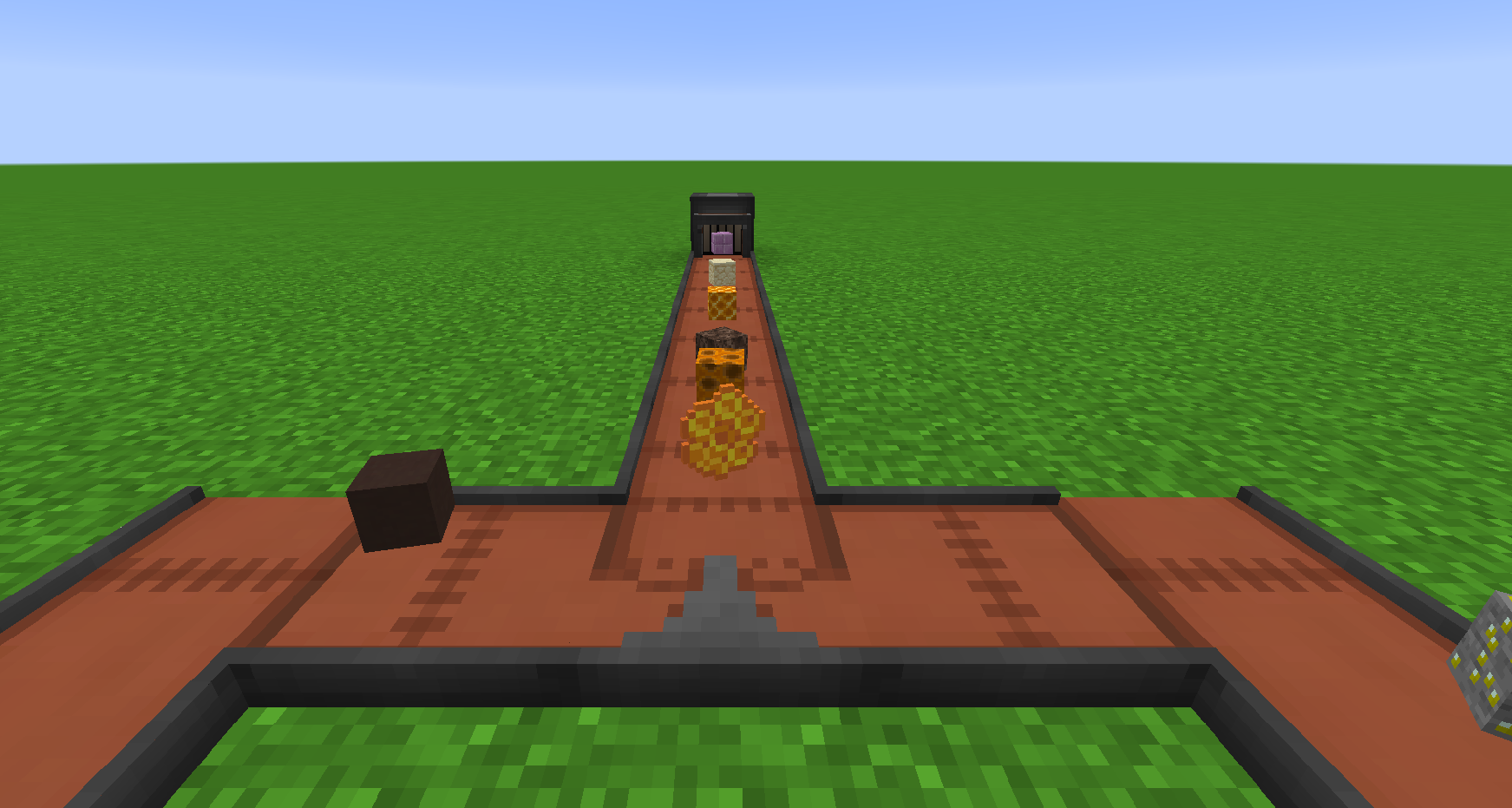

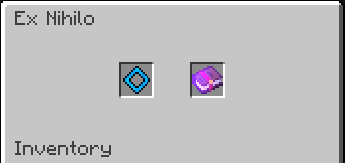
The Block Catalyst specifies the one block phase. The Enchanted Book applies its enchantments.
The Block Catalyst uses "oblevel" nbt tag. (example : {oblevel:0}, for "Plains" phase} )
To create a phase only usable by the Ex Nihilo Generator you can set it to a negative level.
So "level;-2;WitherGenerator;minecraft:dirt" for example.
Note: You still need a void world mod if you want to play in skyblock. This mod does NOT modify the world generation.
Note 2: The pistons (and sticky pistons) can't push or pull the oneblock.
Feel free to give feedbacks about the mod.
Use my code all-in-one to get 25% off your first month.
Modpacks :
You are allowed to add this mod in any public modpack as long as it contains a link to this webpage or it is published on curseforge.
My other mods :
Project description from CurseForge.
Pick your setup
One Block Plus by Minecraft version and loader
Choose the version and loader you play, then open the matching release.
Minecraft version
1.16.5
1 loader buildMinecraft version
1.16.4
1 loader buildMinecraft version
1.15.2
1 loader buildMinecraft version
1.12.2
1 loader buildCheck the dependencies, then try the file in a copied instance before changing a world you care about.
Recent files
One Block Plus versions and loaders
oneblock-1.12.2-1.1.2.jar
2 Apr 2023
Client Source doesn’t say Server Source doesn’t say Dependencies No extras listed Listed on Release listing
Check the 1.12.2 · Forge setup Forge1.12.2 release
oneblock-1.16.x-1.7.1.jar
6 Apr 2022
Client Source doesn’t say Server Source doesn’t say Dependencies 1 required · 1 unchecked Listed on Release listing
Check the 1.16.5 · Forge setup 1.16.5Forge beta
oneblock-1.16.x-1.6.0.jar
20 Jan 2022
Client Source doesn’t say Server Source doesn’t say Dependencies No extras listed Listed on Release listing
Check the 1.16.5 · Forge setup 1.16.5Forge release
oneblock-1.16.x-1.5.2.jar
5 Dec 2021
Client Source doesn’t say Server Source doesn’t say Dependencies No extras listed Listed on Release listing
Check the 1.16.5 · Forge setup 1.16.5Forge release
oneblock-1.17.1-1.5.1.jar
14 Oct 2021
Client Source doesn’t say Server Source doesn’t say Dependencies No extras listed Listed on Release listing
Check the 1.17.1 · Forge setup 1.17.1Forge release
oneblock-1.16.x-1.5.1.jar
13 Sept 2021
Client Source doesn’t say Server Source doesn’t say Dependencies No extras listed Listed on Release listing
Check the 1.16.5 · Forge setup 1.16.5Forge1.16.4 beta
oneblock-1.16.x-1.5.0.jar
3 Sept 2021
Client Source doesn’t say Server Source doesn’t say Dependencies No extras listed Listed on Release listing
Check the 1.16.5 · Forge setup 1.16.5Forge1.16.4 release
oneblock-1.16.x-1.4.3.jar
1 Aug 2021
Client Source doesn’t say Server Source doesn’t say Dependencies No extras listed Listed on Release listing
Check the 1.16.5 · Forge setup 1.16.5Forge1.16.4 release
oneblock-1.12.2-1.1.1.jar
27 Jul 2021
Client Source doesn’t say Server Source doesn’t say Dependencies No extras listed Listed on Release listing
Check the 1.12.2 · Forge setup Forge1.12.2 release
oneblock-1.16.x-1.4.2.jar
24 May 2021
Client Source doesn’t say Server Source doesn’t say Dependencies No extras listed Listed on Release listing
Check the 1.16.5 · Forge setup 1.16.5Forge1.16.4 release
oneblock-1.16.x-1.4.1.jar
23 May 2021
Client Source doesn’t say Server Source doesn’t say Dependencies No extras listed Listed on Release listing
Check the 1.16.5 · Forge setup 1.16.5Forge1.16.4 release
oneblock-1.16.x-1.4.0.jar
28 Mar 2021
Client Source doesn’t say Server Source doesn’t say Dependencies No extras listed Listed on Release listing
Check the 1.16.5 · Forge setup 1.16.5Forge1.16.4 release
Looking for an older file? The official CurseForge project page is in Resources.
 mod
mod CurseForge · Minecraft
Mob Spawner Tweaks
This is a Minecraft mod designed to control mob spawners' behaviour.
 mod
mod CurseForge · Minecraft
Legacy Aspects
Minecraft More Features
 mod
mod CurseForge · Minecraft
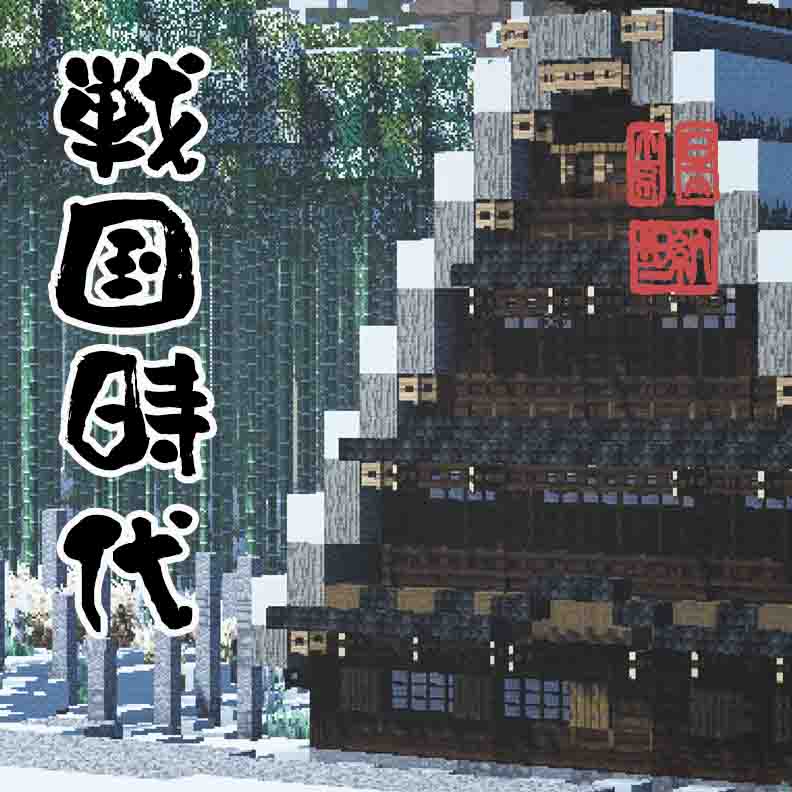
Sengoku Jidai, Japanese Overhaul
An immense mod that adds and modifys weapons, biomes, mobs, world gen, blocks, and much much more.