Minecraft version
Back to mods 
CurseForge · Minecraft mod
Origins Enhanced
Enhancement mod for the Origin Realms server.
Choose a version Pick your version below, then grab the matching file.
Quick answer
Which Origins Enhanced release should I use?
Latest stable file [Fabric] Origins Enhanced 1.11.0
Game version 1.21.11
Loader Fabric
Origins Enhanced [Fabric] Origins Enhanced 1.11.0 targets 1.21.11 with Fabric. The project page does not say whether this file belongs on the client, dedicated server, or both. No extra mods listed for this file.
Where it goes
Is Origins Enhanced required on the client, server, or both?
The project page does not say whether this file belongs on the client, dedicated server, or both.
Client Source doesn’t say
Dedicated server Source doesn’t say
Loader for this release Fabric
Required install it here Optional supported, not mandatory Not supported do not install here Source doesn’t say do not assume
The source does not explicitly classify this release as client-only or server-only.
What else does Origins Enhanced [Fabric] Origins Enhanced 1.11.0 need?
[Fabric] Origins Enhanced 1.11.0. Change the file and its required mods may change too.
This file does not list any required mods. Do not add a library just because a different file uses it.
This file does not list any required or optional mods.
Before you install it
Add Origins Enhanced without breaking your instance.
Built for Origins Enhanced [Fabric] Origins Enhanced 1.11.0. Pick another file and the loader, install side or required mods may change.
- 01
Stick to this file
Use [Fabric] Origins Enhanced 1.11.0. It targets 1.21.11 with Fabric; another release may have different loader, side or dependency requirements.
- 02
Bring the mods it needs
This file does not list any required mods. Do not add a library just because a different file uses it.
- 03
Put it on the correct side
The project page does not say whether this file belongs on the client, dedicated server, or both.
- 04
Pick the file you checked
Use the “Get this file” button beside [Fabric] Origins Enhanced 1.11.0. It opens that exact file at the source.
About this project
What does Origins Enhanced add?

What is Origins Enhanced?
Origins Enhanced an official modification for Origin Realms, introducing multiple tweaks, fixes and features to enhance your gameplay experience. On their own, each feature may appear insignificant, yet – when combined – create a more immersive and smoother experience. These include armor stand interpolation to make all animations silky smooth to minor rendering fixes with foliage. Best of all, Origins Enhanced is constantly updated and configurable to your heart’s content!
Features
Armor Stand Interpolation
Implements animation smoothing network-wide, including on custom NPCs, cutscenes and even windmills! No more choppy animations!
Navigation Hotkeys
Easily open the navigator menu by pressing N, allowing rapid access to warps across the server from anywhere! Additional hotkeys for /spawn and /realm tp are also present!
Block Update Fixes
Through a desync between client and server code, some foliage may briefly flash when being broken. By mimicking Origin Realms’ behavior, that flash can be eliminated entirely! In addition, client-side animations for block interactions now mimic vanilla – particularly when right clicking a custom block.
Discord Rich Presence
Through precise location tracking, your Discord rich presence can show off where you are on Origin Realms! Supporting spawn, resource worlds, realms – even chatrooms!
Improved Culling
No longer will large models be abruptly cut off, increasing the distance, and viewing angles for models to stop rendering.
Hidden Back Swag
The hidden back swag ensures your cosmetics no longer obstruct your view when in first person, giving you an uninterrupted experience without sacrificing your drip!
Name Tag Optimizations
When in F1, all name tags will now be hidden – including quest icons and NPC interactions – ensuring your screenshots are as clean as possible.
Shop Restock Notifications
Forget memorizing times, each time a shop restocks we send a helpful notification, giving you the biggest timeframe to sell/buy!
Rendering Tweaks
Foliage has been patched and will now display correctly on fabulous graphics, with many to come!
Toast Disabling
Hate those annoying vanilla popups for achievements, recipes and tutorials? When enabled, Origins Enhanced will prevent them from showing!
Cosmetic Fixes
Back cosmetics will now be properly aligned in F5, instantly snapping to your body's rotation with no lag! Additionally, props can be hidden in first person.
Auction Integration
Upon a player purchasing your item in the auction house, you will now hear a pling noise notifying you!
Improved Autocompletion
Players names will now be mentionable in chat, with additional fixes for emoji. The social menu has also been cleaned of NPCs and emoji.
And more to come!

Project description from CurseForge.
Pick your setup
Origins Enhanced by Minecraft version and loader
Choose the version and loader you play, then open the matching release.
Minecraft version
1.20.6
1 loader buildMinecraft version
1.20.4
1 loader buildMinecraft version
1.20.1
2 loader buildsMinecraft version
1.19.2
2 loader buildsMinecraft version
1.18.2
2 loader buildsMinecraft version
1.18.1
2 loader buildsMinecraft version
1.18
2 loader buildsMinecraft version
1.17.1
1 loader buildMinecraft version
1.17
1 loader buildMinecraft version
1.16.5
1 loader buildMinecraft version
1.16.4
1 loader buildCheck the dependencies, then try the file in a copied instance before changing a world you care about.
Recent files
Origins Enhanced versions and loaders
[Fabric] Origins Enhanced 1.11.0
origins-enhanced-1.11.0.jar
31 Mar 2026
Client Source doesn’t say Server Source doesn’t say Dependencies No extras listed Listed on Release listing
Check the 1.21.11 · Fabric setup Fabric1.21.11 release
[Fabric] Origins Enhanced - 1.10.1
origins-enhanced-1.10.1.jar
18 Jul 2024
Client Source doesn’t say Server Source doesn’t say Dependencies No extras listed Listed on Release listing
Check the 1.20.6 · Fabric setup Fabric1.20.6 release
[Fabric] Origins Enhanced - 1.10.0
origins-enhanced-1.10.0.jar
25 Mar 2024
Client Source doesn’t say Server Source doesn’t say Dependencies No extras listed Listed on Release listing
Check the 1.20.4 · Fabric setup Fabric1.20.4 release
[Forge] Origins Enhanced - 1.9.0
origins-enhanced-forge-1.9.0.jar
17 Nov 2023
Client Source doesn’t say Server Source doesn’t say Dependencies No extras listed Listed on Release listing
Check the 1.20.1 · Forge setup 1.20.1Forge beta
[Fabric] Origins Enhanced - 1.9.0
origins-enhanced-fabric-1.9.0.jar
17 Nov 2023
Client Source doesn’t say Server Source doesn’t say Dependencies No extras listed Listed on Release listing
Check the 1.20.1 · Fabric setup Fabric1.20.1 release
[Forge] Origins Enhanced - 1.8.0
origins-enhanced-forge-1.8.0.jar
23 Jan 2023
Client Source doesn’t say Server Source doesn’t say Dependencies No extras listed Listed on Release listing
Check the 1.19.2 · Forge setup 1.19.2Forge beta
[Fabric] Origins Enhanced - 1.8.0
origins-enhanced-fabric-1.8.0.jar
23 Jan 2023
Client Source doesn’t say Server Source doesn’t say Dependencies No extras listed Listed on Release listing
Check the 1.19.2 · Fabric setup Fabric1.19.2 release
[Forge] Origins Enhanced - 1.7.0
origins-enhanced-forge-1.7.0.jar
18 Mar 2022
Client Source doesn’t say Server Source doesn’t say Dependencies No extras listed Listed on Release listing
Check the 1.18.2 · Forge setup 1.18.11.18.2Forge1.18 beta
[Fabric] Origins Enhanced - 1.7.0
origins-enhanced-fabric-1.7.0.jar
18 Mar 2022
Client Source doesn’t say Server Source doesn’t say Dependencies 1 required · 1 unchecked Listed on Release listing
Check the 1.18.2 · Fabric setup 1.18.1Fabric1.18.21.18 release
[Forge] Origins Enhanced - 1.6.1
origins-enhanced-forge-1.6.1.jar
8 Mar 2022
Client Source doesn’t say Server Source doesn’t say Dependencies No extras listed Listed on Release listing
Check the 1.18.2 · Forge setup 1.18.11.18.2Forge beta
[Fabric] Origins Enhanced - 1.6.1
origins-enhanced-fabric-1.6.1.jar
8 Mar 2022
Client Source doesn’t say Server Source doesn’t say Dependencies No extras listed Listed on Release listing
Check the 1.18.2 · Fabric setup 1.18.1Fabric1.18.21.18 release
[Forge] Origins Enhanced - 1.6.0
origins-enhanced-forge-1.6.0.jar
5 Mar 2022
Client Source doesn’t say Server Source doesn’t say Dependencies No extras listed Listed on Release listing
Check the 1.18.2 · Forge setup 1.18.11.18.2Forge1.18 beta
Looking for an older file? The official CurseForge project page is in Resources.
 mod
CurseForge · Minecraft
VivyVitals
A client-side HUD that shows the health of whatever you're looking at. Nameplate, health bar, absorption, armor, and damage numbers on every hit. Works on any server.
 mod
CurseForge · Minecraft
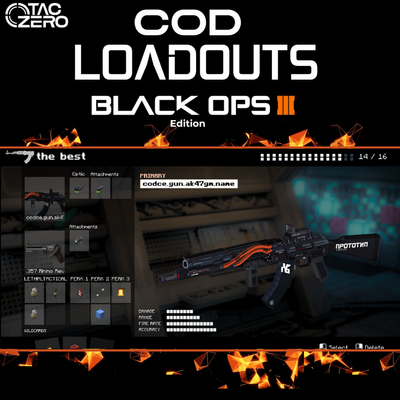
COD Loadouts [TACZ- LRtactical]- BO3 Edition
Call of Duty BO3 Loadouts! Recreate the class setup menu and weapon lists from Black Ops 3 using Tacz and LRTactical. Customize your weapon, choose your lethal and tactical equipment, select wildcards and select functional perks—compatible with gun packs.
 mod
CurseForge + Modrinth · Minecraft
Somewhere In Time
Embark on a magic-filled journey to save a new world from an evil illager empire!