Minecraft version
Back to mods 
CurseForge · Minecraft mod
Fogger
Gives Somewhat more control over the Fog.
Choose a version Pick your version below, then grab the matching file.
Quick answer
Which Fogger release matches 1.12.2?
Best match for your filters fogger-1.12.2-1.1.2.0.jar
Game version 1.12.2
Loader Forge
fogger-1.12.2-1.1.2.0.jar targets 1.12.2 with Forge. The project page does not say whether this file belongs on the client, dedicated server, or both. No extra mods listed for this file.
Where it goes
Is Fogger required on the client, server, or both?
The project page does not say whether this file belongs on the client, dedicated server, or both.
Client Source doesn’t say
Dedicated server Source doesn’t say
Loader for this release Forge
Required install it here Optional supported, not mandatory Not supported do not install here Source doesn’t say do not assume
The source does not explicitly classify this release as client-only or server-only.
What else does fogger-1.12.2-1.1.2.0.jar need?
fogger-1.12.2-1.1.2.0.jar on 1.12.2. Every mod below is checked against that same setup.
This file does not list any required mods. Do not add a library just because a different file uses it.
This file does not list any required or optional mods.
Before you install it
Add Fogger without breaking your instance.
Built for fogger-1.12.2-1.1.2.0.jar on 1.12.2. Pick another file and the loader, install side or required mods may change.
- 01
Stick to this file
Use fogger-1.12.2-1.1.2.0.jar. It targets 1.12.2 with Forge; another release may have different loader, side or dependency requirements.
- 02
Bring the mods it needs
This file does not list any required mods. Do not add a library just because a different file uses it.
- 03
Put it on the correct side
The project page does not say whether this file belongs on the client, dedicated server, or both.
- 04
Pick the file you checked
Use the “Get this file” button beside fogger-1.12.2-1.1.2.0.jar. It opens that exact file at the source.
About this project
What does Fogger add?
Fogger is currently for version 1.12.2 only.
This mod will give you the ability to change where the fog starts and where it ends. This setting can be changed for every biome and corresponding world's y-level. . It is also possible to apply a Global Fog that works biome independent.
How it works
Wiki Page
Mod Compatibility
I am not aware of any incompatibility. This mod works as intended with Optifine, Phosphor, HardcoreDarkness, SereneSeasons, let me know via comment section down below if theres a conflict with any more known mod.
It does work with shaders. However Optifine gives u an option over fast fog and fancy fog and for some reason some shaders are locked on fast fog setting.
Overrides
- DynamicSurroundings ( Only fog oriented systems. )
Fog Colors & Optifine Recommendation
It is highly Recommended to use this mod alongside Optifine and Resourcepacks that support biome dependent fog colors introduced by Optifine build in MCPacher.
Optifine does Colors so well that i don't plan to implement that logic myself into the mod.
There will be a link in future to such Resourcepack crated by myself.
Soon
- I plan to expend this idea and give possibility to change these values depending on the current world weather, time.
The config file generated in past mod versions might not work with current mod version please regenerate the config file if required.
Project description from CurseForge.
Pick your setup
Fogger by Minecraft version and loader
Choose the version and loader you play, then open the matching release.
Check the dependencies, then try the file in a copied instance before changing a world you care about.
Recent files
Fogger versions and loaders
fogger-1.12.2-1.1.2.0.jar
7 May 2021
Client Source doesn’t say Server Source doesn’t say Dependencies No extras listed Listed on Release listing
Check the 1.12.2 · Forge setup Forge1.12.2 release
fogger-1.12.2-1.1.1.4.jar
22 Mar 2021
Client Source doesn’t say Server Source doesn’t say Dependencies No extras listed Listed on Release listing
Check the 1.12.2 · Forge setup Forge1.12.2 release
fogger-1.12.2-1.1.0.0.jar
2 Mar 2021
Client Source doesn’t say Server Source doesn’t say Dependencies No extras listed Listed on Release listing
Check the 1.12.2 setup 1.12.2 release
fogger-1.12.2-1.0.1.2.jar
24 Feb 2021
Client Source doesn’t say Server Source doesn’t say Dependencies No extras listed Listed on Release listing
Check the 1.12.2 setup 1.12.2 release
fogger-1.12.2-1.0.0.0.jar
21 Feb 2021
Client Source doesn’t say Server Source doesn’t say Dependencies No extras listed Listed on Release listing
Check the 1.12.2 setup 1.12.2 release
Looking for an older file? The official CurseForge project page is in Resources.
 mod
CurseForge + Modrinth · Minecraft
Tips Extension
A functional and aesthetic extension for the Tips mod on Minecraft 1.12.2, adding pause menu support and customizable breathing effects.
 mod
CurseForge · Minecraft
Hearthwood
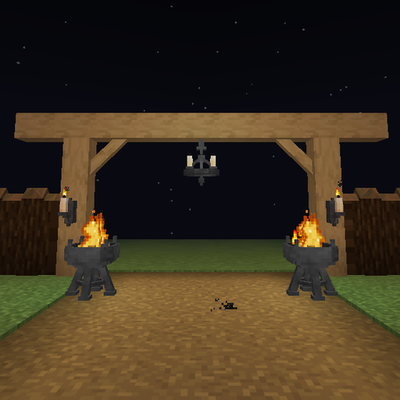
Timber beams, palisades, braces, timber frames and log piles for all 12 wood types, plus braziers, chandeliers, wall sconces and candelabras. Vanilla textures.
 mod
CurseForge · Minecraft
Sky’s Terrain Smoother
Smooth new terrain and cave floors with slabs, steps and corners, choose from three smoothing levels, with built in Mineralogy support.