Minecraft version
Back to mods 
Modrinth · Minecraft mod
TexTweaks
Mod for texture-related things
Choose a version Pick your version below, then grab the matching file.
Quick answer
Which TexTweaks release should I use?
Latest stable file 1.16.5-1.5.0
Game version 1.16.2, 1.16.3, 1.16.4
Loader Fabric
TexTweaks 1.16.5-1.5.0 targets 1.16.2, 1.16.3, 1.16.4 with Fabric. It must be installed on the client. Do not install it on the dedicated server. No extra mods listed for this file.
Where it goes
Is TexTweaks required on the client, server, or both?
It must be installed on the client. Do not install it on the dedicated server.
Client Required
Dedicated server Not supported
Loader for this release Fabric
Required install it here Optional supported, not mandatory Not supported do not install here Source doesn’t say do not assume
This file is marked client-only.
What else does TexTweaks 1.16.5-1.5.0 need?
1.16.5-1.5.0. Change the file and its required mods may change too.
This file does not list any required mods. Do not add a library just because a different file uses it.
This file does not list any required or optional mods.
Before you install it
Add TexTweaks without breaking your instance.
Built for TexTweaks 1.16.5-1.5.0. Pick another file and the loader, install side or required mods may change.
- 01
Stick to this file
Use 1.16.5-1.5.0. It targets 1.16.2, 1.16.3, 1.16.4 with Fabric; another release may have different loader, side or dependency requirements.
- 02
Bring the mods it needs
This file does not list any required mods. Do not add a library just because a different file uses it.
- 03
Put it on the correct side
It must be installed on the client. Do not install it on the dedicated server.
- 04
Pick the file you checked
Use the “Get this file” button beside 1.16.5-1.5.0. It opens that exact file at the source.
About this project
What does TexTweaks add?
TexTweaks
TexTweaks is a mod that has various features for modifying textures and how they are handled in Minecraft.
Texture Scaling
Upscale or downscale textures at runtime with customizable algorithm (linear/nearest neighbor). This is useful for:
- Creating complete mipmaps (more about this down below)
- Reducing the hardware requirements of texture packs that are only available at very high resolutions
- Playing Minecraft using 1x1 textures
Better Mipmaps
By default, Minecraft allows you to set mipmap levels up to 4 in the options. This is enough for the default 16x16 textures. But, if you are using a higher resolution texture pack, the mipmaps will not be complete (not going all the way down to 1x1). This causes distant textures to become significantly more aliased than normal.
It's not so easy to just force the game to generate more levels, as it requires all textures to be equal or larger than 2 to the power of the mipmap level, and most high resolution texture packs don't have all textures (including items) done. However, by upscaling all textures to the same size in game, it's now possible to generate higher level mipmaps easily, without bothering with any image tools.
Here is a comparison of 4x mipmapping vs 8x mipmapping using a 256x resource pack: 4x 8x (please view at native resolution for accuracy)
To test if this is working, press the "Show Texture Info" keybind (unbound by default) and check the mipmap level for the block.png atlas.
LOD Bias
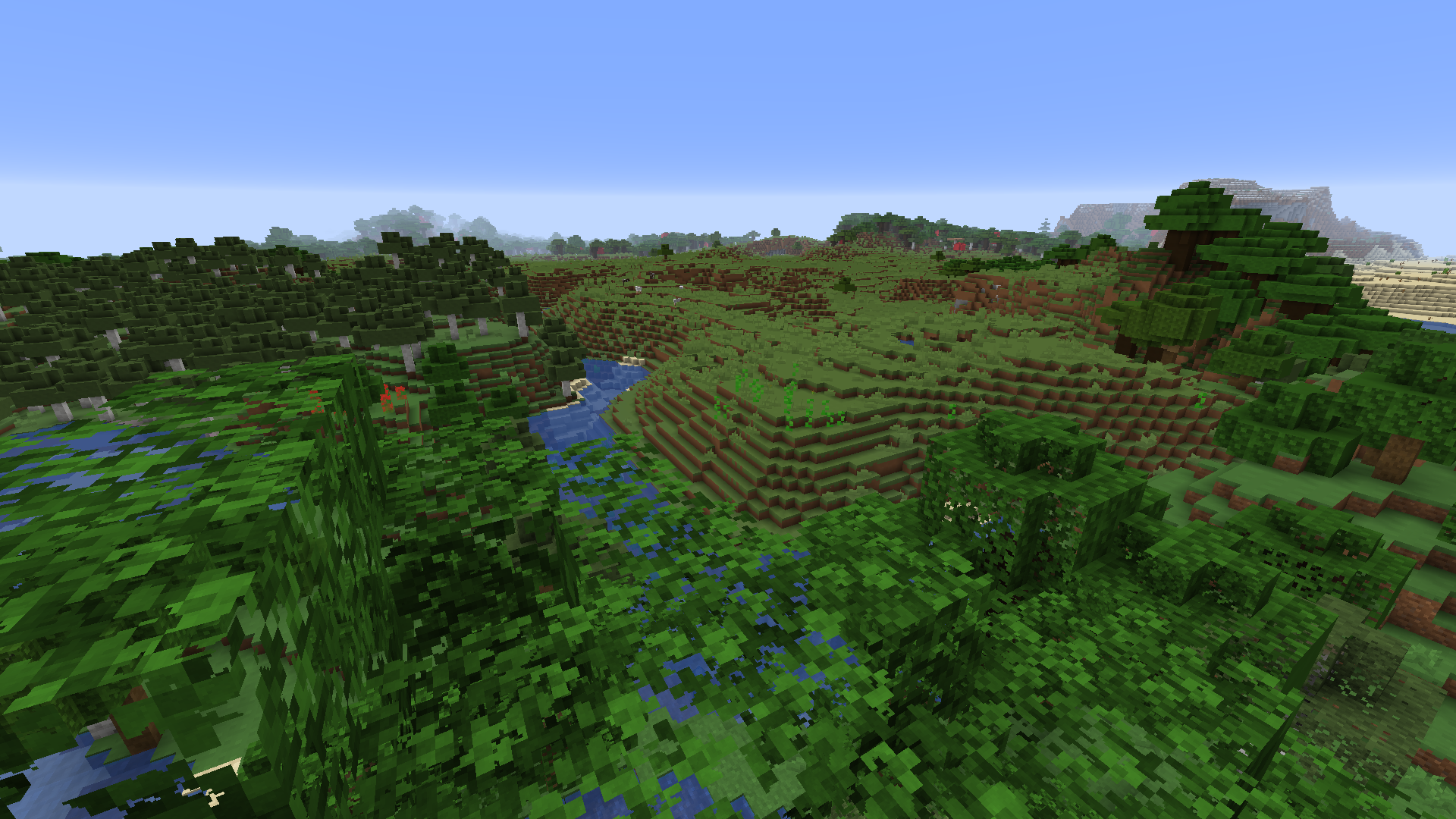
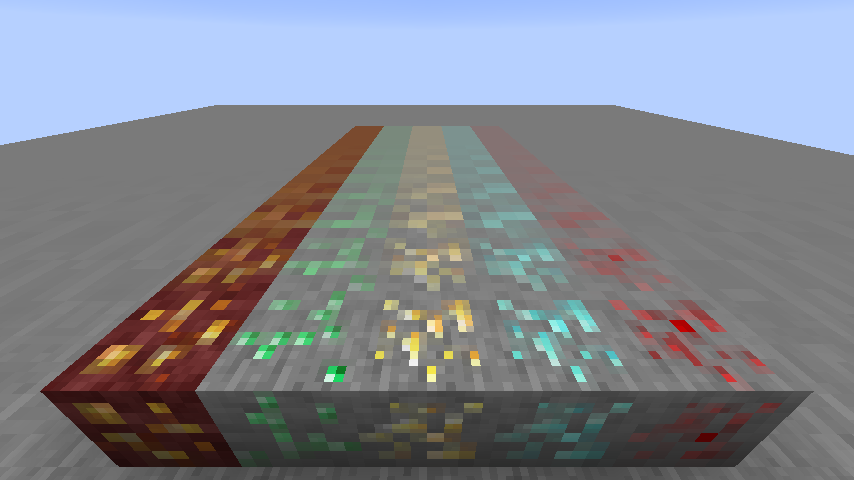
LOD Bias changes how far before the next mipmap level is used. This can be used for fine-tuning sharpness and aliasing of the textures, or as a way to give Minecraft an interesting look.
This is what happens when you set LOD Bias very high:
Compatibility
TexTweaks is tested to work with optifine, sodium, iris and canvas renderer. There are no conflicts found so far at least in the main features. If you found a bug or conflict, please report to the issue tracker.
Project description from Modrinth.
Pick your setup
TexTweaks by Minecraft version and loader
Choose the version and loader you play, then open the matching release.
Minecraft version
1.16.4
1 loader buildMinecraft version
1.16.3
1 loader buildMinecraft version
1.16.2
1 loader buildCheck the dependencies, then try the file in a copied instance before changing a world you care about.
Recent files
TexTweaks versions and loaders
1.16.5-1.5.0
textweaks-1.16.5-1.5.0.jar
22 Mar 2021
Client Required Server Not supported Dependencies No extras listed Listed on Release listing
Check the 1.16.5 · Fabric setup 1.16.21.16.31.16.41.16.5 release
1.16.4-1.4.0
textweaks-1.16.4-1.4.0.jar
11 Feb 2021
Client Required Server Not supported Dependencies No extras listed Listed on Release listing
Check the 1.16.5 · Fabric setup 1.16.21.16.31.16.41.16.5 release
Looking for an older file? The official Modrinth project page is in Resources.
 mod
Modrinth · Minecraft
CobbleAPI
CobbleAPI adds essential commands like TPA, TPHere, RTP, Sethome and fast teleports to the Nether, End and Overworld for players with permissions.
 mod
Modrinth · Minecraft
Litematica-Printer-Hana
litematica-printer, following multiple revisions by Hana
 mod
Modrinth · Minecraft
Ember's Questing
Powerful data driven questing mod using LDLib2 for maximum customizability