The One Probe Optional for Non Immersive HUD nonimmersivehud-1.0.jar
optionalNo matching file

CurseForge · Minecraft mod
Make your HUD(Hwyla/The One Probe) not immersive anymore. Access the HUD on a web page.
Quick answer
Non Immersive HUD nonimmersivehud-1.0.jar targets 1.12.2 with Forge. The project page does not say whether this file belongs on the client, dedicated server, or both. No extra mods listed for this file.
Where it goes
The project page does not say whether this file belongs on the client, dedicated server, or both.
The source does not explicitly classify this release as client-only or server-only.
nonimmersivehud-1.0.jar. Change the file and its required mods may change too.
This file does not list any required mods. Do not add a library just because a different file uses it.
We only count dependency files that match this setup. A file for another loader does not fill the gap.
Before you install it
Built for Non Immersive HUD nonimmersivehud-1.0.jar. Pick another file and the loader, install side or required mods may change.
Use nonimmersivehud-1.0.jar. It targets 1.12.2 with Forge; another release may have different loader, side or dependency requirements.
This file does not list any required mods. Do not add a library just because a different file uses it.
The project page does not say whether this file belongs on the client, dedicated server, or both.
Use the “Get this file” button beside nonimmersivehud-1.0.jar. It opens that exact file at the source.
About this project
Make your HUD(Hwyla/The One Probe) not immersive anymore. Access the HUD on a web page.
You may take advantage of another monitor or even your phone to see the HUD, making your gaming interface less obstructed, especially from a detailed long HUD.
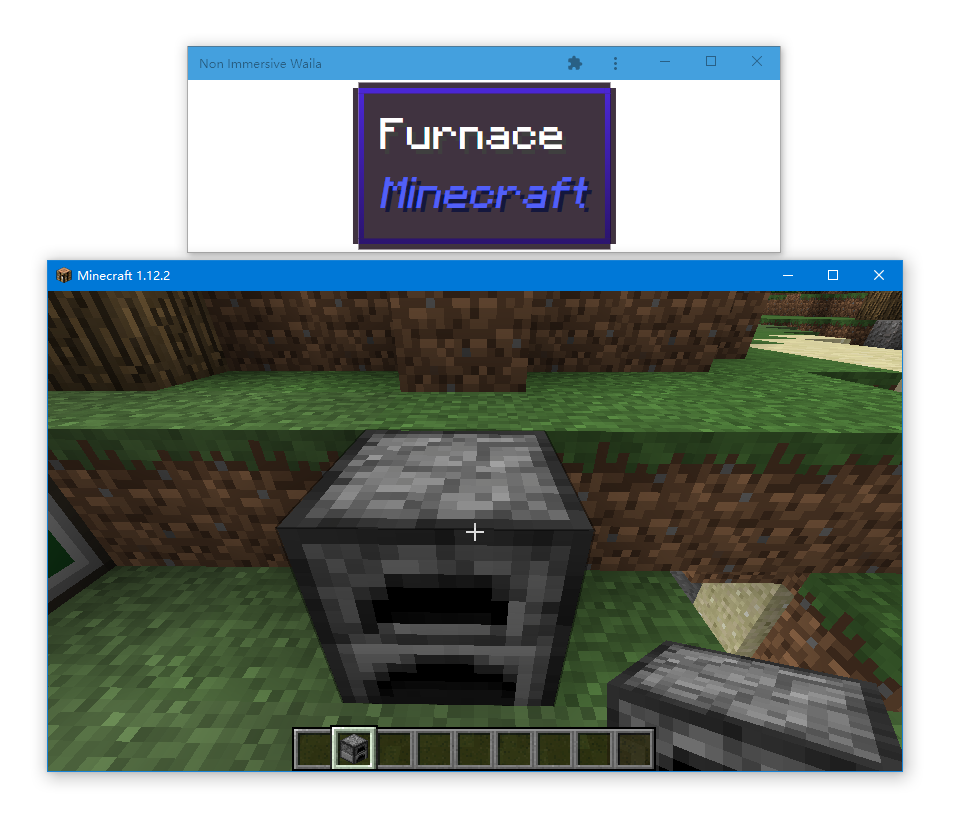
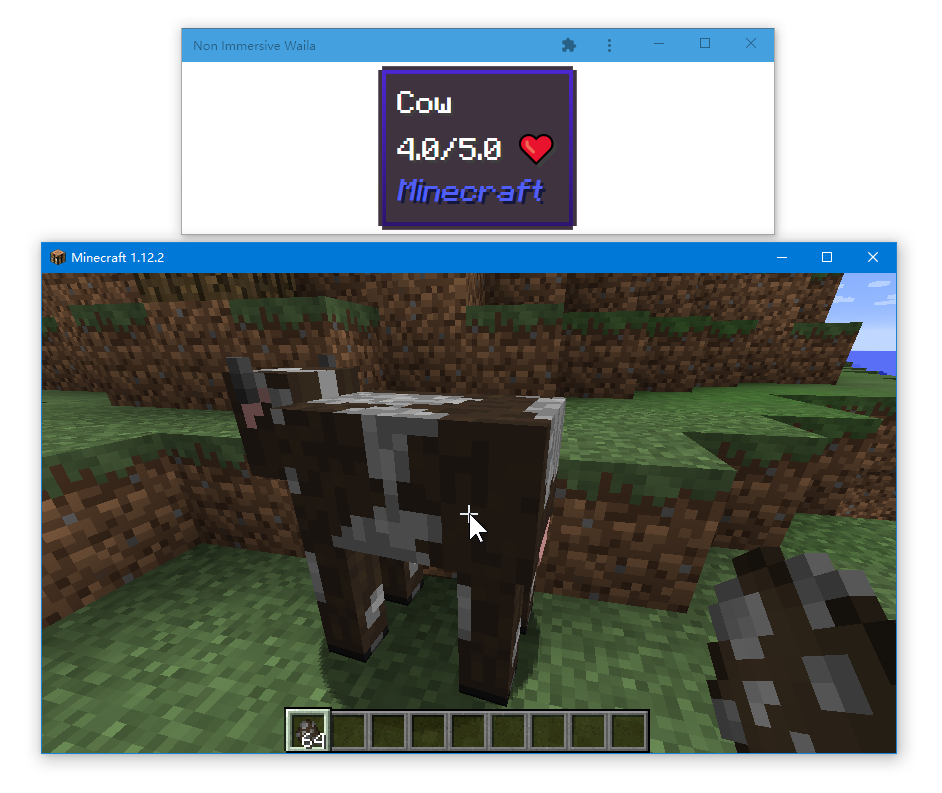
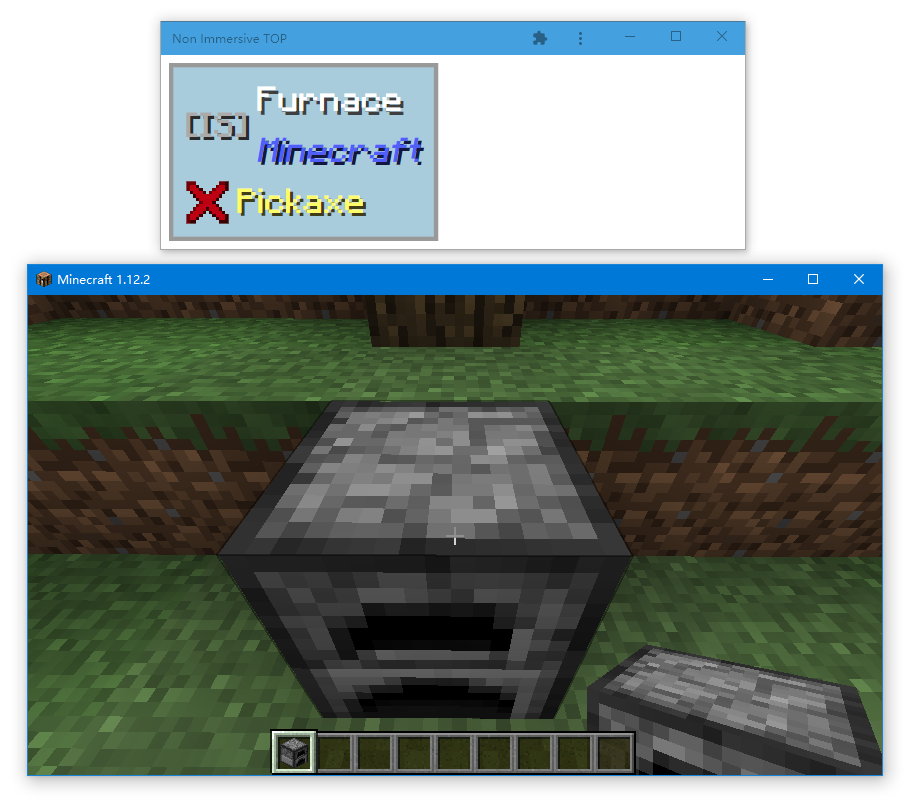
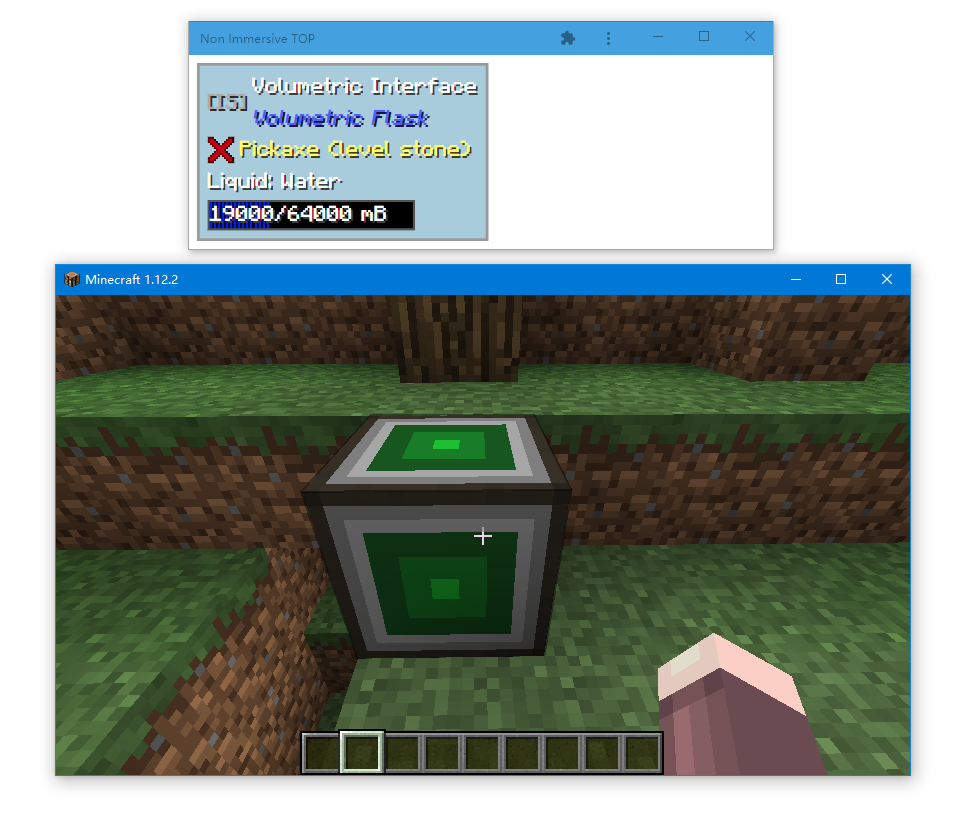
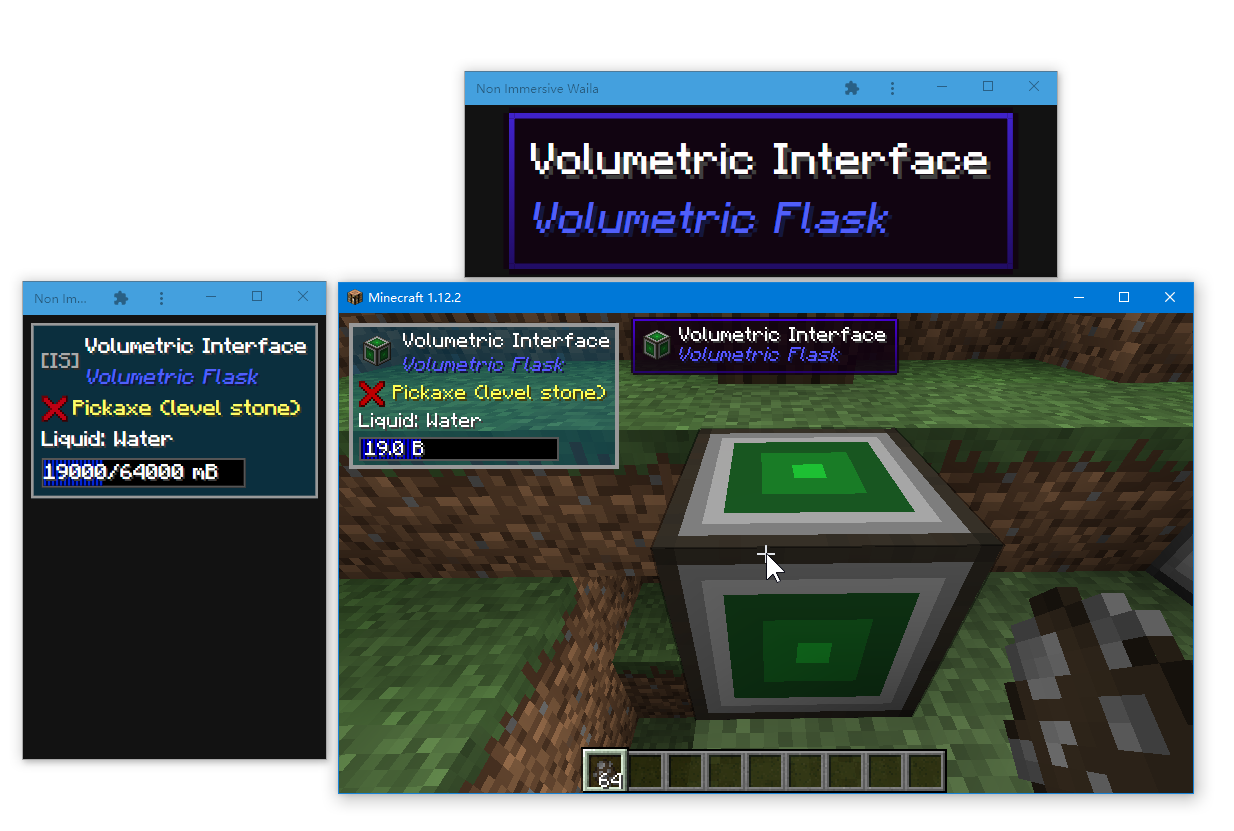
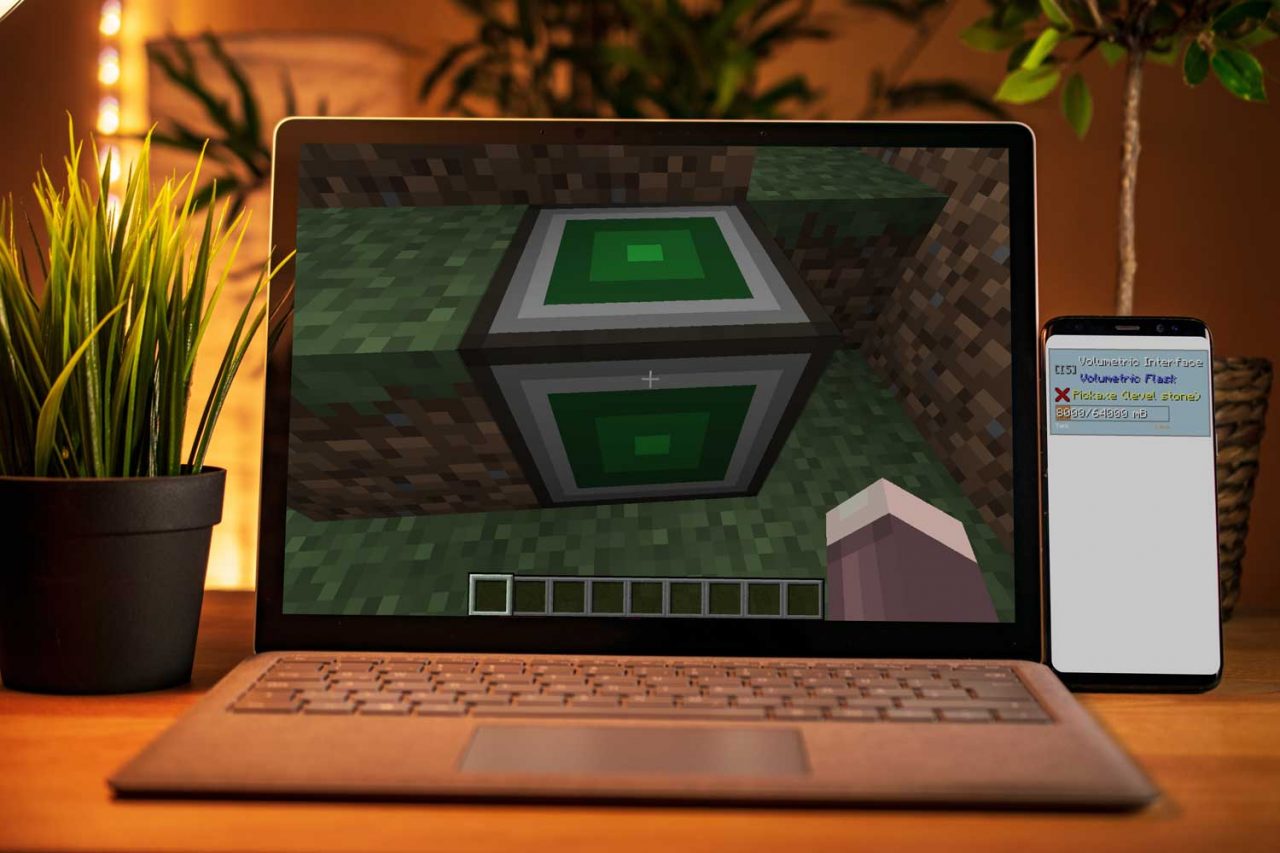
This is a client-side only mod. Download the JAR file to your mods folder and start the game. Do not install on the server-side. At least one of Waila(Hwyla) and The One Probe mod should be installed, or this mod will do nothing.
When you joining a world (A singleplayer world or a multiplayer server), a message will show up accordingly.
The links are base on the best guess, choose one of them. Usually, if you want to use the browser on the very same computer running Minecraft, just use the link that starts with http://127.0.0.1.
To show the HUD on your phone, connect the phone and your computer to the same WiFi/LAN network. Then visit the link that contains the LAN address of your computer on your phone. It usually starts with http://192.168. or http://10.. If you are not sure which one to use, try links one by one, or look up “How to find my LAN address? on Google.
To show the HUD on a remote computer or phone that does not connect to the LAN network, use port forwarding or proxy.
To minimize the browser border, you may add the page as an app. For example, click the menu button at the top right – More Tools – Create shortcut, and select open as window.
Click/touch the HUD box to toggle fullscreen and keep the screen on. If the browser askes for fullscreen or video play permission, allow it. The page is pretending to play a video to keep the screen on.
Click/touch on the empty area around the HUD box to toggle the light/dark background of the page.
This mod comes with a configuration file named “nonimmersivehud.cfg in the “configs folder. The configuration file is quite self-explanatory. There are two options to control which address the web page server should listen to.
There is an option to control whether the in-game HUD is disabled. If set to true(default), the Waila/TOP HUD is hidden in the game.
You must restart the game to make configuration changes take effect.
Icon of Entity and Block/Item can not be shown. A placeholder is shown in TOP HUD but not in Waila HUD.
The option that disables in-game HUD might be unstable. In case it crashed the game, change the option to false in the config file, and follow the steps below:
The One Probe: change “boxLeftX” to 10000
Hywla(Waila): no way to hide completely, in waila options – aspect, set the scale to minimum and set x/y to a corner to minimize it.
https://github.com/exzhawk/NonImmersiveHud
Source Code: MIT
For binary JAR file,
You can:
Use this mod in your modpack.
Post screenshots or videos of this mod.
Do whatever you want as long as you do not break rules below.
You must:
Keep author info and a link to this page for redistributing this mod in any form (modpack, repost in another website, etc.)
Project description from CurseForge.
Pick your setup
Choose the version and loader you play, then open the matching release.
Check the dependencies, then try the file in a copied instance before changing a world you care about.
Recent files
29 Apr 2021
Looking for an older file? The official CurseForge project page is in Resources.
 mod
A Fabric port of Crabber's Delight, an addon for Farmer's Delight Refabricated that adds all your crabby needs.
 mod
Display PvPHQ tiers on nametags, in the tab list and in chat
 mod
Connects Better Revive with PlayerRevive, providing a clean handoff between both revival systems while preventing repeated bleed-out and death loops.