Minecraft version
Back to mods 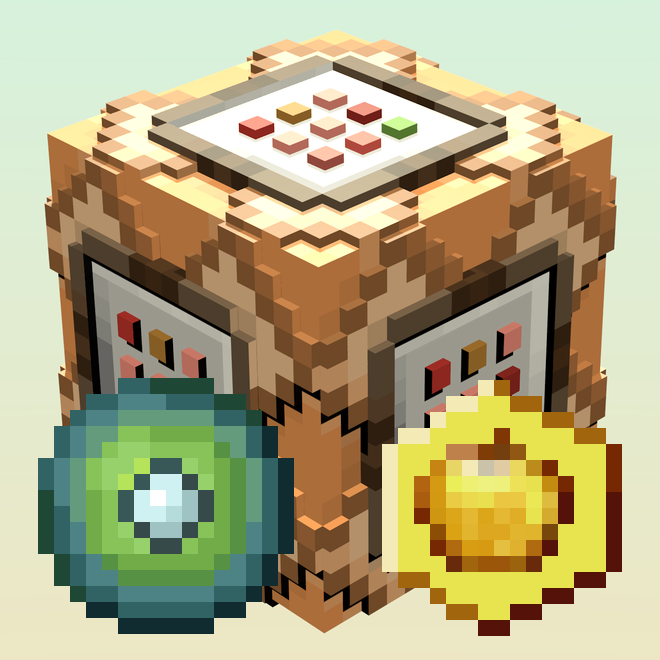
CurseForge · Minecraft mod
Utility Items
Some items designed to be used in datapacks
Choose a version Pick your version below, then grab the matching file.
Quick answer
Which Utility Items release should I use?
Latest stable file UtilityItems-1.0.jar
Game version 1.15.2
Loader Forge
Utility Items UtilityItems-1.0.jar targets 1.15.2 with Forge. The project page does not say whether this file belongs on the client, dedicated server, or both. No extra mods listed for this file.
Where it goes
Is Utility Items required on the client, server, or both?
The project page does not say whether this file belongs on the client, dedicated server, or both.
Client Source doesn’t say
Dedicated server Source doesn’t say
Loader for this release Forge
Required install it here Optional supported, not mandatory Not supported do not install here Source doesn’t say do not assume
The source does not explicitly classify this release as client-only or server-only.
What else does Utility Items UtilityItems-1.0.jar need?
UtilityItems-1.0.jar. Change the file and its required mods may change too.
This file does not list any required mods. Do not add a library just because a different file uses it.
This file does not list any required or optional mods.
Before you install it
Add Utility Items without breaking your instance.
Built for Utility Items UtilityItems-1.0.jar. Pick another file and the loader, install side or required mods may change.
- 01
Stick to this file
Use UtilityItems-1.0.jar. It targets 1.15.2 with Forge; another release may have different loader, side or dependency requirements.
- 02
Bring the mods it needs
This file does not list any required mods. Do not add a library just because a different file uses it.
- 03
Put it on the correct side
The project page does not say whether this file belongs on the client, dedicated server, or both.
- 04
Pick the file you checked
Use the “Get this file” button beside UtilityItems-1.0.jar. It opens that exact file at the source.
About this project
What does Utility Items add?
This is a very simple mod that adds some items with the primary purpose of being used in datapacks. Currently, there are 2 items - the Ender Soul and the Weird Apple, with the latter functioning as food. They have textures and names that fit their purpose in my own datapacks, but can be used for pretty much any purpose.
The items are only obtainable through the Creative Menu by default. This is by design, to grant datapack makers maximum flexibility when it comes to how they are obtained - you can make them available through crafting, smelting, stonecutting, campfire cooking, loot tables or an advancement reward without the hassle of removing unwanted methods.
Sorry for using MCreator, I can't be bothered to manually set up Forge registries when literally all I need are a few items. GitHub repo will be created upon request, for now there's none because I didn't see an "import" functionality in MCreator and I doubt anyone wants to manually deal with MCreator's hacks.
Credit to Tishbyte on Reddit for the project icon. It also features one of the planned items for the soon-to-be-released 1.1 update.
Project description from CurseForge.
Pick your setup
Utility Items by Minecraft version and loader
Choose the version and loader you play, then open the matching release.
Check the dependencies, then try the file in a copied instance before changing a world you care about.
Recent files
Utility Items versions and loaders
UtilityItems-1.0.jar
15 May 2021
Client Source doesn’t say Server Source doesn’t say Dependencies No extras listed Listed on Release listing
Check the 1.15.2 · Forge setup 1.15.2Forge release
Looking for an older file? The official CurseForge project page is in Resources.