Fabric API Needed by PicoHUD 1.6.8+1.21
requiredNo matching file

Modrinth · Minecraft mod
Unobtrusive, player-readable coordinates, day, time, facing direction, and biome - with toggle/hold key modes. An alternative to minimaps and F3.
Quick answer
PicoHUD 1.6.8+1.21 targets 1.21, 1.21.1 with Fabric, NeoForge, Quilt. It must be installed on the client. Do not install it on the dedicated server. 1 required mod needs a matching file.
Where it goes
It must be installed on the client. Do not install it on the dedicated server.
This file is marked client-only.
1.6.8+1.21. Change the file and its required mods may change too.
Install Fabric API first, but 1 required mod has no matching file for this setup. Do not mix loader builds to force a match.
We only count dependency files that match this setup. A file for another loader does not fill the gap.
Before you install it
Built for PicoHUD 1.6.8+1.21. Pick another file and the loader, install side or required mods may change.
Use 1.6.8+1.21. It targets 1.21, 1.21.1 with Fabric, NeoForge, Quilt; another release may have different loader, side or dependency requirements.
Install Fabric API first, but 1 required mod has no matching file for this setup. Do not mix loader builds to force a match.
It must be installed on the client. Do not install it on the dedicated server.
Use the “Get this file” button beside 1.6.8+1.21. It opens that exact file at the source.
About this project
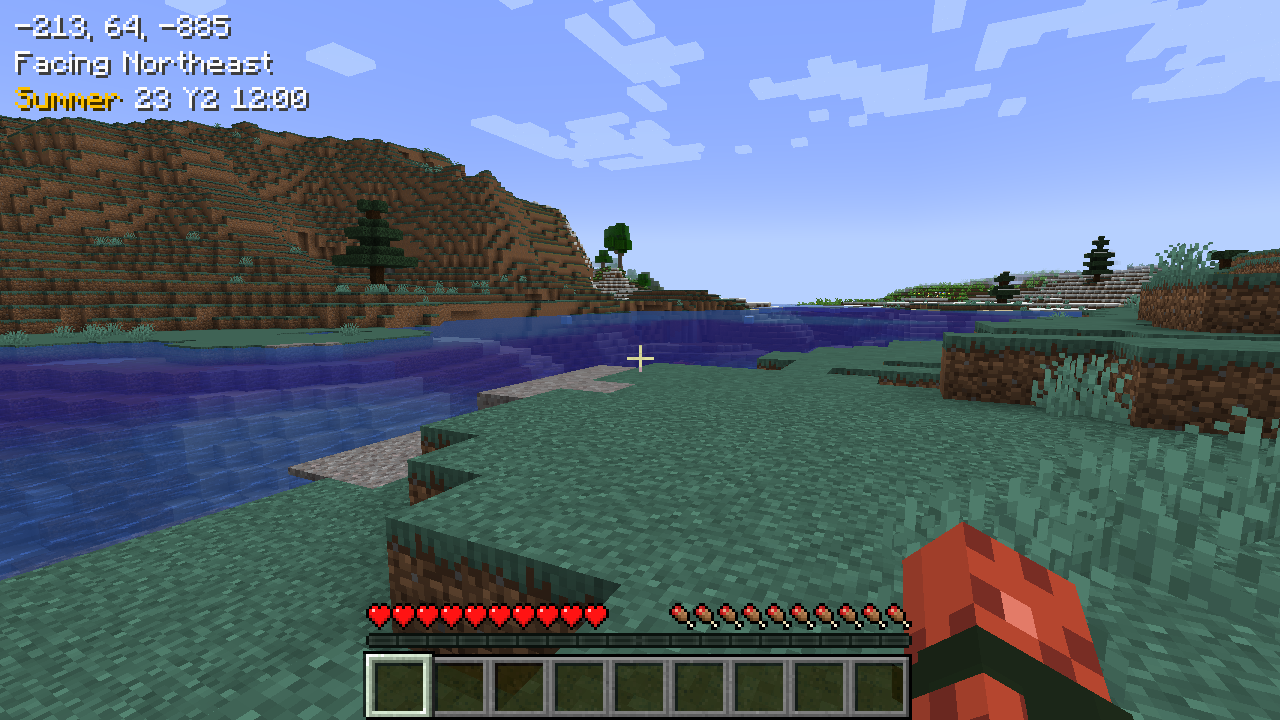
When a key (default left alt) is held, information text is shown, anchored to the top left of the screen.
This includes:

Includes configuration in config/picohud.toml for:
All mods are built on the work of many others.
This mod is included in Tinkerer's Quilt - our modpack about rediscovering vanilla.
We're open to suggestions for how to implement stuff better - if you see something wonky and have an idea - let us know.
Project description from Modrinth.
Pick your setup
Choose the version and loader you play, then open the matching release.
Check the dependencies, then try the file in a copied instance before changing a world you care about.
Recent files
picohud-1.6.8+1.21.jar
29 Jun 2025
picohud-1.6.8+1.18.jar
29 Jun 2025
picohud-1.6.8+1.19.jar
29 Jun 2025
picohud-1.6.8+1.20.jar
29 Jun 2025
picohud-1.6.7+1.21.jar
23 Nov 2024
picohud-1.6.7+1.20.jar
23 Nov 2024
picohud-1.6.7+1.19.jar
23 Nov 2024
picohud-1.6.7+1.18.jar
23 Nov 2024
picohud-1.6.6+1.21.jar
24 Aug 2024
picohud-1.6.5+1.21.jar
10 Aug 2024
picohud-1.6.4+1.18.jar
10 Aug 2024
picohud-1.6.4+1.19.jar
10 Aug 2024
Looking for an older file? The official Modrinth project page is in Resources.
 mod
modA mod for exploring beyond our own planet and into the outer reaches of space!
 mod
modAll-in-one mod that improves performance, reduces memory usage, and fixes many bugs. Compatible with all your favorite performance mods!
 mod
modRestricts players to using only TP-related commands, or completely disables all non-TP commands.