
Minecraft version
Back to mods 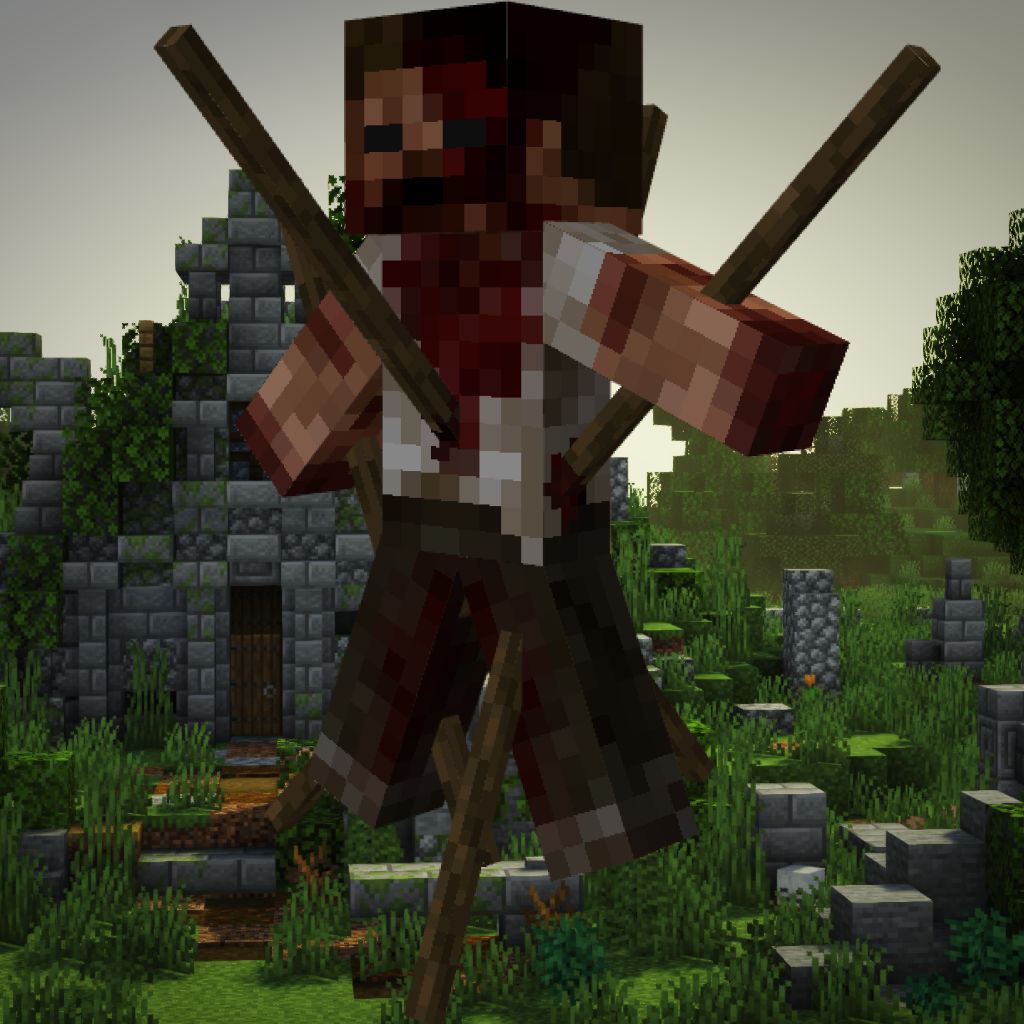
CurseForge · Minecraft mod
Horror Elements mod
A mod that adds decorative blocks for your horror maps and spooky structures for your survival world
Choose a version Pick your version below, then grab the matching file.
Quick answer
Which Horror Elements mod release matches 1.19.4?
Best match for your filters horror_element_mod-1.5.9_1.19.4.jar
Game version 1.19.4
Loader Forge
Horror Elements mod horror_element_mod-1.5.9_1.19.4.jar targets 1.19.4 with Forge. The project page does not say whether this file belongs on the client, dedicated server, or both. No extra mods listed for this file.
Where it goes
Is Horror Elements mod required on the client, server, or both?
The project page does not say whether this file belongs on the client, dedicated server, or both.
Client Source doesn’t say
Dedicated server Source doesn’t say
Loader for this release Forge
Required install it here Optional supported, not mandatory Not supported do not install here Source doesn’t say do not assume
The source does not explicitly classify this release as client-only or server-only.
What else does Horror Elements mod horror_element_mod-1.5.9_1.19.4.jar need?
horror_element_mod-1.5.9_1.19.4.jar on 1.19.4. Every mod below is checked against that same setup.
This file does not list any required mods. Do not add a library just because a different file uses it.
This file does not list any required or optional mods.
Before you install it
Add Horror Elements mod without breaking your instance.
Built for Horror Elements mod horror_element_mod-1.5.9_1.19.4.jar on 1.19.4. Pick another file and the loader, install side or required mods may change.
- 01
Stick to this file
Use horror_element_mod-1.5.9_1.19.4.jar. It targets 1.19.4 with Forge; another release may have different loader, side or dependency requirements.
- 02
Bring the mods it needs
This file does not list any required mods. Do not add a library just because a different file uses it.
- 03
Put it on the correct side
The project page does not say whether this file belongs on the client, dedicated server, or both.
- 04
Pick the file you checked
Use the “Get this file” button beside horror_element_mod-1.5.9_1.19.4.jar. It opens that exact file at the source.
About this project
What does Horror Elements mod add?
Tired of having to use redstone as a blood replacement in your horror projects ? Now you don't have to anymore.
This mod contains fictional horror themed props and includes disturbing imagery, references to self harm, brutal screamers, flickering lights, and may not be suitable for all audiences. It was designed for a mature audience and those comfortable with horror content. Users's discretion advised.
You can include this mod in your modpacks or other projets, no need to ask. Please just insert a link to this page in your project, and mention that it's not yours. Any review on this mod would be greatly appreciated and could even be showcased on this page. Enjoy !
The recents 26.2 and 26.1.2 neoforge ports are unnoficial ports made by OliverWalter, a community member, not by me. Big thanks to him for providing those ports !
Join the official discord to keep up with news !

You can use HEM in both creative and survival mode. If you want to add more gruesome details to some of your horror maps, this mod can do the trick. If you want to wander around in survival and encounter terrifying elements and structures, horror elments can also do it !
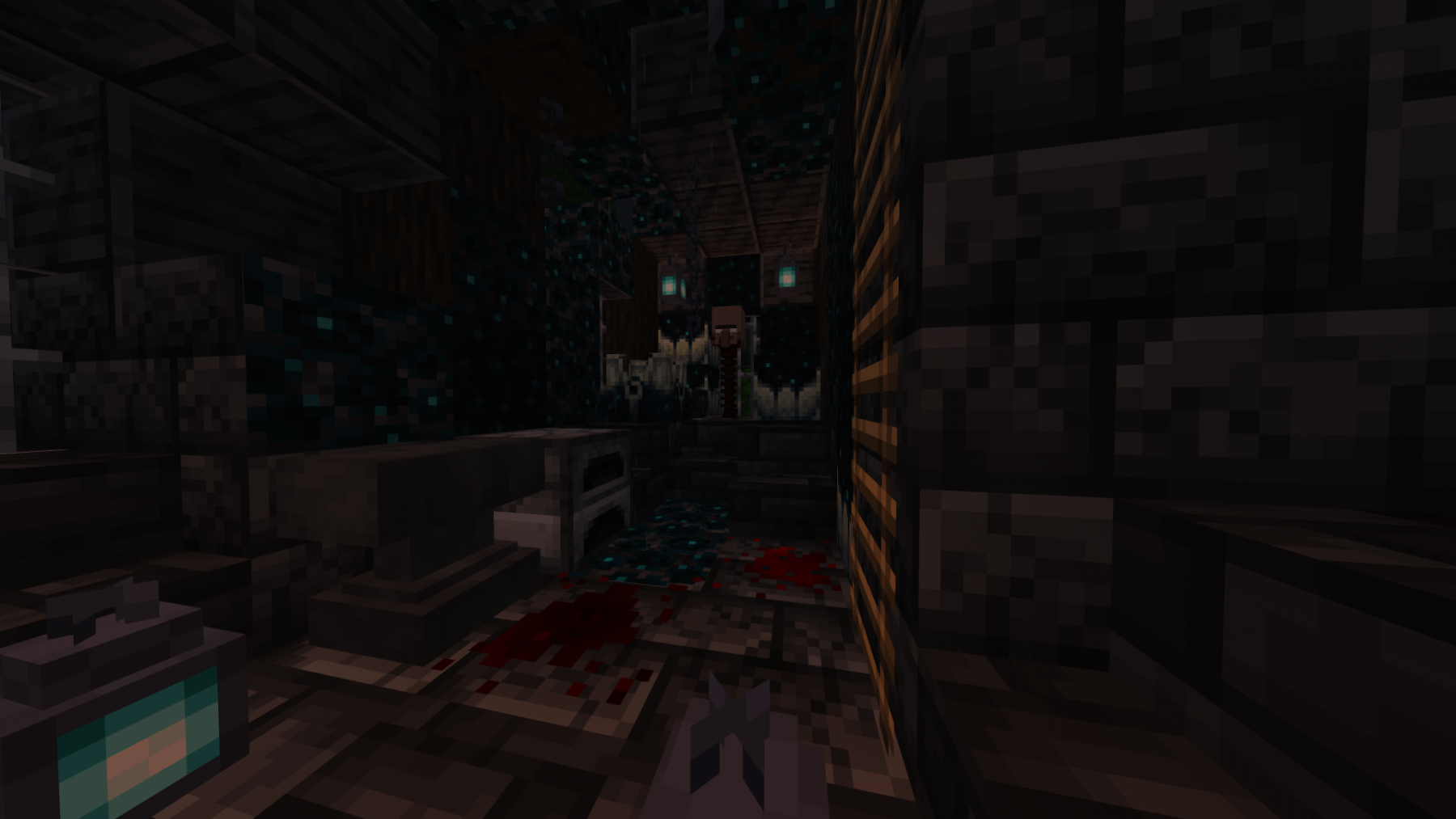
 command for those who'd want to deactivate the atmosphere block : /HMdayreset true/false
This mod currently add :
-60+ custom horror themed elements that will be spawning in you survival world
-10+ unique blocks to add a unique atmosphere to your projects (flashing lights, red lanterns, sound blocks...)
-7 unique structures that will randomly spawn in your world
Horror elements will frequently be updated with new features...
Installation:
1 : Download the forge version corresponding to the mod version
2 : press win+R and search %appdata%
3 : Click on ''roaming'' and then on the ".minecraft" folder
4 : Place the mod you just downloaded in the folder called ''mods''
5 : Select the Forge version on your minecraft launcher and launch the game
6 : Enjoy
Project description from CurseForge.
Pick your setup
Horror Elements mod by Minecraft version and loader
Choose the version and loader you play, then open the matching release.
Minecraft version
26.1.2
1 loader buildMinecraft version
1.21.1
1 loader buildMinecraft version
1.20.1
1 loader buildMinecraft version
1.19.4
1 loader buildMinecraft version
1.19.2
1 loader buildMinecraft version
1.18.2
2 loader buildsMinecraft version
1.16.5
2 loader buildsMinecraft version
1.14.4
1 loader buildMinecraft version
1.12.2
2 loader buildsCheck the dependencies, then try the file in a copied instance before changing a world you care about.
Recent files
Horror Elements mod versions and loaders
horror_element_mod-1.5.9_1.19.4.jar
9 May 2024
Client Source doesn’t say Server Source doesn’t say Dependencies No extras listed Listed on Release listing
Check the 1.19.4 · Forge setup 1.19.4Forge release
Horror_elements_mod_1.5.8_1.19.4.jar
15 Mar 2024
Client Source doesn’t say Server Source doesn’t say Dependencies No extras listed Listed on Release listing
Check the 1.19.4 · Forge setup 1.19.4Forge release
Horror_elements_mod_1.5.6_1.19.4.jar
9 Feb 2024
Client Source doesn’t say Server Source doesn’t say Dependencies No extras listed Listed on Release listing
Check the 1.19.4 · Forge setup 1.19.4Forge release
Horror_elements_mod_1.5.5_1.19.4.jar
6 Dec 2023
Client Source doesn’t say Server Source doesn’t say Dependencies No extras listed Listed on Release listing
Check the 1.19.4 · Forge setup 1.19.4Forge release
Horror_elements_mod_1.5.2_1.19.4.jar
29 Nov 2023
Client Source doesn’t say Server Source doesn’t say Dependencies No extras listed Listed on Release listing
Check the 1.19.4 · Forge setup 1.19.4Forge release
Looking for an older file? The official CurseForge project page is in Resources.
 mod
CurseForge + Modrinth · Minecraft
Curios API
A flexible and expandable accessory/equipment API for users and developers.
 mod
CurseForge + Modrinth · Minecraft
WTHIT
What the hell is that? A fork of Hwyla which is a fork of Waila.
 mod
CurseForge · Minecraft
Shifting's Escape From Tarkraft
Modern weapons. Tactical gear. A high-stakes multiplayer extraction shooter inside Minecraft.