Minecraft version
Back to mods 
CurseForge · Minecraft mod
TheUndergrowth
A mod that adds a new dimension with new blocks to build with
Choose a version Pick your version below, then grab the matching file.
Quick answer
Which TheUndergrowth release should I use?
Latest stable file TheUndergrowth V16.jar
Game version 1.16.5
Loader Not required
TheUndergrowth V16.jar targets 1.16.5. The project page does not say whether this file belongs on the client, dedicated server, or both. No extra mods listed for this file.
Where it goes
Is TheUndergrowth required on the client, server, or both?
The project page does not say whether this file belongs on the client, dedicated server, or both.
Client Source doesn’t say
Dedicated server Source doesn’t say
Loader for this release No loader listed
Required install it here Optional supported, not mandatory Not supported do not install here Source doesn’t say do not assume
The source does not explicitly classify this release as client-only or server-only.
What else does TheUndergrowth V16.jar need?
TheUndergrowth V16.jar. Change the file and its required mods may change too.
This file does not list any required mods. Do not add a library just because a different file uses it.
This file does not list any required or optional mods.
Before you install it
Add TheUndergrowth without breaking your instance.
Built for TheUndergrowth V16.jar. Pick another file and the loader, install side or required mods may change.
- 01
Stick to this file
Use TheUndergrowth V16.jar. It targets 1.16.5; another release may have different loader, side or dependency requirements.
- 02
Bring the mods it needs
This file does not list any required mods. Do not add a library just because a different file uses it.
- 03
Put it on the correct side
The project page does not say whether this file belongs on the client, dedicated server, or both.
- 04
Pick the file you checked
Use the “Get this file” button beside TheUndergrowth V16.jar. It opens that exact file at the source.
About this project
What does TheUndergrowth add?
The Undergrowth is a new dimension added in this mod, it has 5 biomes, Darkstone ore variants, blocks and 2 new mobs.
Biomes:
1 - Luma Mushroom Forest - a biome with blue mushroom trees and foliage everywhere and luma goats spawn here rarely.
2 - Fungal Mushroom Forest - a purple variant of the Luma Mushroom Forest, but with the mushroom block you can craft Fungal Mushroom Planks, wich glow.
3 - Grim Mushroom Forest - a dark variant of the Luma Mushroom Forest and Firefly's can spawn here.
4 - Fire Fungal Forest - a orange mushroom forest with lumberry bushes and firefly's also spawn here, rarely you find a Firefly Fire Fungal Mushroom Block generating on the trees.
5 - Mossy Forest - a green dark forest with moss trees and mossy darkstone as grass.
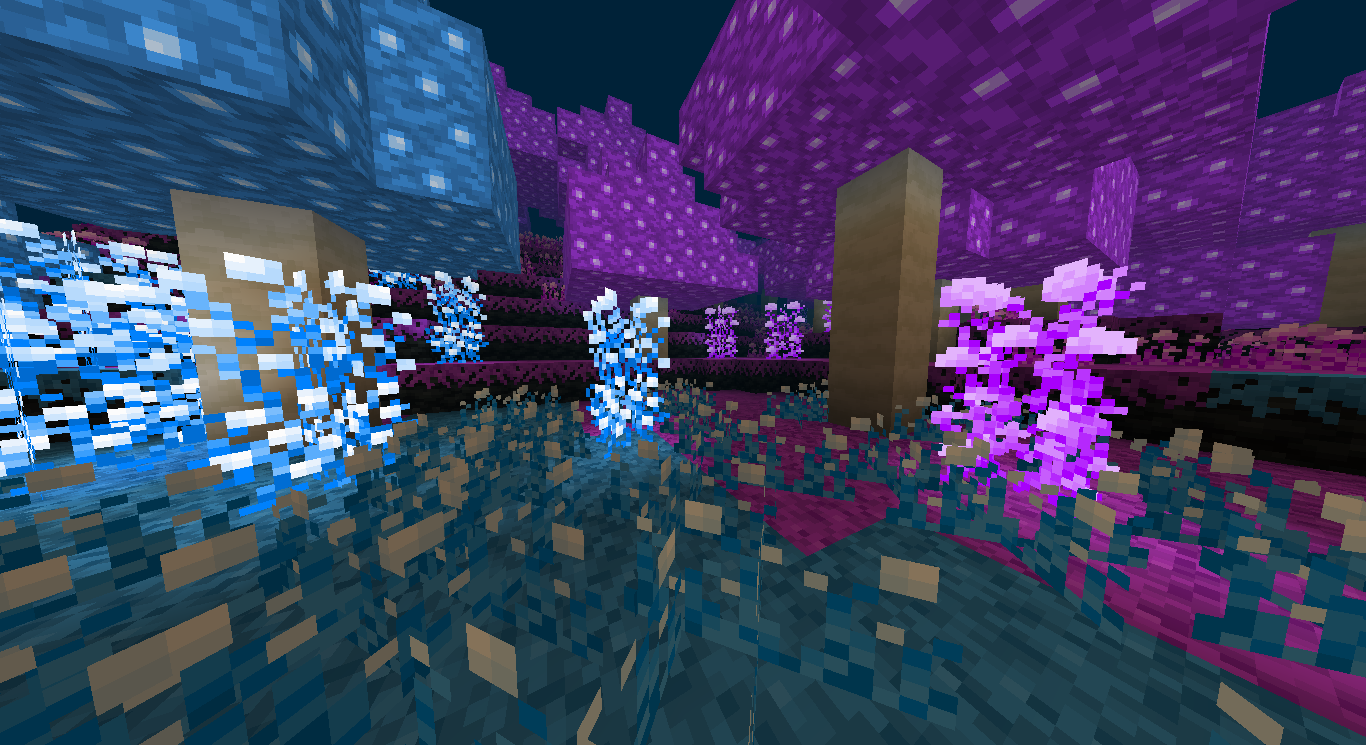 Luma Mushroom Forest & Fungal Mushroom Forest.
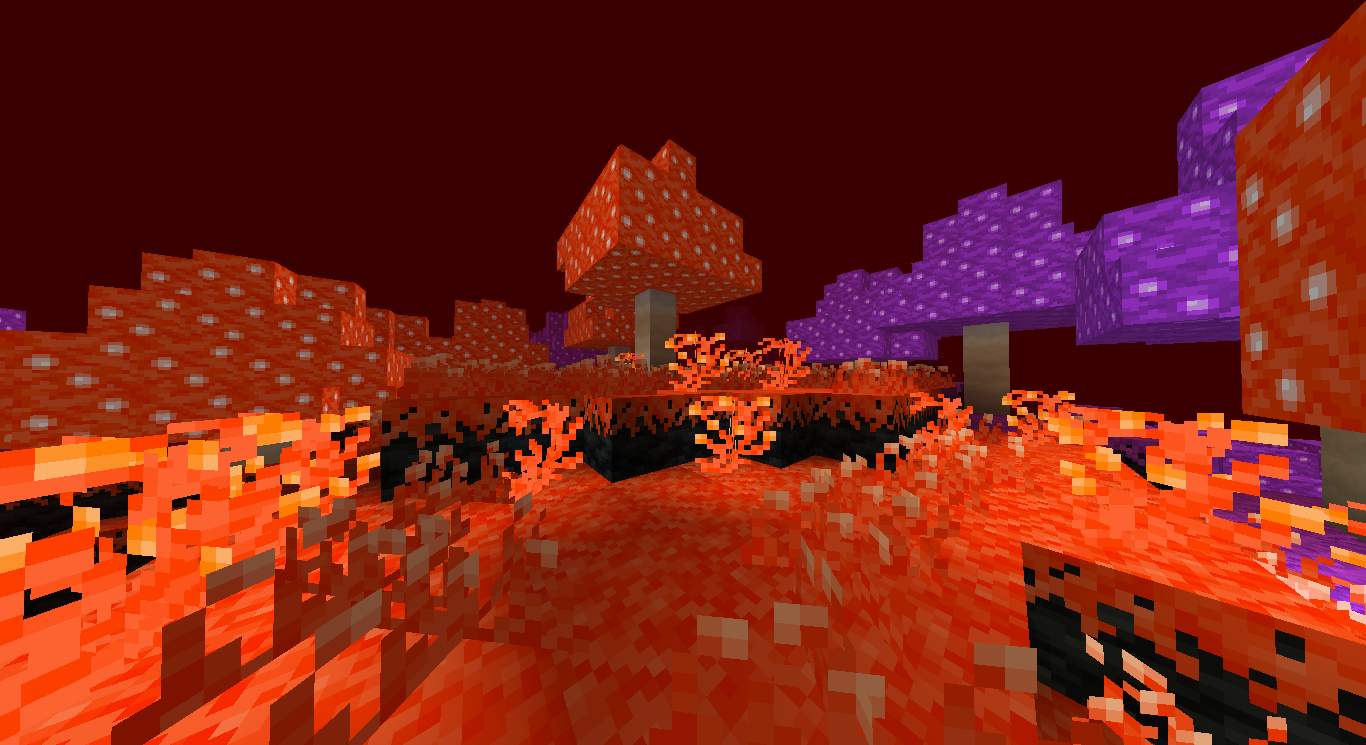 Fire Fungal Forest.
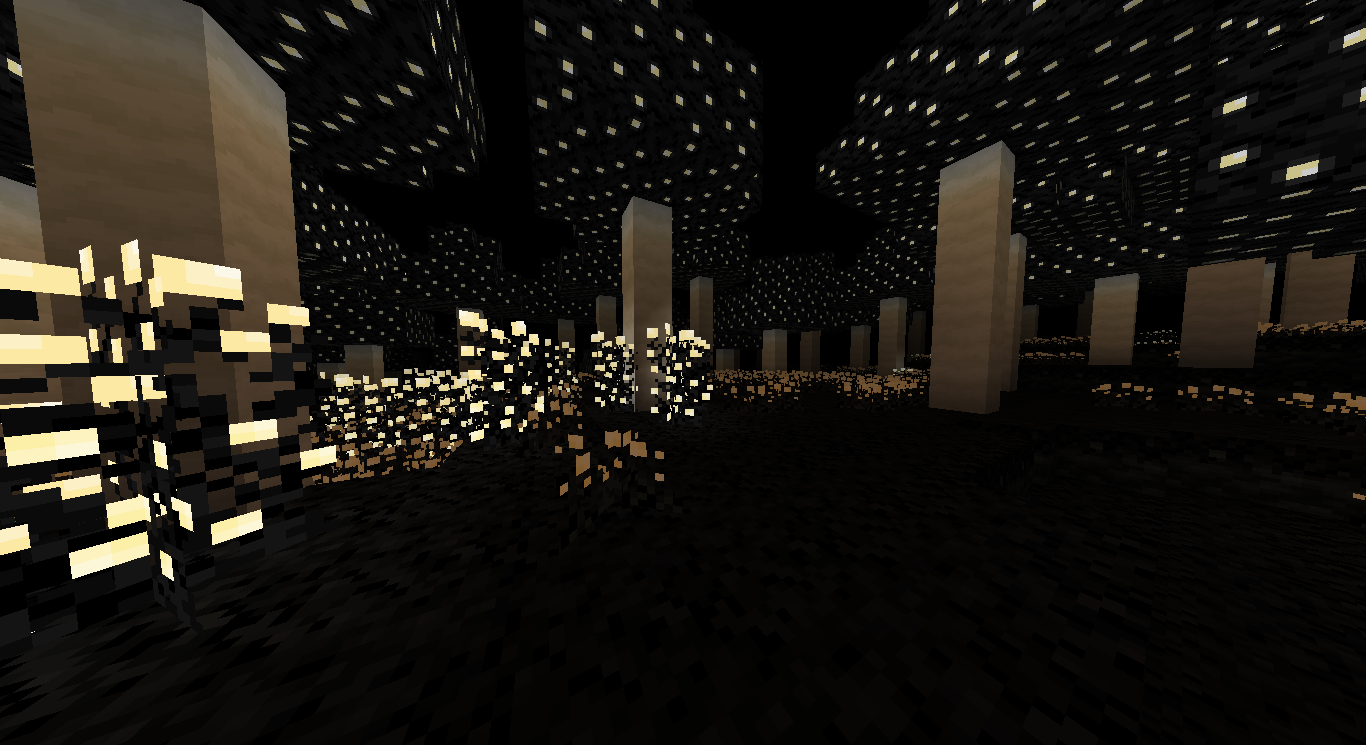 Grim Mushroom Forest.
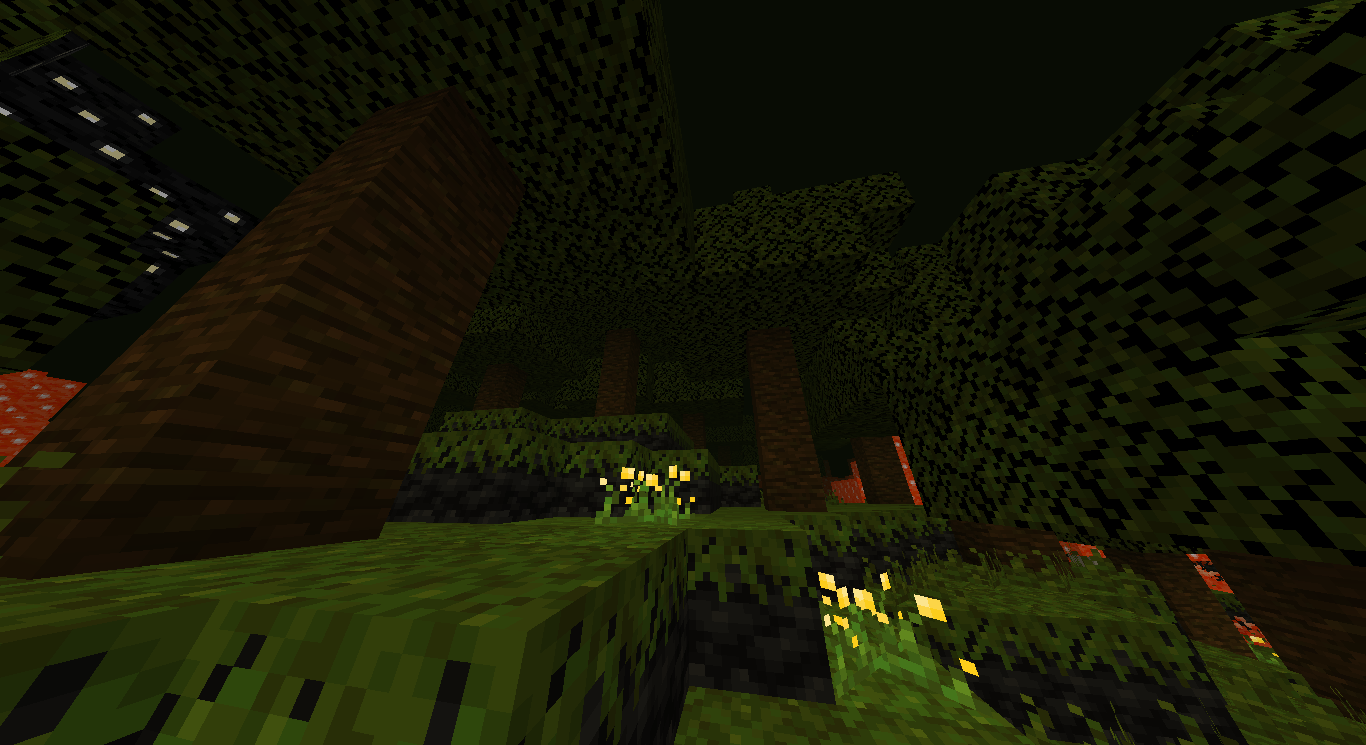 Mossy Forest.
Mobs:
1 - Firefly - it glows and as i sayed earlier you can find Firefly Fire Fungal Mushroom Blocks generating in the trees of that biome, if right clicked on the block with a bucket you wil get a bucket of firefly and the firefly mushroom block replaces with an normal fire fungal mushroom block, then right click in the air and you will summon firefly's, they have 1 health point and are passive flying creature's.
2 - Luma Goat - This goat spawns in the Luma Mushroom forest as of the name, it is a rare find, it also has a glow texture and drops light blue wool, when its attacked it will first run away but do not run after it, after in ran away it will atack you, it has 20 health points and is neutral.
The Dimension:
The Undergrowth - A completely dark dimension, the dimension is fully made out of Darkstone, a new block, the biomes i've talked about earlier generate here.
Blocks:
1 - Darkstone - A dark blueish block that generates everywhere in The Undergrowth, when mined, you get Cobbled Darkstone, it has a polished variant, with the polished variant you can craft an polished bricks variant, most of these have slab, stairs and wall variants too.
2 - Darkstone Ore Variants - In the dimension you can find ore variants, Darkstone Iron ore, Darkstone Coal Ore, Darkstone Gold Ore, Darkstone Redstone ore, Darkstone Diamond Ore and Darkstone Darksteel Ore, the ores work just like their normal counterparts, except the diamond variant, the diamond variant drops diamond nuggets, wich can be crafted into diamond, Darksteel works like iron and gold, so you need to melt it in an furnace.
3 - Mushroom blocks - In all biomes there is an mushroom block ( except the mossy forest biome) from the fungal mushroom block you can craft fungal mushroom planks.
4 - Luma Darkstone, Fungal Darkstone, Fire Fungal Darkstone and Grim Darkstone - these blocks are like dirt in the overworld or nylium in the nether, you can place foliage and grass on these, they mine quicker then darkstone.
5 - Fungal Mushroom Planks - These planks are purple and glow and give off a light level of 4, you can use them in all recipes that include planks, there are stairs, slab, fence and fence gate, trapdoor and door variants.
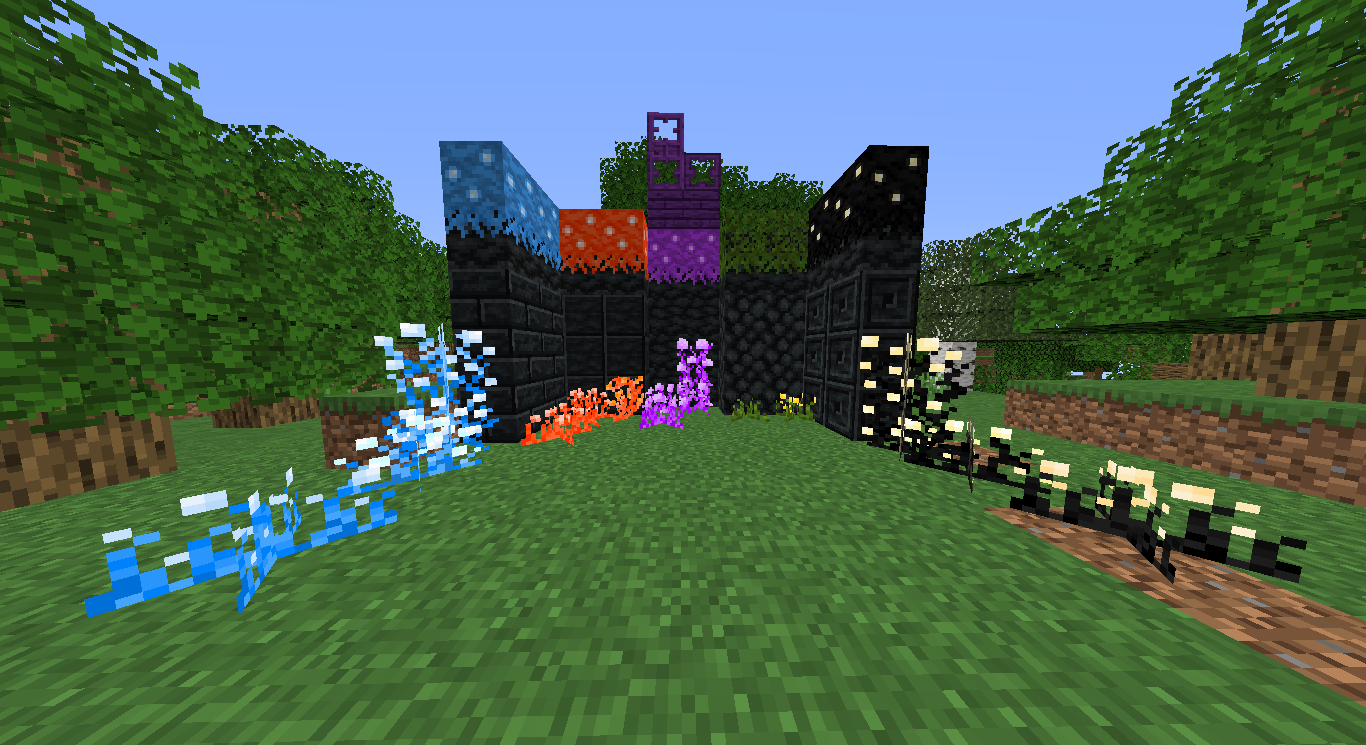
Blocks
Tools:
1 - Darksteel Tools - these tools are slightly better then diamond tools, they mine slightly faster and the sword and axe deal slightly more damage, when mobs are hit with the sword there is a chance that the mob gets slowness, when blocks are broken with the pickaxe there is a small chance you get haste 2 for a few seconds.
How To Make The Undergrowth Portal:
First you need to craft the portal blocks, if you have JEI you need to search unactivated portal block, then click on this for the recipe, do the same thing for the igniter, Search Energy Core For the recipe. Then make a nether portal shaped portal, then activate the portal blocks with redstone, when all portal blocks are activated, click on it with the energy core.
There is more that i might have not talked about, if you dont know how everything works, please comment for help.
Note: there are not coming any updates anymore because i've lost all data
This Mod Is Created With Mcreator
Project description from CurseForge.
Pick your setup
TheUndergrowth by Minecraft version and loader
Choose the version and loader you play, then open the matching release.
Check the dependencies, then try the file in a copied instance before changing a world you care about.
Recent files
TheUndergrowth versions and loaders
TheUndergrowth V16.jar
23 Jun 2021
Client Source doesn’t say Server Source doesn’t say Dependencies No extras listed Listed on Release listing
Check the 1.16.5 setup 1.16.5 release
TheUndergrowth V15.jar
23 Jun 2021
Client Source doesn’t say Server Source doesn’t say Dependencies No extras listed Listed on Release listing
Check the 1.16.5 setup 1.16.5 beta
TheUndergrowth V14.jar
23 Jun 2021
Client Source doesn’t say Server Source doesn’t say Dependencies No extras listed Listed on Release listing
Check the 1.16.5 setup 1.16.5 beta
TheUndergrowth V13.jar
23 Jun 2021
Client Source doesn’t say Server Source doesn’t say Dependencies No extras listed Listed on Release listing
Check the 1.16.5 setup 1.16.5 beta
TheUndergrowth V12.jar
23 Jun 2021
Client Source doesn’t say Server Source doesn’t say Dependencies No extras listed Listed on Release listing
Check the 1.16.5 setup 1.16.5 alpha
TheUndergrowth V10.jar
23 Jun 2021
Client Source doesn’t say Server Source doesn’t say Dependencies No extras listed Listed on Release listing
Check the 1.16.5 setup 1.16.5 beta
TheUndergrowth V8
TheUndergrowth V8.jar
23 Jun 2021
Client Source doesn’t say Server Source doesn’t say Dependencies No extras listed Listed on Release listing
Check the 1.16.5 setup 1.16.5 beta
Looking for an older file? The official CurseForge project page is in Resources.
 mod
CurseForge · Minecraft
Rich Vanilla
A WIP in-depth revamp and reimagining of the vanilla experience
 mod
CurseForge · Minecraft
Guhs
Chubby pink plush mice to tame, dress up and cuddle, and a whole pink Guhmension!
 mod
CurseForge · Minecraft
SlabsUpdate
Finally, halfspace placement in Minecraft! Place Slabs, Blocks, Fluids, Objects of any kind ontop of each other in any constellation you like. Be flabbergasted of the wonderful world of Minecraft in a double rendered worldgen full of details.