JinGames JRMCore Needed by JinGames Years C Years C v1.2.5 [1.7.10]
requiredMatching file found Matched file: JRMCore v1.3.51 [1.7.10]
CurseForge · Minecraft mod
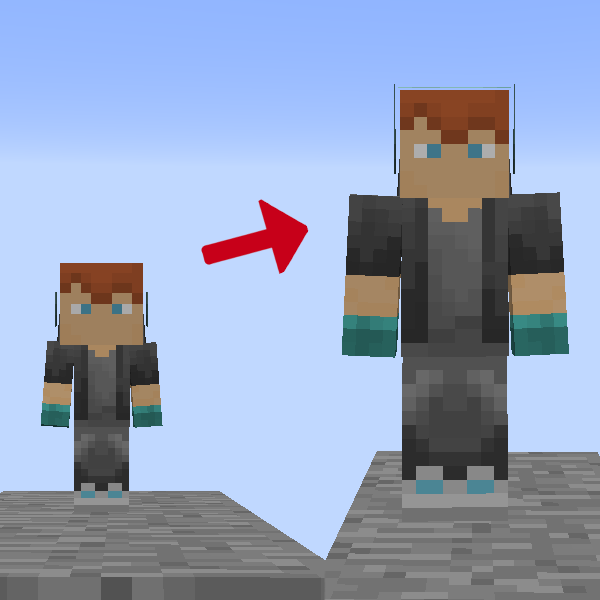
Select an age and get old.
Quick answer
JinGames Years C Years C v1.2.5 [1.7.10] targets 1.7.10 with Forge. The project page does not say whether this file belongs on the client, dedicated server, or both. All 2 required mods have matching files.
Where it goes
The project page does not say whether this file belongs on the client, dedicated server, or both.
The source does not explicitly classify this release as client-only or server-only.
Years C v1.2.5 [1.7.10]. Change the file and its required mods may change too.
Install JinGames JRMCore, JinGames JBRA Client first. We found matching files for this game-version and loader setup.
We only count dependency files that match this setup. A file for another loader does not fill the gap.
Before you install it
Built for JinGames Years C Years C v1.2.5 [1.7.10]. Pick another file and the loader, install side or required mods may change.
Use Years C v1.2.5 [1.7.10]. It targets 1.7.10 with Forge; another release may have different loader, side or dependency requirements.
Install JinGames JRMCore, JinGames JBRA Client first. We found matching files for this game-version and loader setup.
The project page does not say whether this file belongs on the client, dedicated server, or both.
Use the “Get this file” button beside Years C v1.2.5 [1.7.10]. It opens that exact file at the source.
About this project

Select an age and get old!
Q: Will the mod be updated to a newer Forge version?
A: An updated version is available HERE
Other Questions and Answers can be found on our FAQ at https://main.jingames.net/faq/
Notes:
OUR PATREON: patreon.com/JinRyuu
SERVER DONATION: JinGames DBC Zero S Minecraft Server

Need a Minecraft Server? BisectHosting is a super easy to use Server Hosting provider!
Use our Link and promo code JinGames to get 25% OFF your first month.
 WEBSITE |
 DISCORD |
|---|
Project description from CurseForge.
Pick your setup
Choose the version and loader you play, then open the matching release.
Check the dependencies, then try the file in a copied instance before changing a world you care about.
Recent files
JYearsC-v1.2.5.jar
24 Jun 2021
Looking for an older file? The official CurseForge project page is in Resources.
 mod
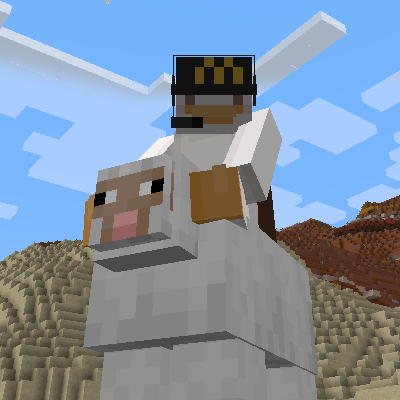
modUniversal mob sitting system that lets you sit on any mob using Right Shift + double right click or the /sit command
 mod
modCobbleGacha Expanded is a Cobblemon gacha mod featuring rotating limited banners, rate-up Pokémon, pity and 50/50 guarantees, pull history, and configurable server-side banner management.