Minecraft version
Back to mods 
CurseForge · Minecraft mod
Hbm's Nuclear Tech Mod but its a different version
RBMK in curseforge modpacks, neato!
Choose a version Pick your version below, then grab the matching file.
Quick answer
Which Hbm's Nuclear Tech Mod but its a different version release should I use?
beta file beb (Memepack 8)
Game version 1.7.10
Loader Forge
Hbm's Nuclear Tech Mod but its a different version beb (Memepack 8) targets 1.7.10 with Forge. The project page does not say whether this file belongs on the client, dedicated server, or both. No extra mods listed for this file.
Where it goes
Is Hbm's Nuclear Tech Mod but its a different version required on the client, server, or both?
The project page does not say whether this file belongs on the client, dedicated server, or both.
Client Source doesn’t say
Dedicated server Source doesn’t say
Loader for this release Forge
Required install it here Optional supported, not mandatory Not supported do not install here Source doesn’t say do not assume
The source does not explicitly classify this release as client-only or server-only.
What else does Hbm's Nuclear Tech Mod but its a different version beb (Memepack 8) need?
beb (Memepack 8). Change the file and its required mods may change too.
This file does not list any required mods. Do not add a library just because a different file uses it.
This file does not list any required or optional mods.
Before you install it
Add Hbm's Nuclear Tech Mod but its a different version without breaking your instance.
Built for Hbm's Nuclear Tech Mod but its a different version beb (Memepack 8). Pick another file and the loader, install side or required mods may change.
- 01
Stick to this file
Use beb (Memepack 8). It targets 1.7.10 with Forge; another release may have different loader, side or dependency requirements.
- 02
Bring the mods it needs
This file does not list any required mods. Do not add a library just because a different file uses it.
- 03
Put it on the correct side
The project page does not say whether this file belongs on the client, dedicated server, or both.
- 04
Pick the file you checked
Use the “Get this file” button beside beb (Memepack 8). It opens that exact file at the source.
About this project
What does Hbm's Nuclear Tech Mod but its a different version add?
This isn't mine.
Reuploading for an old update, heres the forge: Forge
I will not upload another file, this is just here to keep modpacks intact incase this was used.
Original description:

Use of Not Enough Items strongly recommended!
Hbm's Nuclear Tech Mod is, as the name implies, all about technology, atomic science and nuclear weapons. It features an expansive tech tree of various processing and utility machines, craftable bombs and missiles, guns, and abandoned structures to explore. No longer are nukes just green TNT blocks - you will have to synthesize new types of explosives and enrich uranium before you can send nuclear missiles towards your pals.
Installation
HBM's NTM does not have any special dependencies, so the installation procedure is the usual:
- Download the .jar file
- Install Forge modloader on your 1.7.10 minecraft profile
- Launch the game once (or manually create the mods folder)
- Navigate to .minecraft and drop the jar file into the mods folder

First steps
Getting started might be a bit confusing at first, so here's a list of things to do in survival
- Craft a template folder
- Craft a burner press
- Make flat stamps
- Use folder to turn flat stamps into plate stamps
- Make copper plates
- Craft a blast furnace
- Make steel and minecraft grade copper
- Stamp copper into wires
- Craft an assembly machine
Once you've gotten this far, you should have a feel for how the mod works and with the help of NEI you'll find out what you want to do next. For more information, check out the official wiki.
Since a picture says more than a thousand words, take a look at the images tab to get a taste of what this mod is all about!
Project description from CurseForge.
Pick your setup
Hbm's Nuclear Tech Mod but its a different version by Minecraft version and loader
Choose the version and loader you play, then open the matching release.
Check the dependencies, then try the file in a copied instance before changing a world you care about.
Recent files
Hbm's Nuclear Tech Mod but its a different version versions and loaders
beb (Memepack 8)
hbm_1.0.27_X3902.jar
26 Jun 2021
Client Source doesn’t say Server Source doesn’t say Dependencies No extras listed Listed on Release listing
Check the 1.7.10 · Forge setup Forge1.7.10 beta
Looking for an older file? The official CurseForge project page is in Resources.
 mod
CurseForge · Minecraft
Realistic Walkie-Talkie
Tango-Oscar-November-India; Walkie-talkies for Simple Voice Chat: tune a frequency and talk to everyone on it, with radio sound, beeps, signal bars and a clean HUD.
 mod
CurseForge · Minecraft
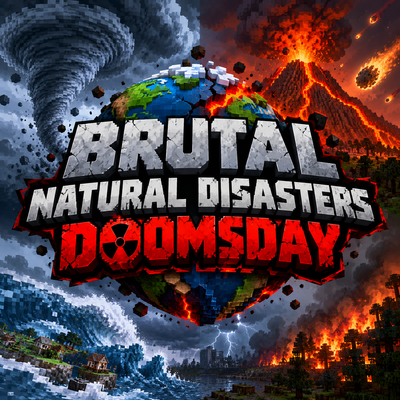
Natural Disasters: DOOMSDAY
Earthquakes, tsunamis, tornadoes, hurricanes, volcanoes, meteors and more. 7 intensity tiers up to The End of the World, warning signs, chain reactions and real terrain destruction. Summon any disaster with the Harbinger.
 mod
CurseForge · Minecraft
NormCraftAI
NormCraftAI is a sophisticated AI companion designed to run autonomously and use a LLM backend either in cloud with an API Key or locally hosted ollama. In can gather, craft, build, farm and more.