


Minecraft version
Back to mods 
Modrinth · Minecraft mod
ServerCore
A mod that aims to optimize the minecraft server.
Choose a version Pick your version below, then grab the matching file.
Quick answer
Which ServerCore release should I use?
Latest stable file 1.5.19+1.21.1
Game version 1.21.1
Loader NeoForge
ServerCore 1.5.19+1.21.1 targets 1.21.1 with NeoForge. Do not install it on the client. It must be installed on the dedicated server. No extra mods listed for this file.
Where it goes
Is ServerCore required on the client, server, or both?
Do not install it on the client. It must be installed on the dedicated server.
Client Not supported
Dedicated server Required
Loader for this release NeoForge
Required install it here Optional supported, not mandatory Not supported do not install here Source doesn’t say do not assume
This file is marked server-only.
What else does ServerCore 1.5.19+1.21.1 need?
1.5.19+1.21.1. Change the file and its required mods may change too.
This file does not list any required mods. Do not add a library just because a different file uses it.
This file does not list any required or optional mods.
Before you install it
Add ServerCore without breaking your instance.
Built for ServerCore 1.5.19+1.21.1. Pick another file and the loader, install side or required mods may change.
- 01
Stick to this file
Use 1.5.19+1.21.1. It targets 1.21.1 with NeoForge; another release may have different loader, side or dependency requirements.
- 02
Bring the mods it needs
This file does not list any required mods. Do not add a library just because a different file uses it.
- 03
Put it on the correct side
Do not install it on the client. It must be installed on the dedicated server.
- 04
Pick the file you checked
Use the “Get this file” button beside 1.5.19+1.21.1. It opens that exact file at the source.
About this project
What does ServerCore add?
ServerCore
A mod that aims to optimize the minecraft server.
Works on both dedicated servers and singleplayer!
This includes:
Several patches & optimizations to improve performance and reduce lagspikes, which shouldn't make any noticeable changes during gameplay.
Many configurable features that can heavily reduce lag, but have a slight impact on gameplay depending on the configuration.
Be advised
By default, ServerCore should not alter vanilla behavior. Features that do are disabled by default.
It is advised to configure this mod to your own requirements for the best balance between speed and behavior.
Features
Optimizations
A lot of the optimizations in this mod are focused on getting rid of the majority of random lagspikes on servers.
Other than that, it also includes plenty of optimizations for things like chunk ticking, mob spawning, item frames and
player logins.
Entity Activation Range
A very configurable feature that allows you to drastically cut down on the amount of entities that have to be processed
on the server.
This is a port based off of Spigot's and PaperMC's implementation, but more configurable with additional (optional) features.
Dynamic performance checks
Allows the server to automatically adjust the current settings depending on the tick time and config.
These include: Chunk-tick distance, View distance, Simulation distance & Mobcaps.
Villager lobotomization
Allows the server to cut down on villager lag from large trading halls, by making villagers stuck inside 1x1 spaces tick less often.
More configurable mobspawning
Allows you to modify the spawnrate and vanilla mobcaps of each individual spawngroup.
It also provides optional functionality to force mobcaps to apply to zombie reinforcements, spawners and nether portal randomticks.
Breeding Caps
A feature that allows you to set a cap on the amount of mobs of the same type that can be bred within a certain radius.
This can be useful to prevent players from breeding thousands of animals like chickens or cows in a small area.
Chunk ticking distance
A setting that allows you to reduce the distance at which chunks can tick (mob spawns & random ticks).
- And more!
Commands, Placeholders and Configuration
Commands
/servercore reload - Reloads the configuration file.
/servercore settings - Allows for modifying dynamic settings ingame.
/servercore status - Gives information about the current dynamic settings.
/mobcaps - Displays current per-player mobcaps for each spawn group.
/statistics entities | block-entities - Displays performance related statistics.
Placeholders
%servercore:view_distance%- The current view distance.%servercore:simulation_distance%- The current simulation distance.%servercore:chunk_tick_distance%- The current chunk tick distance.%servercore:mobcap_percentage%- The global mobcap percentage that is currently being used.%servercore:chunk_count%- The amount of chunks on the server (doesn't have to be fully loaded).%servercore:chunk_count loaded%- The amount of fully loaded chunks on the server (expensive).%servercore:entity_count%- The amount of loaded entities on the server.%servercore:entity_count nearby%- The amount of loaded entities nearby.%servercore:block_entity_count%- The amount of ticking block entities on the server.%servercore:block_entity_count nearby%- The amount of ticking block entities nearby.
Configuration
By default, ServerCore will disable most of its changes that can affect vanilla behavior.
This way you can safely install the mod without having to worry about breaking things.
However, if you want to squeeze out the most performance, these default settings might not be enough.
To change these settings you can edit config.yml and optimizations.yml in the config/servercore folder.
You can find some example configurations here.
License
ServerCore contains several ports based on patches from repositories such as PaperMC, Purpur and Airplane.
If a file uses the GPL-3.0 license it will be stated at the top. All other files are licensed under MIT.
Project description from Modrinth.
Pick your setup
ServerCore by Minecraft version and loader
Choose the version and loader you play, then open the matching release.
Minecraft version
26.1.2
2 loader buildsMinecraft version
26.1.1
2 loader buildsMinecraft version
26.1
2 loader buildsMinecraft version
1.21.11
2 loader buildsMinecraft version
1.21.10
2 loader buildsMinecraft version
1.21.9
2 loader buildsMinecraft version
1.21.8
2 loader buildsMinecraft version
1.21.7
2 loader buildsMinecraft version
1.21.6
2 loader buildsMinecraft version
1.21.5
2 loader buildsMinecraft version
1.21.4
2 loader buildsShowing the newest 12 of 37 game versions. Older files are in the list below.
Check the dependencies, then try the file in a copied instance before changing a world you care about.
Recent files
ServerCore versions and loaders
1.5.19+1.21.1
servercore-neoforge-1.5.19+1.21.1.jar
24 Jun 2026
Client Not supported Server Required Dependencies No extras listed Listed on Release listing
Check the 1.21.1 · NeoForge setup 1.21.1NeoForge release
1.5.19+1.21.1
servercore-fabric-1.5.19+1.21.1.jar
24 Jun 2026
Client Not supported Server Required Dependencies No extras listed Listed on Release listing
Check the 1.21.1 · Fabric setup 1.21.1Fabric release
1.5.19+26.1.2
servercore-neoforge-1.5.19+26.1.2.jar
24 Jun 2026
Client Not supported Server Required Dependencies No extras listed Listed on Release listing
Check the 26.1.2 · NeoForge setup 26.1.2NeoForge release
1.5.19+26.1.2
servercore-fabric-1.5.19+26.1.2.jar
24 Jun 2026
Client Not supported Server Required Dependencies No extras listed Listed on Release listing
Check the 26.1.2 · Fabric setup 26.1.2Fabric release
1.5.19+26.2
servercore-neoforge-1.5.19+26.2.jar
24 Jun 2026
Client Not supported Server Required Dependencies No extras listed Listed on Release listing
Check the 26.2 · NeoForge setup 26.2NeoForge release
1.5.19+26.2
servercore-fabric-1.5.19+26.2.jar
24 Jun 2026
Client Not supported Server Required Dependencies No extras listed Listed on Release listing
Check the 26.2 · Fabric setup 26.2Fabric release
1.5.18+26.2
servercore-neoforge-1.5.18+26.2.jar
16 Jun 2026
Client Not supported Server Required Dependencies No extras listed Listed on Release listing
Check the 26.2 · NeoForge setup 26.2NeoForge release
1.5.18+26.2
servercore-fabric-1.5.18+26.2.jar
16 Jun 2026
Client Not supported Server Required Dependencies No extras listed Listed on Release listing
Check the 26.2 · Fabric setup 26.2Fabric release
1.5.18+26.1.2
servercore-neoforge-1.5.18+26.1.2.jar
16 Jun 2026
Client Not supported Server Required Dependencies No extras listed Listed on Release listing
Check the 26.1.2 · NeoForge setup 26.1.2NeoForge release
1.5.18+26.1.2
servercore-fabric-1.5.18+26.1.2.jar
16 Jun 2026
Client Not supported Server Required Dependencies No extras listed Listed on Release listing
Check the 26.1.2 · Fabric setup 26.1.2Fabric release
1.5.17+1.21.1
servercore-neoforge-1.5.17+1.21.1.jar
23 May 2026
Client Not supported Server Required Dependencies No extras listed Listed on Release listing
Check the 1.21.1 · NeoForge setup 1.21.1NeoForge release
1.5.17+1.21.1
servercore-fabric-1.5.17+1.21.1.jar
23 May 2026
Client Not supported Server Required Dependencies No extras listed Listed on Release listing
Check the 1.21.1 · Fabric setup 1.21.1Fabric release
Looking for an older file? The official Modrinth project page is in Resources.
 mod
mod CurseForge + Modrinth · Minecraft
Packed Packs
Pack resource and data packs into profiles with multiple selection, drag and drop, and extended mouse and keyboard controls.
 mod
mod CurseForge + Modrinth · Minecraft
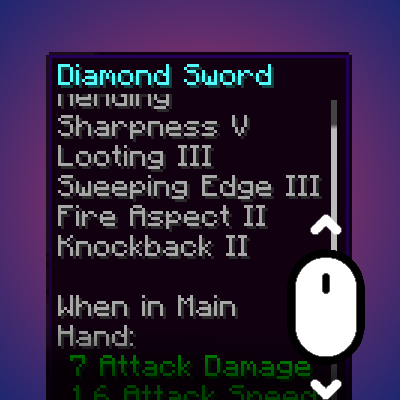
Smart Tooltip Scroll
Dynamically resizes and scrolls oversized tooltips while keeping the item title anchored.
 mod
mod CurseForge + Modrinth · Minecraft
Create: Melodies & Mechanisms
Craft and replicate music discs through elegant automation with Create's mechanical wonders.