Minecraft version
Back to mods 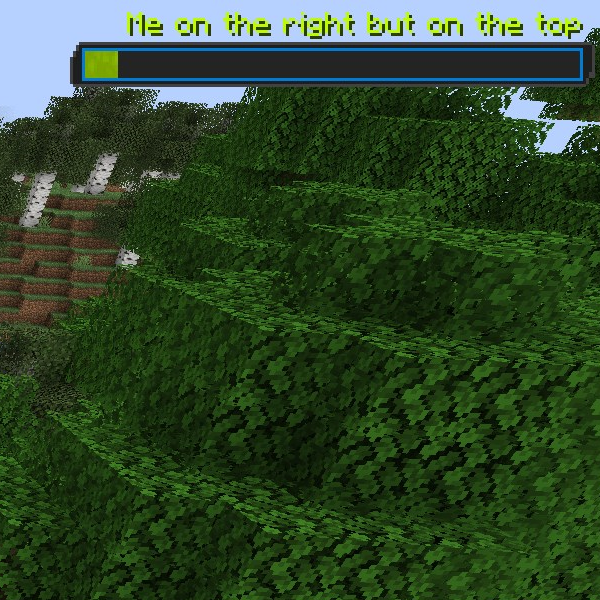
CurseForge · Minecraft mod
RaidMeter
Displaying your progress with style
Choose a version Pick your version below, then grab the matching file.
Quick answer
Which RaidMeter release should I use?
Latest stable file raidmeter-1.20.1-2.2.1.jar
Game version 1.20.1
Loader Forge
raidmeter-1.20.1-2.2.1.jar targets 1.20.1 with Forge. The project page does not say whether this file belongs on the client, dedicated server, or both. No extra mods listed for this file.
Where it goes
Is RaidMeter required on the client, server, or both?
The project page does not say whether this file belongs on the client, dedicated server, or both.
Client Source doesn’t say
Dedicated server Source doesn’t say
Loader for this release Forge
Required install it here Optional supported, not mandatory Not supported do not install here Source doesn’t say do not assume
The source does not explicitly classify this release as client-only or server-only.
What else does raidmeter-1.20.1-2.2.1.jar need?
raidmeter-1.20.1-2.2.1.jar. Change the file and its required mods may change too.
This file does not list any required mods. Do not add a library just because a different file uses it.
This file does not list any required or optional mods.
Before you install it
Add RaidMeter without breaking your instance.
Built for raidmeter-1.20.1-2.2.1.jar. Pick another file and the loader, install side or required mods may change.
- 01
Stick to this file
Use raidmeter-1.20.1-2.2.1.jar. It targets 1.20.1 with Forge; another release may have different loader, side or dependency requirements.
- 02
Bring the mods it needs
This file does not list any required mods. Do not add a library just because a different file uses it.
- 03
Put it on the correct side
The project page does not say whether this file belongs on the client, dedicated server, or both.
- 04
Pick the file you checked
Use the “Get this file” button beside raidmeter-1.20.1-2.2.1.jar. It opens that exact file at the source.
About this project
What does RaidMeter add?

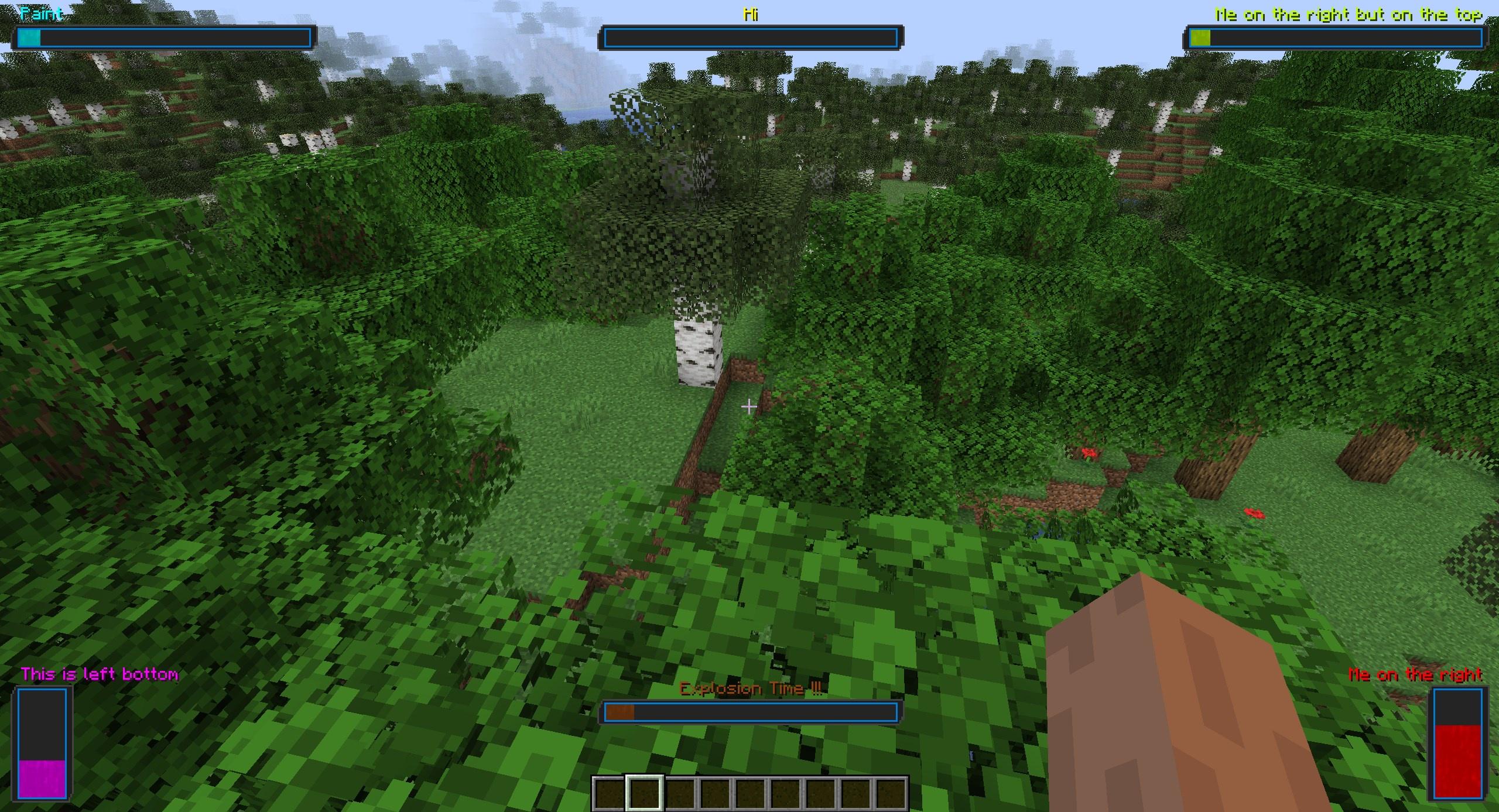
With RaidMeter you can display progress you make in game and trigger something when completed. Very useful with CCI to have a fancy way of displaying its progress. This mod has the **/raidmeter** command to set everything up:
- /raidmeter add id display_name max_amount current_amount position type
- /raidmeter remove id
- /raidmeter modify id add|set|color|current_amount|max_amount|name|position|type|display_add|display_remove|display_for|ticking_time|ticking_change_amount
- /raidmeter info id color|current_amount|max_amount|name|position|type
The add command allows you to create new meters, the remove command allows you to remove a meter, the modify command will allow you to alter any value of the meter. The info command allows you to check the values of the meter. Command autocomplete will help you a lot through the commands, if something doesn't have autocomplete is probably a number. The id value is a short identifier for the meter like **potato2** and display\_name can be a phrase between quotes like "Cats are the best"
To do crazy stuff with CCI you can use the Game Hooks feature using the RaidMeterEvent.Complete event to check when a bar completes more info in thisiChun tutorial. You can also use CCI to trigger the modify command to increase the progress of the meters. Small example of the gamehooks.json :
{
  "listeners": [
    {
      "className": "RaidMeterEvent$Complete",
      "staticAccessors": [],
      "accessors": [{ "function": "RaidMeter"}
      ],
      "argBasedAccessors": {},
      "event": {
        "conditions": [],
        "outcomes": [
          {
            "message": "Test",
            "type": "narrator"
          }
        ]
      }
    }
  ]
}
 Discord {width=32 height=32} Patreon
  Twitter

Project description from CurseForge.
Pick your setup
RaidMeter by Minecraft version and loader
Choose the version and loader you play, then open the matching release.
Minecraft version
1.19.2
1 loader buildMinecraft version
1.18.2
1 loader buildMinecraft version
1.18.1
1 loader buildMinecraft version
1.16.5
1 loader buildCheck the dependencies, then try the file in a copied instance before changing a world you care about.
Recent files
RaidMeter versions and loaders
raidmeter-1.20.1-2.2.1.jar
27 Oct 2024
Client Source doesn’t say Server Source doesn’t say Dependencies No extras listed Listed on Release listing
Check the 1.20.1 · Forge setup 1.20.1Forge release
raidmeter-2.2.0.jar
4 Nov 2023
Client Source doesn’t say Server Source doesn’t say Dependencies No extras listed Listed on Release listing
Check the 1.20.1 · Forge setup 1.20.1Forge beta
raidmeter-2.1.0.jar
13 Apr 2023
Client Source doesn’t say Server Source doesn’t say Dependencies No extras listed Listed on Release listing
Check the 1.19.2 · Forge setup 1.19.2Forge beta
raidmeter-2.0.3.jar
14 Jan 2023
Client Source doesn’t say Server Source doesn’t say Dependencies No extras listed Listed on Release listing
Check the 1.18.2 · Forge setup 1.18.11.18.2Forge release
raidmeter-2.0.2.jar
28 May 2022
Client Source doesn’t say Server Source doesn’t say Dependencies No extras listed Listed on Release listing
Check the 1.18.2 · Forge setup 1.18.11.18.2Forge release
raidmeter-2.0.1.jar
8 Jan 2022
Client Source doesn’t say Server Source doesn’t say Dependencies No extras listed Listed on Release listing
Check the 1.18.1 · Forge setup 1.18.1Forge beta
raidmeter-2.0.0.jar
7 Jan 2022
Client Source doesn’t say Server Source doesn’t say Dependencies No extras listed Listed on Release listing
Check the 1.18.1 · Forge setup 1.18.1Forge beta
raidmeter-1.0.2.jar
26 Dec 2021
Client Source doesn’t say Server Source doesn’t say Dependencies No extras listed Listed on Release listing
Check the 1.16.5 setup 1.16.5 beta
raidmeter-1.0.1.jar
5 Aug 2021
Client Source doesn’t say Server Source doesn’t say Dependencies No extras listed Listed on Release listing
Check the 1.16.5 setup 1.16.5 beta
raidmeter-1.0.0.jar
25 Jul 2021
Client Source doesn’t say Server Source doesn’t say Dependencies No extras listed Listed on Release listing
Check the 1.16.5 setup 1.16.5 beta
Looking for an older file? The official CurseForge project page is in Resources.
 mod
mod CurseForge + Modrinth · Minecraft
Gouge
Slam your pickaxe into a wall mid-fall to slow your descent or lock yourself in place before you hit the ground.
 mod
mod CurseForge · Minecraft
ReplayModCinematics: Camera Paths for Replay Mod
Unofficial Replay Mod add-on: smooth camera paths, orbits and entity-follow shots. For Forge, NeoForge and Fabric.
 mod
mod CurseForge · Minecraft
Viper Cosmetics
A cosmetic mod with a client side where you can customize the cosmetics you choose from the mod.