Fabric API Needed by The Guild [Fabric 1.20] The Guild 0.4.6
requiredNo matching file
CurseForge · Minecraft mod
Quests, expeditions and adventures await you!
Quick answer
The Guild [Fabric 1.20] The Guild 0.4.6 targets 1.20 with Fabric. The project page does not say whether it belongs on the client. The project page does not say whether it belongs on the dedicated server. 1 required mod needs a matching file.
Where it goes
The project page does not say whether it belongs on the client. The project page does not say whether it belongs on the dedicated server.
The source does not explicitly classify this release as client-only or server-only.
[Fabric 1.20] The Guild 0.4.6 on 1.20 Fabric. Every mod below is checked against that same setup.
Install Fabric API first, but 1 required mod has no matching file for this setup. Do not mix loader builds to force a match.
We only count dependency files that match this setup. A file for another loader does not fill the gap.
Before you install it
Built for The Guild [Fabric 1.20] The Guild 0.4.6 on 1.20 Fabric. Pick another file and the loader, install side or required mods may change.
Use [Fabric 1.20] The Guild 0.4.6. It targets 1.20 with Fabric; another release may have different loader, side or dependency requirements.
Install Fabric API first, but 1 required mod has no matching file for this setup. Do not mix loader builds to force a match.
The project page does not say whether it belongs on the client. The project page does not say whether it belongs on the dedicated server.
Use the “Get this file” button beside [Fabric 1.20] The Guild 0.4.6. It opens that exact file at the source.
About this project
Welcome to The Guild, a quest mod inspired by Bountiful.
Have you ever wanted to go on an adventure? Or maybe you're more inclined for a stable life? Either way The Guild has got you covered!
Choose between 15 different professions (7 available at the moment) and embark on a journey of questing!
This mod adds quests to the game.
A quest is a set of randomly generated tasks usually accompanied by a corresponding reward based on said tasks.
Quests are highly customizable through datapacks, with a solid base of defaults so you can start adventuring out of the box.
To start, find a Guild Master in a plains village, and buy a Profession Licence.
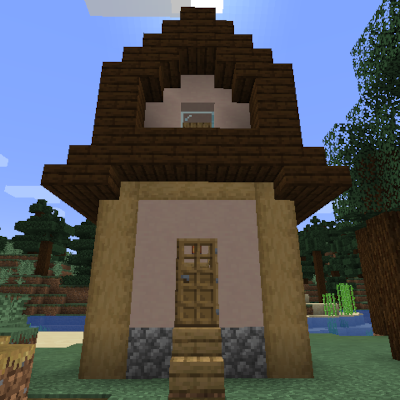
Here's The Guild, a build found mainly in plains villages and more rarely in other ones. Here you can buy Professions Licences to start accepting quests or to expand your choices. 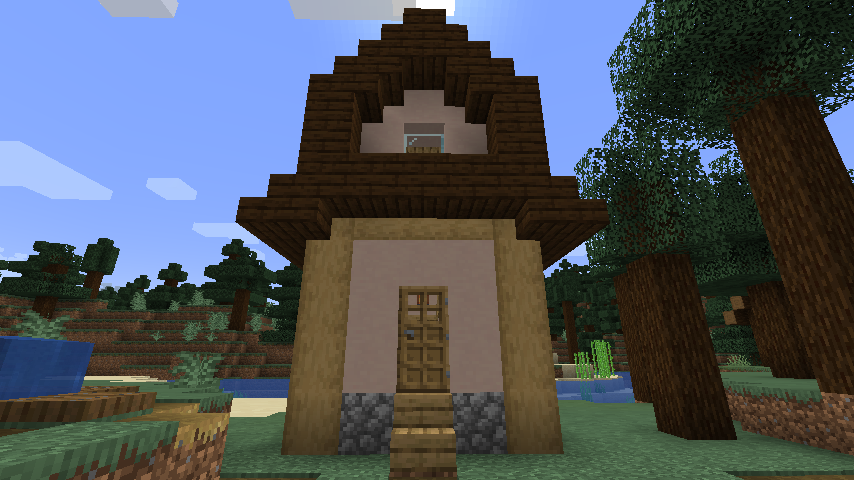
Obtaining and using a licence will unlock the entire Questing system. To open the Quests Screen press the Guild Screen Key (J by default).
The Quests Screen showing available quests (on the left) and accepted quests (on the right). Professions are also visible on the top.
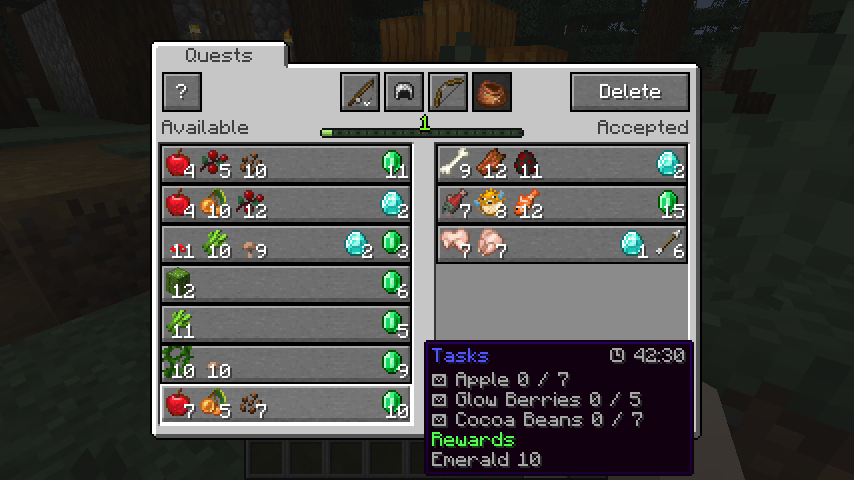
Customizing quests is easy, you can follow the guide here to create your own quests datapacks in minutes!
https://github.com/Fulmineo64/Guild/tree/master/examples/datapacks
Is there gonna be a Forge version?
No, but you can download the Bountiful mod which offers many of the functionalities.
You can discuss, suggest new features and get previews of my mods on my Discord server!
Have fun living your adventures!
Project description from CurseForge.
Pick your setup
Choose the version and loader you play, then open the matching release.
Showing the newest 12 of 14 game versions. Older files are in the list below.
Check the dependencies, then try the file in a copied instance before changing a world you care about.
Recent files
guild-fabric-0.4.6.jar
3 Mar 2024
Looking for an older file? The official CurseForge project page is in Resources.
 mod
mod10,000+ unique structures available to /paste into your world
 mod
modSpawns a zombified version of the player after death
 mod
modA mod adds all of the fish from Sea of Thieves, fish fer ye pirate!