StrangeLib Needed by BorealisExpansion-1.12.2-0.3.10.jar
requiredMatching file found Matched file: starngeLib-1.12.2-0.0.3.jar
CurseForge · Minecraft mod
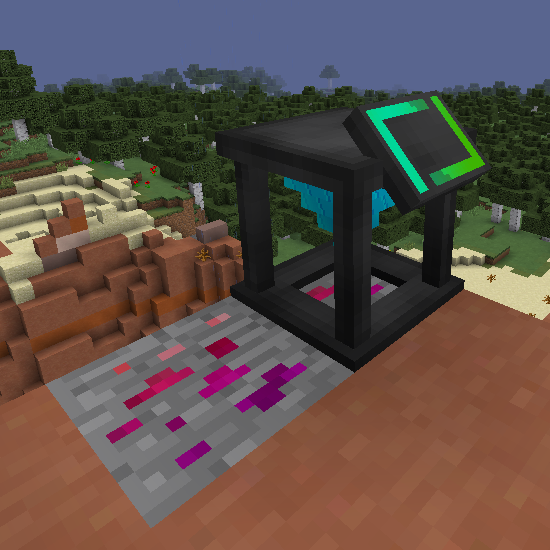
Technical mod for working with dark energy
Quick answer
BorealisExpansion-1.12.2-0.3.10.jar targets 1.12.2 with Forge. The project page does not say whether this file belongs on the client, dedicated server, or both. All 1 required mods have matching files.
Where it goes
The project page does not say whether this file belongs on the client, dedicated server, or both.
The source does not explicitly classify this release as client-only or server-only.
BorealisExpansion-1.12.2-0.3.10.jar. Change the file and its required mods may change too.
Install StrangeLib first. We found matching files for this game-version and loader setup.
We only count dependency files that match this setup. A file for another loader does not fill the gap.
Before you install it
Built for BorealisExpansion-1.12.2-0.3.10.jar. Pick another file and the loader, install side or required mods may change.
Use BorealisExpansion-1.12.2-0.3.10.jar. It targets 1.12.2 with Forge; another release may have different loader, side or dependency requirements.
Install StrangeLib first. We found matching files for this game-version and loader setup.
The project page does not say whether this file belongs on the client, dedicated server, or both.
Use the “Get this file” button beside BorealisExpansion-1.12.2-0.3.10.jar. It opens that exact file at the source.
About this project
FAQ:
You can use this mod in any modpack.
Discord server where you can report errors and crashes or leave your suggestions.
If you like BorealisExpansion and want to support the mod and me in my modding endeavours, you can become a patron on Patreon.
Mixer
You can call the Mixer package using <mods.borealisexpansion.mixer>
Recipe addition
//mixer.addRecipe(IItemStack inputLeft, IItemStack inputRight, IItemStack output, int time, int power);
mixer.addRecipe(<minecraft:diamond>, <minecraft:grass>, <minecraft:apple>, 10, 10);
Recipe removal
//mixer.removeRecipe(IItemStack output);
mixer.removeRecipe(<borealisexpansion:crystal:5>);
//mixer.removeRecipe(IItemStack input1, IItemStack input2);
mixer.removeRecipe(<minecraft:diamond>, <minecraft:dirt>);
Dark Furnace
You can call the Dark Furnace package using <mods.borealisexpansion.dark_furnace>
Recipe addition
//dark_furnace.addRecipe(IItemStack input, IItemStack outputResource, IItemStack outputCatalyst, byte catalystChance, int time, int power);
dark_furnace.addRecipe(<minecraft:diamond>, <minecraft:grass>, <minecraft:planks>, byte catalystChance, 40, 10);
Recipe removal
//dark_furnace.removeRecipe(IItemStack input);
dark_furnace.removeRecipe(<minecraft:diamond>);
Duplicator
You can call the Duplicator package using <mods.borealisexpansion.dublicator>
Recipe addition
//dublicator.addRecipe(IItemStack input, int chanceSecondDrop, int chanceThirdDrop, int time, int power);
dublicator.addRecipe(<minecraft:diamond>, 50, 15, 100, 1);
Recipe removal
//dublicator.removeRecipe(IItemStack input);
dublicator.removeRecipe(<minecraft:diamond>);
Washing
You can call the Washing package using <mods.borealisexpansion.washing>
Recipe addition
//washing.addRecipe(IItemStack input, IItemStack output);
washing.addRecipe(<minecraft:grass>, <minecraft:dirt:1>);
Recipe removal
//washing.removeRecipe(IItemStack input);
washing.removeRecipe(<minecraft:diamond>);
Project description from CurseForge.
Pick your setup
Choose the version and loader you play, then open the matching release.
Check the dependencies, then try the file in a copied instance before changing a world you care about.
Recent files
BorealisExpansion-0.3.10.jar
18 Mar 2022
BorealisExpansion-0.3.9.jar
4 Mar 2022
17 Feb 2022
2 Feb 2022
BorealisExpansion-1.12.2-0.3.6.jar
27 Jan 2022
BorealisExpansion-0.3.5.jar
16 Jan 2022
BorealisExpansion-0.3.0.jar
10 Jan 2022
BorealisExpasion-0.3.3.jar
1 Nov 2021
BorealisExpasion-0.3.2.jar
8 Oct 2021
BorealisExpasion-0.3.1.jar
6 Oct 2021
BorealisExpasion-0.3.0.jar
26 Sept 2021
Looking for an older file? The official CurseForge project page is in Resources.
 mod
modExpands your Refined Storage Wireless Grid with automatic inventory transfers, block picking, item collection, and additional energy capacity upgrades
 mod
modVideo, GIF and photo backgrounds for Minecraft menus. Astral controls, automatic pause when unfocused and an optional custom home. Fabric.
 mod
modCreate programmable logistics and automation networks
