YetAnotherConfigLib Needed by Bridging Mod [NeoForge 26.3] v2.7.0 Bridging Mod
requiredMatching file found Matched file: 3.9.7 for neoforge 26.3
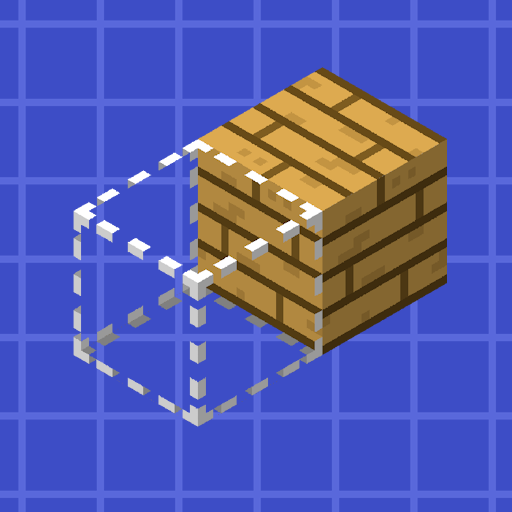
CurseForge · Minecraft mod
Reacharound Placement / Bedrock Bridging for Fabric, Forge & Quilt with a few extra tweaks
Quick answer
Bridging Mod [NeoForge 26.3] v2.7.0 Bridging Mod targets 26.3 with NeoForge. The project page does not say whether this file belongs on the client, dedicated server, or both. All 2 required mods have matching files.
Where it goes
The project page does not say whether this file belongs on the client, dedicated server, or both.
The source does not explicitly classify this release as client-only or server-only.
[NeoForge 26.3] v2.7.0 Bridging Mod. Change the file and its required mods may change too.
Install YetAnotherConfigLib, YetAnotherConfigLib (YACL) first. We found matching files for this game-version and loader setup.
We only count dependency files that match this setup. A file for another loader does not fill the gap.
Before you install it
Built for Bridging Mod [NeoForge 26.3] v2.7.0 Bridging Mod. Pick another file and the loader, install side or required mods may change.
Use [NeoForge 26.3] v2.7.0 Bridging Mod. It targets 26.3 with NeoForge; another release may have different loader, side or dependency requirements.
Install YetAnotherConfigLib, YetAnotherConfigLib (YACL) first. We found matching files for this game-version and loader setup.
The project page does not say whether this file belongs on the client, dedicated server, or both.
Use the “Get this file” button beside [NeoForge 26.3] v2.7.0 Bridging Mod. It opens that exact file at the source.
About this project




This mod adds a bridging assist feature often referred to as "Reach-Around Placement" for Forge, Fabric, & Quilt! It's very similar to features found in both Minecraft: Bedrock Edition & the Quark mod, taking the best parts from both.
Bridging allows for placing blocks in gaps in front, above, or below blocks, even if the surface isn't visible! When it's available, a crosshair is shown to indicate where that block will be placed. When the F3 menu is visible, there's an extra outline showing the exact position it's placing in (but you can turn it on all the time in the config)
Scroll down to see it all in detail, screenshots and all!
This mod's official project pages can be found below:
This mod should only be used in singleplayer, or on small servers where all the players involved are okay with it! SMPs, homemade skyblock with friends - that kinda stuff.
It should NOT be used on big networks or on servers where these kinds of modifications are disallowed! You can (and probably will) get banned for using it! It doesn't work on Hypixel anyway, and I won't be fixing that.
Versions of the Bridging Mod older than v2.0.0 were a Fabric port of Quark's "Reach-Around Placement". You can find Quark's source here: https://github.com/VazkiiMods/Quark
Versions since have rewritten it from scratch.
Translations:
Translations are always welcome & very appreciated! Please submit them Here!

Out of the box, the mod just works. It bridges with a crosshair, works on every axis, and tries to keep out of the way when you don't need it. It lets you place blocks in air gaps on both up/down and horizontally. This is useful for
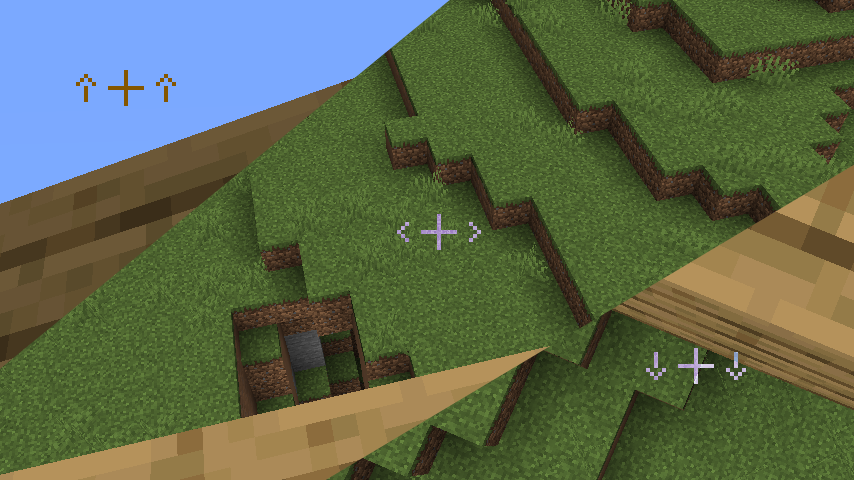
Slabs just work naturally, blocks align to the blocks you're building off properly, and torches no longer get in your way.
This mod is a bit more similar to Bedrock's reacharound than it is to Quark's. It's much more lenient, but it has that added verticality.

It blends in with your regular crosshair and even has support for DynamicCrosshair (Thank you Crendgrim!)
It's only visible when you're about to place a block using bridging mode, and hints to where the block will be bridged off of (up/down/horizontally)
Almost every part of the mod is configurable! The config is split into 4 main tabs:
And if Bridging is being awkward and you don't want to go into the config to turn it off, there's a handy keybind!

Anyways, here's the config:

Project description from CurseForge.
Pick your setup
Choose the version and loader you play, then open the matching release.
Showing the newest 12 of 30 game versions. Older files are in the list below.
Check the dependencies, then try the file in a copied instance before changing a world you care about.
Recent files
BridgingMod-2.7.0+26.3.neoforge-release.jar
21 Sept 2026
BridgingMod-2.7.0+26.3.fabric-release.jar
21 Sept 2026
BridgingMod-2.7.0+26.2.neoforge-release.jar
16 Jun 2026
BridgingMod-2.7.0+26.2.fabric-release.jar
16 Jun 2026
BridgingMod-2.6.6+26.1.neoforge-release.jar
12 Apr 2026
BridgingMod-2.6.6+26.1.fabric-release.jar
12 Apr 2026
BridgingMod-2.6.5+26.1.fabric-release.jar
30 Mar 2026
BridgingMod-2.6.5+26.1.neoforge-release.jar
30 Mar 2026
BridgingMod-2.6.4+1.21.11.neoforge-release.jar
9 Feb 2026
BridgingMod-2.6.4+1.21.11.fabric-release.jar
9 Feb 2026
BridgingMod-2.6.3+1.21.11.neoforge-release.jar
1 Jan 2026
BridgingMod-2.6.3+1.21.11.fabric-release.jar
13 Dec 2025
Looking for an older file? The official CurseForge project page is in Resources.
 mod
modA tech mod with computers, radios, production machines, and control systems.
 mod
modAdds more baby mobs! Baby Blaze, Creeper, Enderman, Shulker and many more...
 mod
modInventory, accessory, backpack, and backup administration for Minecraft servers.
