Fabric API Needed by Trading Post [FABRIC] [26.2.x] v26.2.0
requiredMatching file found Matched file: [26.2] Fabric API 0.158.0+26.2

CurseForge · Minecraft mod
Rule the village! Trade with every villager at once!
Quick answer
Trading Post [FABRIC] [26.2.x] v26.2.0 targets 26.2 with Fabric. The project page does not say whether this file belongs on the client, dedicated server, or both. All 3 required mods have matching files.
Where it goes
The project page does not say whether this file belongs on the client, dedicated server, or both.
The source does not explicitly classify this release as client-only or server-only.
[FABRIC] [26.2.x] v26.2.0 on Fabric. Every mod below is checked against that same setup.
Install Fabric API, Forge Config API Port, Puzzles Lib first. We found matching files for this game-version and loader setup. 4 come through another mod in the chain.
4 extra mods were pulled in by other dependencies. Indented rows show who needs each one. We only count dependency files that match this setup. A file for another loader does not fill the gap.
Before you install it
Built for Trading Post [FABRIC] [26.2.x] v26.2.0 on Fabric. Pick another file and the loader, install side or required mods may change.
Use [FABRIC] [26.2.x] v26.2.0. It targets 26.2 with Fabric; another release may have different loader, side or dependency requirements.
Install Fabric API, Forge Config API Port, Puzzles Lib first. We found matching files for this game-version and loader setup. 4 come through another mod in the chain.
The project page does not say whether this file belongs on the client, dedicated server, or both.
Use the “Get this file” button beside [FABRIC] [26.2.x] v26.2.0. It opens that exact file at the source.
About this project








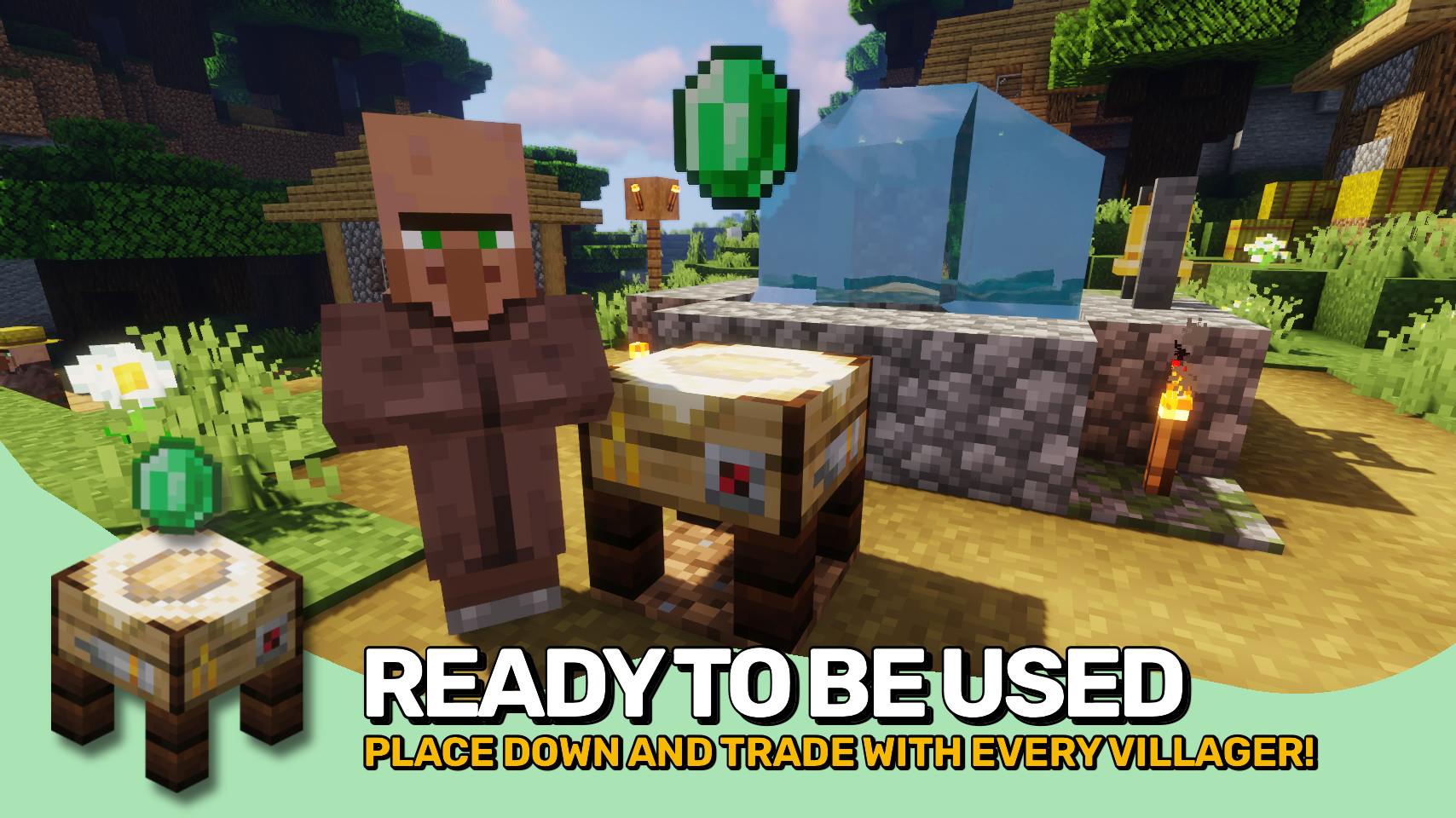
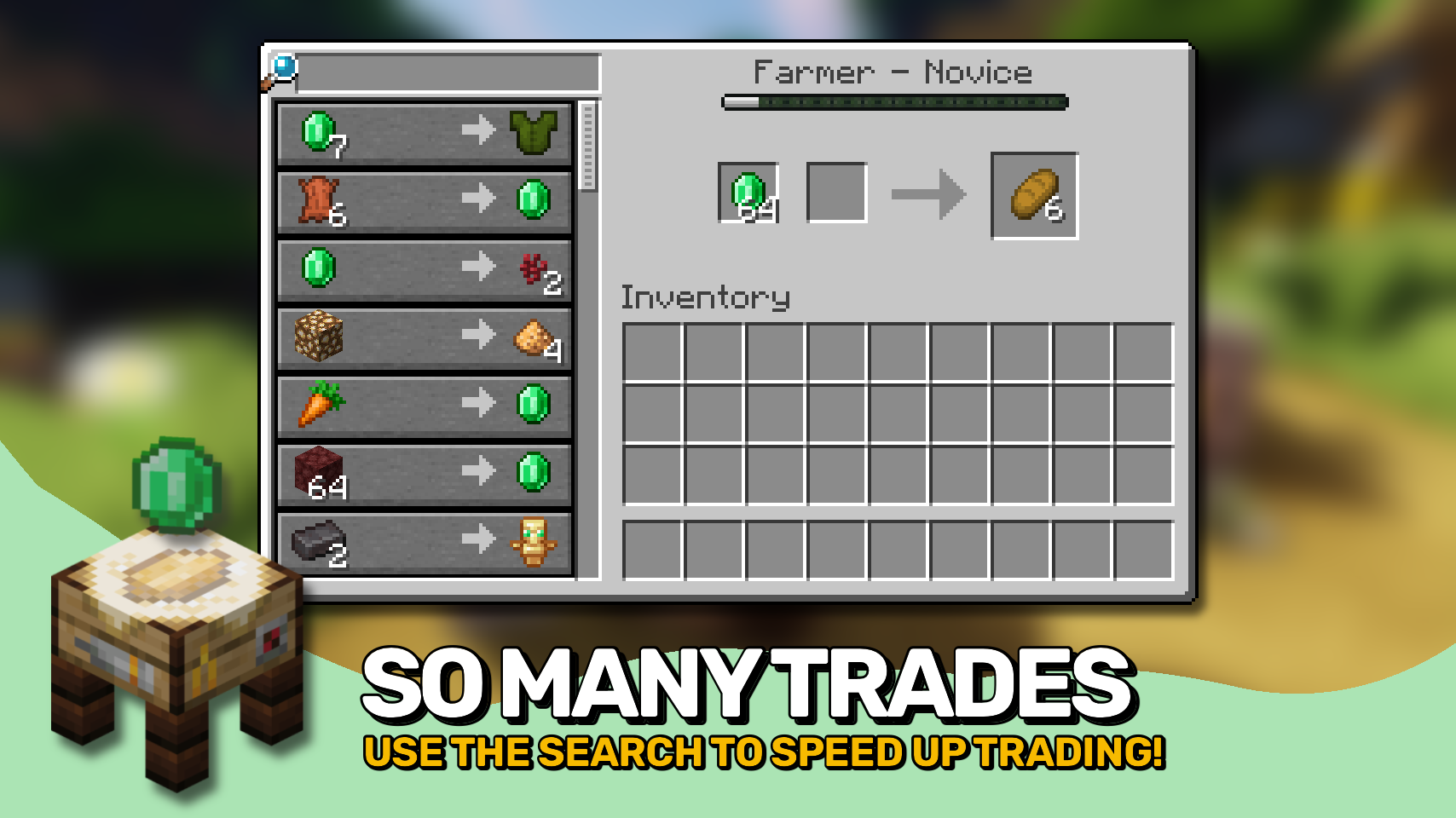
Trading Post adds one simple block, which when used allows you to trade with all villagers in a configurable area at once in a single interface. The table looks really fancy and includes a neat animation when you come close!


⏩ INSTALLATION REQUIRED ON CLIENT & REQUIRED ON SERVER
⏩ REQUIRES PUZZLES LIB TO BE INSTALLED (FABRIC & NEOFORGE)
⏩ REQUIRES FABRIC API TO BE INSTALLED (FABRIC)
⏩ REQUIRES FORGE CONFIG API PORT TO BE INSTALLED (FABRIC)

If available for a mod, configuration is possible directly from in-game using the mod menu (requires Mod Menu by Prospector to be installed on Fabric). Please note that on older Minecraft versions installing Forge Config Screens is also a requirement.
For manual configuration using an external text editor all files are found at .minecraft/config, named as MOD_ID-client.toml, MOD_ID-common.toml, or MOD_ID-server.toml, depending on the type of config. Not all types might exist for a mod, if any at all.

🌟 Thanks to RWTema for inspiring this mod from the trading post block found in old versions of their Extra Utilities mod.
🌟 Thanks to Vazkii for the floating emerald rendering code taken from the matrix enchanting table renderer in their Quark mod.
 |
 |
|
|---|---|---|
 |
 |
|
 |
 |
|
 |
 |
|
 |
 |
|

Project description from CurseForge.
Pick your setup
Choose the version and loader you play, then open the matching release.
Showing the newest 12 of 23 game versions. Older files are in the list below.
Check the dependencies, then try the file in a copied instance before changing a world you care about.
Recent files
TradingPost-v26.2.0-mc26.2.x-Fabric.jar
18 Jun 2026
TradingPost-v26.1.0-mc26.1.x-Fabric.jar
30 Apr 2026
TradingPost-v21.11.0-mc1.21.11-Fabric.jar
18 Dec 2025
TradingPost-v21.10.1+mc1.21.10-Fabric.jar
24 Oct 2025
TradingPost-v21.1.1-1.21.1-Fabric.jar
24 Oct 2025
TradingPost-v21.10.0+mc1.21.10-Fabric.jar
8 Oct 2025
TradingPost-v21.9.0+mc1.21.9-Fabric.jar
7 Oct 2025
TradingPost-v21.8.0-1.21.8-Fabric.jar
18 Jul 2025
TradingPost-v21.7.0-1.21.7-Fabric.jar
2 Jul 2025
TradingPost-v21.6.0-1.21.6-Fabric.jar
19 Jun 2025
TradingPost-v21.5.0-1.21.5-Fabric.jar
2 Apr 2025
TradingPost-v21.4.1-1.21.4-Fabric.jar
2 Mar 2025
Looking for an older file? The official CurseForge project page is in Resources.
 mod
modA focused, modern mod menu for Fabric with favorites, notes, an in-game mod browser, and a one-click update checker.
 mod
modOres visually take on the material touching them.
 mod
modLevel up each pickaxe by mining natural stone and ores. Spend Mining XP on speed, durability, Auto-Smelt, Vein Miner, Ore Sight, Auto-Collect, Fortune, XP boosts, repairs, plus a Mining Bag and night vision Mining Helmet.
