Polymer Needed by PolyDecorations 0.12.0+26.2
requiredMatching file found Matched file: 0.17.3+26.2

Modrinth · Minecraft mod
Decorate your world! A server side furniture / decorations mod!
Quick answer
PolyDecorations 0.12.0+26.2 targets 26.2 with Fabric. Do not install it on the client. It must be installed on the dedicated server. All 1 required mods have matching files.
Where it goes
Do not install it on the client. It must be installed on the dedicated server.
This file is marked server-only.
0.12.0+26.2. Change the file and its required mods may change too.
Install Polymer first. We found matching files for this game-version and loader setup.
We only count dependency files that match this setup. A file for another loader does not fill the gap.
Before you install it
Built for PolyDecorations 0.12.0+26.2. Pick another file and the loader, install side or required mods may change.
Use 0.12.0+26.2. It targets 26.2 with Fabric; another release may have different loader, side or dependency requirements.
Install Polymer first. We found matching files for this game-version and loader setup.
Do not install it on the client. It must be installed on the dedicated server.
Use the “Get this file” button beside 0.12.0+26.2. It opens that exact file at the source.
About this project
Wanted to decorate your world bit more? Add some sign posts directing through the world,
some benches in the park to sit on or shelves in your house to put items on?
PolyDecorations is Fabric (and Quilt) server side modification powered by
Polymer which multiple decorative blocks such as wooden benches,
shelves, sign posts and braziers! It's ideal to add to server you play with your friends,
that don't want to install mods on the client.
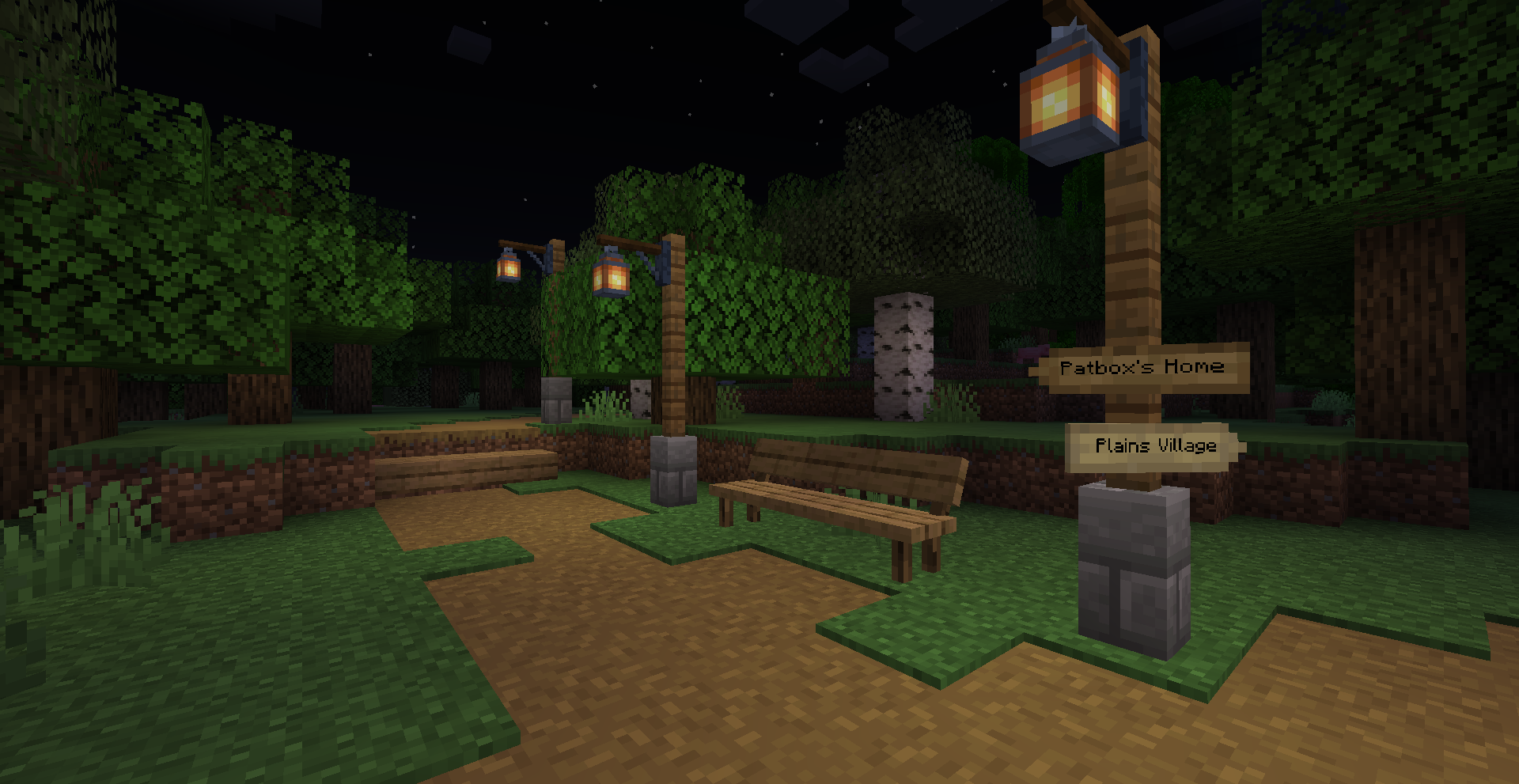
This mod was heavily inspired by Aurora's Decorations mod,
which you should try out/use instead if you aren't looking for server side mod!
Simplest way to handle automatic resource pack generation for your server!
While bundled by main distribution of Polymer, you need to enable it by hand
as it will be otherwise disabled. But it is quick and simple!
The best™ server side pose editor for Armor Stand (and by extension, Statues!). Highly suggested for better customizability!
Checkout Modrinth page for more information!
The first of my mods in this style! But instead being purely decorative, it adds some functional stuff, new crafting stations
and automation. Checkout Modrinth page for more information!
Project description from Modrinth.
Pick your setup
Choose the version and loader you play, then open the matching release.
Check the dependencies, then try the file in a copied instance before changing a world you care about.
Recent files
polydecorations-0.12.0+26.2.jar
19 Jun 2026
polydecorations-0.11.0+26.1.jar
28 Mar 2026
polydecorations-0.10.4+1.21.11.jar
1 Feb 2026
polydecorations-0.10.3+1.21.11.jar
24 Jan 2026
polydecorations-0.10.2+1.21.11.jar
2 Jan 2026
polydecorations-0.10.1+1.21.11.jar
21 Dec 2025
polydecorations-0.10.0+1.21.11-rc3.jar
9 Dec 2025
polydecorations-0.9.2+1.21.10.jar
1 Nov 2025
polydecorations-0.2.0+1.20.4.jar
2 Jan 2024
Looking for an older file? The official Modrinth project page is in Resources.
 mod
modLet's build a factory! A tech mod for your Minecraft server!
 mod
modAllows the addition of new title screen panoramas
 mod
modInteractive CR400BF and CRH2A sliding train doors for Create on Minecraft 1.21.1, with ZIP-based custom textures, animations, sounds, and recipes.