Just Enough Items (JEI) Optional for Amethyst Tools Mod 2.0.2 [Forge 1.18.2]
optionalMatching file found Matched file: 10.6.1.1023 for Forge 1.18.2
CurseForge · Minecraft mod
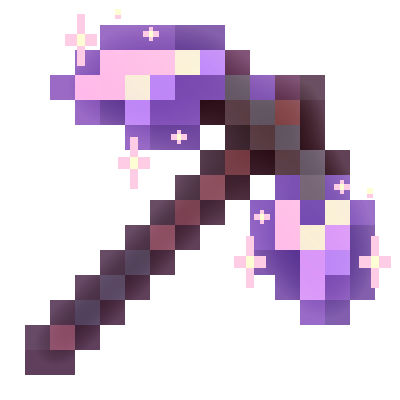
Gives you an option to upgrade equipment with amethyst
Quick answer
Amethyst Tools Mod 2.0.2 [Forge 1.18.2] targets 1.18.2 with Forge. The project page does not say whether this file belongs on the client, dedicated server, or both. No extra mods listed for this file.
Where it goes
The project page does not say whether this file belongs on the client, dedicated server, or both.
The source does not explicitly classify this release as client-only or server-only.
Amethyst Tools Mod 2.0.2 [Forge 1.18.2] on 1.18.2 Forge. Every mod below is checked against that same setup.
This file does not list any required mods. Do not add a library just because a different file uses it.
We only count dependency files that match this setup. A file for another loader does not fill the gap.
Before you install it
Built for Amethyst Tools Mod 2.0.2 [Forge 1.18.2] on 1.18.2 Forge. Pick another file and the loader, install side or required mods may change.
Use Amethyst Tools Mod 2.0.2 [Forge 1.18.2]. It targets 1.18.2 with Forge; another release may have different loader, side or dependency requirements.
This file does not list any required mods. Do not add a library just because a different file uses it.
The project page does not say whether this file belongs on the client, dedicated server, or both.
Use the “Get this file” button beside Amethyst Tools Mod 2.0.2 [Forge 1.18.2]. It opens that exact file at the source.
About this project
! This mod is created for Forge Mod Loader. Don't use it with Fabric API !
FINALLY PORTED TO FABRIC!
Latest Version: 2.0.2
You can redistribute it anywhere, add in your modpacks and make addons following Apache 2.0 License.

Do you regard that amethyst is useless in new minecraft versions? Then, let's change it!
This simple mod makes you able to upgrade your equipment with amethyst and gives this resource a new life!


And don't forget that any of these values can be changed using config :)

1.20.1+ Smithing craft:
v2.0.0: NEW INTEGRATION SYSTEM
Now you can upgrade equipment from another mods!
You have to create .json pack in ./config/amethyst_tools like example.json.
{
  "module_name": "ExampleMod Integration", # name of module
  "mods_required": [ # list of mods required for this module
    "examplemod"
  ],
  "enabled": true, # enabled or not
  "items": [ # list of upgradeable items
    {
      "id": "simple_weapons:diamond_sickle", # item id
      "overlay_model": "amethysttoolsmod:item/simple_weapons/diamond_sickle_amethyst", # overlay model definition
      "replace_model": true # if true - replaces original item renderer and shows ONLY "overlay_model"
    },
    {
      "id": "simple_weapons:diamond_scimitar",
      "overlay_model": "amethysttoolsmod:item/simple_weapons/diamond_scimitar_amethyst",
      "replace_model": true,
      "cluster_lv2": true # uses amethyst cluster lv. 2 for upgrading
    }
  ]
}
Model Definitions have to be placed into ./config/amethyst_tools/assets/models/... folder, and if it defines custom textures - place them into ./config/amethyst_tools/assets/textures/... folder
Developed by Kitoglav
Credits to MiyamiEthan, LilithsGrace (for Simple Weapons compatability assets)
2026
Sources are available on Github
Found a bug? - Issues
If you have any questions - you can PM me or write in discord @kitoglav)
Also check our other work :^) Infinite Cauldron
Project description from CurseForge.
Pick your setup
Choose the version and loader you play, then open the matching release.
Showing the newest 12 of 13 game versions. Older files are in the list below.
Check the dependencies, then try the file in a copied instance before changing a world you care about.
Recent files
amethysttoolsmod-forge-1.18.2-2.0.2.jar
13 Oct 2026
amethysttoolsmod-forge-1.18.2-2.0.1.jar
11 Oct 2026
amethysttoolsmod-forge-1.18.2-2.0.0.jar
11 Oct 2026
amethysttoolsmod-1.18.2-1.6.3.jar
31 Aug 2022
amethysttoolsmod-1.18.2-1.6.2.jar
28 Aug 2022
amethysttoolsmod-1.18.2-1.6.1.jar
22 Aug 2022
amethysttoolsmod-1.18.2-1.6.0.jar
21 Aug 2022
amethysttoolsmod-1.18.2-1.5.0.jar
22 Jun 2022
amethysttoolsmod-1.18.2-1.4.3.jar
1 May 2022
Amethyst-Tools-Mod-1.18.x-1.4.2.jar
17 Apr 2022
Amethyst-Tools-Mod-1.18.x-1.4.1.jar
14 Apr 2022
Amethyst-Tools-Mod-1.18.2-1.4.0.jar
10 Apr 2022
Looking for an older file? The official CurseForge project page is in Resources.
 mod
mine any coral or coral block 10% chance Consumable Sponge
 mod
Eliminates inventory clutter, allowing you to carry massive amounts of water to easily put out fires in the Nether and efficiently deal with Blazes.
 mod
Adds many common metals and alloys to Minecraft, such as copper, silver, and steel.