Minecraft version
Back to mods 
CurseForge · Minecraft mod
Luminance Block Entities - Fabric
A Simple API That Allows Block Entities To Emit Light
Choose a version Pick your version below, then grab the matching file.
Quick answer
Which Luminance Block Entities - Fabric release should I use?
beta file LuminanceBlockEntities-Fabric-1.0.0
Game version 1.18.1, 1.18
Loader Fabric
Luminance Block Entities - Fabric LuminanceBlockEntities-Fabric-1.0.0 targets 1.18.1, 1.18 with Fabric. The project page does not say whether this file belongs on the client, dedicated server, or both. No extra mods listed for this file.
Where it goes
Is Luminance Block Entities - Fabric required on the client, server, or both?
The project page does not say whether this file belongs on the client, dedicated server, or both.
Client Source doesn’t say
Dedicated server Source doesn’t say
Loader for this release Fabric
Required install it here Optional supported, not mandatory Not supported do not install here Source doesn’t say do not assume
The source does not explicitly classify this release as client-only or server-only.
What else does Luminance Block Entities - Fabric LuminanceBlockEntities-Fabric-1.0.0 need?
LuminanceBlockEntities-Fabric-1.0.0. Change the file and its required mods may change too.
This file does not list any required mods. Do not add a library just because a different file uses it.
This file does not list any required or optional mods.
Before you install it
Add Luminance Block Entities - Fabric without breaking your instance.
Built for Luminance Block Entities - Fabric LuminanceBlockEntities-Fabric-1.0.0. Pick another file and the loader, install side or required mods may change.
- 01
Stick to this file
Use LuminanceBlockEntities-Fabric-1.0.0. It targets 1.18.1, 1.18 with Fabric; another release may have different loader, side or dependency requirements.
- 02
Bring the mods it needs
This file does not list any required mods. Do not add a library just because a different file uses it.
- 03
Put it on the correct side
The project page does not say whether this file belongs on the client, dedicated server, or both.
- 04
Pick the file you checked
Use the “Get this file” button beside LuminanceBlockEntities-Fabric-1.0.0. It opens that exact file at the source.
About this project
What does Luminance Block Entities - Fabric add?
Luminance Block Entities
allows block entities (such as chests, furnaces, dispensers, etc.) to emit light into the world, similarly to how a glowstone block or a redstone lamp would. However, unlike glowstone blocks and redstone lamps, this utility api completely foregoes blockstates. It is therefore perfect for mods that want to add new blocks with many blockstates that also emit light, or for mods that need very fine control over their lighting. ONLY WORKS FOR FABRIC (sorry!)
For Gamers
If another mod needs this mod as a dependency, simply download this mod here, and place it into your mods folder together with all your other mods.
For Developers
Setup
In order to use this api for your mods, simply download the jar here, and place it somewhere in your Fabric development environment. In your build.gradle file, add
flatDir {
	dirs 'directory/where/you/placed/the/jar'
}
to the repositories section. And, add
modImplementation "com.nonumberstudios.luminance_block_entities:luminance_block_entities:1.0.0"
to the dependencies section. Of course, change out the '1.0.0' bit with whichever version of this api you're using.
How to use
Once set up, you can add new block entities like you normally would using fabric. Instead of extending BlockEntity however, your block entity class should extend the LuminanceBlockEntity class provided by the api. This class will need a new parameter LuminanceBehavior. This is an enum that specifies how you decide whether to use your block entity's lighting or your block state's lighting in the world. Here are your options:
- IGNORE: only use the lighting from your block entity, ignore block state. This is probably what you want.
- FALLBACK: use the lighting from your block entity if your block entity has light. If your lighting is zero, use the block state's lighting as a fallback.
- PRIORITY: use the lighting from your block state if your block state has light. If your lighting is zero, use the block entity's lighting as a fallback.
Next you will be prompted to implement the getLuminance method. Simply do whatever you want in here. If you want to update the world's lighting according to whatever getLuminance returns, simply call the updateLuminance method defined in LuminanceBlockEntity. Only call this if your lighting has actually changed! It's somewhat expensive.
Lastly in your mod initialization sequence, you can call LuminanceBlockEntitiesMod.initializeExample() to load an example block entity into the game. This is a very crude block (without texture and such) that can be found in the misc tab. If you place it down you'll see it generates a random lighting value between 0 and 15 every tick, and updates the world lighting accordingly (see video below). Theoretically, doing this in the vanilla style of changing block state every tick would be more expensive, but I'm sure you can find better applications for this api (I sure have, stay tuned😉). You can check out the GlowBlockEntity class to see the implementation.
And that's about it. If you need any help, you can ask in the comments or you can contact me at info@nonumberstudios.com. Good luck programming!
The example implementation:
Project description from CurseForge.
Pick your setup
Luminance Block Entities - Fabric by Minecraft version and loader
Choose the version and loader you play, then open the matching release.
Minecraft version
1.18
1 loader buildCheck the dependencies, then try the file in a copied instance before changing a world you care about.
Recent files
Luminance Block Entities - Fabric versions and loaders
LuminanceBlockEntities-Fabric-1.0.0
luminance_block_entities-1.0.0.jar
9 Feb 2022
Client Source doesn’t say Server Source doesn’t say Dependencies No extras listed Listed on Release listing
Check the 1.18.1 · Fabric setup 1.18.1Fabric1.18 beta
Looking for an older file? The official CurseForge project page is in Resources.
 mod
CurseForge + Modrinth · Minecraft
Runeborn | Soulslike RPG progression
A soulslike RPG overhaul: earn runes, level eight attributes at Ember Shrines, wield 74 scaling armaments and hunt seven Sovereigns.
 mod
Modrinth · Minecraft
AnvilCraft
A technology mod centered around anvils
 mod
CurseForge · Minecraft
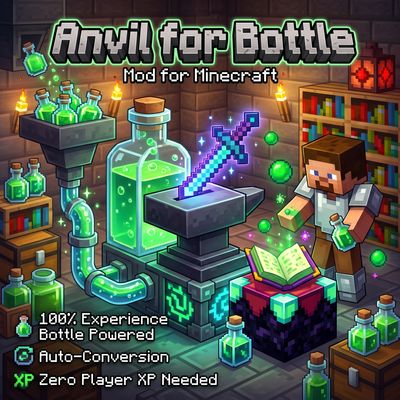
Anvil Enchanting Table for Bottle
Anvil for Bottle removes the need for player XP levels when repairing, combining, renaming, or enchanting items! Instead, power your workstation directly with Bottles o' Enchanting —manually or fully automated with hoppers.