Minecraft version
Back to mods 
Modrinth · Minecraft mod
Pop-up Emotes
Customize and display pop-up emotes above your character's head
Choose a version Pick your version below, then grab the matching file.
Quick answer
Which Pop-up Emotes release should I use?
Latest stable file 1.5.3
Game version 26.1, 26.1.1, 26.1.2
Loader Fabric
Pop-up Emotes 1.5.3 targets 26.1, 26.1.1, 26.1.2 with Fabric. Installation on the client is optional. Installation on the dedicated server is optional. No extra mods listed for this file.
Where it goes
Is Pop-up Emotes required on the client, server, or both?
Installation on the client is optional. Installation on the dedicated server is optional.
Client Optional
Dedicated server Optional
Loader for this release Fabric
Required install it here Optional supported, not mandatory Not supported do not install here Source doesn’t say do not assume
The source marks this as usable on both the client and server.
What else does Pop-up Emotes 1.5.3 need?
1.5.3. Change the file and its required mods may change too.
This file does not list any required mods. Do not add a library just because a different file uses it.
This file does not list any required or optional mods.
Before you install it
Add Pop-up Emotes without breaking your instance.
Built for Pop-up Emotes 1.5.3. Pick another file and the loader, install side or required mods may change.
- 01
Stick to this file
Use 1.5.3. It targets 26.1, 26.1.1, 26.1.2 with Fabric; another release may have different loader, side or dependency requirements.
- 02
Bring the mods it needs
This file does not list any required mods. Do not add a library just because a different file uses it.
- 03
Put it on the correct side
Installation on the client is optional. Installation on the dedicated server is optional.
- 04
Pick the file you checked
Use the “Get this file” button beside 1.5.3. It opens that exact file at the source.
About this project
What does Pop-up Emotes add?
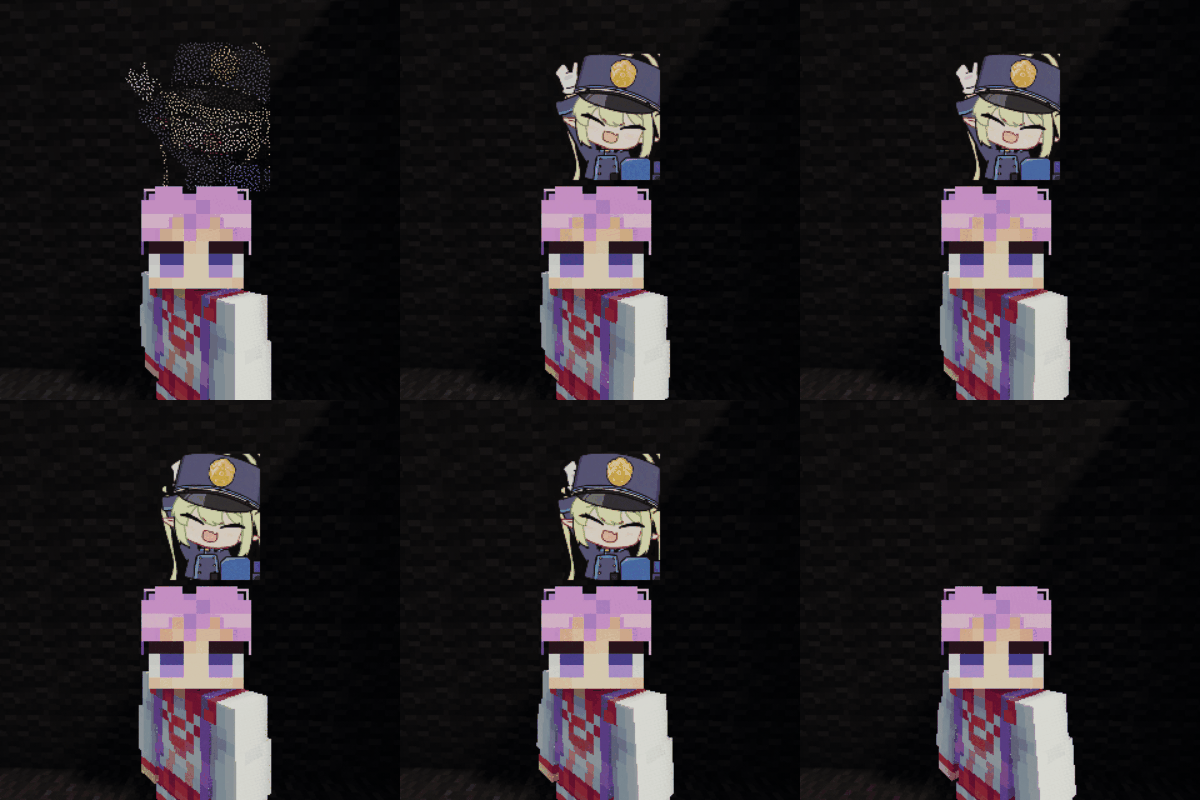
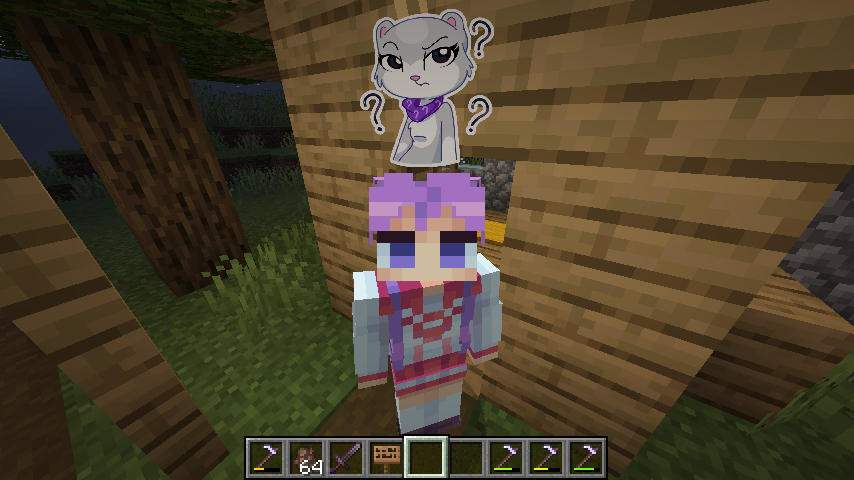
This mod allows you to customize and display pop-up emotes above your character's head
Custom emotes
- Can be added by entering image URLs in the My Emotes screen, accessible through a button on the title screen
- Supported formats are .png, .gif and .jpeg.
- There are several selectable sounds for each emote
Usage
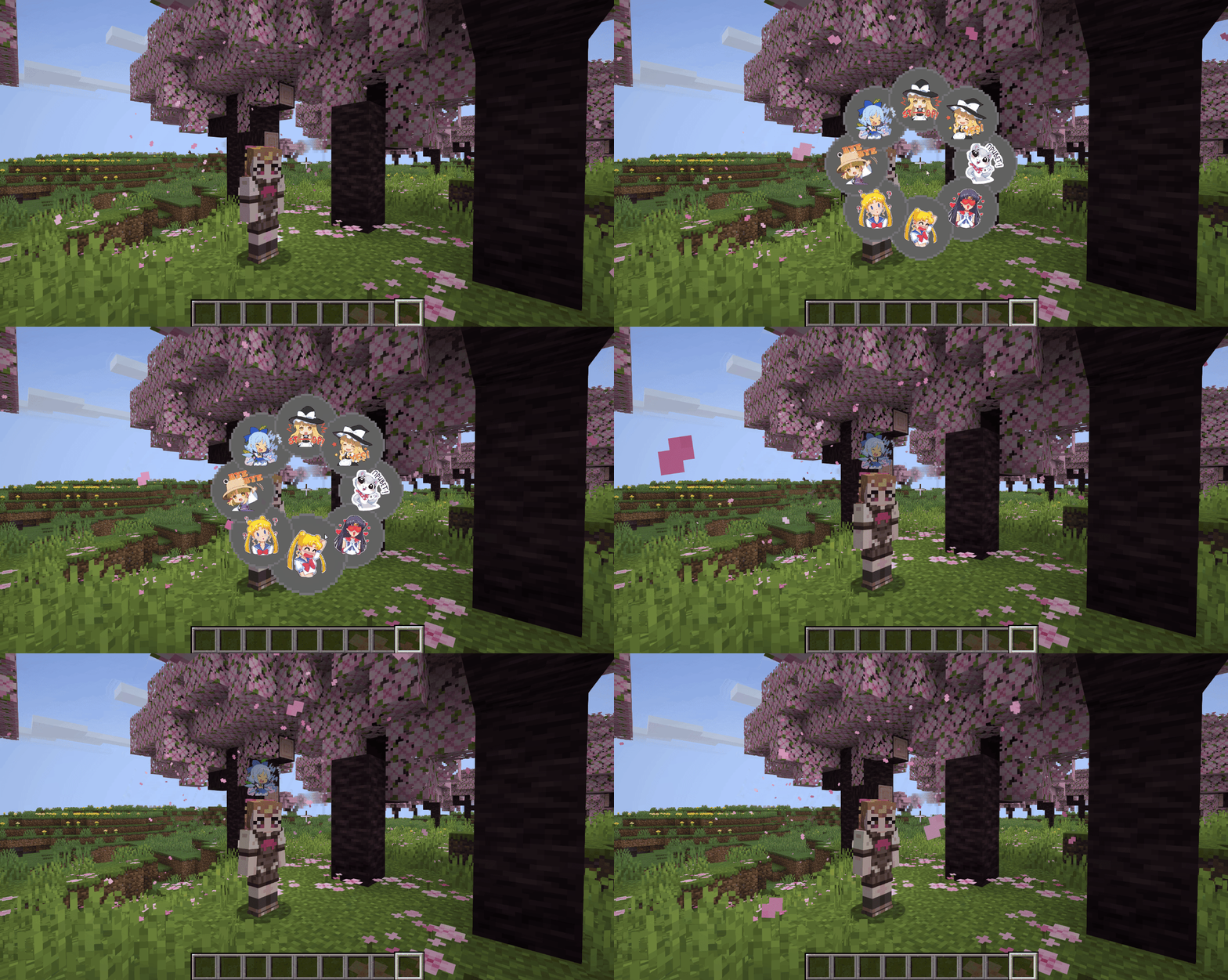
- Open the emote menu by holding the V key
- Move the cursor to the desired emote and release the button
- To change pages, click either the right or left side of the screen
Mods > Pop-up Emotes > Config
- Configure scale and brightness of emotes
- Set personal emote height. Helps when you play with custom player model mods like Yes Steve Model
- Access player blacklist
- If you are using a texture pack to replace default emotes that has fewer emotes than the default emount, you can hide what's left by specifying resourcePackEmoteAmount in the client config file
Server
- Server-side blacklist can be managed via the /popupemotes serverblacklist add/remove/clear/show command. It requires permission level 3 (configurable) or the pop_up_emotes.moderator permission.
Also check out Pop-up Emotes Online Addon
Project description from Modrinth.
Pick your setup
Pop-up Emotes by Minecraft version and loader
Choose the version and loader you play, then open the matching release.
Minecraft version
26.1.1
1 loader buildMinecraft version
26.1
1 loader buildMinecraft version
1.21.11
1 loader buildMinecraft version
1.21.10
1 loader buildMinecraft version
1.21.8
1 loader buildMinecraft version
1.21.1
1 loader buildMinecraft version
1.20.1
2 loader buildsMinecraft version
1.19.2
1 loader buildCheck the dependencies, then try the file in a copied instance before changing a world you care about.
Recent files
Pop-up Emotes versions and loaders
1.5.3
pop_up_emotes-1.5.3.jar
9 Jul 2026
Client Optional Server Optional Dependencies No extras listed Listed on Release listing
Check the 26.1.2 · Fabric setup 26.126.1.126.1.2Fabric release
1.5.3
pop_up_emotes-1.5.3.jar
9 Jul 2026
Client Optional Server Optional Dependencies No extras listed Listed on Release listing
Check the 1.21.1 · NeoForge setup 1.21.1NeoForge release
1.5.3
pop_up_emotes-1.5.3.jar
9 Jul 2026
Client Optional Server Optional Dependencies No extras listed Listed on Release listing
Check the 1.20.1 · Forge setup 1.20.1Forge release
1.5.2
pop_up_emotes-1.5.2.jar
6 Jul 2026
Client Optional Server Optional Dependencies No extras listed Listed on Release listing
Check the 1.21.1 · NeoForge setup 1.21.1NeoForge release
1.5.2
pop_up_emotes-1.5.2.jar
6 Jul 2026
Client Optional Server Optional Dependencies No extras listed Listed on Release listing
Check the 1.20.1 · Forge setup 1.20.1Forge release
1.5.1
pop_up_emotes-1.5.1.jar
11 Jun 2026
Client Optional Server Optional Dependencies No extras listed Listed on Release listing
Check the 26.1.2 · Fabric setup 26.126.1.126.1.2Fabric release
1.5.1
pop_up_emotes-1.5.1.jar
23 May 2026
Client Optional Server Optional Dependencies No extras listed Listed on Release listing
Check the 1.21.11 · Fabric setup 1.21.11Fabric release
1.5.1
pop_up_emotes-1.5.1.jar
23 May 2026
Client Optional Server Optional Dependencies No extras listed Listed on Release listing
Check the 1.21.8 · Fabric setup 1.21.8Fabric release
1.5.1
pop_up_emotes-1.5.1.jar
23 May 2026
Client Optional Server Optional Dependencies No extras listed Listed on Release listing
Check the 1.21.1 · NeoForge setup 1.21.1NeoForge release
1.5.1
pop_up_emotes-1.5.1.jar
23 May 2026
Client Optional Server Optional Dependencies No extras listed Listed on Release listing
Check the 1.20.1 · Forge setup 1.20.1Forge release
1.5.0
pop_up_emotes-1.5.0.jar
21 May 2026
Client Optional Server Optional Dependencies No extras listed Listed on Release listing
Check the 1.21.1 · NeoForge setup 1.21.1NeoForge release
1.5.0
pop_up_emotes-1.5.0.jar
21 May 2026
Client Optional Server Optional Dependencies No extras listed Listed on Release listing
Check the 1.20.1 · Forge setup 1.20.1Forge release
Looking for an older file? The official Modrinth project page is in Resources.
 mod
mod CurseForge + Modrinth · Minecraft
Sensible Stackables
Change and uncap stack sizes for any item, with sensible defaults
 mod
mod CurseForge + Modrinth · Minecraft
Roxy
Roxy is a mod that acts as a translation layer between Voxy and NeoForge 1.21.1, allowing for the loading of a Fabric version of Voxy on NeoForge.
 mod
mod CurseForge + Modrinth · Minecraft
Create: Dragons Plus
Provide convenient features to players and dev utilities for Create addon developers.