


Minecraft version
Back to mods 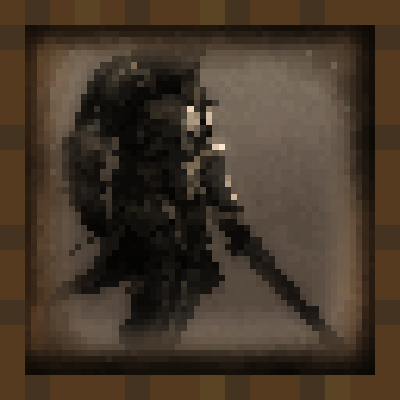
CurseForge · Minecraft mod
Medieval Paintings
Adds new Medieval-Fantasy style Paintings to the game!
Choose a version Pick your version below, then grab the matching file.
Quick answer
Which Medieval Paintings release should I use?
Latest stable file medieval_paintings-1.21.1-7.0.jar
Game version 1.21, 1.21.8, 1.21.5
Loader NeoForge
Medieval Paintings medieval_paintings-1.21.1-7.0.jar targets 1.21, 1.21.8, 1.21.5 with NeoForge. The project page does not say whether this file belongs on the client, dedicated server, or both. No extra mods listed for this file.
Where it goes
Is Medieval Paintings required on the client, server, or both?
The project page does not say whether this file belongs on the client, dedicated server, or both.
Client Source doesn’t say
Dedicated server Source doesn’t say
Loader for this release NeoForge
Required install it here Optional supported, not mandatory Not supported do not install here Source doesn’t say do not assume
The source does not explicitly classify this release as client-only or server-only.
What else does Medieval Paintings medieval_paintings-1.21.1-7.0.jar need?
medieval_paintings-1.21.1-7.0.jar. Change the file and its required mods may change too.
This file does not list any required mods. Do not add a library just because a different file uses it.
This file does not list any required or optional mods.
Before you install it
Add Medieval Paintings without breaking your instance.
Built for Medieval Paintings medieval_paintings-1.21.1-7.0.jar. Pick another file and the loader, install side or required mods may change.
- 01
Stick to this file
Use medieval_paintings-1.21.1-7.0.jar. It targets 1.21, 1.21.8, 1.21.5 with NeoForge; another release may have different loader, side or dependency requirements.
- 02
Bring the mods it needs
This file does not list any required mods. Do not add a library just because a different file uses it.
- 03
Put it on the correct side
The project page does not say whether this file belongs on the client, dedicated server, or both.
- 04
Pick the file you checked
Use the “Get this file” button beside medieval_paintings-1.21.1-7.0.jar. It opens that exact file at the source.
About this project
What does Medieval Paintings add?





📖 About -
Add more than 50 paintings that showcase the beauty of medieval-fantasy art.
The resolution of the paintings is 16x16 and the vanilla-friendly textures blend into the Minecraft world. Place the paintings just like any normal painting item and transform the interior of your builds.
Join our Discord Server to showcase your artistic talents to the Minecraft community. There's a dedicated channel just for artists who want to feature their work in the mod.
To replace the vanilla paintings with medieval ones:
Download the Resource Pack - https://www.curseforge.com/minecraft/texture-packs/medieval-paintings
❓ F.A.Q. -
Q: Will you port the mod to Fabric?
A: No. I don't like self-harm.
Q: Could you update to the latest version?
A: Yes, I will update my mod to every new major Minecraft version.
Q: Will you port to 1.12.2/1.7.10?
A: No. I would have to re-learn how to mod.
Q: Could you add ... ?
A: Join our Discord Server. There is a channel dedicated to that. If I like your idea, it will have a high chance to be added.
🔗 Links -
Here you can support me and follow my projects!


Project description from CurseForge.
Pick your setup
Medieval Paintings by Minecraft version and loader
Choose the version and loader you play, then open the matching release.
Minecraft version
1.21.10
2 loader buildsMinecraft version
1.21.9
2 loader buildsMinecraft version
1.21.8
2 loader buildsMinecraft version
1.21.7
2 loader buildsMinecraft version
1.21.6
2 loader buildsMinecraft version
1.21.5
2 loader buildsMinecraft version
1.21.4
2 loader buildsMinecraft version
1.21.3
2 loader buildsMinecraft version
1.21.2
2 loader buildsMinecraft version
1.21.1
2 loader buildsMinecraft version
1.21
2 loader buildsShowing the newest 12 of 28 game versions. Older files are in the list below.
Check the dependencies, then try the file in a copied instance before changing a world you care about.
Recent files
Medieval Paintings versions and loaders
medieval_paintings-1.21.1-7.0.jar
9 Apr 2026
Client Source doesn’t say Server Source doesn’t say Dependencies No extras listed Listed on Release listing
Check the 1.21.11 · NeoForge setup 1.211.21.81.21.51.21.4 release
medieval_paintings-1.21-7.0.jar
4 Sept 2025
Client Source doesn’t say Server Source doesn’t say Dependencies No extras listed Listed on Release listing
Check the 1.21.10 · Forge setup 1.211.21.81.21.51.21.4 release
medieval_paintings-1.21
medieval_paintings-1.20-7.0.jar
22 Jun 2023
Client Source doesn’t say Server Source doesn’t say Dependencies No extras listed Listed on Release listing
Check the 1.20.6 · Forge setup 1.20.21.20.51.20.31.20.1 release
medieval_paintings-1.19.2-7.0.jar
25 Sept 2022
Client Source doesn’t say Server Source doesn’t say Dependencies No extras listed Listed on Release listing
Check the 1.19.4 · Forge setup 1.19.31.19.41.19.2Forge release
medieval_paintings-1.18.2-7.0.jar
25 Sept 2022
Client Source doesn’t say Server Source doesn’t say Dependencies No extras listed Listed on Release listing
Check the 1.18.2 · Forge setup 1.18.2Forge release
medieval_paintings-1.16.5-7.0.jar
25 Sept 2022
Client Source doesn’t say Server Source doesn’t say Dependencies No extras listed Listed on Release listing
Check the 1.16.5 · Forge setup 1.16.5Forge release
medieval_paintings-1.19.2-6.0.jar
26 Aug 2022
Client Source doesn’t say Server Source doesn’t say Dependencies No extras listed Listed on Release listing
Check the 1.19.2 · Forge setup 1.19.2Forge release
medieval_paintings-1.18.2-6.0.jar
26 Aug 2022
Client Source doesn’t say Server Source doesn’t say Dependencies No extras listed Listed on Release listing
Check the 1.18.2 · Forge setup 1.18.2Forge release
medieval_paintings-1.16.5-6.0.jar
26 Aug 2022
Client Source doesn’t say Server Source doesn’t say Dependencies No extras listed Listed on Release listing
Check the 1.16.5 · Forge setup 1.16.5Forge release
medieval_paintings-1.19.2-5.0.jar
25 Aug 2022
Client Source doesn’t say Server Source doesn’t say Dependencies No extras listed Listed on Release listing
Check the 1.19.2 · Forge setup 1.19.2Forge1.19.11.19 release
medieval_paintings-1.18.2-5.0.jar
14 Jul 2022
Client Source doesn’t say Server Source doesn’t say Dependencies No extras listed Listed on Release listing
Check the 1.18.2 · Forge setup 1.18.2Forge release
medieval_paintings-1.16.5-5.0.jar
14 Jul 2022
Client Source doesn’t say Server Source doesn’t say Dependencies No extras listed Listed on Release listing
Check the 1.18.2 · Forge setup 1.18.2Forge release
Looking for an older file? The official CurseForge project page is in Resources.
 mod
mod CurseForge + Modrinth · Minecraft
Yori3o's Grappling Hooks
Adds vanilla-like and physically realistic grappling hooks.
 mod
mod CurseForge · Minecraft
Bear Necessities
A mod that helps expand cooking, farming, and decoration. With some other features added in to improve the experience.
 mod
mod CurseForge · Minecraft
Sealed souls
An RPG mod with endless development and different characters