Minecraft version
Back to mods 
CurseForge · Minecraft mod
AE2-Additions
Applied Energetics 2 Additions
Choose a version Pick your version below, then grab the matching file.
Quick answer
Which AE2-Additions release should I use?
Latest stable file AE2-Additions-1.18.2-0.2.2.jar
Game version 1.18.2
Loader Forge
AE2-Additions-1.18.2-0.2.2.jar targets 1.18.2 with Forge. The project page does not say whether this file belongs on the client, dedicated server, or both. No extra mods listed for this file.
Where it goes
Is AE2-Additions required on the client, server, or both?
The project page does not say whether this file belongs on the client, dedicated server, or both.
Client Source doesn’t say
Dedicated server Source doesn’t say
Loader for this release Forge
Required install it here Optional supported, not mandatory Not supported do not install here Source doesn’t say do not assume
The source does not explicitly classify this release as client-only or server-only.
What else does AE2-Additions-1.18.2-0.2.2.jar need?
AE2-Additions-1.18.2-0.2.2.jar. Change the file and its required mods may change too.
This file does not list any required mods. Do not add a library just because a different file uses it.
This file does not list any required or optional mods.
Before you install it
Add AE2-Additions without breaking your instance.
Built for AE2-Additions-1.18.2-0.2.2.jar. Pick another file and the loader, install side or required mods may change.
- 01
Stick to this file
Use AE2-Additions-1.18.2-0.2.2.jar. It targets 1.18.2 with Forge; another release may have different loader, side or dependency requirements.
- 02
Bring the mods it needs
This file does not list any required mods. Do not add a library just because a different file uses it.
- 03
Put it on the correct side
The project page does not say whether this file belongs on the client, dedicated server, or both.
- 04
Pick the file you checked
Use the “Get this file” button beside AE2-Additions-1.18.2-0.2.2.jar. It opens that exact file at the source.
About this project
What does AE2-Additions add?
It depends from https://www.curseforge.com/minecraft/mc-mods/applied-energistics-2
This is a mod that add some features for Applied Energetics 2 that will make your life easier. We hope your will enjoy this mod.
A few words about the mod content:
1.7.10:
This mod add ME Interfaces that have 18, 27, 36 slots for patterns;
It also allows you to make Crafting Storages with up to 16384K;
It allows you to make Crafting Co-Processing Units, that provide 4, 16, 64 threads, when original one provide only 1. Just imagine 1 block instead of 64;
We make ME Interface Terminal support our interfaces.
Each Storage Channel doesn't require an original Crafting Storage. It can consists only from 1 part and provide 16384K Crafting Storage.
N.B. There aren't any craft provided. Fill free to make your own crafts.
1.18.2:
Currently it only adds 9 new ME Item Storage Cells. 9lvl - the best, it provides storages for 1 048 576 bytes and 16384 types;
It also adds 9 new Crafting Storages. 9lvl - the best, it provides 64G bytes and 64 threads;
It adds ME Pattern Providers that have 18, 27, 36, 45, 54 slots for patterns;
Each Storage Channel doesn't require an original Crafting Storage. For example, it can consists only from 1 part and provide 64G bytes and 64 threads.
It adds ME Advanced Pattern Access Terminal that work correctly with my ME Pattern Providers.
If you have some question, just write to me in discord @SerStarStory.
Project description from CurseForge.
Pick your setup
AE2-Additions by Minecraft version and loader
Choose the version and loader you play, then open the matching release.
Minecraft version
1.7.10
1 loader buildCheck the dependencies, then try the file in a copied instance before changing a world you care about.
Recent files
AE2-Additions versions and loaders
AE2-Additions-1.18.2-0.2.2.jar
23 Dec 2024
Client Source doesn’t say Server Source doesn’t say Dependencies No extras listed Listed on Release listing
Check the 1.18.2 · Forge setup 1.18.2Forge release
AE2-Additions-1.18.2-0.2.1.jar
5 Nov 2022
Client Source doesn’t say Server Source doesn’t say Dependencies 1 required · 1 unchecked Listed on Release listing
Check the 1.18.2 · Forge setup 1.18.2Forge release
AE2-Additions-1.18.2-0.2.jar
5 Nov 2022
Client Source doesn’t say Server Source doesn’t say Dependencies 1 required · 1 unchecked Listed on Release listing
Check the 1.18.2 · Forge setup 1.18.2Forge beta
AE2-Additions-1.18.2-0.1.2.jar
14 Jun 2022
Client Source doesn’t say Server Source doesn’t say Dependencies 1 required · 1 unchecked Listed on Release listing
Check the 1.18.2 · Forge setup 1.18.2Forge beta
AE2-Additions-1.18.2-0.1.1.jar
6 Jun 2022
Client Source doesn’t say Server Source doesn’t say Dependencies 1 required · 1 unchecked Listed on Release listing
Check the 1.18.2 · Forge setup 1.18.2Forge beta
AE2-Additions-1.18.2-0.1.0.jar
5 Jun 2022
Client Source doesn’t say Server Source doesn’t say Dependencies 1 required · 1 unchecked Listed on Release listing
Check the 1.18.2 · Forge setup 1.18.2Forge beta
AE2-Additions-1.18.2-0.0.2
AE2-Additions-0.0.2.jar
29 May 2022
Client Source doesn’t say Server Source doesn’t say Dependencies 1 required · 1 unchecked Listed on Release listing
Check the 1.18.2 · Forge setup 1.18.2Forge alpha
AE2-Additions-1.18.2-0.0.1
AE2-Additions-1.0.jar
27 May 2022
Client Source doesn’t say Server Source doesn’t say Dependencies 1 required · 1 unchecked Listed on Release listing
Check the 1.18.2 · Forge setup 1.18.2Forge alpha
AE2-Additions-1.2.2.jar
2 May 2022
Client Source doesn’t say Server Source doesn’t say Dependencies 1 required · 1 unchecked Listed on Release listing
Check the 1.7.10 · Forge setup Forge1.7.10 release
AE2-Additions-1.2.1.jar
23 Apr 2022
Client Source doesn’t say Server Source doesn’t say Dependencies 1 required · 1 unchecked Listed on Release listing
Check the 1.7.10 · Forge setup Forge1.7.10 alpha
AE2-Additions-1.2.0.jar
21 Apr 2022
Client Source doesn’t say Server Source doesn’t say Dependencies 1 required · 1 unchecked Listed on Release listing
Check the 1.7.10 · Forge setup Forge1.7.10 alpha
AE2-Additions-1.1.2.jar
8 Apr 2022
Client Source doesn’t say Server Source doesn’t say Dependencies 2 required · 2 unchecked Listed on Release listing
Check the 1.7.10 · Forge setup Forge1.7.10 release
Looking for an older file? The official CurseForge project page is in Resources.
 mod
mod CurseForge + Modrinth · Minecraft
Milk All The Mobs
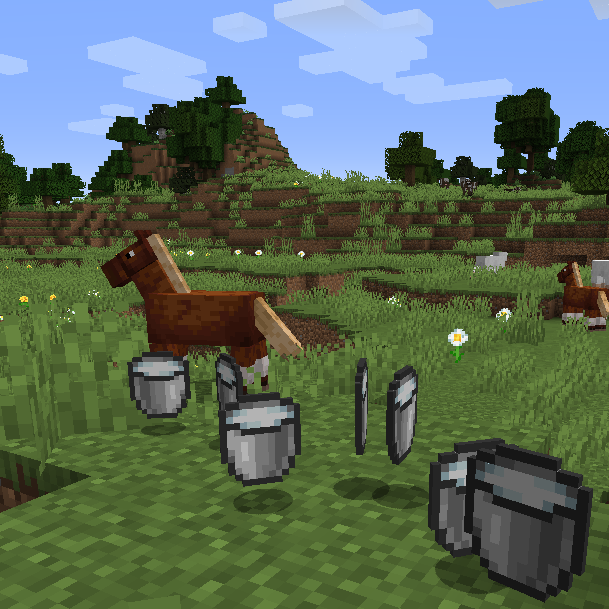
🥛 Allows sheep, llamas, pigs, donkeys, horses and mules to produce a bucket of milk.
 mod
mod CurseForge · Minecraft
The Universal Scanner
A sci-fi bio-scanner that analyzes any living entity vanilla or modded and archives real, data-backed stats into a Universal Bestiary.
 mod
mod CurseForge · Minecraft
Mr Boowie's Dark Heroes
this mod is a palladium addon that adds powers from koof animates dark flame it adds the glitch power the cosmic creater power and the wild wind power so play now