Minecraft version
Back to mods 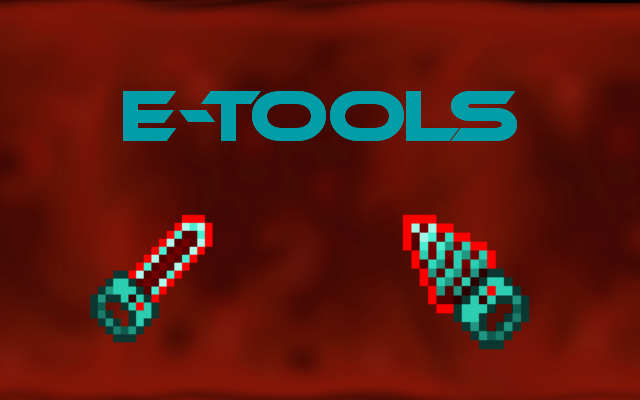
CurseForge · Minecraft mod
E-Tools: Redstone Powered Tools
The E-Tools Mod adds 6 brand new tools to minecraft, each with unique redstone-consuming special abilities
Choose a version Pick your version below, then grab the matching file.
Quick answer
Which E-Tools: Redstone Powered Tools release matches 1.6.2?
Best match for your filters mod_EnergyTools_1.3_1.6.2.zip
Game version 1.6.2
Loader Not required
E-Tools: Redstone Powered Tools mod_EnergyTools_1.3_1.6.2.zip targets 1.6.2. The project page does not say whether this file belongs on the client, dedicated server, or both. No extra mods listed for this file.
Where it goes
Is E-Tools: Redstone Powered Tools required on the client, server, or both?
The project page does not say whether this file belongs on the client, dedicated server, or both.
Client Source doesn’t say
Dedicated server Source doesn’t say
Loader for this release No loader listed
Required install it here Optional supported, not mandatory Not supported do not install here Source doesn’t say do not assume
The source does not explicitly classify this release as client-only or server-only.
What else does E-Tools: Redstone Powered Tools mod_EnergyTools_1.3_1.6.2.zip need?
mod_EnergyTools_1.3_1.6.2.zip on 1.6.2. Every mod below is checked against that same setup.
This file does not list any required mods. Do not add a library just because a different file uses it.
This file does not list any required or optional mods.
Before you install it
Add E-Tools: Redstone Powered Tools without breaking your instance.
Built for E-Tools: Redstone Powered Tools mod_EnergyTools_1.3_1.6.2.zip on 1.6.2. Pick another file and the loader, install side or required mods may change.
- 01
Stick to this file
Use mod_EnergyTools_1.3_1.6.2.zip. It targets 1.6.2; another release may have different loader, side or dependency requirements.
- 02
Bring the mods it needs
This file does not list any required mods. Do not add a library just because a different file uses it.
- 03
Put it on the correct side
The project page does not say whether this file belongs on the client, dedicated server, or both.
- 04
Pick the file you checked
Use the “Get this file” button beside mod_EnergyTools_1.3_1.6.2.zip. It opens that exact file at the source.
About this project
What does E-Tools: Redstone Powered Tools add?
E-Tools 1.3 for Minecraft 1.6.2 (multiplayer compatible)
Are your chests full of redstone again? Do you want tools better than diamond tools without getting a huge mod?
Well, my friend E-Tools (Energy Tools) are the tools for you! This small minecraft mod features a full set of tools, weapons, and armor with special abilities that can burn off that redstone.
Now with friends!
A Mod Update Video Made by Me:
An Informational and Somewhat-Amusing Overview Made by Me:
A Well-Made Spotlight by the Amazing BeckBroJack:
By default, all E-Tools have the same effectiveness and durability as diamond tools. When they run out of durability, they become defective (same stats as iron, but with infinite durability) instead of breaking. Defective tools can be upgraded back into E-Tools by using a repair recipe. Depending on the settings you have assigned the tools using the ETData.txt config file, the recipe may be either a single redstone block or eight redstone blocks. Furthermore, depending on the same setting, tools may be repairable on an anvil with either redstone dust or a redstone block.
Energy Armor provides 20% more protection than diamond armor, but by default, has the same amount of durability.
The StandardToolRecipes.png file shows all of the tool recipes when the settings are set to inexpensive (default)
The ExpensiveToolRecipes.png file shows the recipes for if the tool settings are set to expensive (configurable)
The ArmorRecipes.png file shows the... armor recipes... (default, configurable)
Also, they have the following abilities that use redstone dust (right click to use):
Energy Blade (sword): sets ground on fire - uses 1 red stone; sets enemies on fire on attack - uses no red stone
Air Blaster (shovel): destroys a 3x3x3 cube of dirt, sand, or gravel - uses 2 red stone
Drill (pickaxe): Instantly destroys a single block of rock material (stone, ore, etc.) or dirt/sand/gravel - uses 1 red stone (can destroy bedrock)
Chainsaw (axe): instantly destroys a single block of wooden material; destroys log blocks above a destroyed log block (cuts down trees) - 1 redstone
Tiller (hoe): fertilizes/tills a 3x3 area of dirt/grass - 0 redstone; destroys a 3x3x3 cube of leaves/plants/vines - 1 redstone
Repeater (bow): instantly fires a fully charged arrow - 1 redstone;
Installation (Typical Minecraft Forge Install):
download latest version of Minecraft Forge (install) from: http://www.minecraft.../board,3.0.html
run Forge installer with Java SE Binary
download mod_EnergyTools.zip from top of page or from CurseForge at: http://minecraft.cur...-powered-tools/
extract all files from mod_EnergyTools.zip into .minecraft/versions/(forge_version)/(forge_version).jar or simply place mod_EnergyTools.zip into your .minecraft/mods folder
-~~~~-~~~~-~~~~-~~~~-~~~~-~~~~-~~~~-~~~~-~~~~-~~~~-~~~~-~~~~-~~~~-~~~~-~~~~-
To use ETToolData.txt:
If ETToolData.txt does not exist, start Minecraft to create ETToolData.txt
Alter specified data values within ETToolData.txt (in .minecraft folder) as you would like
restart minecraft
Project description from CurseForge.
Pick your setup
E-Tools: Redstone Powered Tools by Minecraft version and loader
Choose the version and loader you play, then open the matching release.
Check the dependencies, then try the file in a copied instance before changing a world you care about.
Recent files
E-Tools: Redstone Powered Tools versions and loaders
mod_EnergyTools_1.3_1.6.2.zip
29 Jul 2013
Client Source doesn’t say Server Source doesn’t say Dependencies No extras listed Listed on Release listing
Check the 1.6.2 setup 1.6.2 release
mod_EnergyTools_1.2_1.6.2.zip
10 Jul 2013
Client Source doesn’t say Server Source doesn’t say Dependencies No extras listed Listed on Release listing
Check the 1.6.2 setup 1.6.2 release
Looking for an older file? The official CurseForge project page is in Resources.