Quick answer
Which XyCraft: Override release should I use?
Latest stable file XyCraft Override 0.9.2
Game version 26.1.2
Loader NeoForge
XyCraft: Override XyCraft Override 0.9.2 targets 26.1.2 with NeoForge. The project page does not say whether this file belongs on the client, dedicated server, or both. All 5 required mods have matching files.
Where it goes
Is XyCraft: Override required on the client, server, or both?
The project page does not say whether this file belongs on the client, dedicated server, or both.
Client Source doesn’t say
Dedicated server Source doesn’t say
Loader for this release NeoForge
Required install it here Optional supported, not mandatory Not supported do not install here Source doesn’t say do not assume
The source does not explicitly classify this release as client-only or server-only.
What else does XyCraft: Override XyCraft Override 0.9.2 need?
XyCraft Override 0.9.2. Change the file and its required mods may change too.
Install XyCraft: World, XyCraft, Pipe Graph, Context Matters and 1 more first. We found matching files for this game-version and loader setup. 3 come through another mod in the chain.
2 listed on this file 3 pulled in by those mods
Matching file found Matched file: XyCraft World 0.9.2
XyCraft Needed by XyCraft: Override XyCraft Override 0.9.2 requiredMatching file found Matched file: XyCraft Core 0.9.2
Matching file found Matched file: Pipe Graph 0.9.1
Matching file found Matched file: ConText Matters 0.9.1
Matching file found Matched file: Volumetrics 1.0.17
3
extra mods were pulled in by other dependencies.
Indented rows show who needs each one. We only count dependency files that match this setup. A file for another loader does not fill the gap.
Before you install it
Add XyCraft: Override without breaking your instance.
Built for XyCraft: Override XyCraft Override 0.9.2. Pick another file and the loader, install side or required mods may change.
- 01
Stick to this file
Use XyCraft Override 0.9.2. It targets 26.1.2 with NeoForge; another release may have different loader, side or dependency requirements.
- 02
Bring the mods it needs
Install XyCraft: World, XyCraft, Pipe Graph, Context Matters and 1 more first. We found matching files for this game-version and loader setup. 3 come through another mod in the chain.
- 03
Put it on the correct side
The project page does not say whether this file belongs on the client, dedicated server, or both.
- 04
Pick the file you checked
Use the “Get this file” button beside XyCraft Override 0.9.2. It opens that exact file at the source.
About this project
What does XyCraft: Override add?
While vanilla Minecraft has a lot of features that provide fun and enjoyment, what if we were to change just a little bit of its aesthetics to make it perhaps more modern? Do understand, that while I greatly enjoy the new overridden content, it is not labeled as “best”, “better”, or “improved” it is just purely “connected”.
Summary:
XyCraft Override provides alternative appearances to vanilla blocks while providing an ability to disable textures that are being overridden to connect. Ever want connected vanilla glass blocks? XyCraft glowing stone bricks? Well, this is the mod for you!
Features:
- Overrides the original textures of a few blocks, such as glass, providing connected textures!
- Provides alternative versions of various blocks as an additional option when decorating your world!
- A few mechanical blocks slightly tweaked to give the more flare when activating such as the observer.
Planned:
- Opt-in config settings that provide augmented gameplay functionality. There are currently none designed right now, but as a generalized concept, imagine being able to toggle off the step magma block damage. By default, it would still damage you, but could be changed by the player.
- More connected textures overrides. Other mods & Vanilla included
Known Issues:
- When enabling the Optional MC model files, do note, that there seems to be a bug with how the model loader handles some of the more complex models. So when you enable it the first time, it will show a missing model. Try reloading the resources (F3+T). This should resolve the issue. It seems to ONLY affect the client when the resource is first enabled, so any future game starts won't need to reload again and again. TLDR; it may be a forge/neo bug that will be fixed eventually. For now there is a work around :)
Project description from CurseForge.
Pick your setup
XyCraft: Override by Minecraft version and loader
Choose the version and loader you play, then open the matching release.
Minecraft version
26.1.2
1
loader build Minecraft version
26.1.1
1
loader build Minecraft version
26.1
1
loader build Minecraft version
1.21.1
1
loader build Minecraft version
1.21
1
loader build Minecraft version
1.20.1
2
loader builds Minecraft version
1.19.2
1
loader build Check the dependencies, then try the file in a copied instance before changing a world you care about.
Recent files
XyCraft: Override versions and loaders
xycraft-override-0.9.2.jar
5 Jun 2026
Client Source doesn’t say Server Source doesn’t say Dependencies 5 required · matched Listed on Release listing
Check the 26.1.2 · NeoForge setup → xycraft-override-0.9.1.jar
5 Jun 2026
Client Source doesn’t say Server Source doesn’t say Dependencies 2 required · 2 unchecked Listed on Release listing
Check the 26.1.2 · NeoForge setup → xycraft-override-0.9.0-beta.21.jar
25 Apr 2026
Client Source doesn’t say Server Source doesn’t say Dependencies 2 required · 2 unchecked Listed on Release listing
Check the 26.1.2 · NeoForge setup → xycraft-override-0.9.0-beta.16.jar
18 Apr 2026
Client Source doesn’t say Server Source doesn’t say Dependencies 2 required · 2 unchecked Listed on Release listing
Check the 26.1.2 · NeoForge setup → xycraft-override-0.9.0-beta.15.jar
18 Apr 2026
Client Source doesn’t say Server Source doesn’t say Dependencies 2 required · 2 unchecked Listed on Release listing
Check the 26.1.2 · NeoForge setup → xycraft-override-0.9.0-beta.13.jar
16 Apr 2026
Client Source doesn’t say Server Source doesn’t say Dependencies 2 required · 2 unchecked Listed on Release listing
Check the 26.1.2 · NeoForge setup → xycraft-override-0.9.0-beta.4.jar
2 Apr 2026
Client Source doesn’t say Server Source doesn’t say Dependencies 2 required · 2 unchecked Listed on Release listing
Check the 26.1.2 · NeoForge setup → NeoForge26.1.126.1.2 beta
xycraft-override-0.9.0-beta.1.jar
24 Mar 2026
Client Source doesn’t say Server Source doesn’t say Dependencies 2 required · 2 unchecked Listed on Release listing
Check the 26.1.1 · NeoForge setup → xycraft_override-0.7.53.jar
10 Aug 2025
Client Source doesn’t say Server Source doesn’t say Dependencies 2 required · 2 unchecked Listed on Release listing
Check the 1.21.1 · NeoForge setup → xycraft_override-0.7.45.jar
6 Aug 2024
Client Source doesn’t say Server Source doesn’t say Dependencies 2 required · 2 unchecked Listed on Release listing
Check the 1.21.1 · NeoForge setup → xycraft_override-0.7.33.jar
19 Jul 2024
Client Source doesn’t say Server Source doesn’t say Dependencies 2 required · 2 unchecked Listed on Release listing
Check the 1.21 · NeoForge setup → xycraft_override-0.7.30.jar
12 Jul 2024
Client Source doesn’t say Server Source doesn’t say Dependencies No extras listed Listed on Release listing
Check the 1.21 · NeoForge setup → 
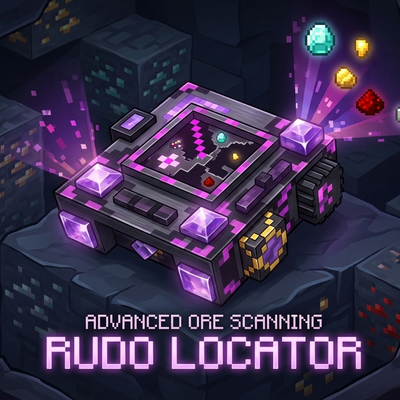 mod
mod mod
mod mod
mod