Configured (Fabric) Optional for Catalogue (Fabric) Catalogue 1.8.0
optionalNo matching file
CurseForge · Minecraft mod
A beautiful mod list for Fabric API
Quick answer
Catalogue (Fabric) Catalogue 1.8.0 targets 1.20.1 with Fabric. The project page does not say whether this file belongs on the client, dedicated server, or both. No extra mods listed for this file.
Where it goes
The project page does not say whether this file belongs on the client, dedicated server, or both.
The source does not explicitly classify this release as client-only or server-only.
Catalogue 1.8.0. Change the file and its required mods may change too.
This file does not list any required mods. Do not add a library just because a different file uses it.
We only count dependency files that match this setup. A file for another loader does not fill the gap.
Before you install it
Built for Catalogue (Fabric) Catalogue 1.8.0. Pick another file and the loader, install side or required mods may change.
Use Catalogue 1.8.0. It targets 1.20.1 with Fabric; another release may have different loader, side or dependency requirements.
This file does not list any required mods. Do not add a library just because a different file uses it.
The project page does not say whether this file belongs on the client, dedicated server, or both.
Use the “Get this file” button beside Catalogue 1.8.0. It opens that exact file at the source.
About this project
This project page is now deprecated. Fabric versions for Minecraft 1.20.4+ can be downloaded from the main project page. This page will stay available for modpacks and legacy versions.



📖 About:
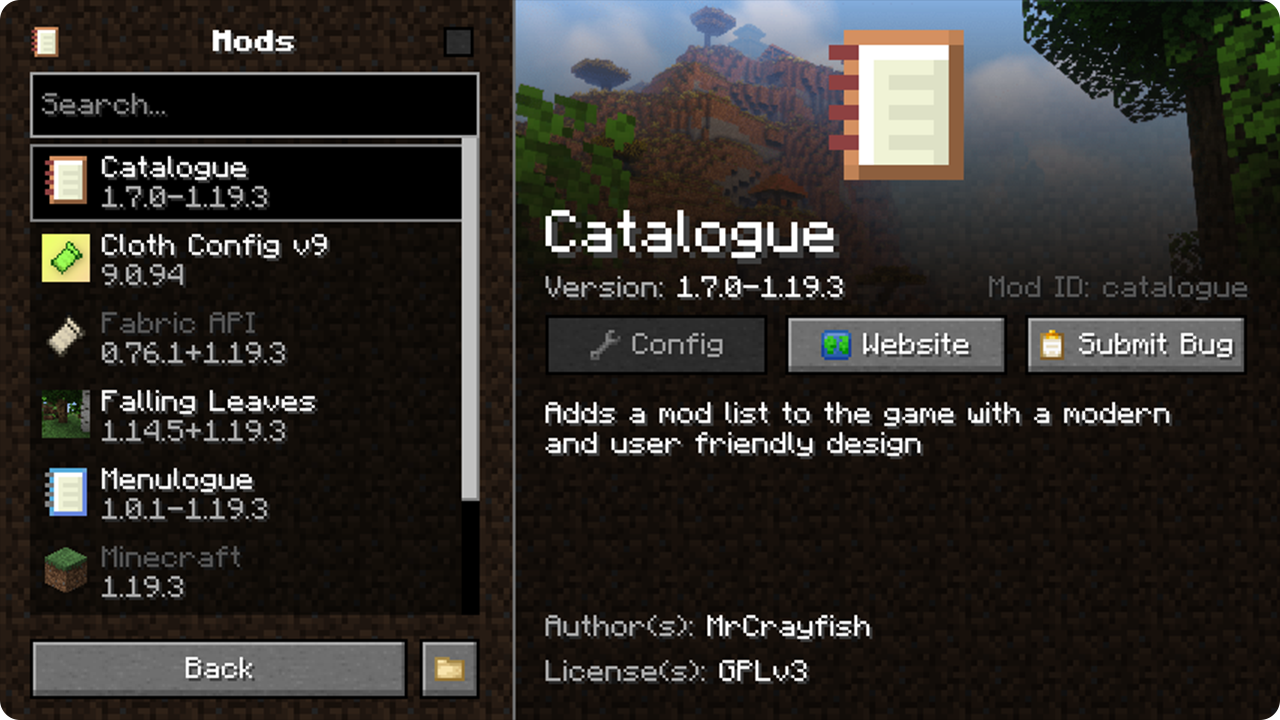
Catalogue for Fabric is a port of the original mod but has been modified and adapted specifically for Fabric. Catalogue provides a menu that displays a list of all mods installed, which can be accessed from the main menu or in-game. The new menu makes it easier to search installed mods, submit bugs and see relevant mod information. Since Catalogue is also available for Forge, this mod allows you to have a consistent experience regardless of the mod loader. Catalogue features a non-intrusive API for developers to open a configuration screen for their mod or even provide them for other mods.
🔧 If want to add support for Mod Menu's config entrypoint, install  Menulogue
📦 Developers:
Catalogue uses the icon definined in your fabric.mod.json as the icon shown next to your mod in the list, which means your mod is likely already supported. However Catalogue has a few extended options if you would like to further customise the branding for your mod and specify a config screen. Catalogue uses a non-intrusive API, which means you do not even need to include it in your workspace or even depend on the mod. To learn more about the features of the API, see the developer help page.
📷 Screenshots:
🙋♀️ Need Support or Want to Follow Mod Development:
The comment section isn't great for support, which is why MrCrayfish recommends you join the  Discord community. You can get help installing and configuring mods, resolving crashes and more! Plus you'll also get access to news about mod updates and development (before anywhere else!). Click the banner below to join 🔽

Project description from CurseForge.
Pick your setup
Choose the version and loader you play, then open the matching release.
Check the dependencies, then try the file in a copied instance before changing a world you care about.
Recent files
catalogue-fabric-1.20.1-1.8.0.jar
24 Sept 2023
catalogue-fabric-1.20.1-1.7.1.jar
16 Jun 2023
catalogue-fabric-1.19.4-1.7.1.jar
19 Apr 2023
catalogue-fabric-1.19.4-1.7.0.jar
18 Apr 2023
catalogue-fabric-1.7.0-1.19.3.jar
12 Dec 2022
catalogue-fabric-1.7.0-1.19.2.jar
12 Dec 2022
catalogue-fabric-1.6.3-1.19.2.jar
27 Sept 2022
Looking for an older file? The official CurseForge project page is in Resources.
 mod
modA ready-made system for communicating with players using phrases from the STALKER. Uses the original Russian voice acting. it has a configuration and 9 groupings.
 mod
modVanilla themed monsters to add some difficulty to the game. A remake of Ender Zoo.
 mod
modA rebuild and remaster of one of MC's most iconic Nether mods, now on 1.20.1 on Forge AND Fabric!
