Curios API Needed by Illegal Easy Moh illegaleasymoh-1.1.1-1.19.2
requiredMatching file found Matched file: curios-forge-1.19.2-5.1.6.4.jar
CurseForge · Minecraft mod
A mod to mark illegal items, inform users through tooltips and prevent usage or possession
Quick answer
Illegal Easy Moh illegaleasymoh-1.1.1-1.19.2 targets 1.19.2 with Forge. The project page does not say whether this file belongs on the client, dedicated server, or both. All 1 required mods have matching files.
Where it goes
The project page does not say whether this file belongs on the client, dedicated server, or both.
The source does not explicitly classify this release as client-only or server-only.
illegaleasymoh-1.1.1-1.19.2. Change the file and its required mods may change too.
Install Curios API first. We found matching files for this game-version and loader setup.
We only count dependency files that match this setup. A file for another loader does not fill the gap.
Before you install it
Built for Illegal Easy Moh illegaleasymoh-1.1.1-1.19.2. Pick another file and the loader, install side or required mods may change.
Use illegaleasymoh-1.1.1-1.19.2. It targets 1.19.2 with Forge; another release may have different loader, side or dependency requirements.
Install Curios API first. We found matching files for this game-version and loader setup.
The project page does not say whether this file belongs on the client, dedicated server, or both.
Use the “Get this file” button beside illegaleasymoh-1.1.1-1.19.2. It opens that exact file at the source.
About this project
 **Illegal Easy Moh**
This is a mod for servers that are looking to restrict how users interact with different items. The mod allows marking items a
so they are not allowed to be carried, used, or have restrictions on usage.
With this mod, admins can move the rules that are often written inside the discord server's channels inside the game domain
and be a part of the item's tooltip. Not only can you display if an item falls into a specific "Illegality" category and add custom messages to each item, but you can also prevent users from equipping or carrying them.
Features
Provides a registry where you can register items and or complete namespaces and assign them an illegality category
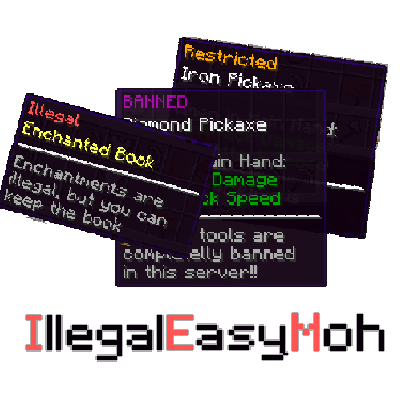
BANNED
ILLEGAL
RESTRICTED
Prevent users from having BANNED items on their inventories, either by destroying them or throwing them on the ground automatically
Prevent users from equipping or having ILLEGAL items on their hands
Customize registered items so they can have a message that explains to the users why the item is configured as it is via tooltips
Configure through JSON configuration files or by using command line commands
English and Spanish translations
How it works
Configuring the mod
Basic configuration
You will find a configuration file inside "world/serverconfig" called illegaleasymoh-config.json which contains the following properties:
You will also find a file called illegaleasymoh-common.toml inside /config folder with a single configuration property:
POLLING_INTERVAL: This configuration determines the time (in MS) on which the client will query the server to determine if there was a change on the registry for a given item if required to query. For example,if you keep your mouse over a given item the mod will query the server every POLLING_INTERVAL milliseonds to check if any change was made. Default value is 1000ms, min value is 100ms and max value is 2000ms.There's no need to change this option in most cases but if for some reason you have a use case that requires items that move from category constantly you may want to lower this value.
Blacklisted items
Run the server once and you'll find a configuration file inside "world/serverconfig" called iem-blacklist.json. The file must contain an array of objects with the following structure
{
"namespace": "minecraft",
"path": "diamond_axe",
"category": {
"category": "2",
"message": "You can only carry 1 diamond axe"
}
}
If you wish to blacklist an entire namespace, you can use * as the path, for example:
...
"namespace": "securitycraft",
"path": "*",
...
That configuration will blacklist the entire securitycraft namespace
The category object contains 2 properties, the category itself which is represented by a number where:
0 Represents banned items
1 Represents Illegal items
2 Represents restricted items
The message property is the text that would be displayed on the lower part of the item's tooltip and it's optional. If you don't wish to present any type of message just use "" as the message.
There are 3 commands for operators, all prefixed by /iem
/iem add <item> <category as a number> <message as a string surrounded by "">
/iem remove <item>
/iem edit <item> <category as a number> <message as a string surrounded by "">
These commands will make the changes persistent in the JSON configuration file and will be saved If the server restarts
Requirements
This mod requires Curios in order to work, and needs to be installed both on the client and the server side.
Roadmap for future versions
Some screenshots
How banned items look

How illegal items look

Adding items to the registry through the command line

Project description from CurseForge.
Pick your setup
Choose the version and loader you play, then open the matching release.
Check the dependencies, then try the file in a copied instance before changing a world you care about.
Recent files
illegaleasymoh-1.1.1-1.19.2.jar
27 Dec 2022
30 Oct 2022
28 Oct 2022
illegaleasymoh-1.0.0-1.18.2.jar
3 Oct 2022
Looking for an older file? The official CurseForge project page is in Resources.
 mod
Farming automation mod. Planters and raised beds grow your crops and trees for you.
 mod
Client-side building toolkit: select areas, save and load .schem, .litematic and .nbt schematics, and build from ghost-block placements with a material checker.
 mod
Automatically enable the resource packs included in the mod config folder.