Minecraft version
Back to mods 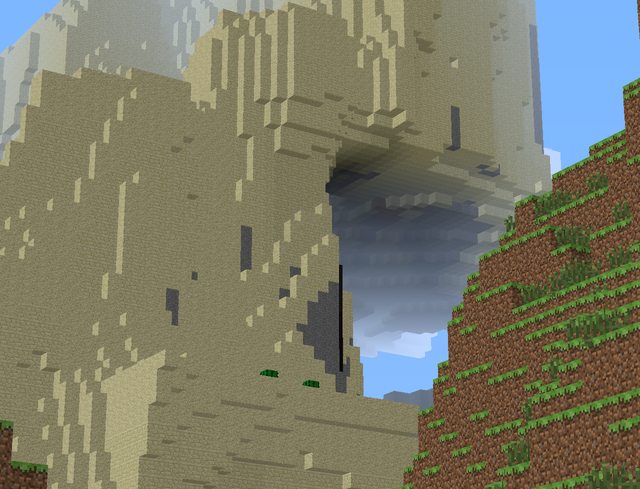
CurseForge · Minecraft mod
ZoomMod
ZoomMod
Choose a version Pick your version below, then grab the matching file.
Quick answer
Which ZoomMod release matches 1.7.2?
Best match for your filters ZoomMod_v1.1__13w47c_.zip
Game version 1.7.2
Loader Not required
ZoomMod_v1.1__13w47c_.zip targets 1.7.2. The project page does not say whether this file belongs on the client, dedicated server, or both. No extra mods listed for this file.
Where it goes
Is ZoomMod required on the client, server, or both?
The project page does not say whether this file belongs on the client, dedicated server, or both.
Client Source doesn’t say
Dedicated server Source doesn’t say
Loader for this release No loader listed
Required install it here Optional supported, not mandatory Not supported do not install here Source doesn’t say do not assume
The source does not explicitly classify this release as client-only or server-only.
What else does ZoomMod_v1.1__13w47c_.zip need?
ZoomMod_v1.1__13w47c_.zip on 1.7.2. Every mod below is checked against that same setup.
This file does not list any required mods. Do not add a library just because a different file uses it.
This file does not list any required or optional mods.
Before you install it
Add ZoomMod without breaking your instance.
Built for ZoomMod_v1.1__13w47c_.zip on 1.7.2. Pick another file and the loader, install side or required mods may change.
- 01
Stick to this file
Use ZoomMod_v1.1__13w47c_.zip. It targets 1.7.2; another release may have different loader, side or dependency requirements.
- 02
Bring the mods it needs
This file does not list any required mods. Do not add a library just because a different file uses it.
- 03
Put it on the correct side
The project page does not say whether this file belongs on the client, dedicated server, or both.
- 04
Pick the file you checked
Use the “Get this file” button beside ZoomMod_v1.1__13w47c_.zip. It opens that exact file at the source.
About this project
What does ZoomMod add?
ZoomMod
This small-mod adds a zoom(like binoculars) by pressing a button like optifine.
Spotlights:
by MCinSimple
http://www.youtube.com/watch?v=Qhv9wN9rnoQ
by Revolver0125
http://www.youtube.com/watch?v=6-6Gznl32aY
by TheGriefersBay
http://www.youtube.com/watch?v=pZ3yRBgIB1Q
by Cerorecord
http://www.youtube.com/watch?v=kgdgNAN5v40
Installation:
For 1.7.4
install like 1.7.2 or use Installer
For 1.7.2:
- Use the official launcher to download and start once Minecraft 1.7.2.
- Go to the minecraft base folder (the official launchers shows it when you click "Edit Profile" as "Game Directory")
- Go in subfolder "Versions"
- Rename the folder "1.7.2" to "1.7.2_zoom"
- Go in the subfolder "1.7.2_zoom"
- Rename "1.7.2.jar" to "1.7.2_zoom.jar"
- Rename "1.7.2.json" to "1.7.2_zoom.json"
- Open the file "1.7.2_zoom.json" with a text editor and replace "id":"1.7.2" with"id":"1.7.2_zoom" and save the file
- Copy the files from the ZoomMod ZIP file in "1.7.2_zoom.jar" as usual and remove the META-INF folder from "1.7.2_zoom".
- Start the official launcher
- Click "Edit Profile"
- Select "Use version:" -> "release 1.7.2_zoom"
- Click "Save Profile"
- Click "Play" or "Login" to start the game. If only "Play Offline" is available, then log out and log in again to fix it.
For 1.6.4 REQUIRED Forge: - Use the official launcher to download and start once Minecraft 1.6.4.
place zip file to /mods
Changelog:
v1.2
Fixed framelimit bug
v1.1
- Config
- item "zoom" in options.txt, default - 4.0
v1.0
- Bugfix buttons (thanks Kochu)
v0.99
- Zoom
by ga2mer (bad english, I from russia)
Project description from CurseForge.
Pick your setup
ZoomMod by Minecraft version and loader
Choose the version and loader you play, then open the matching release.
Minecraft version
1.7.10
1 loader buildMinecraft version
1.7.9
1 loader buildMinecraft version
1.7.4
1 loader buildMinecraft version
1.7.2
1 loader buildMinecraft version
1.6.4
1 loader buildCheck the dependencies, then try the file in a copied instance before changing a world you care about.
Recent files
ZoomMod versions and loaders
ZoomMod_v1.1__13w47c_.zip
21 Nov 2013
Client Source doesn’t say Server Source doesn’t say Dependencies No extras listed Listed on Release listing
Check the 1.7.2 setup 1.7.2 release
ZoomMod_1.1__1.7.2_.zip
19 Nov 2013
Client Source doesn’t say Server Source doesn’t say Dependencies No extras listed Listed on Release listing
Check the 1.7.2 setup 1.7.2 release
Looking for an older file? The official CurseForge project page is in Resources.