
Minecraft version
Back to mods 
Modrinth · Minecraft mod
TabTPS Enhanced
Live TPS and MSPT in tab list, action bar and boss bar. Per region on Folia, in-game settings menu and lag alerts
Choose a version Pick your version below, then grab the matching file.
Quick answer
Which TabTPS Enhanced release should I use?
Latest stable file 1.4.0+forge-1.20.1
Game version 1.20.1
Loader Forge
TabTPS Enhanced 1.4.0+forge-1.20.1 targets 1.20.1 with Forge. The project page does not say whether this file belongs on the client, dedicated server, or both. No extra mods listed for this file.
Where it goes
Is TabTPS Enhanced required on the client, server, or both?
The project page does not say whether this file belongs on the client, dedicated server, or both.
Client Source doesn’t say
Dedicated server Source doesn’t say
Loader for this release Forge
Required install it here Optional supported, not mandatory Not supported do not install here Source doesn’t say do not assume
The source does not explicitly classify this release as client-only or server-only.
What else does TabTPS Enhanced 1.4.0+forge-1.20.1 need?
1.4.0+forge-1.20.1. Change the file and its required mods may change too.
This file does not list any required mods. Do not add a library just because a different file uses it.
This file does not list any required or optional mods.
Before you install it
Add TabTPS Enhanced without breaking your instance.
Built for TabTPS Enhanced 1.4.0+forge-1.20.1. Pick another file and the loader, install side or required mods may change.
- 01
Stick to this file
Use 1.4.0+forge-1.20.1. It targets 1.20.1 with Forge; another release may have different loader, side or dependency requirements.
- 02
Bring the mods it needs
This file does not list any required mods. Do not add a library just because a different file uses it.
- 03
Put it on the correct side
The project page does not say whether this file belongs on the client, dedicated server, or both.
- 04
Pick the file you checked
Use the “Get this file” button beside 1.4.0+forge-1.20.1. It opens that exact file at the source.
About this project
What does TabTPS Enhanced add?



TabTPS Enhanced shows TPS, MSPT, ping and more in the tab list, action bar and boss bar. On Folia every player sees the values of the region they are standing in, not a server-wide average. It runs as a plugin on Folia, Canvas, Paper, Purpur, Leaf and Spigot, as a Forge mod and comes with an optional Velocity plugin.
Features
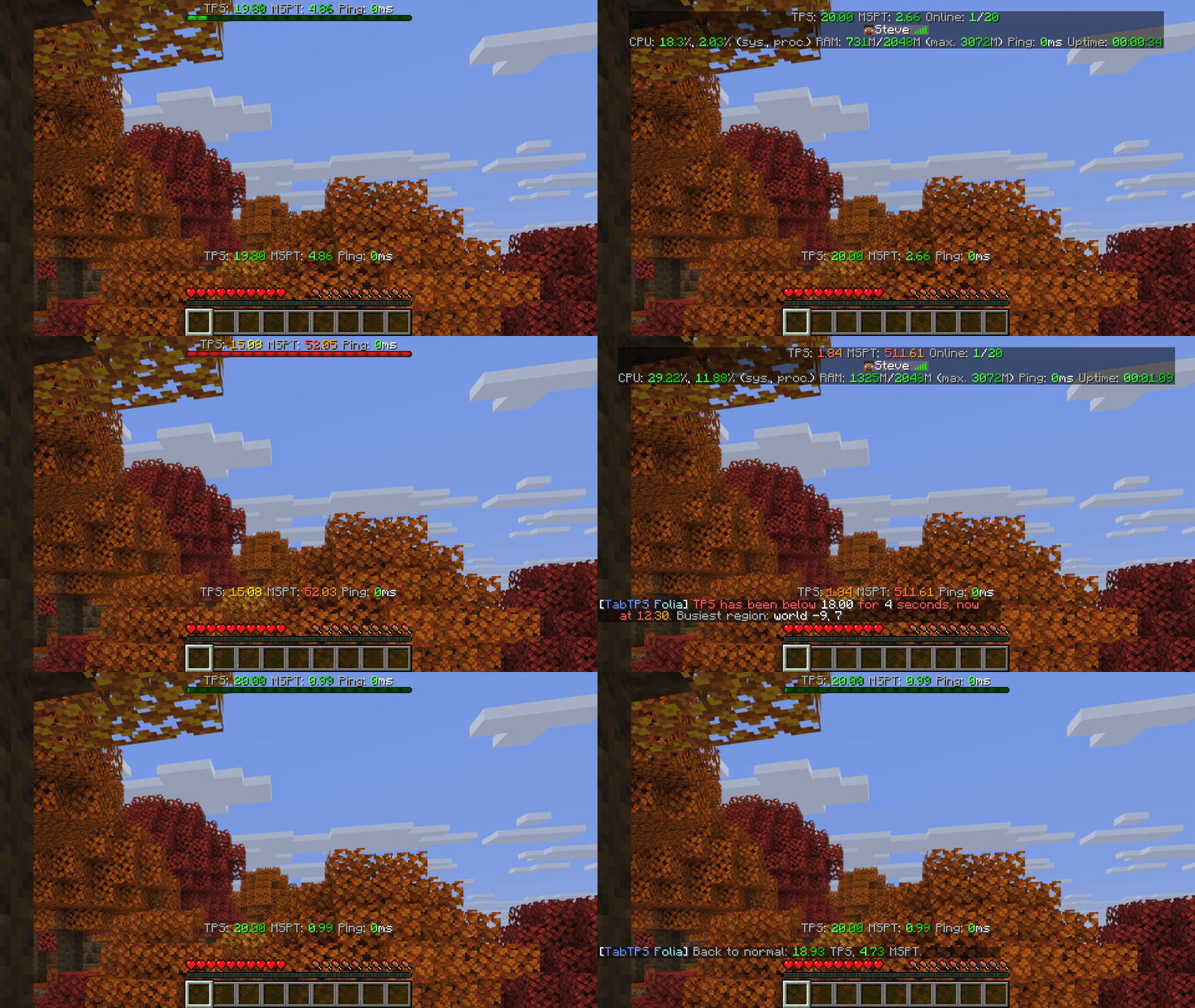
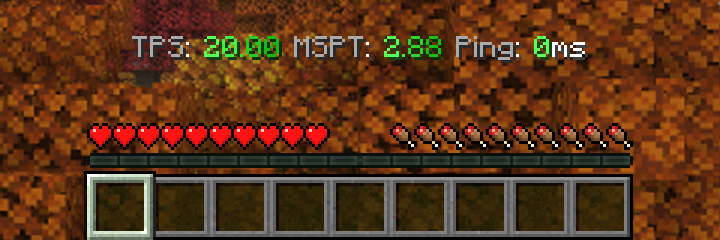
- Live displays in the tab list, action bar and boss bar, each player can turn them on and off
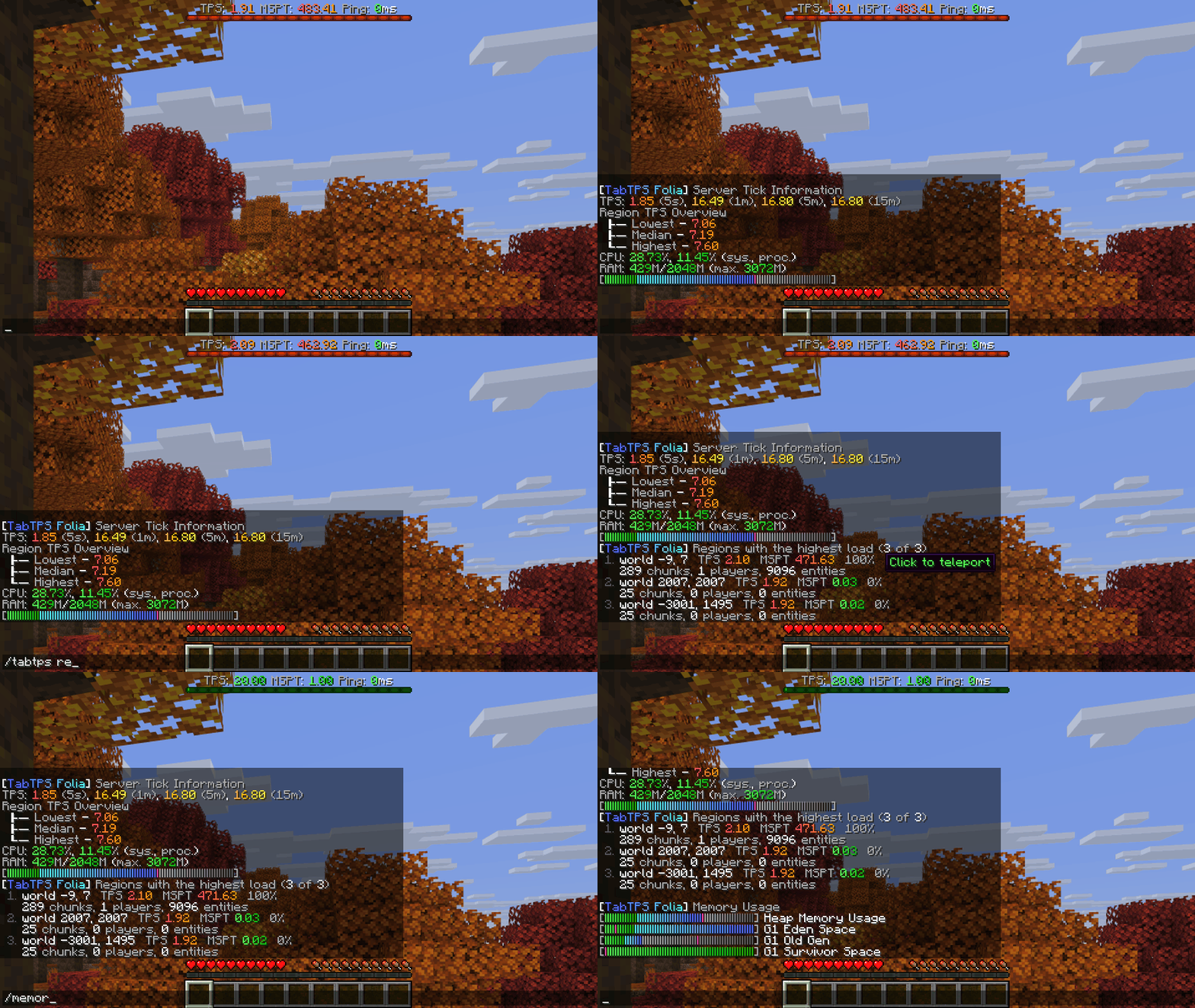
- Per region on Folia: TPS and MSPT of the player's own region, plus the lowest, median and highest region TPS
- Settings menu in the game:
/tabtpschanges displays, modules, themes, lag alerts and more, no config editing needed - Region overview:
/tabtps regionslists the busiest regions, click one to teleport there - Lag alerts in chat, console and Discord when the server stays below a TPS or above an MSPT limit
- Network view:
/networktpson Velocity shows all your backend servers at once - PlaceholderAPI and MiniPlaceholders placeholders like
%tabtps_tps%and<tabtps_tps> - Custom text with MiniMessage, themes with your own color levels, mob caps, uptime, CPU and memory modules
Every extra feature is off by default, so without touching a config TabTPS just shows your displays.
Settings menu
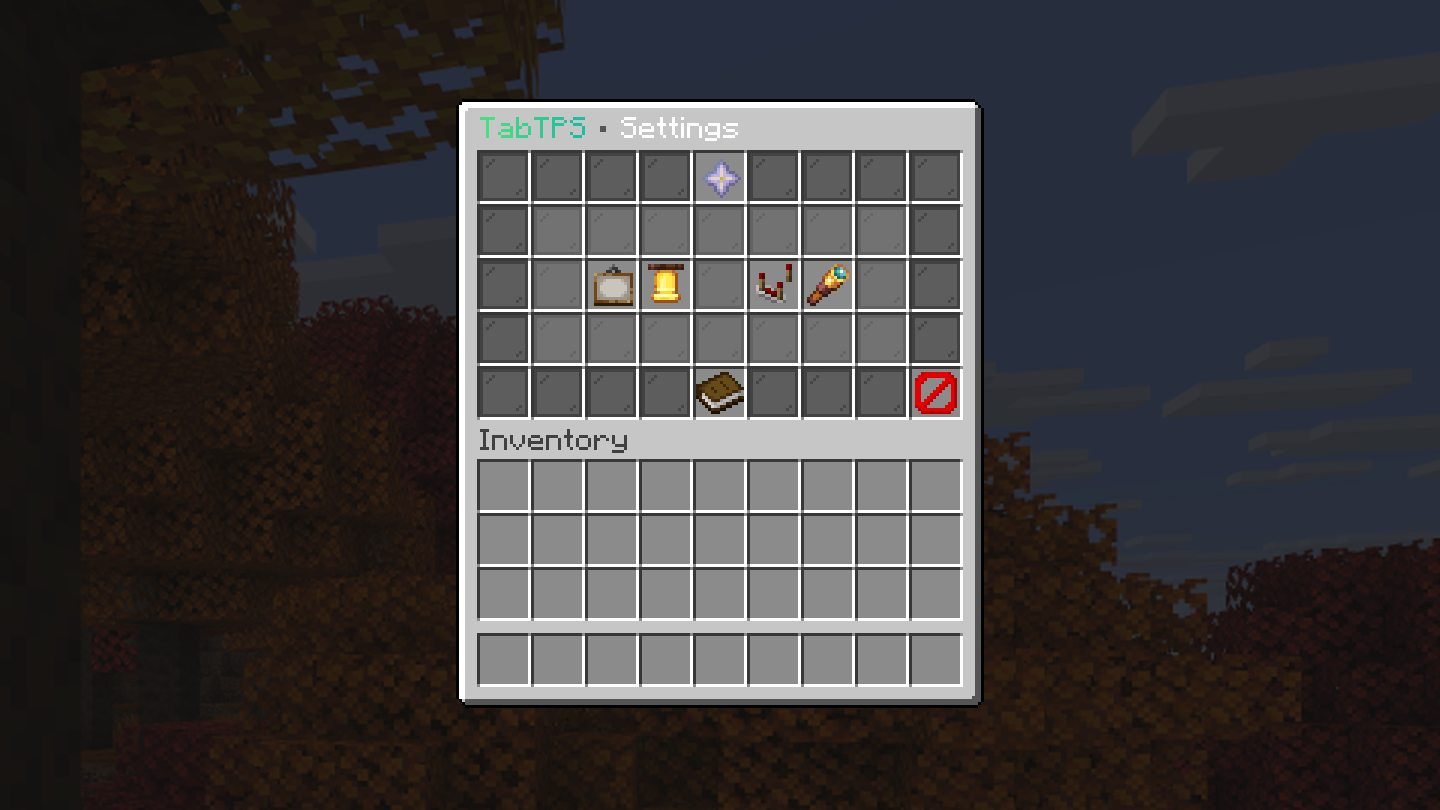
Open it with /tabtps (permission tabtps.gui). On Minecraft 1.21.6 and newer it uses Minecraft's dialog screens, on older versions a chest menu, on the plugin and the Forge mod alike. Every change is written to the config files and applied right away.
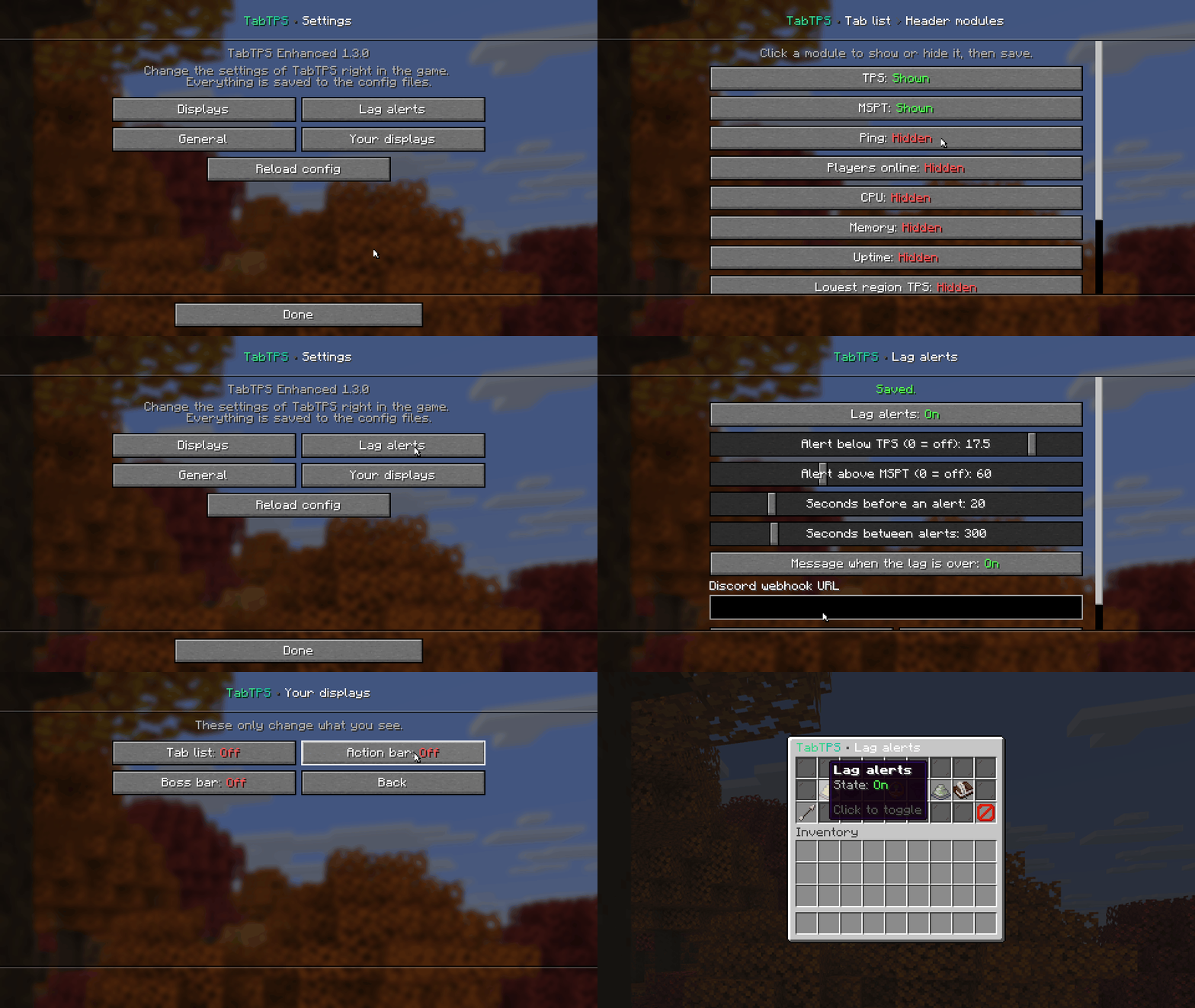
| Dialog (1.21.6+) | Chest menu |
|---|---|
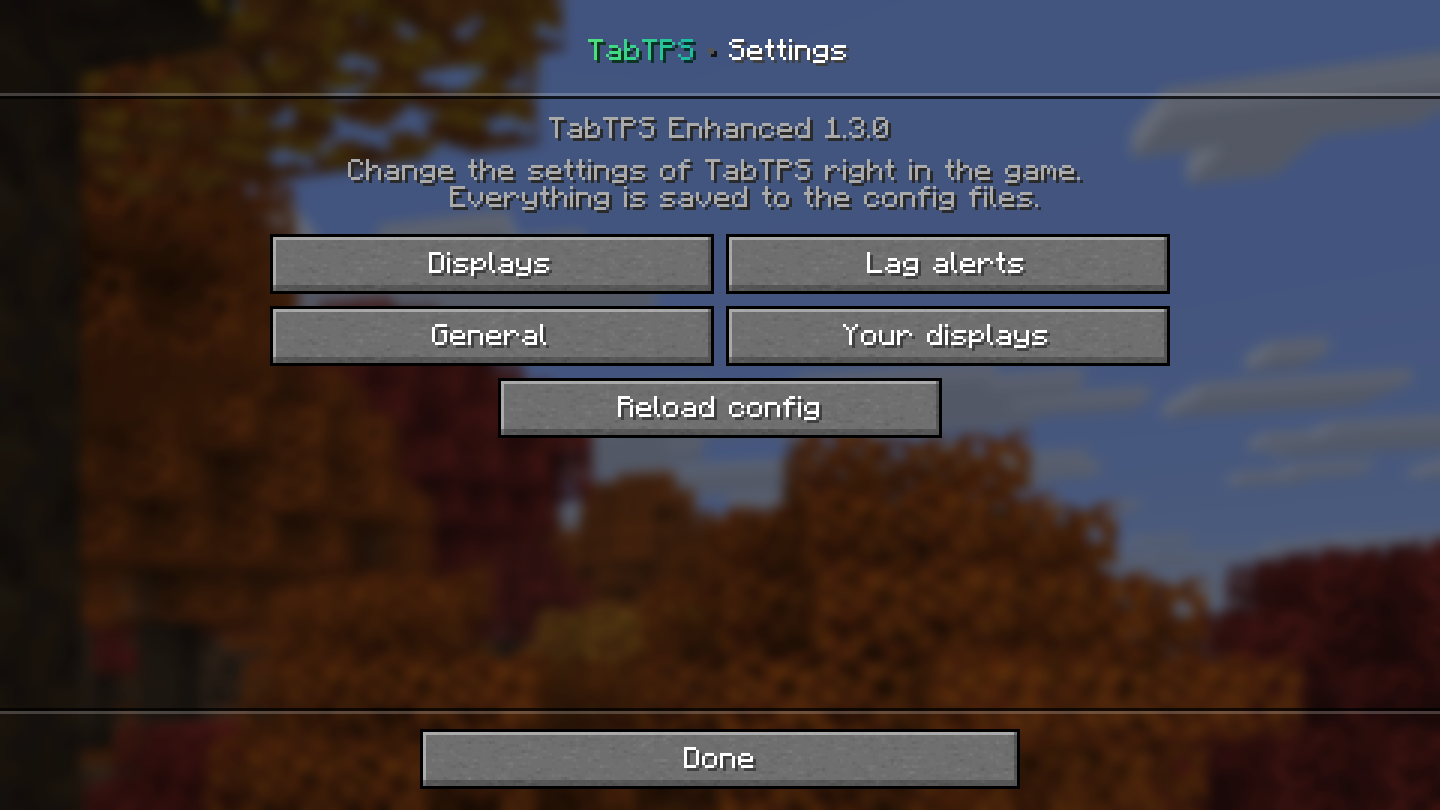 |
 |
Displays
| Tab list | Action bar and boss bar |
|---|---|
 |
  |
Under load the boss bar changes color and fills up:

Region overview (Folia and Canvas)
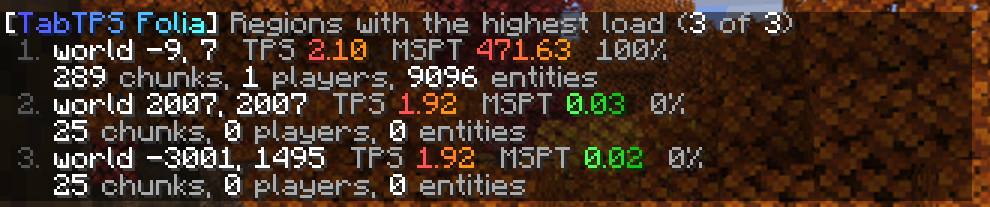
/tabtps regions lists the regions with the highest load with their TPS, MSPT, utilisation, chunks, players and entities. Click a line to teleport to that region.
Lag alerts
Turn them on with enabled=true in the lag-alerts section of main.conf or in the settings menu. Players with tabtps.lagalert get a chat message, the console a log line and a Discord webhook can get a message too. On Folia the alert names the busiest region.

Velocity network view
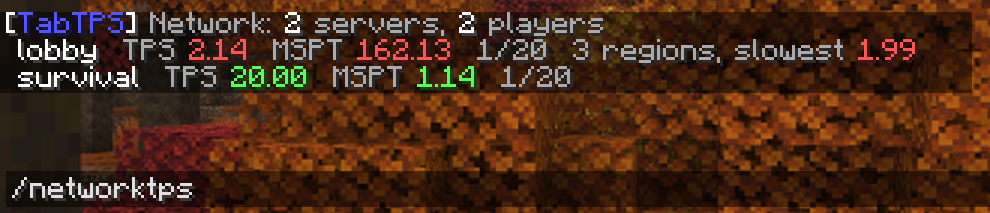
Put tabtps-velocity on your proxy and set send-stats-to-proxy=true on your backends. /networktps (permission tabtps.network) then shows TPS, MSPT and players of every server.
Commands
| Command | What it does | Permission |
|---|---|---|
/tabtps or /tabtps gui |
Opens the settings menu | tabtps.gui |
/tabtps toggle tab|actionbar|bossbar [player] |
Turns a display on or off | from the display config, tabtps.toggle.others for other players |
/tickinfo, /mspt |
Tick times, per region on Folia | tabtps.tps |
/memory |
Memory usage | tabtps.tps |
/ping [player], /pingall |
Ping of you, a player or everyone | tabtps.ping, tabtps.ping.others |
/tabtps regions [count] |
Busiest regions (Folia, Canvas) | tabtps.regions |
/tabtps mobcaps |
Mob caps of every world | tabtps.mobcaps |
/tabtps reload |
Reloads the config | tabtps.reload |
/networktps (Velocity) |
All backend servers | tabtps.network |
Which file do I need?
| Server | File | Folder |
|---|---|---|
| Folia, Canvas, Paper, Purpur, Leaf, Spigot (1.20 – 26.3, Java 17+) | tabtps-enhanced-<version>.jar |
plugins/ |
| Forge 26.3 (server or singleplayer) | tabtps-forge-mc26.3-<version>.jar |
mods/ |
| Forge 1.20.1 (server or singleplayer) | tabtps-forge-mc1.20.1-<version>.jar |
mods/ |
| Velocity 3.4+ (optional) | tabtps-velocity-<version>.jar |
plugins/ |
The Forge mod only has to be on the server, players don't need it. Coming from TabTPS Folia: delete the old tabtps-folia-*.jar when you update.
More
Every option, module, placeholder and permission is explained in the documentation. Bugs and ideas: GitHub issues.
Based on TabTPS by jpenilla (MIT).
Project description from Modrinth.
Pick your setup
TabTPS Enhanced by Minecraft version and loader
Choose the version and loader you play, then open the matching release.
Minecraft version
26.2
1 loader buildMinecraft version
26.1.2
1 loader buildMinecraft version
26.1.1
1 loader buildMinecraft version
26.1
1 loader buildMinecraft version
1.21.11
1 loader buildMinecraft version
1.21.10
1 loader buildMinecraft version
1.21.9
1 loader buildMinecraft version
1.21.8
1 loader buildMinecraft version
1.21.7
1 loader buildMinecraft version
1.21.6
1 loader buildMinecraft version
1.21.5
1 loader buildShowing the newest 12 of 24 game versions. Older files are in the list below.
Check the dependencies, then try the file in a copied instance before changing a world you care about.
Recent files
TabTPS Enhanced versions and loaders
1.4.0+forge-1.20.1
tabtps-forge-mc1.20.1-1.4.0.jar
8 Nov 2026
Client Source doesn’t say Server Source doesn’t say Dependencies No extras listed Listed on Release listing
Check the 1.20.1 · Forge setup 1.20.1Forge release
1.4.0+forge-26.3
tabtps-forge-mc26.3-1.4.0.jar
8 Nov 2026
Client Source doesn’t say Server Source doesn’t say Dependencies No extras listed Listed on Release listing
Check the 26.3 · Forge setup 26.3Forge release
1.4.0
tabtps-enhanced-1.4.0.jar
8 Nov 2026
Client Source doesn’t say Server Source doesn’t say Dependencies No extras listed Listed on Release listing
Check the 26.3 · folia setup 1.201.20.11.20.21.20.3 release
1.4.0+velocity
tabtps-velocity-1.4.0.jar
8 Nov 2026
Client Source doesn’t say Server Source doesn’t say Dependencies No extras listed Listed on Release listing
Check the 26.3 · velocity setup 1.201.20.11.20.21.20.3 release
1.3.0+forge-26.3
tabtps-forge-mc26.3-1.3.0.jar
8 Nov 2026
Client Source doesn’t say Server Source doesn’t say Dependencies No extras listed Listed on Release listing
Check the 26.3 · Forge setup 26.3Forge release
1.3.0+forge-1.20.1
tabtps-forge-mc1.20.1-1.3.0.jar
8 Nov 2026
Client Source doesn’t say Server Source doesn’t say Dependencies No extras listed Listed on Release listing
Check the 1.20.1 · Forge setup 1.20.1Forge release
1.3.0
tabtps-folia-1.3.0.jar
8 Nov 2026
Client Source doesn’t say Server Source doesn’t say Dependencies No extras listed Listed on Release listing
Check the 26.3 · folia setup 1.201.20.11.20.21.20.3 release
1.2.0
tabtps-folia-1.2.0.jar
27 Oct 2026
Client Source doesn’t say Server Source doesn’t say Dependencies No extras listed Listed on Release listing
Check the 26.3 · folia setup 1.201.20.11.20.21.20.4 release
1.1.0
tabtps-folia-1.1.0.jar
15 Jun 2026
Client Source doesn’t say Server Source doesn’t say Dependencies No extras listed Listed on Release listing
Check the 26.1.2 · folia setup 26.1.2folia release
1.0.0
tabtps-folia-1.0.0.jar
22 Mar 2026
Client Source doesn’t say Server Source doesn’t say Dependencies No extras listed Listed on Release listing
Check the 1.21.11 · folia setup 1.201.20.11.20.21.20.4 release
Looking for an older file? The official Modrinth project page is in Resources.
 mod
CurseForge + Modrinth · Minecraft
Applied Energistics 2
A Mod about Matter, Energy and using them to conquer the world..
 mod
CurseForge + Modrinth · Minecraft
Entangled
Entangled allows you to 'entangle' two blocks together!
 mod
Modrinth · Minecraft
Simple Auto Farm
A simple planting machinery mod: insert seeds, provide energy, and the machine automatically plants, grows, and harvests crops.