Rinku Optional for Atlas Client 2.1.2
optionalMatching file found Matched file: 3.0.4-26.2-fabric

Modrinth · Minecraft mod
Utility HUD client + cosmetics
Quick answer
Atlas Client 2.1.2 targets 26.2 with Fabric. It must be installed on the client. Do not install it on the dedicated server. All 1 required mods have matching files.
Where it goes
It must be installed on the client. Do not install it on the dedicated server.
This file is marked client-only.
2.1.2. Change the file and its required mods may change too.
Install Player Animation Library first. We found matching files for this game-version and loader setup. 1 comes through another mod in the chain.
1 extra mod was pulled in by another dependency. Indented rows show who needs each one. We only count dependency files that match this setup. A file for another loader does not fill the gap.
Before you install it
Built for Atlas Client 2.1.2. Pick another file and the loader, install side or required mods may change.
Use 2.1.2. It targets 26.2 with Fabric; another release may have different loader, side or dependency requirements.
Install Player Animation Library first. We found matching files for this game-version and loader setup. 1 comes through another mod in the chain.
It must be installed on the client. Do not install it on the dedicated server.
Use the “Get this file” button beside 2.1.2. It opens that exact file at the source.
About this project
A modern, deeply customizable utility client for Fabric.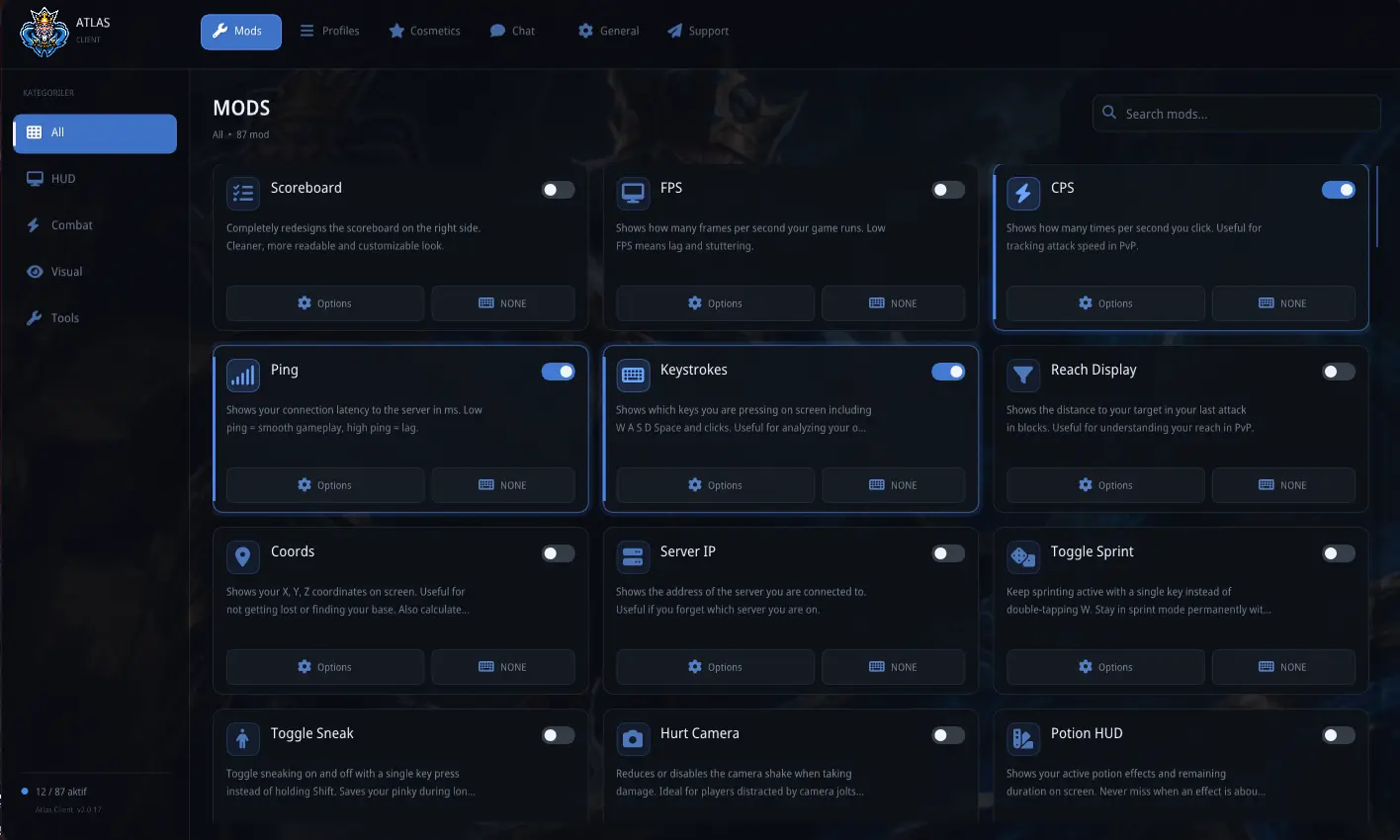
Atlas Client brings 80+ configurable modules, a fully customizable HUD, cosmetics, emotes, social features, custom skins, and a polished in-game interface together in a single client-side mod.
Inspired by clients such as Lunar Client and LabyMod, Atlas Client was built for players who want extensive customization without replacing the flexibility of the Fabric ecosystem.
Atlas Client is not a performance optimization mod.
It does not provide FPS boosts or rendering optimizations. It is designed to work alongside performance mods such as Sodium and Lithium.
Build your own HUD and display exactly the information you want.
Every HUD element can be individually positioned and customized.
Useful visual information without automated combat.
These modules provide visual information only and are not designed to automate combat.
Atlas Client includes a large collection of utilities designed to make everyday gameplay more convenient.
Change how Minecraft looks and feels without replacing the game itself.
With more than 80 modules, the easiest way to discover everything is simply to open the Atlas Client menu and explore.
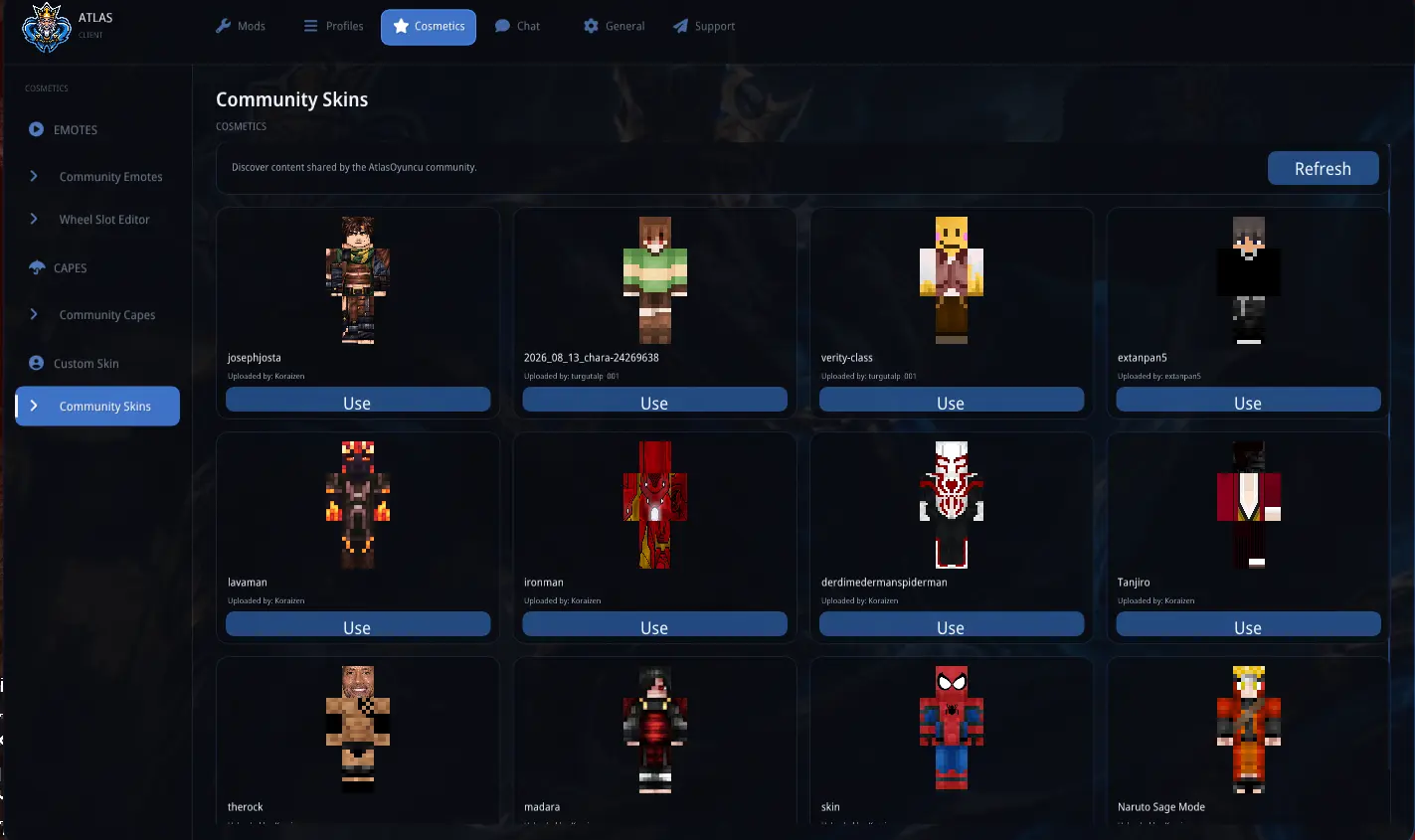
Atlas Client includes its own custom skin system.
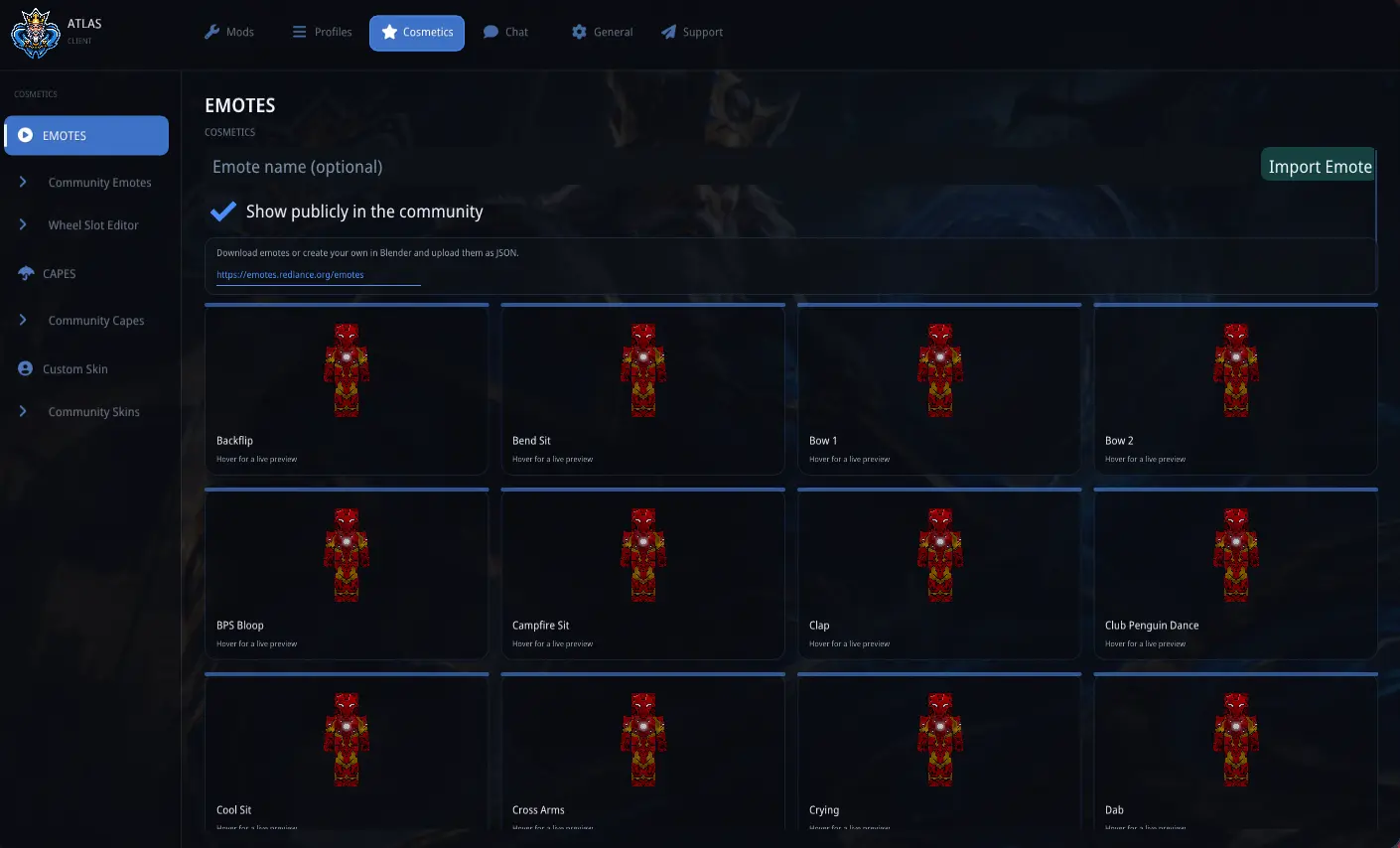
Customize your character beyond vanilla Minecraft.
All cosmetic features are optional.
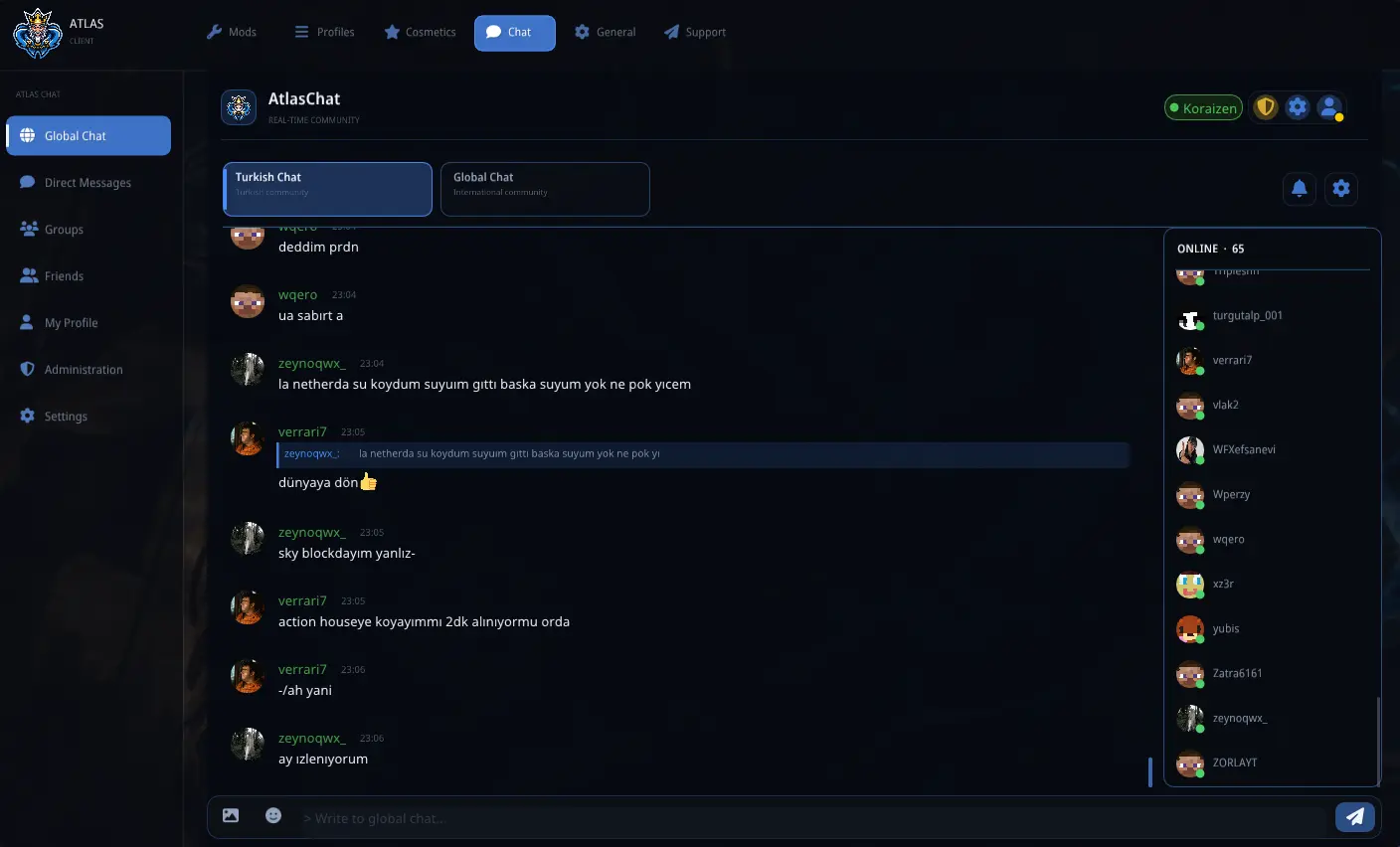
Atlas Client includes its own real-time social platform, separate from Minecraft server chat.
AtlasChat communicates with the Atlas Client backend.
The HUD, modules, and most cosmetic features remain usable without AtlasChat.
Atlas Client uses a unified design system across its menus and HUD.
Customize:
HUD elements can be freely positioned, aligned to a grid, or magnetically snapped together for cleaner layouts.
Atlas Client includes complete translations for:
Minecraft terminology, including enchantment names, uses the game's official translations where available.
Atlas Client includes an Auto Clicker and Keyboard Macro module.
Both are disabled by default and are intended for accessibility, repetitive tasks, and permitted farming activities.
Using automation on multiplayer servers may violate server rules or trigger anti-cheat systems. Always check the rules of the server before enabling these modules.
Atlas Client is entirely client-side. Nothing needs to be installed on the Minecraft server.
| Dependency | Version |
|---|---|
| Minecraft | 1.21.11 |
| Fabric Loader | 0.17.2+ |
| Fabric API | Required |
| Java | 21+ |
Atlas Client is designed to work alongside popular Fabric performance mods such as Sodium and Lithium.
Compatibility with every possible mod combination cannot be guaranteed. If you encounter a conflict, please report it so it can be investigated.
Atlas Client is distributed under the MIT License.
Have a suggestion, found a bug, or want to follow Atlas Client development?
Join the AtlasOyuncu Discord community:
Project description from Modrinth.
Pick your setup
Choose the version and loader you play, then open the matching release.
Check the dependencies, then try the file in a copied instance before changing a world you care about.
Recent files
atlas-client-2.1.2.jar
1 Sept 2026
atlas-client-2.1.2.jar
1 Sept 2026
atlas-client-2.1.2.jar
1 Sept 2026
atlas-client-2.1.2.jar
1 Sept 2026
atlas-client-2.1.2.jar
1 Sept 2026
atlas-client-2.1.2.jar
1 Sept 2026
atlas-client-2.1.2.jar
1 Sept 2026
atlas-client-2.1.2.jar
1 Sept 2026
atlas-client-2.1.0.jar
26 Aug 2026
atlas-client-2.1.0.jar
26 Aug 2026
atlas-client-2.1.0.jar
26 Aug 2026
atlas-client-2.1.0.jar
26 Aug 2026
Looking for an older file? The official Modrinth project page is in Resources.
 mod
modAn AI-powered Carpet extension mod packed with practical utilities, including longer player name support and fake-player area mining.
 mod
mod把 DG-LAB 郊狼连入 Minecraft,每一次受伤、坠落和死亡都会化为真实触觉反馈。Connect your DG-LAB Coyote to Minecraft and feel every hit, fall, and death as real haptic pulses — a serious immersion tool, nothing else.
 mod
modEnchantment Shifter is a Minecraft mod that allows players to freely move enchantments between items using the anvil. Transfer enchantments to books for storage, shift enchantments between tools, and customize XP costs and limits.